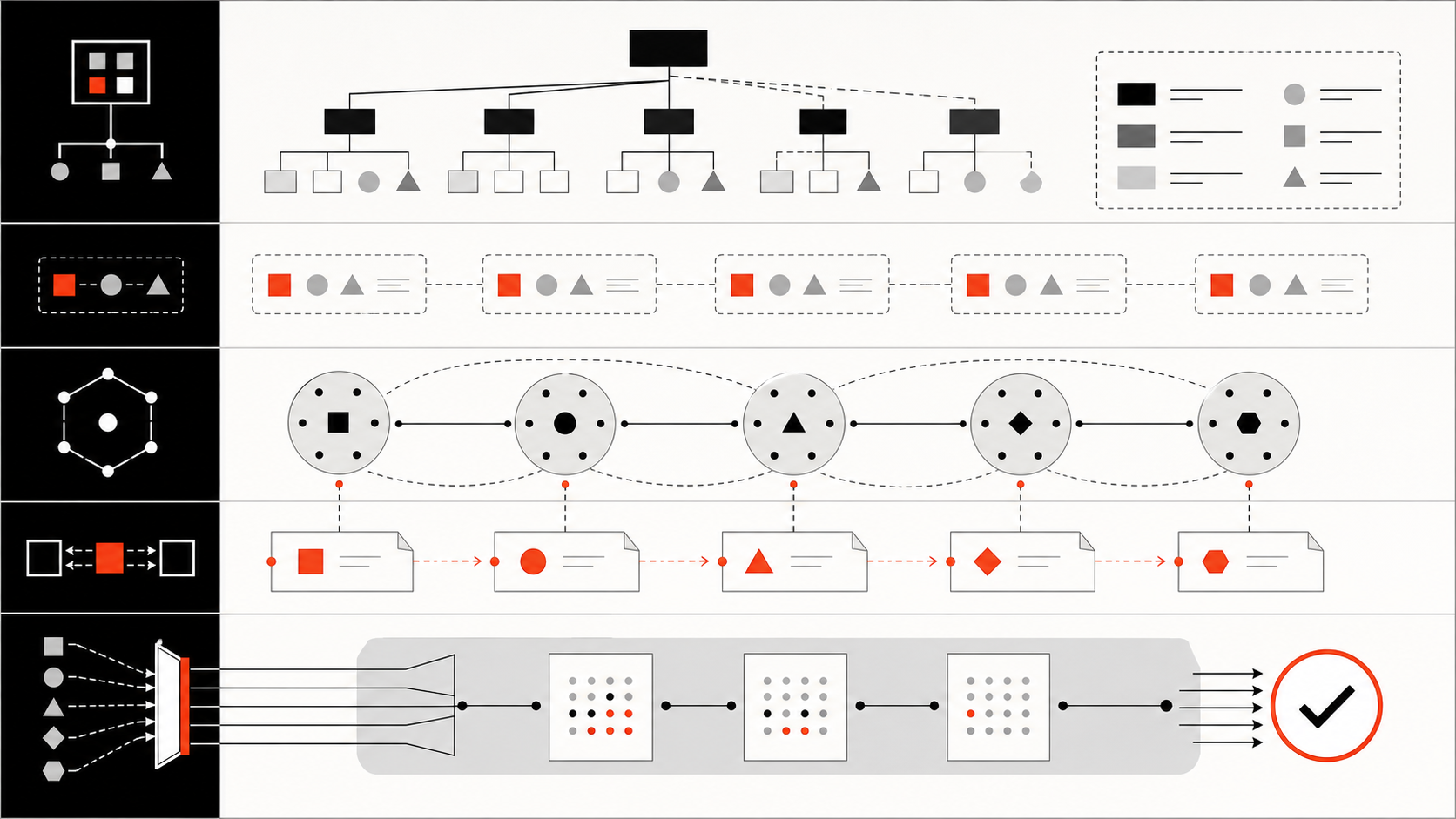
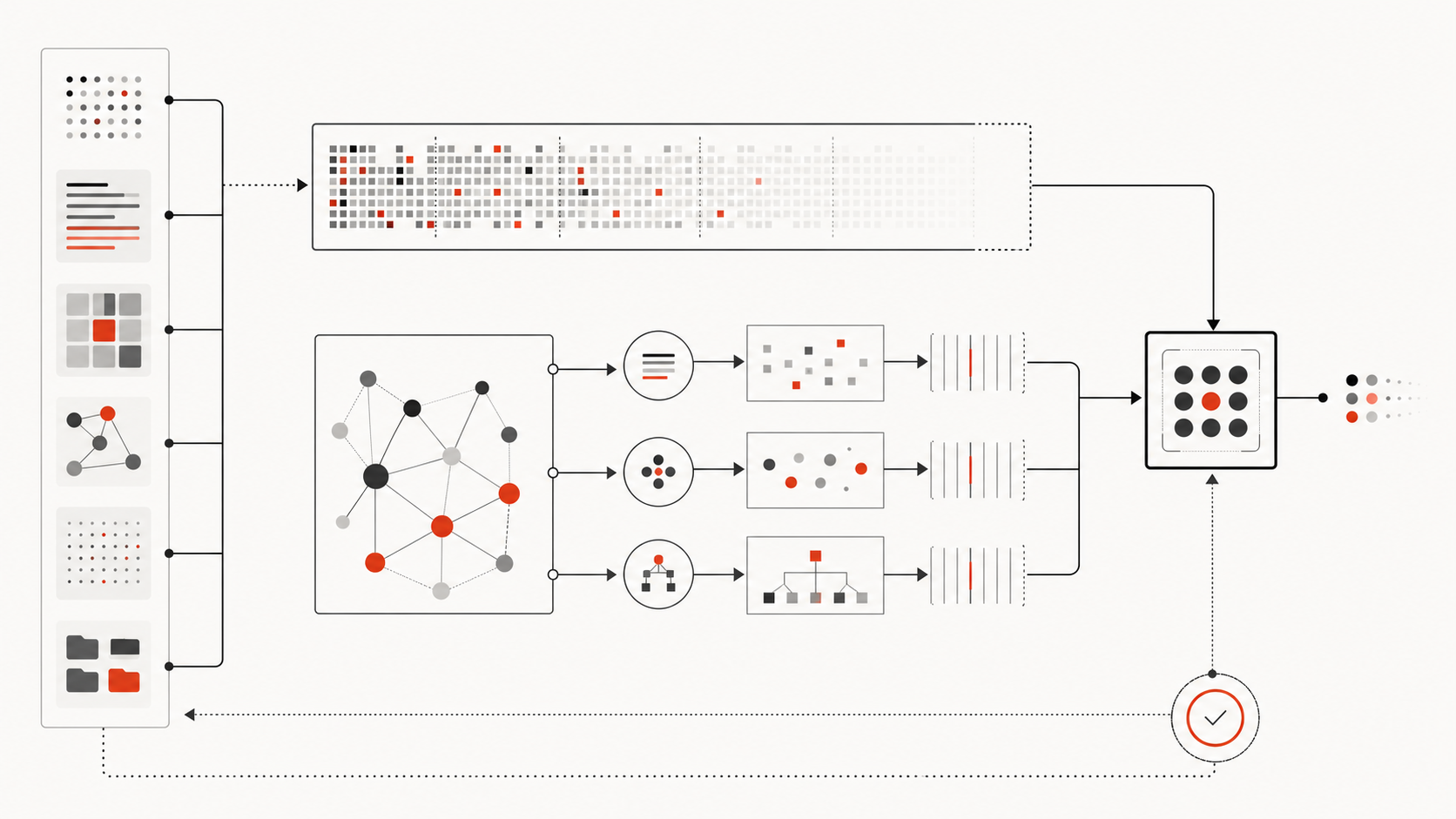
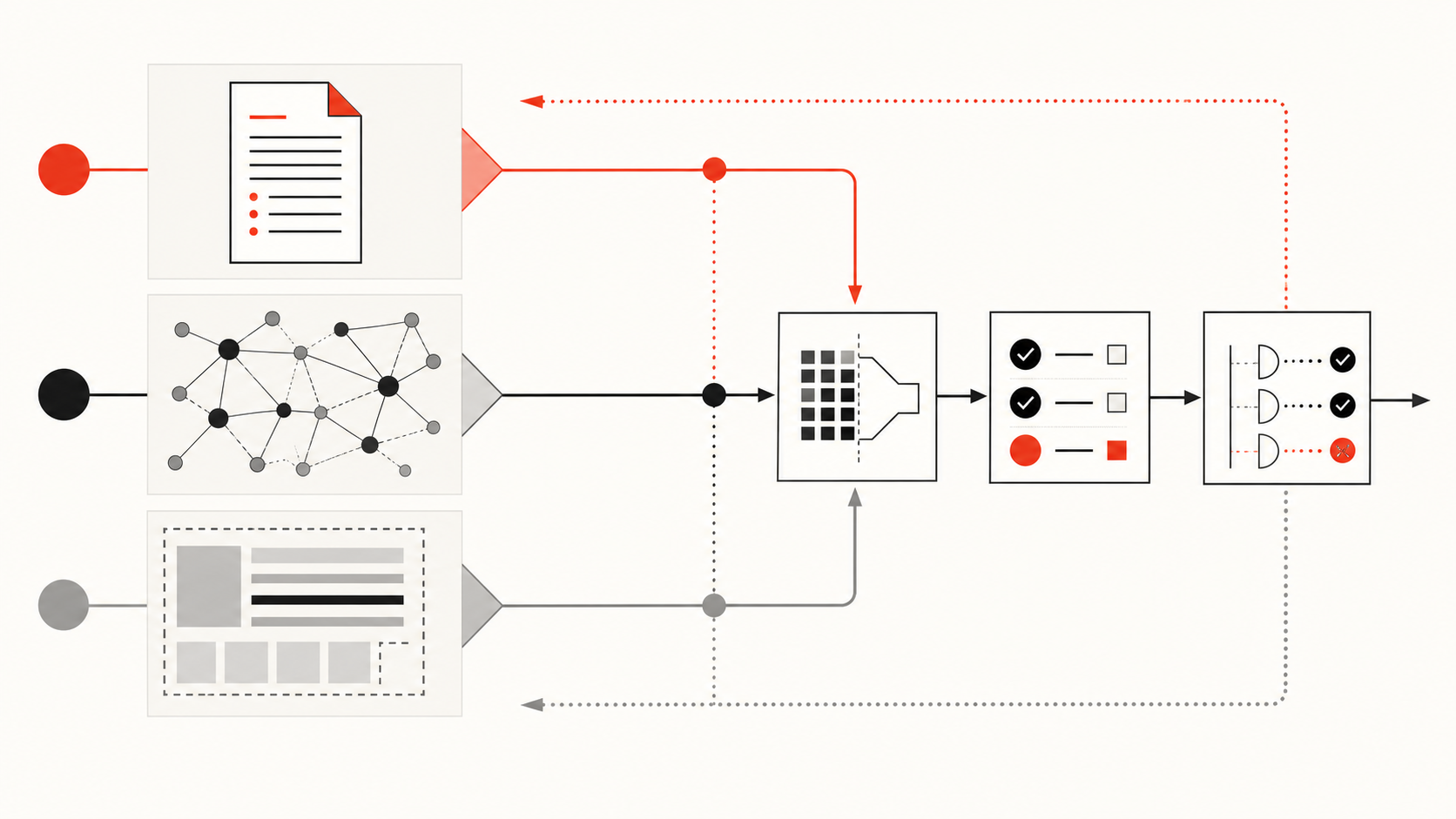
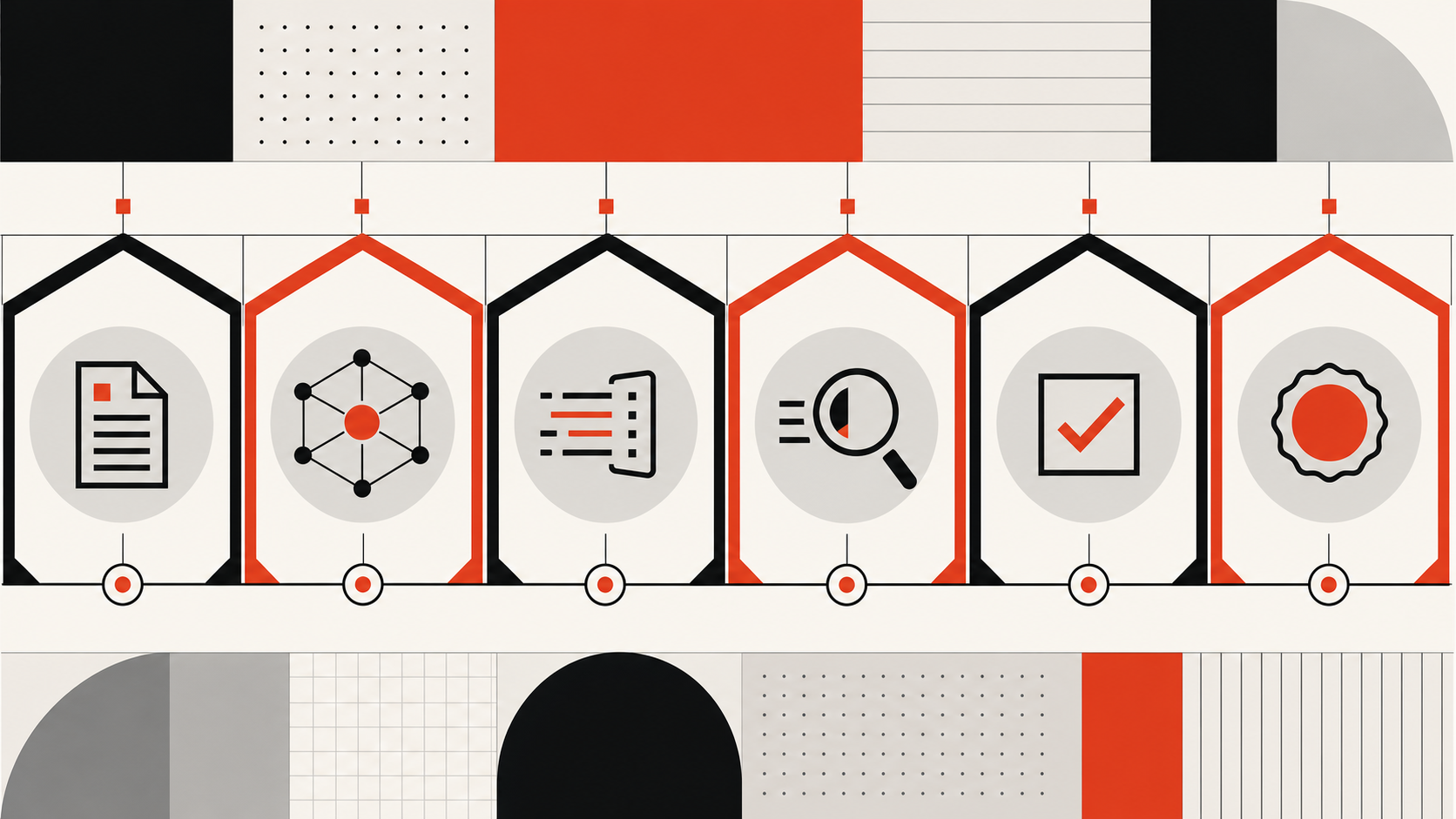
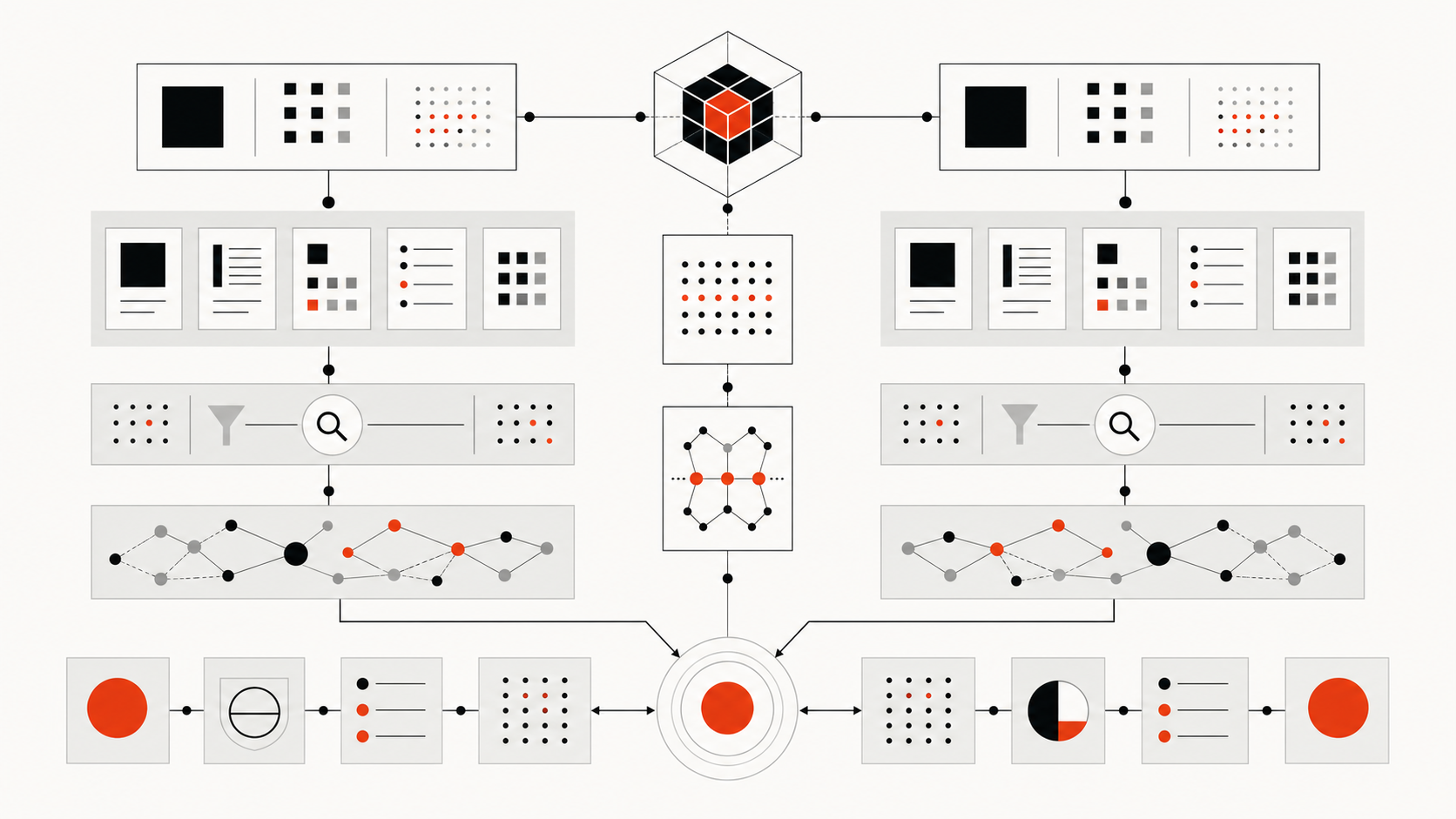
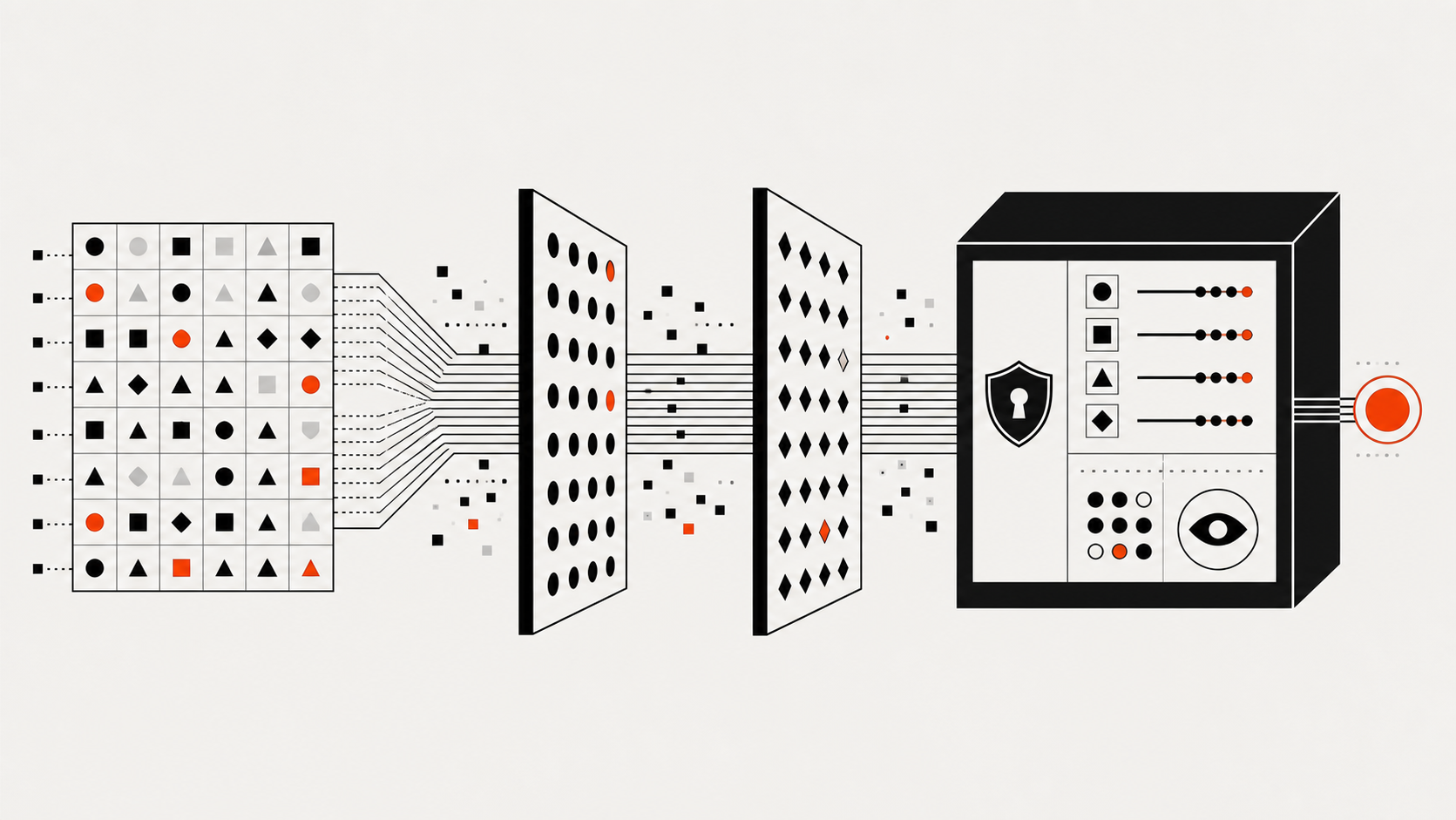
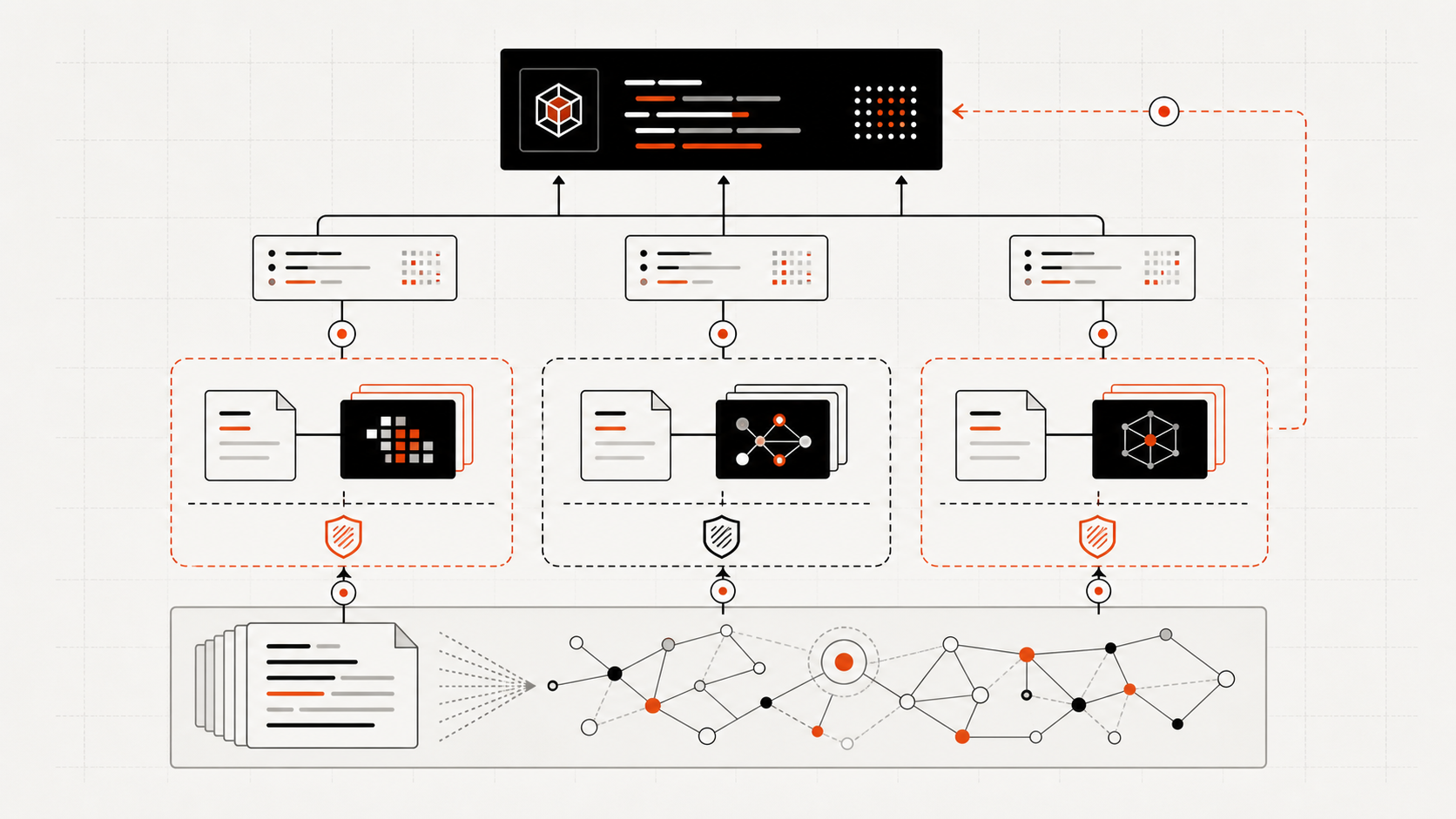
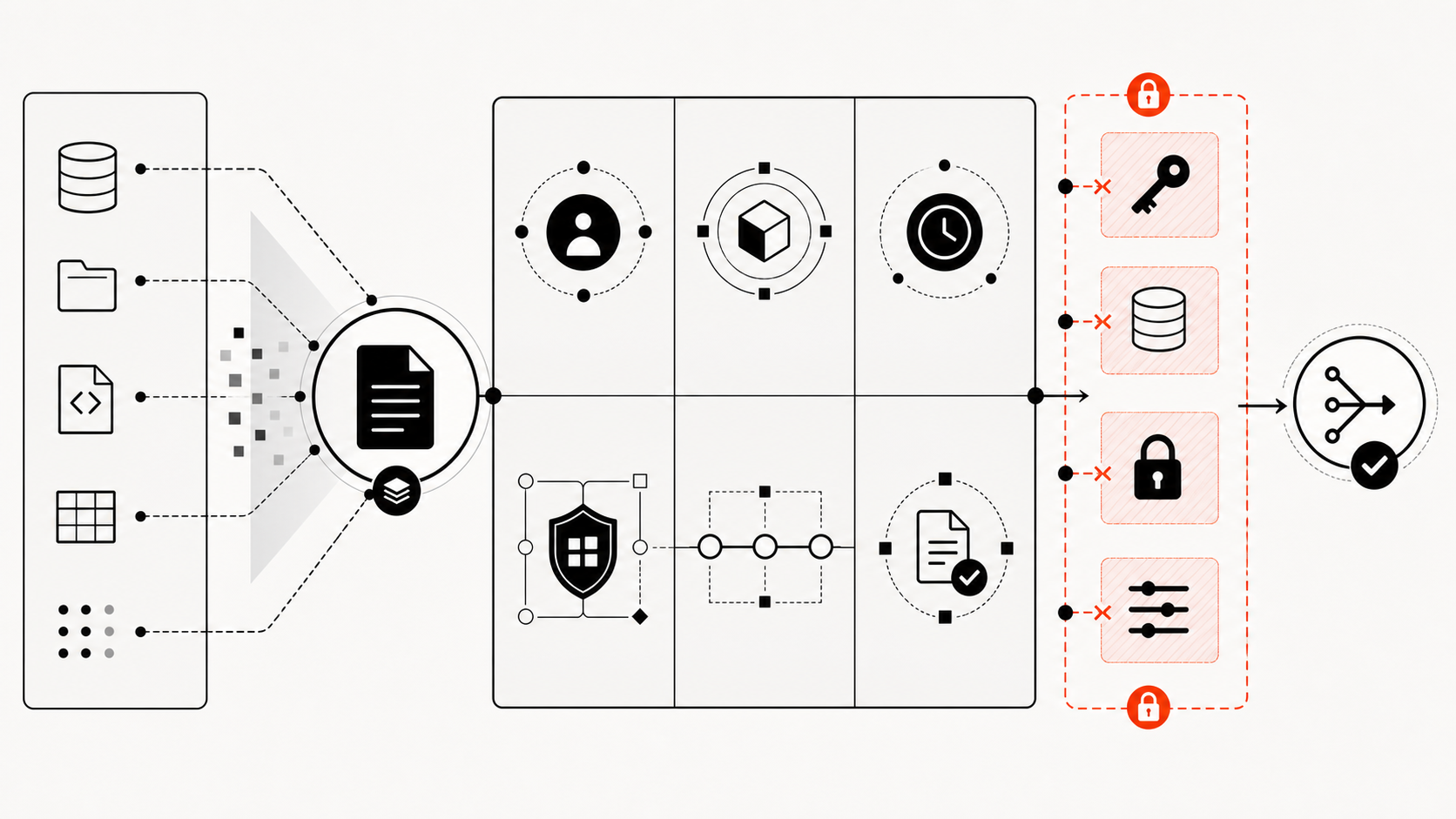
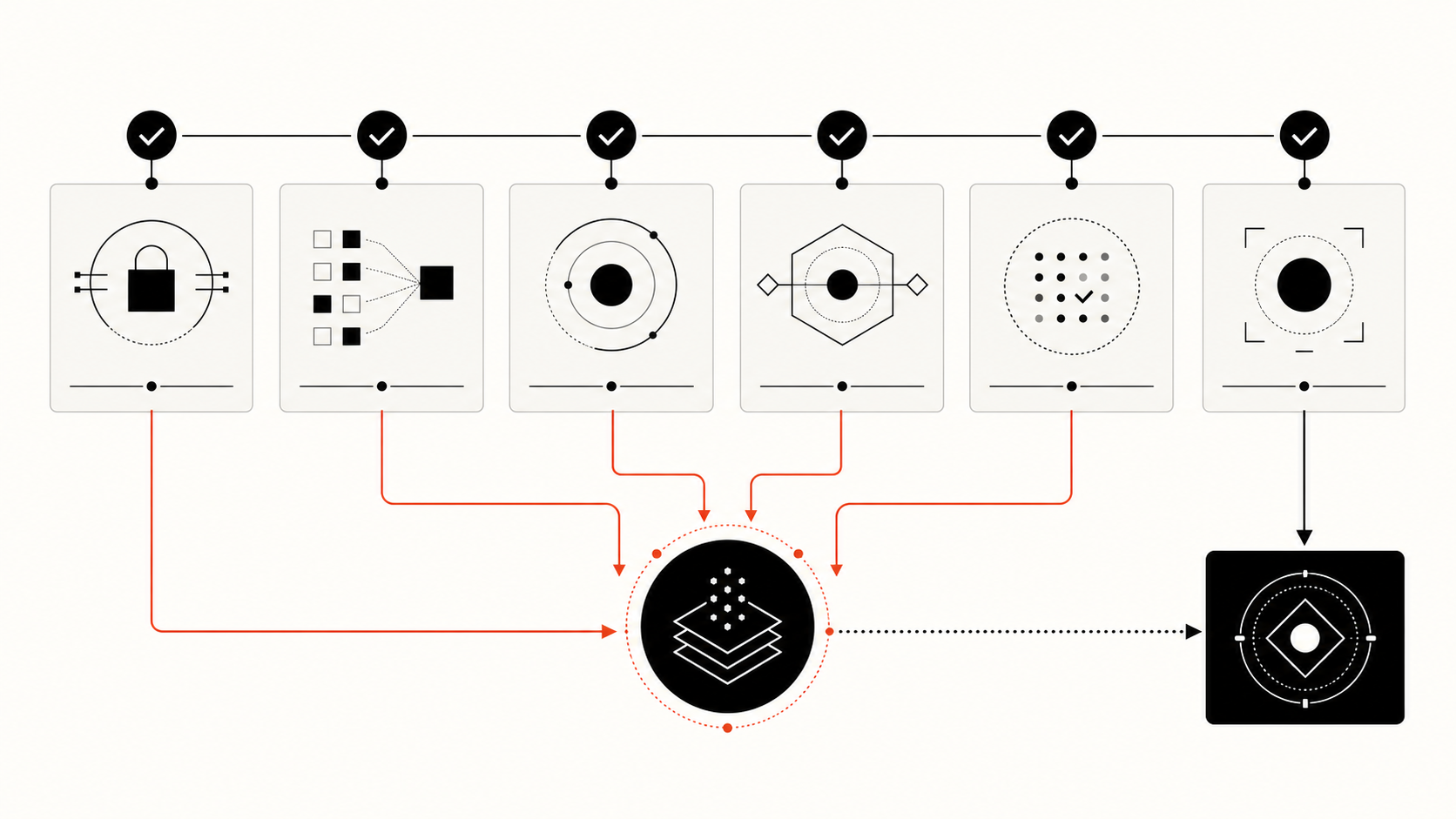
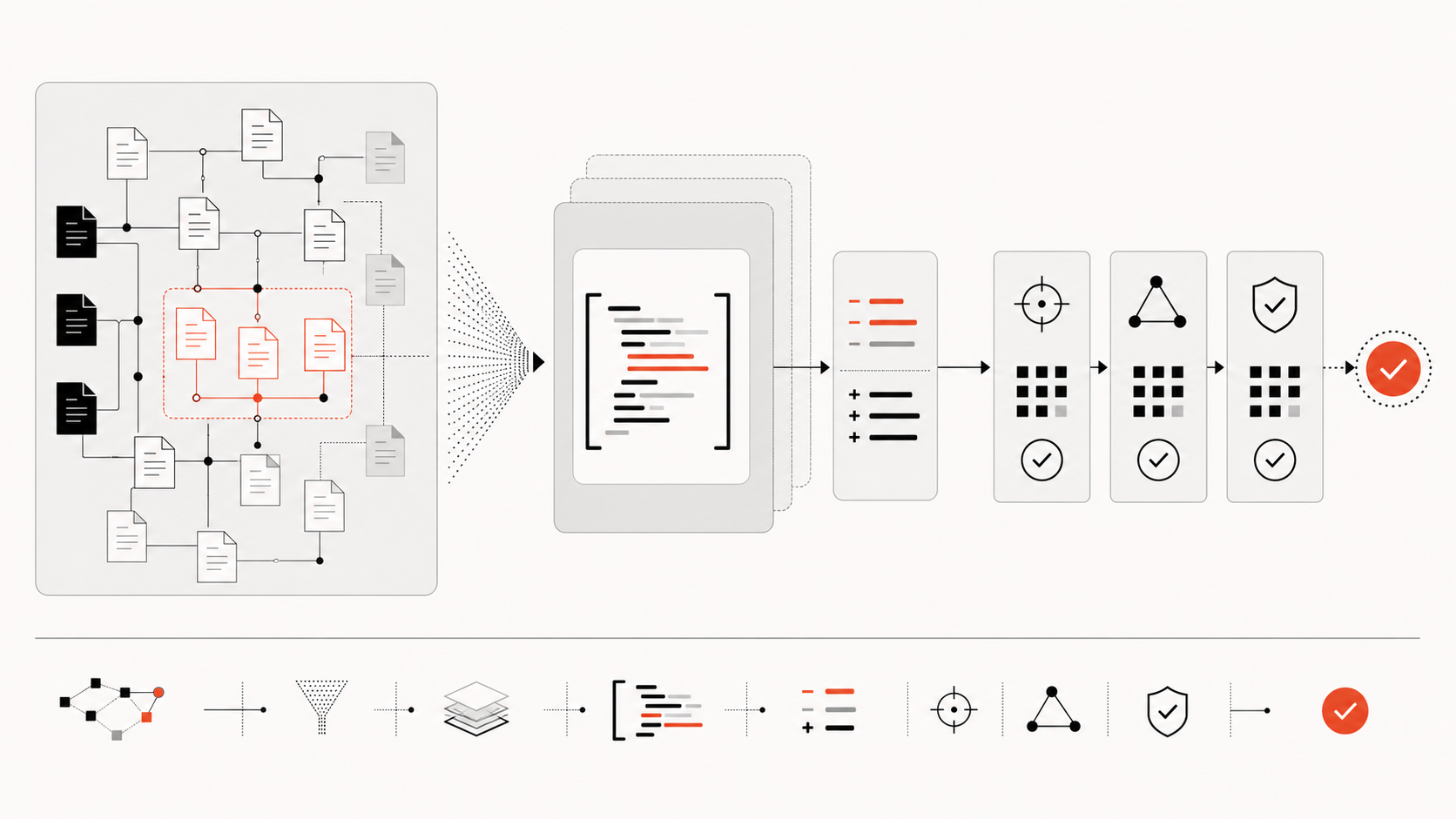
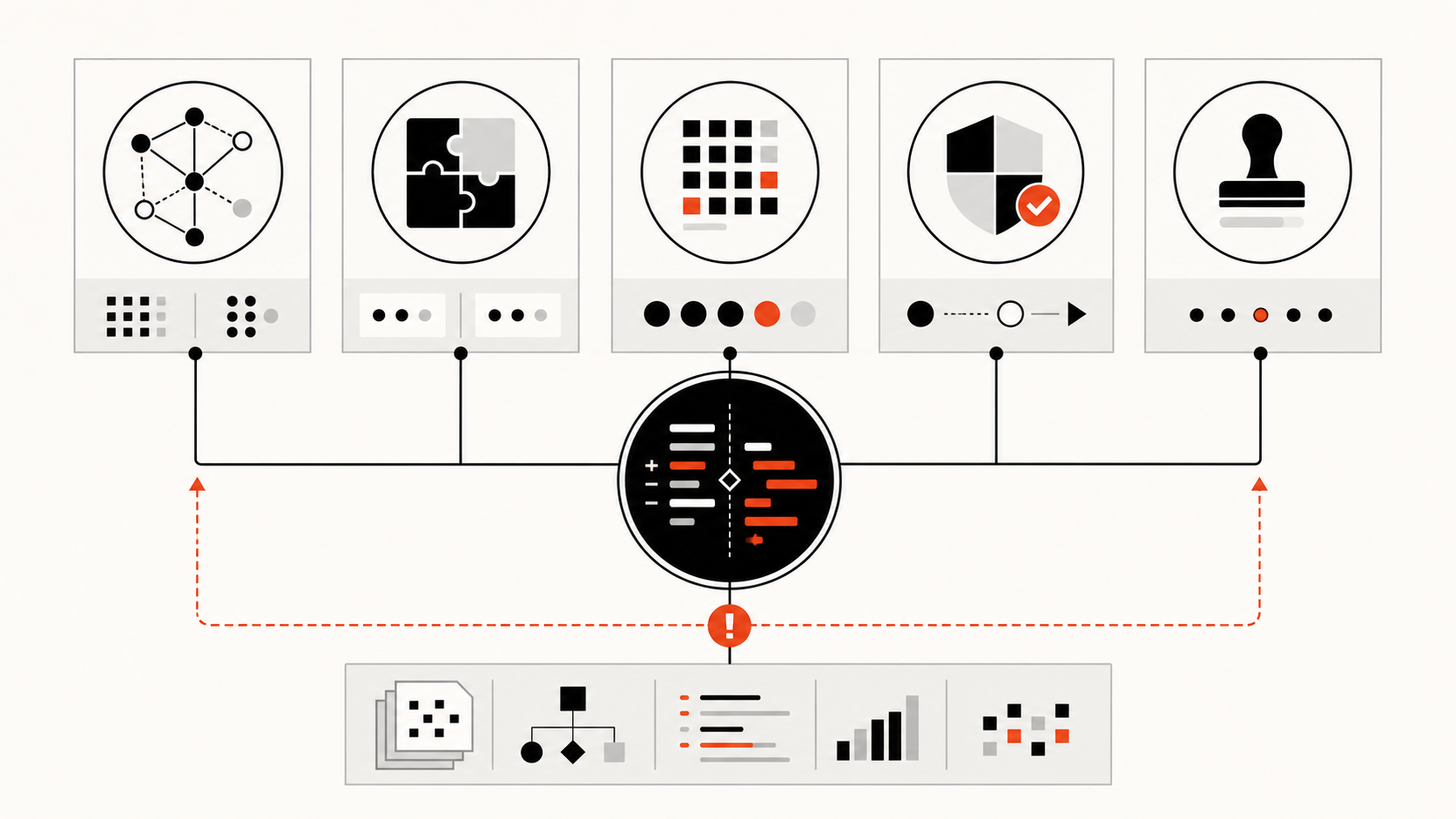
Reliable agent swarm codebase context is not one transcript copied to every worker. It is a set of versioned repository artifacts, bounded task packets, and evidence-rich handoffs that independent coding agents can verify. Use parallel agents for separable work, give each component one owner, and route cross-cutting decisions through an integration owner.
That architecture lets a team reuse repository structure without pretending that agents share live memory. It also preserves the final responsibility to inspect current source, run tests, resolve conflicts, and approve the combined change.
Why Agent Swarms Lose Repository Context
Parallel coding agents begin with different working states. One worker may discover a generated-file rule, another may map the caller chain, and a third may act on an older architecture note. Unless those findings become explicit artifacts, each agent builds a partial repository model and later workers repeat the same searches.
Current product documentation reinforces this boundary. Anthropic says Claude Code subagents start with fresh isolated contexts, while agent-team teammates use fully independent contexts with a shared task list and messages. OpenAI describes Codex subagents as specialized workers whose results return for synthesis and notes that each worker consumes its own model and tool resources. Neither design creates a universal shared token window.
Context loss usually enters through four gaps:
Unequal discovery: agents inspect different files and infer different boundaries.
Unversioned evidence: a message names a relationship but not the commit, file, or symbol supporting it.
Overlapping ownership: two writers modify the same component under incompatible assumptions.
Missing synthesis: locally correct patches interact badly after merge.
Adding more agents can amplify these gaps. Anthropic’s agent-team guidance warns about coordination overhead and greater token use, especially when work is not independent. The safe objective is not maximum parallelism. It is the smallest set of independent workstreams that improves the accepted result after integration.
Shared Memory vs Shared Code Structure
“Shared agent memory” is useful shorthand but often hides several different artifacts. A swarm needs layers with different owners, freshness rules, and authority.
combined diff, conflict decisions, full checks, unresolved risks
integration owner; retained with review
Policy can live in scoped AGENTS.md files and reviewed engineering documentation. Structure can come from source indexes, code graphs, and architecture records. Task packets should contain only the evidence and permissions needed for one assignment. Handoffs should carry proof rather than a free-form claim such as “the payment module is unaffected.”
This layered model avoids turning a growing memory file into an unreviewed mixture of rules, guesses, and obsolete task history. The AGENTS.md versus knowledge graph guide explains why human intent and generated code relationships should remain distinct.
For cross-tool teams, sharing repository context across coding agents provides the broader contract. A swarm adds stricter concurrency controls because several workers may read and write from the same base revision at once.
How a Code Graph Reduces Duplicate Reads
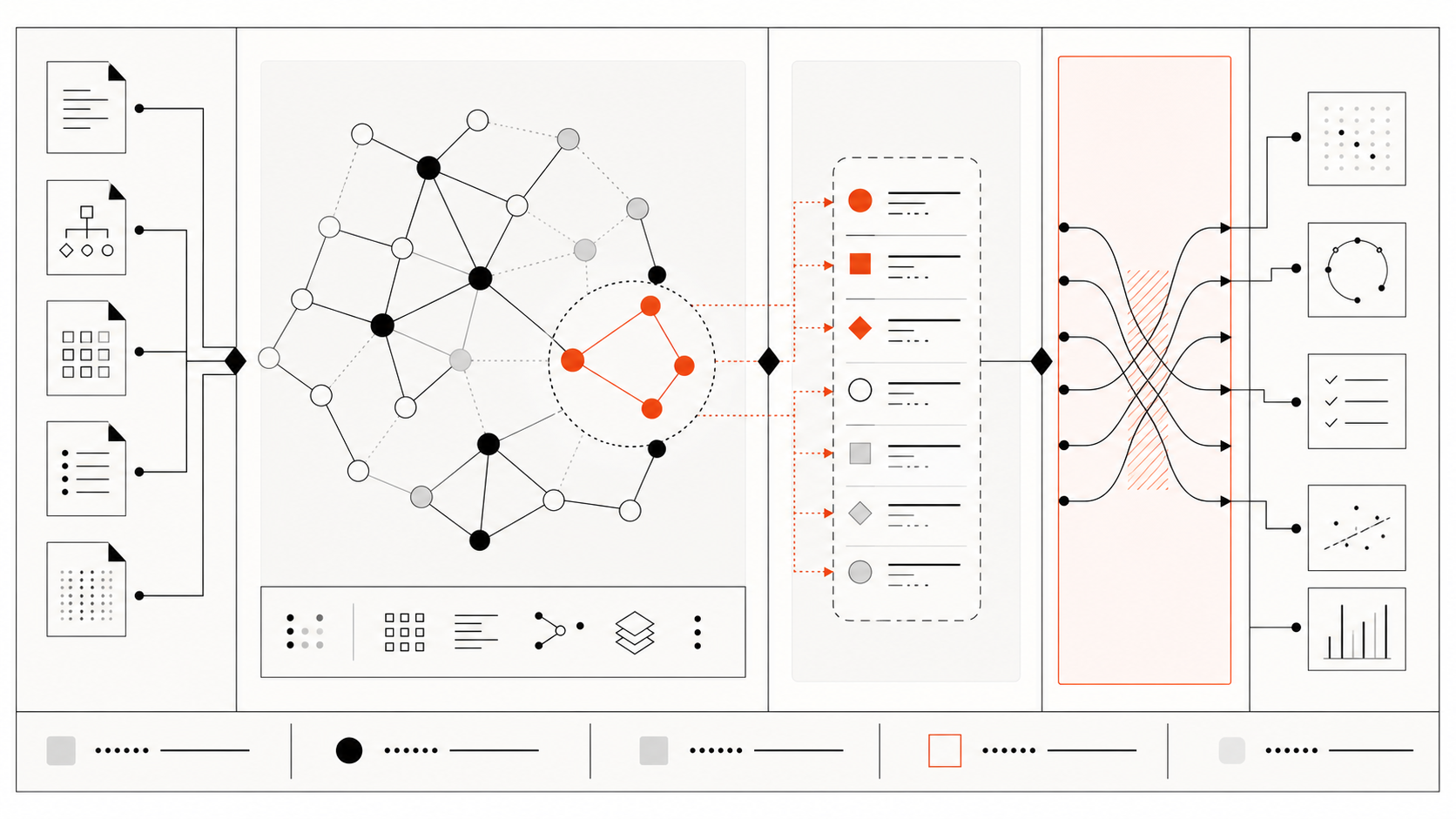
A code graph can give each worker the same starting map. Instead of every agent scanning the repository root, a coordinator can query the affected symbol, follow import or call relationships, and attach a bounded neighborhood to the task packet.
Graphify documents graph artifacts that represent code entities and typed relationships such as calls and imports. It also distinguishes EXTRACTED, INFERRED, and AMBIGUOUS edges with provenance. Those labels matter in a swarm: an extracted import can guide navigation, while an inferred semantic relationship remains a hypothesis that a worker must check.
A practical structural packet can include:
repository commit and graph snapshot time;
affected nodes and relationship paths;
source locations for extracted edges;
confidence and provenance for inferred edges;
likely tests, owners, and public boundaries;
explicit gaps that require raw-source inspection.
This can reduce duplicate discovery when several agents need adjacent parts of the same map. It is not a universal speedup and does not make the graph ground truth. Dynamic dispatch, generated code, runtime configuration, cross-repository consumers, and stale indexes can leave relationships incomplete.
Workers should use the graph to choose where to read, then verify consequential paths in the current worktree. After accepted changes alter public symbols, imports, schemas, or calls, refresh the structural layer before assigning downstream tasks. A graph aligned to the base commit but not the current branches is historical evidence, not current context.
Coordination Patterns for Parallel Agents
The best coordination pattern depends on whether workers read, write, or aggregate. Four patterns cover most repository work.
Read-only fan-out: assign architecture, dependency, test, and risk questions to separate agents. The coordinator compares evidence before any edit begins.
Component ownership: give each writer a separate component and Git worktree. One owner controls each mutable file or package for the duration of the task.
Sequential aggregation: let workers produce compact evidence packets that another agent or human combines. Google’s Chain-of-Agents research shows that explicit aggregation can help selected long-context tasks, including a code-completion benchmark; it does not establish that arbitrary swarms share knowledge automatically.
Independent review: keep the reviewer out of implementation context, then provide the task contract, combined diff, test output, and known uncertainties.
Every assignment should name the objective, base commit, worktree, writable paths, acceptance criteria, graph snapshot, relevant source, required tests, permission limits, and return format. Avoid telling two workers to “handle the backend” when their edits can converge on shared schemas or generated clients.
Every handoff should record:
task ID, worker, component, base commit, and worktree;
files and symbols inspected;
findings with source or graph-path evidence;
changes made and the resulting commit or patch;
commands and tests with exact outcomes;
assumptions, failed approaches, and unresolved questions;
downstream dependencies and required follow-up;
permissions, external data, or network access used.
The integration owner decides whether the evidence is sufficient, orders dependent merges, refreshes shared structure, and runs checks against the combined tree. Workers own local correctness; the integrator owns interaction correctness.
Conflict, Drift, and Review Risks
Physical isolation prevents simultaneous filesystem edits, not logical conflict. Two worktrees can independently change an API and its caller in incompatible ways. Component ownership, contract freezes, and serialized integration are still required.
Use these controls:
Conflict: assign one owner per mutable component; escalate cross-cutting edits to the integrator.
Evidence drift: attach a commit to every graph, report, and handoff; mark results stale after relevant merges.
Decision drift: store accepted architecture decisions in reviewed ADRs, not worker transcripts.
Message risk: treat agent messages as leads. Verify high-impact findings against source, configuration, and tests.
Permission drift: state allowed tools, writable paths, network access, and secret boundaries in each task.
Review gaps: inspect the combined diff and run integration tests after all accepted patches land.
Task-local hypotheses should expire when the task closes. Retain reviewed decisions, accepted patches, test evidence, and reusable structural updates; discard speculative notes and superseded plans. If a finding becomes durable repository guidance, move it through normal review before adding it to policy or architecture documents.
Measure the swarm as a system. Useful signals include accepted-patch rate, duplicate file reads, missed dependencies, merge conflicts, reviewer corrections, total tokens, elapsed time, and integration failures. Do not infer value from agent count or wall-clock speed alone.
FAQ
Who resolves conflicting agent findings?
The named integration owner resolves them. That person or agent should compare source evidence, reproduce relevant commands, consult component owners, and record the decision. For security, data, public API, or deployment conflicts, the accountable human owner retains approval.
What should be logged between agents?
Log the task and owner, base commit and worktree, structural snapshot, inspected files and symbols, claims with evidence, changes, test commands and results, assumptions, unresolved questions, downstream dependencies, and permission boundaries. Keep summaries compact, but never omit provenance needed for verification.
How often should swarm memory expire?
Expire task-local context at task completion or when its base commit becomes unsuitable. Rebuild structural context after accepted relationship-changing edits. Keep policy and ADRs until reviewed or superseded. Expiry should follow artifact type and change risk, not one universal timer.
Conclusion
Agent swarms coordinate through explicit artifacts, not magical shared memory. Independent contexts make parallel work possible, but they also create repeated discovery, divergent assumptions, and integration risk.
Use versioned policy, commit-aligned structure, bounded task packets, evidence-bearing handoffs, isolated ownership, and one integration owner. A code graph can shorten navigation, but source and tests remain the authority. Add agents only when the work can be separated and the combined result can be verified.
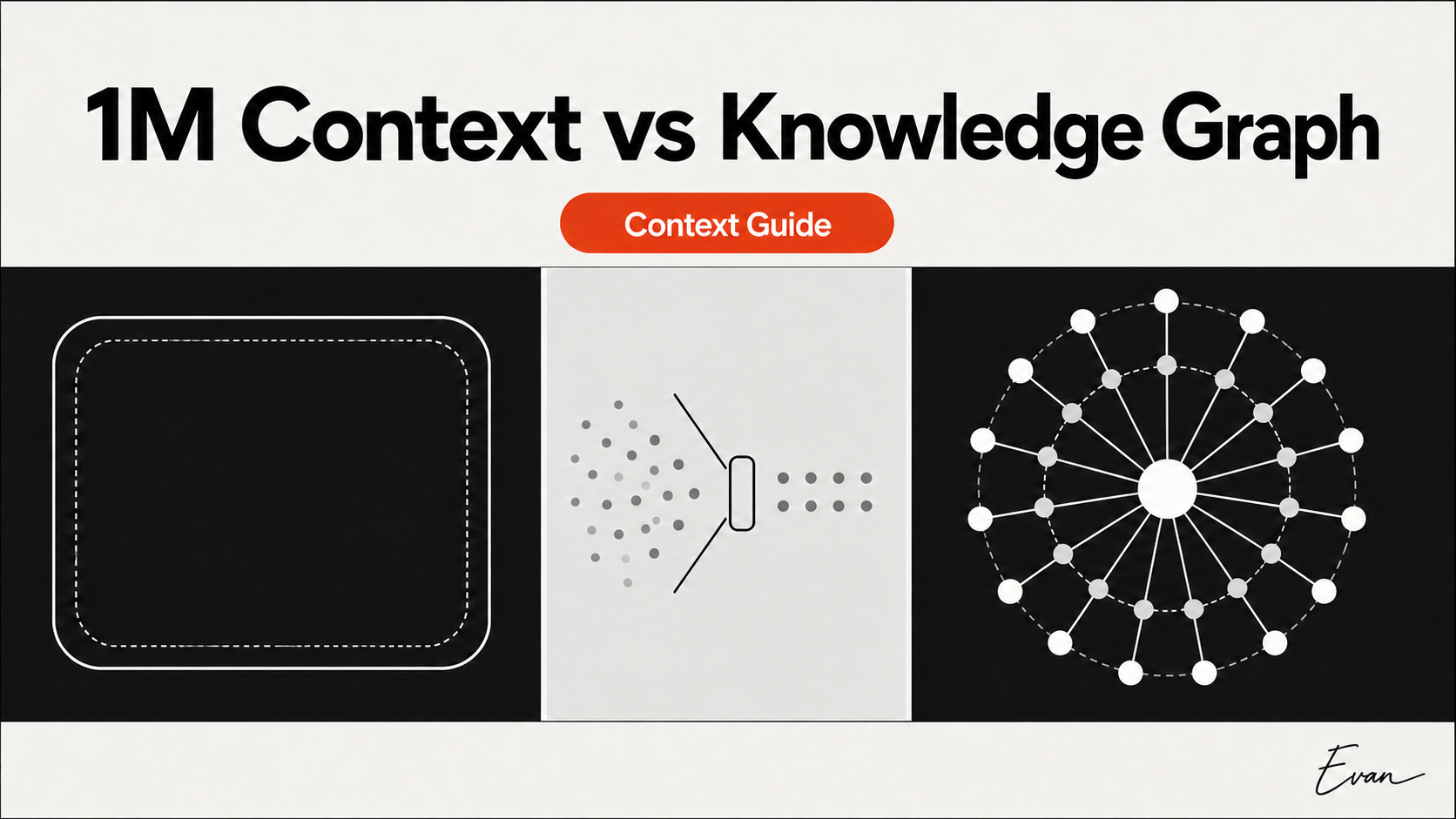
A one-million-token context window expands how much evidence a model can receive in one request; a code knowledge graph changes how repository evidence is selected and connected. Use long context for a bounded body of primary material, retrieval to select likely evidence, and a graph when the task depends on calls, imports, ownership, or other relationships. None of the three proves repository understanding on its own.
The practical question is not which technology wins. It is whether the workflow can locate current evidence, preserve the relationships that matter, and verify the answer against source and tests. That distinction prevents a large context limit from becoming an excuse to dump an entire repository into every prompt.
Quick Verdict
The safest default is a hybrid workflow: use a graph or other index to identify a bounded evidence neighborhood, then let a capable long-context model read the relevant source, tests, specifications, and task history together.
Context method
What it changes
Strong fit
Main failure mode
1M context
Maximum material available in one request
Dense review of a known set of files and documents
Important evidence is present but not used correctly
Lexical or semantic retrieval
Which chunks enter the prompt
Exact symbols, errors, concepts, and document search
The graph is stale, incomplete, or contains a wrong inferred edge
These layers answer different questions. Context capacity asks, “How much can the model receive?” Retrieval asks, “Which pieces look relevant?” A graph asks, “How are these entities connected?” AI repository understanding requires all three questions to be handled in proportion to the task.
A million-token window is a real current capability, but the exact number belongs to a specific model and surface. As verified on July 17, 2026, OpenAI documents 1,050,000 tokens for gpt-5.6-sol; Anthropic documents one million tokens for models including Claude Opus 4.8 and Claude Sonnet 5; Google documents a 1,048,576-token input limit for gemini-2.5-pro.
Those limits make several long context coding tasks more practical:
comparing a specification with several implementations and their tests;
reviewing a migration whose behavior spans code, schema, fixtures, and logs;
keeping a long agent trajectory with tool results available for synthesis;
reading a bounded subsystem without prematurely compressing every file;
checking whether a patch satisfies several distributed constraints at once.
Long context is especially useful after the evidence set is known. If a team has already identified the authentication package, its callers, contract tests, relevant decision record, and deployment rule, one request can let the model reason across them without fragmenting the task into many disconnected summaries.
Capacity also reduces some retrieval pressure. A workflow can include more neighboring files and preserve more local detail instead of forcing a retriever to pick only a handful of chunks. Google’s long-context guidance nevertheless recommends omitting unnecessary tokens and notes that longer inputs generally increase time to first token. More room is useful; filling every available position is not the goal.
What Long Context Still Misses
Maximum input length is not the same as effective use of every token. A model may have the evidence and still miss its relevance, confuse two similar definitions, or fail to connect facts separated across modules.
Historical peer-reviewed evaluations explain why teams should test effective context rather than trust the limit alone:
NoLiMa removed easy literal overlap between questions and hidden evidence. In its 2025 model set, performance degraded as context grew, showing that exact “needle” retrieval can overstate semantic long-context use.
LongCodeU evaluated code-unit perception, within-unit understanding, cross-unit relationships, and documentation. Across its nine tested models, performance dropped sharply beyond 32K, and inter-code-unit relationships were the hardest category.
RULER extended simple needle tests with multiple needles, multi-hop tracing, and aggregation, exposing performance gaps that a basic exact-retrieval test missed.
These results do not score the current 2026 models named above. They establish a better evaluation standard: a model’s published window is a capacity claim, while effective repository reasoning must be measured on the model version, prompt, tools, and codebase actually used.
A million token codebase dump also lacks automatic authority. Old generated files, vendored code, duplicated definitions, obsolete architecture notes, and irrelevant test fixtures can all fit beside current evidence. The model still needs revision boundaries, source priority, and a way to distinguish facts from hypotheses.
Retrieval vs Code Knowledge Graphs
Retrieval and graphs both reduce the evidence passed to the model, but they preserve different signals.
Lexical search is strong when the query contains an exact symbol, route, error code, or configuration key. Semantic retrieval can find conceptually similar text when vocabulary differs. Combining them improves coverage, but both usually return ranked chunks rather than an explicit dependency path.
Retrieval can fail before generation. Anthropic’s Contextual Retrieval report explains that ordinary chunking may remove the context needed to retrieve a passage. In its disclosed multi-domain evaluation, contextual embeddings, BM25, and reranking reduced top-20 retrieval failures, but did not remove them. Those percentages should not be transferred to a codebase or to Graphify; the durable lesson is that chunk boundaries, query wording, embedding choice, ranking, and top-K all affect recall.
A code knowledge graph instead represents entities such as files, symbols, APIs, tests, schemas, owners, and design documents, then connects them through typed edges. Peer-reviewed systems including RepoGraph and CodexGraph use repository graphs for navigation and structure-aware retrieval. Their results show that graph-guided context is a credible design pattern, not that every graph implementation wins on every repository.
Graphify documents a similar separation between deterministic and inferred evidence. Its AST pass emits structural relationships with provenance, while semantic relationships can be marked INFERRED or AMBIGUOUS. Its report and query artifacts can guide an agent toward current files, but Graphify does not replace raw-source inspection, tests, permissions, or human approval.
The useful pattern is therefore graph-selected raw context: traverse the likely impact path, open the source behind important nodes and edges, include the relevant evidence in the model window, and verify behavior.
Repository Tasks That Need Structure
Structure matters most when answering the task requires more than locating a matching string.
For these tasks, a flat repository dump may contain every relevant file while hiding why those files belong together. Retrieval may find the target symbol but miss a caller whose vocabulary differs. A graph can make the candidate path explicit, but dynamic registration, reflection, generated behavior, runtime configuration, and external consumers may still escape extraction.
Use a relationship-aware workflow:
Pin the task to a commit and define the allowed repository scope.
Query or inspect direct neighbors, multi-hop dependencies, related tests, and current owners.
Open the raw source behind every high-impact relationship.
Add the selected source, specifications, and test evidence to the working context.
Mark dynamic or inferred paths as hypotheses.
Run focused tests, broader contract checks, and owner review.
This workflow converts a graph from an attractive map into an auditable evidence selector.
Limits and Cost Trade-Offs
Every approach moves cost rather than eliminating it.
Long prompts consume input capacity, add latency, and may cost more under provider-specific rules. Repeatedly sending the same large evidence set can benefit from caching, but caching does not improve a poor selection. Retrieval adds indexing, query, and reranking work. A graph adds extraction, storage, query design, and refresh obligations.
Measure the whole workflow rather than one token number:
answer or patch correctness on representative private tasks;
coverage of the expected files, dependencies, and tests;
false or unsupported relationship claims;
uncached input, cached input, output, and reasoning tokens;
tool calls and time to first useful result;
index construction and refresh time;
reviewer corrections and escaped regressions.
Graph freshness is a hard boundary. Record the repository commit or snapshot used to build the index. Refresh after symbol moves, public-contract changes, dependency rewiring, generator updates, and accepted structural patches. Verify high-impact graph edges against the current worktree.
A graph is unnecessary when the task is small, the evidence set is already known, relationships are shallow, and a direct source read plus focused tests is cheaper than maintaining an index. Conversely, a giant prompt is wasteful when repeated work begins by rediscovering the same architecture and dependency paths.
No universal break-even point exists. Run the full-context, retrieval, graph, and graph-plus-source variants on the same commit and tasks before standardizing a team workflow.
FAQ
Should teams index everything first?
No. Start with repositories or subsystems where repeated impact tracing and cross-file discovery create measurable review cost. Exclude generated, vendored, secret, or irrelevant material deliberately. Expand coverage only when missed relationships justify the additional indexing and refresh burden.
How should context costs be measured?
Record the exact model ID, date, prompt size, cache status, reasoning setting, output tokens, tool calls, latency, and index-refresh work. Pair those numbers with correctness, evidence coverage, and reviewer corrections. A cheap wrong patch or an expensive correct summary is not a useful comparison by itself.
When is a graph layer unnecessary?
Skip it for a small, stable project; a single-file task; a known evidence packet; or an occasional question answerable through exact search and tests. Add a graph when structural queries recur, relationships span many modules or artifacts, and the team can keep the index aligned with the source revision.
Conclusion
The 1M context vs knowledge graph decision is not a choice between “reading everything” and “using structure.” Long context supplies working capacity. Retrieval selects likely evidence. A code knowledge graph preserves navigable relationships. Current source and tests determine whether the resulting claim is true.
Use a long window directly when the evidence is bounded and already known. Add retrieval when the corpus is larger than the task. Add a graph when repeated work depends on multi-hop structure. For high-impact repository changes, let the graph select candidates, let the model read the underlying evidence, and let tests and responsible owners approve the result.
AGENTS.md should carry human-authored rules; a code knowledge graph should carry generated repository relationships; task-local context should carry the current objective and evidence. These layers are complementary. A reliable coding agent context design keeps their authority, refresh cycle, and audit trail separate instead of treating any one layer as complete project memory.
This division answers a practical problem for teams using Qoder CLI or another coding agent: where should a fact live, who should maintain it, and what must be rechecked before an edit? The answer depends less on file format than on whether the information is policy, observed structure, or a temporary task decision.
Quick Verdict
Use AGENTS.md for stable instructions that people intend the agent to follow. Use a code knowledge graph for refreshable observations derived from source, tests, and project artifacts. Put issue scope, acceptance criteria, selected files, and current hypotheses in a task packet that expires when the work ends.
Objective, allowed scope, evidence packet, decisions, open questions
Created and revised during one task
Current task contract
Hidden assumptions or conclusions that outlive their evidence
The comparison is therefore not “text file versus database.” It is human intent versus generated structure versus temporary working state. The companion 1M Context vs Knowledge Graph guide explains how these layers interact with model capacity and retrieval.
What AGENTS.md Is Best For
The open AGENTS.md specification defines a plain Markdown instruction file with no required fields. It can document build commands, testing steps, code conventions, repository orientation, and other guidance. The closest applicable file wins when scoped instructions conflict, while explicit user prompts take precedence.
That makes AGENTS.md a good operating contract. Useful entries include:
authoritative build, format, test, and release commands;
package ownership and escalation paths;
generated-file rules and the location of their source templates;
compatibility, security, and review requirements;
links to maintained architecture decisions;
boundaries on files, tools, data, and external systems;
the evidence required before a task is considered complete.
Write rules as actions that a reviewer can verify. “Run the contract suite after changing the public schema” is stronger than “be careful with compatibility.” “Do not edit generated clients; change the schema and rerun the generator” identifies both the prohibition and the approved path.
Qoder CLI documents AGENTS.md as part of its static memory system. Its current memory guide describes user, project, local, and focused-rule scopes, along with /init and /memory for initializing and inspecting memory. That is a Qoder memory feature, not proof that the file contains current repository relationships.
Keep the root file concise. Import or link to approved architecture and testing documents instead of pasting a codebase manual into every session. Secrets, transient logs, speculative debugging notes, and full source dumps do not belong in shared instructions.
What Code Knowledge Graphs Are Best For
A code knowledge graph is useful when the question is relational: what calls this handler, which modules depend on a schema, what tests cover a symbol, or which decision record explains a boundary?
The graph can represent packages, files, symbols, APIs, schemas, tests, owners, and documents as nodes. Typed edges can represent imports, calls, implementations, generation, coverage, ownership, or rationale. A traversal can then select a candidate impact path before the model opens current source.
This pattern has peer-reviewed support. RepoGraph was evaluated as a repository-level navigation layer across multiple software-engineering systems. CodexGraph uses a graph database and model-generated graph queries for structure-aware repository retrieval. Those studies establish code graphs as a credible context architecture; they do not prove that every graph implementation is accurate or that graphs always outperform lexical or semantic retrieval.
Graphify documents a related provenance boundary. Its Tree-sitter pass labels deterministic structural observations as EXTRACTED, while semantic relationships can be marked INFERRED or AMBIGUOUS with confidence. Its GRAPH_REPORT.md and graph.json outputs can guide discovery, but an inferred edge remains a hypothesis until source or runtime evidence confirms it.
A graph is therefore an evidence index, not a new source of truth. It should identify the repository revision it describes, expose the origin of important nodes and edges, and send the agent back to raw files and tests for high-impact decisions.
How Task Context Fits Between Them
Task-local context connects stable rules to repository evidence for one bounded piece of work.
A useful task packet contains:
the issue, desired outcome, and acceptance criteria;
the base commit, repository scope, and allowed write paths;
relevant instruction files and architecture decisions;
selected source files, tests, and graph paths;
known risks, assumptions, and unresolved questions;
the responsible owner for security, API, data, or deployment decisions;
the commands that will verify completion.
This content changes too quickly for root instructions and is too intentional to derive from a graph. A graph may show that three consumers depend on an API, but it cannot decide which consumer is in scope for today’s migration. AGENTS.md may require backward compatibility, but it cannot determine whether the proposed adapter satisfies the current issue.
Treat task hypotheses as temporary. If a finding becomes a durable design decision, review it into an architecture decision record. If it becomes a stable workflow rule, review it into AGENTS.md. If it describes current structure, refresh the index. Do not append every result to an ever-growing “memory” file.
This separation also improves handoffs. A planning agent can return a compact evidence packet with file and relationship references. An implementation agent can verify those references in its current worktree. A reviewer can distinguish inherited policy, generated observations, and task-specific judgment rather than receiving an undifferentiated summary.
Layered Context Design for Qoder CLI
Qoder CLI can serve as the working agent while the three layers retain separate ownership.
Load human rules. Maintain concise project guidance in AGENTS.md and focused Qoder rule scopes. Use /memory to confirm which instructions are available when nested rules matter.
Pin the task. Record the base commit, objective, acceptance criteria, allowed paths, and required reviewers.
Select structural evidence. Use current source search and, where justified, an independently maintained code graph to locate callers, dependencies, tests, and related documents.
Verify before planning. Open the raw files behind important results. Mark dynamic registration, runtime configuration, external consumers, and inferred graph edges as uncertain.
Build an evidence packet. Pass exact paths, symbols, relationship paths, constraints, and expected verification to the agent or Subagent performing the work.
Test and reconcile. Run the required checks, inspect the diff, resolve contradictions, and update the layer whose content actually changed.
Qoder CLI does not need to own the graph for this design to work. The graph can come from Graphify or another approved external system, while Qoder CLI reads the selected evidence and performs the task. Do not attribute Graphify extraction, graph traversal, or graph freshness to Qoder.
Every layer can drift, and adding layers increases maintenance rather than removing it.
AGENTS.md can contradict a nested rule, import an obsolete document, or become too broad to guide a specific change. A graph can omit dynamic behavior, misresolve a call, preserve an old generated client, or infer a relationship that the source does not support. A task packet can carry a confident but incorrect conclusion from one worker to the next.
Use a separate audit for each failure mode:
Instruction audit: confirm owners, scope, precedence, commands, and linked documents.
Graph audit: record the commit, extractor version, provenance type, unresolved edges, and refresh event.
Source audit: check high-impact paths against the current worktree and runtime configuration.
Outcome audit: review the diff, test results, external contracts, and residual risks.
Avoid conflict by assigning each fact one primary home. A test command belongs in instructions; a call edge belongs in the graph; a temporary migration exception belongs in the task packet. Other layers may link to that fact, but should not maintain competing copies.
The graph may be unnecessary for a small repository or a known single-file change. A detailed task packet may be unnecessary for a harmless spelling fix. Layering should follow risk and repeated discovery cost, not a universal template.
FAQ
Can teams use both without conflict?
Yes, if authority is explicit. Let AGENTS.md define policy and tell the agent when to consult structural evidence. Let the graph describe a named repository snapshot. Let the task packet choose the current scope. When they disagree, verify source state and route policy changes through the human owner instead of asking the model to invent a winner.
Who owns generated context quality?
The team operating the index owns its freshness, coverage, provenance, and failure handling. Package owners should review important structural paths; platform teams can maintain extraction and refresh automation; task owners must verify high-impact results. The graph vendor or model cannot absorb repository accountability.
How should context layers be audited?
Audit them independently and together. Review instructions like code, validate graph samples against source, and require task handoffs to cite paths, symbols, commits, tests, and unresolved assumptions. Then run representative repository tasks to measure missed dependencies, unsupported relationships, reviewer corrections, and regressions.
Conclusion
AGENTS.md vs knowledge graph is a boundary question, not a winner-take-all comparison. Human-maintained instructions state how work should proceed. Generated graphs expose how repository entities appear to relate at a specific revision. Task-local context defines what the team is trying to accomplish now.
Use all three when repository risk and repeated discovery justify them. Keep their owners and refresh cycles separate, preserve provenance, and verify high-impact claims against current source and tests. A context layer is trustworthy only when a reviewer can identify where its claim came from, when it was refreshed, and who is accountable for acting on it.
This comparison means Muse Spark 1.1 vs Claude Opus 4.8, the current versions verified on July 17, 2026. Meta’s published table gives Opus 4.8 an advantage on three coding evaluations, while Muse Spark 1.1 leads on some tool-use evaluations. Neither result proves that one model understands an unfamiliar repository’s architecture better in every workflow.
The better repository understanding model is the one that locates the right architectural evidence, predicts affected components, makes a constrained change, and passes hidden tests under your harness. Compare those outcomes on the same private repository instead of choosing from context size or a blended leaderboard.
Quick Verdict
Muse Spark 1.1 and Claude Opus 4.8 are both long-context, tool-oriented models aimed at demanding agent work. Meta documents an exact 1,048,576-token window for Muse Spark 1.1. Anthropic describes Opus 4.8 as a one-million-token hybrid reasoning model for serious coding and agents.
Their product surfaces differ. Muse Spark 1.1 is available through the hosted Meta Model API public preview for US developers, with OpenAI-compatible formats, an Anthropic Messages format, and an OpenCode provider path. Opus 4.8 is available through Claude, Claude Code, the Anthropic API, and supported cloud platforms.
For teams making a Muse Spark vs Opus codebase choice, use this initial decision guide:
If the pilot emphasizes
Starting candidate
What still needs proof
Coding tasks represented by SWE-Bench Pro, DeepSWE, or terminal work
Opus 4.8
Performance under your tools, constraints, and private tests
Broad MCP tool selection and multi-step orchestration
Muse Spark 1.1
Correct repository evidence and safe tool behavior
Architecture location and impact analysis
Neither by default
File citations, dependency recall, and uncertainty handling
Cost, latency, or regional deployment
Measure both available endpoints
Current pricing, rate limits, data handling, and total run cost
That is a starting hypothesis, not a ranking. If the context layer retrieves different evidence for each model, the test measures infrastructure as much as model intelligence.
What Repository Understanding Means
Repository understanding is the ability to build a sufficiently accurate task-specific model of a software system. It is not the ability to summarize a folder or repeat files that fit inside a long prompt.
For a change request, the model should identify:
the behavior’s architectural owner and entry points;
the symbols, modules, contracts, and data paths involved;
direct and indirect consumers that could be affected;
relevant tests, build rules, configuration, and generated artifacts;
design constraints, ownership, and operational requirements;
uncertainties that require more evidence or human judgment.
This definition matters because coding benchmarks usually score an outcome: a test passes, an issue resolves, or an environment reaches a target state. A correct patch is valuable, but it does not reveal whether the model formed a complete architecture map or followed a fortunate path through the visible tests.
Long context helps preserve inspected code, plans, tool output, and earlier decisions. It does not decide which files are authoritative, detect a stale design document, discover an unindexed runtime registration, or explain why a team rejected an apparently simpler design.
A credible Claude vs Meta coding evaluation should therefore score evidence quality before code generation. Ask each model to cite files and symbols, describe the dependency path, state what it has not verified, and propose tests before it edits. This exposes unsupported assumptions that a polished patch can hide.
Architecture Location and Impact Analysis
Architecture location asks, “Where does this behavior belong?” Impact analysis asks, “What else changes if we modify it?” They are connected but distinct tasks.
A strong architecture-location answer should trace from an observable behavior to an entry point, coordinating module, domain rule, persistence or integration boundary, and representative tests. It should distinguish the owner from adapters and consumers. Similar filenames or high reference counts are weak evidence on their own.
Impact analysis should expand outward through typed relationships:
callers and callees;
imports and implementations;
schemas, serializers, and generated clients;
events, queues, feature flags, and configuration;
tests and fixtures;
deployment dependencies and external consumers.
The model should not receive a preselected answer. Give both models the same repository snapshot, search tools, code graph, documentation index, and permissions. Require them to retrieve evidence and show the path that supports each conclusion.
False negatives deserve more weight than harmless extra leads when a missed consumer can cause a production regression. False positives matter too: an agent that labels half the repository “possibly affected” shifts the investigation burden back to reviewers.
A code knowledge graph can make this comparison fairer by exposing the same symbol and dependency queries to both models. The graph is a shared evidence layer, not an answer key. Dynamic calls, reflection, generated code, and stale indexes can still hide relationships, so graph results should carry source provenance and the indexed commit.
Multi-file refactoring tests whether repository understanding survives execution. The agent must preserve behavior while changing coordinated definitions, callers, tests, and possibly public contracts.
Use a controlled refactor that is meaningful but reversible. Good candidates include moving a domain rule across package boundaries, replacing a shared interface, consolidating duplicated validation, or changing a serialized field with compatibility requirements. Avoid tasks already present in public benchmarks or model training examples.
Run this protocol for Muse Spark 1.1 and Opus 4.8:
Freeze the environment. Use the same commit, container, dependencies, network policy, and clean working tree.
Lock the harness. Provide identical tools, repository instructions, context service, permissions, reasoning budget, and maximum run time.
Require analysis first. Each model must cite the architecture owner, list affected entities, identify risks, and propose tests before editing.
Use hidden checks. Keep compatibility, regression, architecture, and negative tests outside the visible prompt.
Repeat runs. Run each task several times because agent trajectories vary.
Review blind. Have reviewers score patches without knowing which model produced them.
Measure more than pass rate. Record dependency recall, incorrect impact claims, unnecessary files touched, first-pass test success, regressions, tool calls, tokens, latency, endpoint cost, reviewer corrections, and rollback safety.
The best multi-file refactoring AI is not necessarily the one with the largest successful diff. Prefer the model that finds the relevant boundary, keeps scope small, explains uncertainty, and produces a patch reviewers can verify.
Shared context is especially important when main agents and subagents divide the work. Keep repository facts and provenance consistent while isolating tool-specific instructions, as described in sharing repository context across coding agents.
What Benchmarks Cannot Prove Alone
Meta’s Muse Spark model page publishes the following comparison. These numbers are Meta-reported, not results from a new Graphify test.
Meta-published evaluation
Muse Spark 1.1
Claude Opus 4.8
Terminal-Bench 2.1
80.0
82.7
SWE-Bench Pro
61.5
69.2
DeepSWE 1.1
53.3
59.0
MCP Atlas
88.1
82.2
Toolathlon-Verified
75.6
76.2
JobBench
54.7
48.4
OSWorld-Verified
80.8
83.4
The pattern is mixed. Opus 4.8 leads the three listed coding evaluations and several computer or tool workflows. Muse Spark 1.1 leads MCP Atlas and JobBench and is close on Toolathlon-Verified. That supports targeted pilot hypotheses, not the claim that either model universally wins repository understanding.
Meta’s evaluation report explains why. Coding and agentic comparisons may use self-reported results and Meta runs when self-reported results are unavailable. Meta also notes that its tools and system prompts may not be tuned for proprietary competitors, so results may not reflect those models’ best performance.
Harness differences can also change values with the same benchmark name. Anthropic’s Opus 4.8 system card documents its own configurations, trial counts, effort settings, and timeouts. A score should travel with that methodology; it should not be copied into an apparently uniform table without qualification.
Most importantly, no benchmark in the table directly proves architecture location, dependency completeness, design-intent recovery, or change-impact recall in your repository. Public issue-resolution tasks can reward a patch without measuring whether the agent found every relevant consumer.
Before deciding, verify current model IDs, regional availability, pricing, retention controls, and harness versions. Then let the private-repository protocol determine fit.
FAQ
What test repo should teams use first?
Use a private, representative repository that the team can safely freeze and restore. Choose a component with current documentation, reliable tests, at least one cross-module dependency, and a reversible refactor. Avoid both a toy project that hides integration risk and the most critical production system for the first pilot.
How should teams compare model mistakes?
Classify mistakes by stage: evidence discovery, architecture location, dependency impact, planning, editing, test selection, or verification. Track severity and review cost, not just count. A missed external consumer is more consequential than an unnecessary file inspection, while repeated unsupported assumptions reveal a different weakness than a syntax error.
When should context infrastructure decide the result?
If one model receives fresher indexes, better dependency queries, or more relevant documentation, do not attribute the difference solely to the model. Fix the retrieval or indexing imbalance and rerun. If both models repeatedly fail because the repository lacks ownership, contracts, or tests, improve the shared knowledge layer before spending more on model comparison.
Conclusion
Muse Spark 1.1 vs Claude Opus 4.8 is a legitimate current comparison, but “repository understanding” cannot be reduced to one benchmark column. Meta’s table currently favors Opus 4.8 on the listed coding evaluations and Muse Spark 1.1 on selected tool-use evaluations.
Use those results to design a pilot, not to skip one. Give both models the same private repository, evidence layer, permissions, tasks, and hidden tests. Choose the model that cites the right architecture, finds consequential dependencies, limits its change, and reduces review burden. If neither can do that consistently, the first investment should be better repository context and verification—not a larger prompt.
Muse Spark 1.1 is a real Meta coding model with a 1,048,576-token context window, multimodal inputs, and tools for agentic workflows. Those features may help it retain more evidence and operate through longer coding tasks. They do not give it an automatically correct map of a large codebase, its runtime dependencies, or its design history.
The useful way to evaluate Muse Spark repo understanding is to separate three things: the model’s capacity, the repository evidence supplied by the harness, and the tests or reviewers that verify its conclusions. Large context creates room for evidence. It does not guarantee that the right evidence was selected.
Why Frontier Models Still Struggle With Repos
A repository is not just a long document. Its behavior emerges from relationships among symbols, modules, generated artifacts, configuration, data contracts, deployment rules, and external services. Many of those relationships are not stated in one place.
Consider a request to rename a shared field. Text search may find its definition and direct references, yet miss a serialized payload, a dynamic lookup, a migration script, or a downstream consumer in another package. A model can produce a locally convincing patch while misunderstanding the system boundary.
Large repositories also contain conflicting evidence. An architecture document can be stale. Tests may encode current behavior while comments describe an abandoned plan. Generated files can look editable. Similar names can refer to different concepts. The agent must decide which evidence is authoritative before it reasons about the change.
The hard problem therefore has several parts:
Discovery: find the files, symbols, contracts, and owners that matter.
Structure: identify imports, calls, data flow, inheritance, and deployment dependencies.
Intent: distinguish current constraints from historical residue.
Execution: make a coherent change without expanding scope unnecessarily.
Verification: select tests that can expose missing consumers and regressions.
Frontier models can be strong at reading and generating code while still failing one of these steps. More tokens reduce some memory pressure, but they do not repair absent documentation, incomplete static analysis, weak tests, or unrecorded institutional knowledge.
What Muse Spark 1.1 Might Improve
Meta Superintelligence Labs released Muse Spark 1.1 on July 9, 2026. Meta’s model documentation identifies the API model as muse-spark-1.1, with a 1,048,576-token context window. It accepts text, images, video, and PDFs and returns text.
The model is available through the hosted Meta Model API, which Meta describes as a public preview for US developers. It is not presented in the official release materials as an open-weight model. Meta’s developer guide documents OpenAI-compatible interfaces, an Anthropic Messages format, tool calling, structured output, search grounding, and an OpenCode connection path.
These capabilities may improve large-repository workflows in practical ways:
A larger working window can preserve more source, test output, plans, and tool history before compaction becomes necessary.
Tool calling lets a coding harness search selectively, inspect files, edit code, and run validation instead of asking the model to answer from a static prompt.
Multimodal input can connect screenshots or rendered output to the files responsible for a visible defect.
Context management and subagent orchestration may help longer workflows maintain continuity across discovery, implementation, and testing.
Meta claims that Muse Spark 1.1 improved on complex-codebase tasks such as debugging, feature work, and migrations. Meta’s published table reports 80.0 on Terminal-Bench 2.1, 61.5 on SWE-Bench Pro, and 53.3 on DeepSWE 1.1. These are useful signals about agentic coding under documented harnesses, not independent proof that the model understands every repository architecture.
The key word is might. The same model can perform differently when the repository snapshot, tool permissions, system instructions, reasoning effort, network access, and acceptance tests change. Treat the model as one component of the evaluation, not the entire workflow.
What Large Codebases Require Beyond Tokens
An effective Meta coding model repository workflow needs a curated evidence layer. The agent should start with a small map of the system, then retrieve source and relationships for the specific task.
A useful evidence package includes:
Evidence
What it should answer
Repository map
Which packages, services, and entry points exist?
Architecture rules
Which boundaries must a change preserve?
Dependency signals
Who calls, imports, implements, emits, or consumes this entity?
Contracts and schemas
Which interfaces cross process or repository boundaries?
Ownership and history
Who approves the area, and why does the current design exist?
Build and tests
Which commands verify the affected behavior?
Operational rules
How is the change deployed, observed, and rolled back?
Do not paste all of this into every prompt. Store stable guidance in maintained project documentation, expose structural relationships through queryable tools, and let the agent retrieve task-specific source. Broad ingestion can waste context on vendored code, generated files, duplicated fixtures, and obsolete documents.
The harness also needs provenance. A model should be able to show which file, symbol, test, or document supports an architectural claim. Without citations, reviewers cannot distinguish repository evidence from a plausible inference.
Finally, the workflow needs a freshness rule. Documentation and indexes should record the repository commit or update time they describe. When evidence disagrees, current executable code and tests usually deserve more weight, but teams should resolve the conflict instead of letting the agent silently choose.
Where Code Knowledge Graphs Help
A code knowledge graph gives the agent a structured query layer over the repository. Nodes can represent symbols, files, packages, APIs, tests, owners, and design documents. Typed edges can represent calls, imports, implementations, data flow, ownership, or test coverage.
The graph changes the first question from “How much code fits in the context window?” to “Which entities and relationships could this change affect?” Muse Spark 1.1 can then inspect the underlying source, reason about the requested change, and keep the selected evidence in its working context.
This division of labor is useful:
the graph narrows discovery and exposes cross-file paths;
repository search retrieves exact source and recent changes;
documentation explains policy and intent;
Muse Spark reasons, plans, edits, and uses tools;
tests and human review verify the result.
Graphs are not ground truth by default. Reflection, runtime registration, generated code, configuration, and external consumers can escape static extraction. A stale edge can be more misleading than no edge because it appears authoritative. Graph results should carry provenance and freshness, and they should route the model back to source.
That is the practical role of a Graphify repository knowledge layer: reduce repeated rediscovery while keeping code and verification in the loop. The same principle appears in context engineering for OpenCode, where tool access is useful only when the agent receives current, scoped repository evidence.
Facts and Claims to Verify
Model information changes quickly, so teams should separate stable facts, vendor claims, and local findings before adopting Muse Spark 1.1.
As of July 17, 2026, the following items were verified from Meta’s primary materials:
the exact name is Muse Spark 1.1 and the developer is Meta Superintelligence Labs;
the API model ID is muse-spark-1.1;
the documented context window is exactly 1,048,576 tokens;
Meta Model API is a hosted public preview for US developers;
supported inputs are text, image, video, and PDF, with text output;
Meta publishes coding, tool-use, agent, multimodal, and reasoning evaluations.
Keep the qualification attached to the last point. Meta’s evaluation report says coding and agentic comparisons can combine self-reported results with internal runs. It also warns that Meta’s prompts and tools may not be tuned for competing proprietary models. The numbers describe particular evaluation setups, not a universal ranking.
Before production use, recheck availability, pricing, model identifiers, regional access, rate limits, data handling, and the API’s retention controls. Then test the current endpoint rather than assuming a July preview behaves the same months later.
Prepare a repository map, build and test commands, architecture boundaries, public contracts, generated-file rules, package ownership, and current design decisions. Add dependency paths for the target area and mark each document with its source or last verified commit. Keep the initial packet concise so the agent can retrieve deeper evidence only when needed.
How should teams test architecture understanding?
Use a frozen private repository and ask the model to locate the owner of a behavior, cite the relevant files, trace callers and contracts, predict affected packages and tests, and explain uncertainty before editing. Score evidence precision, dependency recall, unsupported assumptions, test selection, patch correctness, and review effort across repeated runs.
When should model output be manually reviewed?
Require human review when a change crosses service or package boundaries, changes a public contract, touches security or persistence, adds a dependency, affects deployment order, or relies on a relationship that tests cannot verify. Passing visible tests is necessary evidence, not proof that every consumer or operational constraint was found.
Conclusion
Muse Spark 1.1 gives coding agents substantial working context, multimodal input, and a tool-oriented hosted API. Those features can help long sessions and complex changes, especially when a harness retrieves the right source and preserves relevant tool history.
They do not remove the central difficulty of AI codebase understanding: repositories encode structure and intent across many imperfect sources. Use the model with maintained documentation, dependency evidence, a queryable code graph, focused retrieval, tests, and architecture review. Adopt it when that complete workflow improves outcomes on your own repository—not because one million tokens appears large enough to contain the code.
To share context across coding agents, store stable repository knowledge in version-controlled files and let each tool load or reference that knowledge through its supported instruction system. Do not assume Claude Code, Codex, OpenCode, main agents, and subagents share one live context window, conversation, memory store, or permission state. They do not.
The practical pattern is a common repository contract plus thin tool-specific adapters. Share facts, constraints, and evidence. Keep credentials, permissions, model settings, private memory, and task history isolated.
Why Multi-Tool Agent Workflows Need Shared Context
A multi-model coding agent workflow often repeats the same discovery work. One agent finds the build command. Another reconstructs the package boundaries. A reviewer searches again for schema consumers. A subagent receives a vague task and misses the decision that made an unusual dependency intentional.
This repetition costs more than tokens. It creates conflicting interpretations of the repository. Two capable agents can read the same files yet choose different authorities when a README is stale, a test preserves legacy behavior, and the current implementation points elsewhere.
Shared repository context gives every workflow a governed starting point:
supported build, lint, test, and generation commands;
module ownership and architectural boundaries;
public contracts, migrations, and compatibility rules;
known test gaps and mandatory verification;
links to current decision records and structural evidence.
The word shared needs a strict definition. It means the same versioned evidence is available to multiple tools. It does not mean that one tool can see another tool’s private transcript or that a subagent automatically inherits every conclusion from its parent.
That boundary matters when teams combine a Claude Code GPT workflow, Codex, and OpenCode. The model can change while the repository contract remains stable. The nearby Claudex context-engineering guide covers the narrower model-routing workflow; this page owns the cross-tool operating contract.
What Repository Context Should Be Shared
Share information that is stable enough to help future tasks and specific enough to verify. A useful common file is short, operational, and linked to deeper evidence rather than filled with a hand-written tour of every directory.
Context layer
Share across tools
Refresh trigger
Commands
supported setup, build, lint, test, and codegen commands
Use AGENTS.md as the neutral contract when the tool set includes Codex and OpenCode. Codex documents AGENTS.md as durable repository guidance. OpenCode includes project AGENTS.md in model context and can add more files through the instructions field in opencode.json.
Claude Code reads CLAUDE.md, not AGENTS.md. Its official documentation recommends a thin adapter that imports the shared file:
@AGENTS.md

# Claude Code only
- Use the project-specific reviewer agent for security-sensitive changes.
This avoids copying the same rules into two files that can drift. Claude Code supports imported files in CLAUDE.md, while OpenCode chooses AGENTS.md over CLAUDE.md when both exist for the project.
A repository knowledge graph can supplement this contract with current entity relationships: callers, imports, schemas, tests, owners, and decision documents. Treat the graph as an evidence index, not an authority that overrides source. Graphify follows this model by producing reusable repository artifacts that different coding assistants can query, while the agents still inspect code and run tests.
Do not share secrets, raw production data, personal preferences, transient stack traces, or an entire unfiltered transcript through the repository. Those belong in scoped tools, secure systems, or the current task handoff.
Coordinate Main Agents and Subagents
The main agent should own requirements, decisions, integration, and the final verification record. Subagents should receive bounded work that can return evidence without flooding the main thread.
Every delegation should state:
the goal and explicit non-goals;
files, modules, and contracts in scope;
relevant shared-context paths;
known callers, dependents, and risks;
whether edits are allowed;
acceptance tests and required evidence;
the expected return format.
Product behavior differs, so the handoff cannot rely on a universal inheritance rule.
Claude Code: a normal subagent starts with a fresh, isolated context and a delegation message, not the parent’s full conversation. Custom and most built-in subagents load the Claude memory hierarchy, but the built-in Explore and Plan agents skip CLAUDE.md and parent-session git status. Restate any critical exclusion or safety condition in their task. A Claude fork is different because it inherits the parent conversation.
Codex: subagents work in separate agent threads and return summaries to the main thread. Codex recommends parallelism first for read-heavy exploration, tests, triage, and summarization because parallel writers can create conflicts. Subagents inherit the active sandbox policy and the permission mode selected for the parent turn, while a custom agent can narrow its own sandbox.
OpenCode: primary agents can invoke subagents that run as navigable child sessions. Its General agent can perform broad work; Explore and Scout are read-only. OpenCode documents agent-specific permissions and permission.task rules for controlling delegation, but its public docs do not establish that every child receives the parent’s full history. Pass task evidence explicitly.
For write-heavy work, assign non-overlapping files or serialize implementation. Let parallel agents inspect callers, tests, and risks, then have one owner integrate the combined change. The Codex CLI guide’s limits and usage section provides additional context for choosing bounded runs instead of accumulating an oversized main thread.
Keep Tool-Specific Instructions Separate
The shared contract should describe the repository. Tool-specific files should describe how one product operates.
Keep these concerns separate:
Claude agents, hooks, permissions, and local memory under Claude’s configuration;
Codex custom agents, model choices, sandbox settings, and skills under Codex configuration;
OpenCode agents, provider settings, permissions, and instruction globs under OpenCode configuration;
local paths, credentials, tokens, and personal preferences outside committed shared files.
This separation prevents a repository fact from becoming coupled to one vendor’s syntax. “Package A must not import Package B” belongs in shared guidance. “Use the Explore subagent before editing” is tool-specific behavior. “Never change production data without approval” should appear as a shared policy and also be enforced through each tool’s permission layer.
Instructions are not enforcement. Claude explicitly treats CLAUDE.md as context rather than hard configuration. Codex and OpenCode also expose separate permission mechanisms. A sentence in AGENTS.md cannot grant file access, approve a shell command, or override a deny rule.
Keep the shared layer compact. Link to source-controlled architecture records, generated dependency reports, and test documentation instead of pasting them into every instruction file. Agents can retrieve the relevant detail for the current task.
Risks, Permissions and Update Rules
Shared context becomes dangerous when it is stale, over-broad, or treated as authorization. A confident obsolete map can steer every agent toward the same wrong conclusion.
Use the following controls:
Named ownership: assign a team or maintainer to the shared contract.
Change-coupled updates: update context in the pull request that changes the command, boundary, schema, or owner.
Source provenance: link every generated map or graph edge to inspectable source.
Freshness metadata: record the commit, generation time, and coverage limits for derived artifacts.
Permission isolation: configure read, edit, shell, network, external-directory, and subagent permissions in each tool.
Protected review: treat instruction and permission-file changes as security-sensitive configuration.
Serialized integration: use one owner to reconcile parallel patches and run the final suite.
The tools have materially different defaults. Claude Code uses allow, ask, and deny rules with deny taking priority. Codex subagents inherit the active parent sandbox and permission mode. OpenCode allows most operations by default unless configured otherwise, while access outside the worktree and repeated identical calls default to asking. A shared policy should therefore state the desired control, and each tool should implement it explicitly.
Audit the final combined diff, not only each subagent’s local result. Cross-agent changes can pass isolated tests yet fail together through duplicated edits, incompatible assumptions, missed generated files, or a contract changed in two places.
FAQ
Who owns shared context in a multi-agent workflow?
Assign one accountable engineering group, usually platform, developer experience, or the owning service team. Code owners should review changes to their boundaries and commands. Derived graphs or reports also need an owner, refresh trigger, and documented coverage limit.
What should stay isolated per coding tool?
Keep model selection, agent definitions, permissions, hooks, provider settings, credentials, private memory, local preferences, and conversation history isolated. Share repository facts and verification rules, then adapt them through CLAUDE.md, AGENTS.md, or the tool’s supported instruction configuration.
How should teams audit cross-agent changes?
Record the base commit, task handoffs, agent roles, files changed, approvals, and test output. Review the merged diff for overlapping edits and missed dependents. Run focused tests first, then the repository’s required integration, build, type, security, or release checks.
Conclusion
The reliable way to share context across coding agents is to share governed repository knowledge, not live agent state. Use AGENTS.md as the neutral contract, a thin CLAUDE.md import for Claude Code, and native configuration for permissions and agent behavior.
Give every subagent a bounded evidence packet, keep one owner responsible for integration, and update the shared layer with the code. That lets models and tools change without forcing the team to rebuild repository understanding from zero—or accidentally share authority that should remain isolated.
Claudex context engineering means giving the model current, scoped repository evidence instead of assuming that changing the model creates repository knowledge. In this article, Claudex specifically means the unofficial, MIT-licensed liuzhao1225/claudex wrapper—not the several unrelated projects that share the name.
As of July 17, 2026, this Claudex project was only days old. It launched the installed Claude Code client through a localhost CLIProxyAPI gateway and selected gpt-5.6-sol by default. Neither OpenAI nor Anthropic documents or endorses this route, so teams should treat it as an experimental integration and keep their repository knowledge portable.
What Claudex Context Engineering Means
Claudex is a routing wrapper, not a new model or context engine.
Its launch script verifies that the chosen model appears in the proxy's catalog, sets Claude Code gateway and model environment variables, and then executes the existing claude binary. The default identifier is gpt-5.6-sol. OpenAI's official Codex model page currently lists the same identifier and describes Sol as its flagship GPT-5.6 option for complex coding and other demanding work.
That confirms the model name in native Codex. It does not establish feature parity through a third-party protocol translator, benchmark Claudex on repository tasks, or show that every ChatGPT account can use the route.
The useful mental model has four separate layers:
Layer
Responsibility
Source of truth
Client
Tools, file access, instructions, session flow
Installed Claude Code version
Route
Authentication and protocol translation
Claudex plus its pinned CLIProxyAPI release
Model
Reasoning over supplied context
Selected upstream model and settings
Repository knowledge
Architecture, dependencies, ownership, tests
Maintained project artifacts and current source
Context engineering operates mainly in the fourth layer. A stronger model may interpret evidence better, but it cannot recover a private service boundary, generated-code rule, or migration constraint that the workflow never supplies.
Before adoption, run a controlled task on both the native client and the Claudex route. Record the exact versions, model identifier, reasoning setting, files opened, searches performed, plan accuracy, test selection, and review corrections. This tests the complete workflow instead of attributing every result to the model name.
Organize CLAUDE.md and Project Rules
Use CLAUDE.md for stable instructions that should shape most work in the repository.
Anthropic's Claude Code memory documentation says project instructions can live in ./CLAUDE.md or ./.claude/CLAUDE.md. Ancestor instruction files load at launch, while files in subdirectories load when Claude reads within those areas. Modular files under .claude/rules/ can also be scoped to particular paths.
Because Claudex ultimately executes the installed claude client, normal instruction discovery should remain client-side behavior. That is an inference from the wrapper's source, not a Claudex compatibility guarantee. Test it after upgrades, especially when the gateway or Claude Code protocol changes.
Keep the root file concise and operational:
list the correct build, lint, test, and type-check commands;
name generated, vendored, and migration-controlled paths;
identify architecture indexes and package owners;
define approval points for schemas, permissions, and public interfaces;
require source inspection before repository-wide edits;
state how to report uncertainty and verification results.
Do not paste a changing dependency inventory into global instructions. Anthropic describes these files as context rather than enforced configuration and recommends concise, specific rules, with a target below 200 lines per file. Put enforceable restrictions in permissions, hooks, or external review controls.
If a team standardizes on AGENTS.md across tools, avoid two hand-maintained copies. Claude Code reads CLAUDE.md, not AGENTS.md, but its official documentation supports importing AGENTS.md from CLAUDE.md. Add Claude-specific guidance only where the client truly needs it.
A practical root rule might require a pre-edit report:
Before a cross-package change, report:
1. entry point and owning package;
2. direct and transitive dependency path;
3. generated artifacts and schema sources;
4. focused tests and rollback path;
5. unresolved assumptions requiring approval.
This rule directs the agent toward evidence without freezing today's repository map into a permanent prompt.
Add Architecture and Dependency Signals
Architecture context should reveal relationships that file names and local imports cannot explain.
Maintain a short system overview, package boundaries, key data flows, architecture decision records, ownership rules, generated-code paths, and deployment constraints. Each artifact should identify its maintainer, relevant source revision, and review trigger. A polished diagram with no date or owner is a weak source because the agent cannot judge whether it describes the current system.
Dependency signals should connect intent to implementation. For a proposed change, the agent needs to locate:
the entry point and authoritative implementation;
callers, consumers, and runtime dependencies;
schemas or generators that own derived files;
tests that observe the changed behavior;
security, migration, and rollback boundaries.
Static rules point to evidence; current source and dependency signals determine the plan.
Use progressive disclosure. The root instructions should point to an architecture index, while package-local rules and task-specific retrieval provide detail only when relevant. This leaves more context for current code and reduces the chance that an unrelated design record dominates the task.
For a broader method that is independent of the model route, see how to help Claude Code understand a complex repository. The same project knowledge should remain useful if the team later returns to native Claude models or moves the task to another coding agent.
Use Code Graphs for Cross-File Planning
A code graph is useful when cross-file relationships exceed what a compact CLAUDE.md can maintain.
The graph can represent symbols, files, packages, routes, schemas, tests, owners, and architecture records as nodes. Typed edges can express imports, calls, generation, coverage, ownership, or documented rationale. An agent can query those relationships to select a small evidence set before reading the source.
For a multi-file change, use a graph-assisted planning loop:
Define the behavior and entry point instead of starting with a broad repository scan.
Query inbound and outbound dependency paths around the affected symbol or package.
Identify tests, generated artifacts, schemas, and owners connected to that path.
Open the current source files and verify every material edge.
Draft the plan with confirmed facts separated from inference.
Run focused tests, then expand verification according to the impact radius.
The graph is a navigation and impact-analysis layer, not approval evidence by itself. Record the indexed commit, generation time, parser coverage, ignored paths, and inferred-edge rules. Refresh it after structural changes or reject results that are older than the source under review.
Claudex does not create this graph. A separate repository tool must build and expose it through commands, files, or another supported integration. Graphify is one option for generating a code knowledge graph, but the workflow should still verify proposed paths against current source and tests.
This separation also prevents model lock-in. The same maintained graph and architecture index can support a GPT-5.6 Sol route, native Claude Code, and a shared multi-agent workflow. The companion guide to sharing repository context across coding agents explains how to keep common evidence separate from tool-specific instructions.
Limits and Staleness Risks
The largest Claudex risk is not prompt length; it is treating an experimental route as stable infrastructure.
Anthropic's gateway documentation states that it does not endorse, maintain, or audit third-party gateways and does not support routing Claude Code to non-Claude models through a gateway. It also warns that client features can break when a gateway fails to pass through newer protocol capabilities.
Claudex reduces some local exposure by binding its proxy to 127.0.0.1, pinning a CLIProxyAPI build, and storing a local token. “Localhost-only” does not mean source code stays on the device. The proxy still sends prompts, credentials, tool results, and selected code to upstream services. Review the proxy, provider data controls, and repository sensitivity before use.
Verify the route and the evidence layer separately before approving repository-wide changes.
Use this release gate:
pin the Claudex, CLIProxyAPI, and Claude Code versions;
verify the exact model identifier rather than accepting a silent fallback;
inspect the effective project instructions and permission boundary;
refresh architecture and graph artifacts against the working commit;
test subagent behavior and tool compatibility explicitly;
compare a representative repository task with a supported native workflow;
review current OpenAI terms, plan guidance, and Anthropic gateway documentation;
require human approval for dependency-wide, permission, schema, or migration changes.
Passing CI in the Claudex repository is useful but limited evidence. Its workflow checks shell code, unit behavior, and pinned dependencies; model-catalog responses and the Claude executable are mocked in relevant tests. That is not an independent evaluation of protocol parity, model quality, repository understanding, or account safety.
Staleness applies to every layer. Models and account availability change, gateway translations lag client features, CLAUDE.md accumulates obsolete rules, architecture documents drift, and graphs age after merges. Attach an owner and event-driven refresh trigger to each artifact, then make the agent report its evidence timestamps.
FAQ
Who should maintain context files?
Platform or developer-experience owners should maintain shared workflow rules. Architecture owners should review system boundaries and decision records. Package teams should maintain local commands, schemas, and tests. Every artifact needs an owner, authority level, and refresh trigger; no single person should silently redefine repository-wide permissions.
What should not be duplicated in prompts?
Do not duplicate large source files, secrets, volatile dependency lists, generated output, or the full text of architecture records. Keep stable directives in project rules, retrieve current relationships from maintained artifacts, and cite the authoritative files in the task plan. Duplicate facts become contradictory facts after the next merge.
How should subagents share repo knowledge?
Give subagents a common evidence bundle: task goal, working commit, architecture index, relevant graph query, source paths, tests, permissions, and unresolved assumptions. Keep role-specific instructions separate. With Claudex, also verify CLAUDE_CODE_SUBAGENT_MODEL and actual subagent behavior instead of assuming that every Claude-specific capability translates unchanged.
Conclusion
Context engineering for Claudex is valuable only when the repository knowledge survives the model route.
Treat liuzhao1225/claudex as an unofficial, fast-changing bridge to GPT-5.6 Sol. Keep stable constraints in concise CLAUDE.md rules, retrieve architecture and dependency evidence on demand, use code graphs to narrow cross-file planning, and verify every material relationship against current source and tests.
The decision rule is straightforward: if the team cannot reproduce the plan with pinned versions, dated context, and an explicit approval path, improve the knowledge and verification layer before trusting the model swap.
GPT-5.6 Sol can support difficult multi-file refactoring, but the model should not define the impact boundary by itself. Give the agent a dependency map, current architecture constraints, relevant tests, and a staged approval process. Use the model to reason over verified evidence—not to guess which files, services, schemas, or consumers matter.
OpenAI lists GPT-5.6 Sol as its frontier model for complex reasoning and coding, with a 1,050,000-token context window and up to 128,000 output tokens. Those specifications make it a credible candidate for long code changes. They do not establish a dedicated multi-file refactoring accuracy rate, and they do not replace repository-specific impact analysis.
Why Multi-File Refactoring Is Hard
Multi-file refactoring is difficult because the visible edit is rarely the complete change.
Renaming a public type, changing an event schema, moving a package boundary, or replacing an authentication path can affect several kinds of dependency at once:
compile-time imports and symbol references;
runtime calls, reflection, registration, or dependency injection;
generated clients, schemas, fixtures, and migrations;
configuration, feature flags, and deployment order;
tests that prove behavior at different layers;
downstream repositories or services outside the agent's workspace;
architecture decisions that explain why an unusual boundary exists.
Text search can find identical names. It may miss relationships encoded through configuration, convention, generated code, or dynamic dispatch. A large context window can hold more files, but it does not label which source is authoritative or prove that every dependent was retrieved.
The risk also changes by refactoring type. A private helper rename is usually local. A shared API, storage schema, authorization rule, or message contract can require cross-team review and a coordinated rollout. The agent should classify that risk before it receives broad write access.
A useful pre-edit question is: What evidence would prove that this impact set is complete enough to proceed? If the answer is only “the model read many files,” the workflow has not established a defensible boundary.
What GPT-5.6 Sol May Improve
GPT-5.6 Sol may improve the reasoning and execution layer around a complex refactor.
OpenAI's official model page documents support for tools including file search, hosted shell, Apply Patch, Skills, MCP, and related Responses API workflows. OpenAI's GPT-5.6 launch report also publishes results for SWE-Bench Pro, DeepSWE v1.1, Terminal-Bench 2.1, and long-context evaluations.
These results support treating Sol as a strong coding-agent candidate. They do not measure whether it preserves every contract in a particular repository. Terminal tasks, issue resolution, and long-horizon engineering overlap with refactoring work, but none is a direct “multi-file refactoring correctness” benchmark.
In a well-designed workflow, the model may help with:
decomposing a broad change into reviewable slices;
comparing an interface with implementations, callers, and tests;
maintaining a plan through repeated edit-test-debug cycles;
interpreting failures and revising the impact hypothesis;
reviewing the combined diff for omissions and inconsistent edits.
The 1.05M context capacity is useful when the task genuinely needs substantial primary evidence. It should not become a reason to load the entire repository by default. OpenAI's own longest-range retrieval results are lower than its shorter-range results, reinforcing the distinction between accepting tokens and using every relevant relationship reliably.
A dependency graph turns the first phase of refactoring from broad reading into explicit relationship queries.
The graph narrows candidates; source files and tests remain the authority for the final change.
Useful nodes can represent packages, files, symbols, routes, schemas, tests, owners, and architecture decisions. Edges can represent imports, calls, implementation, generation, coverage, ownership, or deployment dependencies. The agent can then ask concrete questions:
Which modules call or implement this contract?
Which tests cover the affected path?
Which generated artifacts derive from this schema?
Which packages are downstream of this boundary?
Which architecture document explains the dependency direction?
Graphify provides a model-independent query layer for this kind of repository structure. The graph is not a substitute for current code. It is a navigation and impact-analysis aid that points the agent toward evidence to open and verify.
Graph freshness is part of correctness. Record the source commit used to build the graph and refresh it after structural changes. If a graph, documentation page, and current source disagree, the agent must surface the conflict instead of silently choosing the easiest account.
This separation also makes model trials fairer. GPT-5.6 Sol and another model can receive the same repository snapshot, graph queries, permission boundary, and acceptance tests. The team can then compare reasoning and execution rather than accidentally comparing different context preparation.
Map Impact, Tests and Design Constraints
A safe refactoring pilot should produce an impact packet before the first edit.
The packet should contain:
Evidence
Questions it must answer
Change contract
What behavior or interface is changing, and what must remain compatible?
Dependency set
Which callers, implementations, consumers, generated files, and external systems may be affected?
Architecture constraints
Which boundaries, ownership rules, or decisions limit the solution?
Test map
Which focused, integration, type, build, and migration checks prove the change?
Rollout plan
Does the change require ordering, a compatibility phase, a feature flag, or rollback support?
Approval boundary
Who must approve API, schema, security, or cross-team changes?
Ask the agent to cite files and symbols behind each claim. Unknowns should remain explicit. A fabricated complete-looking map is more dangerous than an honest gap.
Then separate exploration from mutation:
start with read-only repository discovery;
review the impact packet and dependency explanation;
grant write access for a bounded slice;
run focused tests immediately;
expand to integration, build, type, and migration checks;
inspect the combined diff and regenerate structural context;
require human approval before merge or rollout.
Make the pilot representative but recoverable. A change with known dependents and reliable tests is more informative than a trivial rename, while a production-critical schema migration is too risky for the first trial.
GPT-5.6 Sol can still miss a dependent, misunderstand an intentional exception, select incomplete tests, or produce a plausible migration that fails under real deployment order.
High-impact changes need explicit evidence and approval gates even when the model completes the patch and tests.
OpenAI's published benchmark results are vendor-reported under named harnesses and settings. They should not be converted into a universal claim that Sol is the best model for every repository or that a benchmark percentage is a refactoring success rate.
Human review should be mandatory when the change affects:
public APIs or shared libraries;
database schemas, migrations, or data retention;
authentication, authorization, secrets, or security controls;
billing, compliance, or customer-data paths;
cross-repository contracts or deployment order;
generated code whose source-of-truth workflow is unclear.
Record the model ID, reasoning setting, repository revision, tools, retrieved evidence, commands, test results, reviewer decisions, latency, and cost. This creates a reproducible trial and makes it possible to distinguish model improvement from better prompting or better repository context.
Finally, avoid carrying stale reasoning across a changed task. If tests invalidate the original dependency hypothesis, rebuild the plan from current evidence rather than preserving a coherent but obsolete narrative.
FAQ
What changes need dependency review first?
Review shared APIs, schemas, security boundaries, generated artifacts, public packages, cross-service messages, and changes with external consumers before editing. A local private helper with strong tests can use a lighter process.
How should teams pick a refactoring pilot?
Choose a bounded, reversible change with multiple known dependents, reliable acceptance tests, and a clear human owner. Avoid both trivial renames and first-run production migrations. Run the same task from clean sessions when comparing models.
What test signals should agents inspect?
Inspect focused unit tests, caller and contract tests, integration tests, type checks, build output, migration checks, generated-file diffs, and CI failures. The agent should explain why each selected test covers part of the predicted impact.
Conclusion
GPT-5.6 Sol provides substantial context capacity and a strong coding-agent tool surface, but safe multi-file refactoring is a repository-systems problem.
Use dependency graphs to bound discovery, current source to verify relationships, tests to challenge the change, and human review to approve high-impact decisions. The practical rule is simple: do not grant broad mutation authority until the agent can explain the affected contracts, cite the evidence, and name the checks that would disprove its plan.
Kimi K3 is Moonshot AI's largest model yet: a 2.8-trillion-parameter mixture-of-experts system with native image input, a maximum one-million-token context window, and a launch pitch centered on coding, knowledge work, and long-horizon agents. The scale is remarkable. The more useful question is what that scale changes for people who need to choose, run, or evaluate the model.
This guide synthesizes three Chinese launch-day articles rather than translating any one of them: the detailed benchmark and hands-on account from Digital Life Kha'Zix, the architecture and official-case summary from Jingguan Home, and the pricing and independent-benchmark roundup from AI Cambrian. Their overlap is substantial, so repeated launch specifications and charts appear only once here. Their distinct contributions—especially the first article's production failure—are preserved and clearly attributed.
The result is a more cautious picture than the launch headlines. Kimi K3 is already usable through Moonshot's hosted products and API, and it has credible early strengths. But its weights were not yet downloadable when this article was prepared on July 17, 2026; several spectacular demonstrations are vendor-reported; benchmark harnesses are not uniform; and operating a 2.8T model is a different proposition from downloading a conventional open-weight checkpoint.
2.8 trillion total parameters in a highly sparse mixture-of-experts architecture;
16 routed experts active out of 896 for each token, alongside shared experts;
up to one million tokens of context;
text and image input, with text output;
max reasoning effort as the launch default;
access through Kimi.com, Kimi Work, Kimi Code, and the Kimi API.
That last point matters. Kimi K3 is not only a model card or future checkpoint. It is available now as a hosted model. In Kimi Code, the model ID is k3, and users can select it with the /model command. Moonshot describes it as especially capable in coding, games and 3D, and knowledge work.
The phrase “one-million-token context” needs a qualifier. It describes the model's maximum supported window, not an entitlement for every account and product tier. Kimi Code's current documentation limits Moderato users to 256K and enables up to 1M only on Allegretto and higher plans. Tools may also default to a smaller window unless configured explicitly.
Kimi K3's native vision capability means it can inspect screenshots and other images while reasoning about code or documents. It does not generate images or video as its model output; Artificial Analysis lists text and image as inputs and text as the output modality.
Is Kimi K3 Actually Open Source Yet?
This is the first important correction to the three WeChat headlines.
Moonshot calls Kimi K3 the world's first “open 3T-class model.” However, the same official announcement says the full weights will be released by July 27, 2026. As of July 17, the Moonshot AI Hugging Face organization listed K2-series models but no Kimi K3 checkpoint. Artificial Analysis therefore classified the currently accessible K3 service as proprietary and explicitly said the weights were unavailable.
The most accurate description today is:
Kimi K3 is a hosted model with a stated commitment to release its full weights by July 27. It should not yet be treated as a downloadable open-weight model, and its practical license terms cannot be evaluated until the release appears.
“Open source” also has several layers. Public weights permit local inference and research; open training code, reproducible data, a permissive license, and complete technical documentation are separate questions. Moonshot says a technical report and more architecture details will arrive with the weights. Until then, teams should avoid making compliance or self-hosting plans based only on the word “open.”
Inside the 2.8-Trillion-Parameter Architecture
The 2.8T headline is a total-parameter count, not the amount of computation applied densely to every token. Kimi K3 uses a very sparse MoE design: its Stable LatentMoE layer routes work to 16 of 896 experts. Sparsity is what makes an architecture at this scale remotely serviceable, although it introduces hard routing, memory, and communication problems.
Kimi K3 combines Kimi Delta Attention, Attention Residuals, Gated MLA, and Stable LatentMoE. Source visual preserved from the Jingguan Home article; diagram content originates from Moonshot AI.
Four pieces are particularly important:
Kimi Delta Attention (KDA) is the efficient-attention foundation. Moonshot positions it as a way to scale long-sequence processing without carrying the full cost profile of ordinary attention.
Attention Residuals (AttnRes) let a layer retrieve representations from earlier depths selectively instead of accumulating every previous state in the same way.
Stable LatentMoE and Gated MLA manage sparse expert computation and attention selectivity. The architecture includes shared experts as well as routed experts.
Quantile Balancing and Per-Head Muon address training stability. The former derives expert allocation from router-score quantiles; the latter optimizes attention heads independently.
Moonshot also says quantization-aware training starts at the supervised-fine-tuning stage, using MXFP4 weights and MXFP8 activations. Those choices show that training and inference constraints shaped the model from the beginning rather than being treated only as post-release compression.
The company reports about 2.5× better scaling efficiency than Kimi K2 after combining the architecture with refined training and data recipes. That is a vendor result, not an independently reproduced measurement, and “scaling efficiency” should not be confused with 2.5× cheaper inference for every workload.
How Strong Are the Kimi K3 Benchmarks?
Kimi K3's launch table is strong, especially in coding and agents, but it does not show one model winning everything.
Moonshot’s coding table shows a mixed profile: Kimi K3 is near the leaders across several tests and leads selected ones, but it does not win every coding benchmark.
In Moonshot's table, Kimi K3 scores 67.5 on DeepSWE, 88.3 on Terminal-Bench 2.1, 81.2 on FrontierSWE, 77.8 on Program Bench, and 42.0 on SWE Marathon. The pattern supports a “broadly competitive” conclusion: K3 trails GPT 5.6 Sol and Claude Fable 5 on some precise-execution tasks, leads or nearly leads several other tests, and places between those systems on FrontierSWE.
The footnotes matter as much as the bars. Different models sometimes use different agent harnesses—Kimi Code, Claude Code, or Codex. Some Claude results include fallback behavior. Several results are taken from public leaderboards, others are rerun by Moonshot, and Kimi Code Bench is internal. All K3 launch results use max reasoning effort. These choices do not invalidate the table, but they prevent a clean conclusion that score differences measure the model alone.
The strongest independent early signal is front-end development. On July 16, the live Arena WebDev leaderboard placed kimi-k3 first at 1,679, based on 1,757 votes. The result was marked preliminary and carried a ±17 interval, so the rank can change as votes accumulate.
Arena’s preliminary WebDev result is valuable because it comes from blind user preference, but its uncertainty interval and changing vote count should remain attached to the claim.
Artificial Analysis supplies a different perspective. Its Kimi K3 page reports an Intelligence Index score of 57, output speed of 62 tokens per second, and roughly 130 million output tokens consumed across the index—more than twice the 63M comparison average shown on the page. It also calculated a total evaluation cost of $2,690.80. In other words, K3 is intelligent but relatively verbose, slower than the comparison average, and not cheap at uncached API rates.
Independent testing adds the cost side of the story: Kimi K3 combines a high intelligence score with substantial output-token use.
One useful narrow result is CritPt, a difficult physics-reasoning evaluation. The preserved chart places Kimi K3 at 23%, behind several leading systems but above many others. That is a healthier way to read benchmarks: identify task-specific evidence rather than turn one rank into a universal model hierarchy.
Kimi K3’s 23% CritPt result is competitive without being dominant, illustrating why capability should be evaluated per workload.
Coding Proof Points: Impressive, but Mostly Vendor-Reported
The most ambitious Kimi K3 examples are not leaderboard rows. They are long-horizon projects described in Moonshot's launch post and summarized extensively by Jingguan Home.
The clearest is MiniTriton. Moonshot says K3 built a Triton-like GPU programming system with a tile-level intermediate representation over MLIR, optimization passes, a PTX code-generation pipeline, and a runtime. On supported roofline tests, the company reports performance comparable to or better than Triton and torch.compile for some workloads. The system also ran end-to-end nanoGPT training with a loss curve close to the reference.
Moonshot presents MiniTriton as evidence that Kimi K3 can assemble a coherent compiler stack, not just optimize isolated kernels.
Moonshot also describes 24-hour kernel-optimization trials in identical sandboxes. An early K3 version reportedly handled most of the team's own kernel optimization during late development. Other cases include:
a 48-hour autonomous run that designed and verified a small chip using open-source EDA tools and a 45nm library;
a computational-astrophysics workflow that reviewed more than 20 papers, evaluated over 300 equations of state, and produced more than 3,000 lines of Python;
screenshot-driven game and front-end work in which the model iterated on visual output;
research and presentation projects using many searches, documents, terminal actions, and subagents.
These examples are valuable because they show what Moonshot optimized the product to do. They are not equivalent to reproducible public benchmarks. The prompts, agent scaffolding, retries, human interventions, intermediate failures, and artifact repositories are not all available. Treat them as demonstrations worth testing, not guaranteed outcomes.
What the WeChat Hands-On Test Adds
The most informative original material in the three-source set comes from the Digital Life Kha'Zix author, who ran Kimi K3 through Kimi Code against a live AI news product called AIHOT.
The positive result was substantial. According to the first-person account, K3 read operational documentation, reviewed a batch of user feedback, separated worthwhile requests from rejected ones, opened several agent workspaces, implemented seven changes, ran CI, merged successful work, and sent expected emails. The author found its front-end output especially strong and considered its planning competitive with another frontier model across several trials.
But the same test produced the best warning in the source set. For a trend-ranking feature, K3 followed an existing backfill pattern and loaded roughly 9,000 items into a pipeline that could process only six concurrently. Normal incoming stories queued behind the backfill, leaving the site without fresh content for nearly an hour. CI passed because the failure was architectural and workload-dependent, not a simple syntax or unit-test error.
That incident is more useful than another success screenshot. It reveals a recurring agent limitation: a system can execute a local pattern correctly while missing a global capacity constraint. Long context and multiple agents do not automatically supply unstated operational invariants. Production tasks still need explicit budgets, rate limits, queue policies, rollout stages, observability, and rollback conditions.
The WeChat authors' enthusiastic front-end judgments align with Arena's early result, which gives that impression more weight. Their broader claims about writing quality, aesthetics, or which model is “best” remain personal observations. A team should run its own representative tasks and score correctness, latency, token use, review effort, and regressions—not only visual appeal.
Price, Context Limits, and the Real Cost of Scale
Kimi K3's official API price is straightforward per token:
Token type
Price per 1M tokens
Cache-hit input
$0.30
Uncached input
$3.00
Output
$15.00
Moonshot says its infrastructure sees a cache-hit rate above 90% in coding workloads. That does not mean every customer will pay the $0.30 rate for 90% of all input. Cache reuse depends on stable prefixes, session behavior, tool integration, cache policy, and whether switching models or reasoning effort invalidates prior context. Kimi Code's documentation specifically warns that changing models or effort can force context to be prefetched again.
Output is the expensive part, and independent testing suggests K3 can be verbose. A nominally low cache-hit input price can therefore coexist with a high task cost when the model reasons for a long time or emits large outputs. Budget against completed tasks, not only the price of one million input tokens.
The maximum context window carries similar nuance. One million tokens may be useful for large repositories and document collections, but access is plan-dependent, and filling the window increases prefill, cache, retrieval, and review costs. More context can also bury the instructions or evidence that matters. Curated context and explicit constraints remain important.
Self-hosting is an even larger qualification. Moonshot recommends supernode configurations with 64 or more accelerators for efficient K3 deployment. Sparse activation reduces compute per token, but all 2.8T weights still create major memory, expert-parallel communication, and operational requirements. Even after weights arrive, “open” will not mean “runs on a workstation.” Most users will initially consume K3 through hosted services or specialized inference partners.
Who Should Use Kimi K3 Now?
Kimi K3 is worth a serious trial for teams doing:
long-horizon coding with terminal tools and repository-scale context;
front-end or 3D work that benefits from image feedback;
agentic research that combines browsing, documents, code, and presentation;
large-context knowledge work where a hosted one-million-token window is practical;
evaluation of future open-weight infrastructure at extreme MoE scale.
It is not yet a safe default for every workload. Wait for the weights, license, and technical report if self-hosting or compliance is the primary requirement. Compare task-level cost if output verbosity matters. Use staged rollouts and hard operational constraints for production agents. And keep vendor demonstrations, blind preference arenas, independent benchmarks, and personal field reports in separate evidence buckets.
A sensible evaluation plan is small:
Choose five to ten representative tasks, including at least one failure-prone production scenario.
Use the same tool permissions, repository state, time limit, and acceptance tests for each model.
Record token use, wall-clock time, API cost, human review time, and regression count.
Test context-window claims at the plan tier and integration you will actually buy.
Recheck open-weight availability and license terms after July 27 rather than assuming the announced release occurred exactly as planned.
Kimi K3 FAQ
How many parameters does Kimi K3 have?
Moonshot reports 2.8 trillion total parameters. Kimi K3 is a sparse mixture-of-experts model, so it routes each token through a small subset—16 of 896 routed experts—rather than using all parameters densely for every token.
Does Kimi K3 really support one million tokens?
The model supports up to 1M, but product access varies. Kimi Code documentation currently gives Moderato accounts up to 256K and Allegretto or higher accounts up to 1M. Third-party tools may need an explicit 1048576 context setting.
Is Kimi K3 open source?
Not in a practically downloadable sense as of July 17, 2026. Moonshot says full weights will be released by July 27. The license, repository contents, and technical report should be reviewed when they appear.
How much does the Kimi K3 API cost?
The official rates are $0.30 per million cache-hit input tokens, $3 per million uncached input tokens, and $15 per million output tokens. Actual task cost depends heavily on cache reuse and output-token consumption.
Is Kimi K3 the best coding model?
There is no single defensible answer. K3 leads the preliminary Arena WebDev ranking and performs strongly across Moonshot's coding suite, but other models lead individual benchmarks. Harness choice, reasoning settings, cost, speed, and the team's real tasks can change the ranking.
Orca multi-agent coding turns a collection of terminal-based coding assistants into a coordinated desktop workspace. Instead of opening Claude Code, Codex, OpenCode, or another CLI agent in unrelated terminals, Orca gives each task a visible workspace, an isolated Git worktree, file and diff context, and a path for handing work between agents.
That makes Orca more than a launcher. It is an Agent Development Environment—or ADE—designed around the operational problems that appear after a team starts running several coding agents at once: branch isolation, terminal sprawl, review, remote access, task dispatch, and human approval.
The original Chinese tutorial from ITPostman provides an extensive Windows walkthrough. This English guide takes a different approach: it explains the current product model, verifies features against Orca's official repository and documentation, updates version-sensitive setup instructions, and adds the security and workflow limitations that a production team should understand before adopting it.
Orca brings agent terminals, worktrees, project context, and mobile monitoring into one workspace. Source image from the original ITPostman tutorial.
What Is Orca Multi-Agent Coding?
Orca is an open-source desktop application from Stably AI for running CLI coding agents side by side. Its official repository describes it as an orchestrator for agents such as Claude Code, OpenAI Codex, OpenCode, Pi, Hermes, Grok, Cursor CLI, GitHub Copilot CLI, and many others. The general compatibility rule is simple: if an agent runs interactively in a terminal, Orca can usually host it.
Orca does not replace those agents or bundle their models. You bring your own subscriptions, accounts, and command-line installations. Orca provides the surrounding environment:
projects and isolated Git worktrees;
persistent terminal sessions and split panes;
source files, diffs, annotations, and Git operations;
GitHub, GitLab, and Linear workflow surfaces;
an embedded Chromium browser with Design Mode;
SSH workspaces and port forwarding;
automation, orchestration, and Computer Use commands;
a mobile companion for monitoring and steering the desktop app.
As of July 16, 2026, the GitHub repository had about 20.4K stars and used the MIT License. That popularity is notable for a project created only in March 2026, but stars are not evidence of reliability or security. Orca ships frequently, which makes its release notes and current documentation more dependable than screenshots of a particular version.
The Mobile Companion can monitor and steer agents running through the desktop app; it is distinct from emulator and device automation.
The Core Idea: One Task, One Worktree, One Agent
The strongest Orca workflow is not simply “run more agents.” It is to create explicit task boundaries.
A Git worktree is a separate working directory connected to the same repository object database. Each worktree can use its own branch, files, agent session, and terminal state. That is more efficient than cloning an entire repository for every task, while still isolating filesystem changes.
For example, a team could create:
ui-shell-claude for interface and responsive-layout work;
split-engine-codex for business logic and tests;
export-opencode for CSV and Markdown export.
Each agent operates in a different branch and working directory. The main workspace can review their diffs and merge selected work.
Isolation is not absolute. Agents can still collide on shared databases, network ports, caches, external APIs, generated resources, or assumptions about the same interface. Parallel development also creates ordinary merge conflicts when two branches change the same code. The worktree model reduces accidental file overlap; it does not eliminate coordination.
Parallel worktrees let agents explore or implement separate tasks without sharing one mutable working directory.
Supported Platforms and Installation
Orca currently provides desktop builds for:
macOS on Apple Silicon and Intel;
Windows 10 and 11 on x64;
Linux through AppImage, with additional release assets such as Debian and RPM packages.
The official download page is the simplest starting point. The GitHub Releases page provides explicit platform files, while macOS users can also install the Homebrew cask:
brew install --cask stablyai/orca/orca
Installing Orca does not automatically install or authenticate every coding agent. Before creating a workflow, verify the CLI tools you intend to use:
claude --version
codex --version
opencode --version
gh --version
Only the relevant commands need to be present. GitHub CLI can be useful for GitHub authentication and operations, but it should not be described as a universal Orca dependency. Linear integration requires a personal API token, which should be scoped and stored carefully.
The onboarding UI can detect installed agents and offers defaults for terminal, theme, notifications, and project setup. Counts such as “32 available agents” are version-dependent. The durable claim is that Orca ships many presets and can run other terminal agents through custom setup.
Parallel Terminals Without Losing Context
Agentic coding creates a new kind of terminal problem. A conventional terminal is organized around processes and tabs, while the user thinks in terms of tasks, branches, agents, reviews, and decisions.
Orca associates terminals with a project and worktree. It supports split panes, persistent scrollback, and multiple sessions inside the same workspace. Its documentation describes the terminal as using xterm.js—the same terminal foundation used by VS Code—with themes and settings that can be imported from Ghostty.
The advantage is contextual persistence. When a user returns to a worktree, the associated terminals and agent history remain connected to the task. This is particularly useful when one agent is waiting for input, another is running tests, and a third is investigating a failure.
More terminals still create cognitive load. A useful operating rule is to assign each worktree one clear objective, define a verification command, and close or archive sessions once the task is complete. Unlimited panes should not become unlimited unfinished work.
Split terminals are most effective when every pane belongs to a named task and a defined worktree.
Design Mode: Send UI Context to an Agent
Orca's embedded Chromium browser includes Design Mode. A user can select an element on a running page and send structured context to the active agent. According to Orca's documentation, that context can include:
the selected HTML and nearby DOM;
computed CSS;
a cropped screenshot;
source location when a source map is available;
a human annotation describing the desired change.
This is more useful than sending only a screenshot because the agent receives both visual evidence and implementation context. A designer or reviewer can point at a spacing problem, label it, and let the agent trace the relevant component and styles.
Design Mode does not remove the need for review. The agent may identify the wrong source file, overgeneralize a local change, or create a layout that works at one viewport and fails elsewhere. Pair visual instructions with responsive checks, accessibility requirements, and regression tests.
Design Mode packages selected browser context so an agent can act on a specific visible issue.
GitHub, Linear, Diffs, and Review
Orca includes native workflow surfaces for code review and task systems. Official documentation covers GitHub pull requests, issues, projects and Actions, as well as Linear tasks through a personal API token. The application also exposes Git and diff tools inside each workspace.
One of the more practical features is diff annotation. A reviewer can attach a comment to a changed line and send that feedback back to the agent. The result is a tighter loop:
the agent makes a change;
the human reviews the actual diff;
the human attaches precise feedback;
the agent revises the branch;
tests run again before merge.
This is a safer pattern than asking an agent to “fix everything” in an unbounded session. The review artifact stays connected to a branch and a visible patch.
Access scope matters. GitHub, GitLab, and Linear credentials can expose private repositories, issues, customer information, and internal plans. Use the smallest permissions that support the workflow, and avoid pasting long-lived tokens into an agent prompt or terminal history.
Integrated work items reduce context switching, but their tokens and repository permissions still need deliberate scoping.
SSH Worktrees for Remote Development
Orca can create worktrees on a remote machine over SSH while retaining file editing, Git operations, terminals, agent sessions, reconnection, and port forwarding.
This is useful when the project needs:
a Linux environment unavailable on the local machine;
more CPU, RAM, or GPU capacity;
access to an internal development network;
a long-running agent session that should survive a laptop interruption.
Official documentation says remote PTYs can remain alive through a relay on the remote host, with a default grace period after the desktop app closes. Orca can also remember an SSH passphrase in memory for a configurable period.
Those conveniences increase the trust boundary. Review remote-host ownership, SSH keys, passphrase retention, port-forward bindings, and the processes left running after disconnection. A forwarded development server should not accidentally bind to a public interface or expose an unauthenticated tool.
SSH worktrees extend the same agent workflow to remote development hosts, including reconnect and port-forwarding support.Line-level annotations create a concrete human-review loop before agent changes are accepted.
Dragging Files and Using the Orca CLI
Files and images can be dragged from the file explorer into an agent session. That is helpful for design references, logs, test fixtures, screenshots, and documents that would be awkward to describe in a prompt.
Treat dragged files as data disclosure. The terminal agent—not Orca alone—may send the attachment or extracted content to its model provider. Provider privacy policies, enterprise controls, and data-retention terms still apply.
Orca also exposes a CLI so agents and scripts can interact with the application. Current documentation includes commands for worktrees, browser interaction, snapshots, orchestration, automation, and Computer Use. The CLI makes Orca programmable, but it also means a coding agent can affect more than the repository if given broad permissions.
Keep command scopes explicit. A task that needs to inspect a page should not automatically receive permission to submit forms, send messages, delete resources, push code, or modify accounts.
File drag-and-drop is convenient, but the destination agent’s data policy governs what happens after the content enters its context.The Orca CLI turns workspace operations into a programmable interface for scripts and agents.
Orchestration: Hand Work Between Claude Code and Codex
The original tutorial demonstrates a common pattern: one agent analyzes a task and another implements it. For example, Claude Code may inspect the repository and prepare a plan, then dispatch the implementation to Codex in a dedicated worktree.
Current Orca documentation describes a native orca orchestration command surface with persistent messages, tasks, dispatches, heartbeats, completion signals, decision gates, and a coordinator loop. This is more structured than copying a long prompt between terminal windows.
A safe handoff should include:
the objective and acceptance criteria;
verified file paths and current behavior;
files or modules that must not change;
required tests and build commands;
the target worktree and branch;
permission boundaries;
the expected completion report.
The receiving agent should independently inspect the repository rather than trusting every assumption in the handoff. The coordinator should verify the resulting diff and tests before merging.
For a deeper comparison of the underlying assistants, see Claude Code vs Codex CLI. The Orca layer coordinates those tools; it does not make their capabilities identical.
Scheduled Automation
Orca can schedule recurring agent tasks by time and workspace. Official documentation covers hourly, daily, weekday, weekly, cron, and RRULE schedules, along with timezone, repository, provider, session-reuse, and fresh-session settings.
Useful jobs include:
daily test and production-build verification;
dependency or security-report generation;
review of commits from the preceding 24 hours;
repository health summaries;
non-mutating checks of a staging environment.
Start automations disabled, run them manually, inspect their permissions, and only then enable the schedule. A scheduled agent that can modify code, push branches, access browsers, or use external integrations can repeat a mistake without a human present.
The best default is reporting rather than repair: inspect, test, summarize, and ask for approval before making consequential changes.
Computer Use and Mobile Control Are Different Features
Two Orca capabilities are easy to conflate.
The Mobile Companion lets a phone monitor and steer agents running through the desktop application. It can show terminal scrollback and files, send replies and attachments, review source-control changes, and receive notifications. Orca documentation says the desktop remains the source of truth and that the connection does not rely on a cloud relay. If the desktop app is closed, the mobile connection ends.
Device automation is separate. Orca includes skills and commands for Android environments visible through ADB, including emulators and configured physical Android devices. iOS automation targets Apple Simulator on macOS with Xcode; the cited documentation does not establish equivalent control of a physical iPhone.
Computer Use allows an agent to operate local desktop applications through accessibility trees, screenshots, keyboard input, and visible UI actions. macOS requires Accessibility and Screen Recording permissions, and other operating systems have their own native providers.
These are powerful permissions. Orca's own safety guidance warns against automatically pushing code, submitting forms, sending messages, purchasing, deleting, changing account settings, or exposing secrets without explicit permission. Read the current state before every action, keep personal tabs and accounts out of scope, and require human confirmation for destructive or externally visible operations.
Privacy and Telemetry
Packaged Orca builds collect anonymous product telemetry through PostHog Cloud in the United States. Orca's telemetry documentation says it records application version, platform, lifecycle events, coarse feature use, and agent kind, but not prompts, model output, file content, repository paths, URLs, commit text, usernames, or email addresses.
Users can opt out in Settings or through environment variables such as:
DO_NOT_TRACK=1
ORCA_TELEMETRY_DISABLED=1
That is only one part of the data path. Claude Code, Codex, OpenCode, and other agents have their own providers, privacy terms, authentication, retention, and enterprise settings. Files dragged into a session, terminal prompts, repository content, and Computer Use observations may be processed under those separate terms.
Mobile pairing, SSH access, API tokens, and browser permissions also deserve threat modeling. The application is open source, but open source is not a substitute for reviewing permissions, releases, dependencies, and operational controls.
Where Orca Fits—and Where It Does Not
Orca is a strong fit when a developer or small team:
regularly uses more than one CLI coding agent;
needs parallel branches or implementation experiments;
wants a single place for terminals, files, diffs, and review;
works across local and remote machines;
values programmable orchestration and scheduled checks.
It may be unnecessary when the task is a quick one-off command, when a single IDE agent already covers the workflow, or when the team is not prepared to review several concurrent branches. The original author makes a similar practical point: for a temporary filesystem task, the operating system terminal can be faster than creating a full managed workspace.
Orca should also be evaluated carefully in high-compliance environments. Its value comes from connecting agents to repositories, terminals, issue systems, browsers, remote machines, and possibly desktop applications. Every connection improves capability while expanding the security boundary.
A production-minded first experiment can be small:
Install Orca from the official download or release page.
Verify Git and one or two agent CLIs independently.
Open a non-sensitive repository with reliable tests.
Create one worktree for a bounded change.
Give the agent acceptance criteria and explicit prohibited actions.
Review the diff and annotate problems inside Orca.
Run tests and the production build.
Merge manually only after the result is understood.
Add a second agent or orchestration handoff after the single-agent loop is dependable.
Enable mobile, SSH, automation, or Computer Use only when the workflow genuinely requires them.
This sequence measures whether the environment improves delivery rather than merely increasing the number of active agents.
Orca’s repository grew rapidly after its March 2026 launch. Popularity is a useful adoption signal, but not a substitute for release and security review.Use the official Orca download page or GitHub Releases rather than relying on a third-party installer mirror.Orca publishes skills for Computer Use, orchestration, Linear workflows, emulators, and workspace configuration in its open-source repository.
Conclusion
Orca multi-agent coding addresses a real transition in software development. Once developers use several coding agents, the limiting problem is no longer opening another terminal. It is defining isolated tasks, tracking active work, handing context between agents, reviewing patches, and controlling what automation is allowed to do.
Orca combines those concerns in an ambitious open-source desktop environment. Its worktrees, persistent terminals, Design Mode, diff annotations, SSH workflow, orchestration CLI, mobile companion, and Computer Use integration can create a productive control plane for agentic development.
The same breadth creates the main caveat. Orca can sit between valuable source code and multiple model providers, remote machines, issue systems, browsers, and local applications. Adopt it progressively, scope credentials and permissions, keep a human responsible for every merged result, and treat the current documentation—not a version-specific screenshot—as the authority for setup.
No. Orca is a desktop environment and orchestration layer for CLI agents. Claude Code, Codex, OpenCode, and other tools keep their own models, subscriptions, authentication, and data policies.
Can Orca run Claude Code and Codex at the same time?
Yes. Each can run in its own terminal or worktree, and Orca's orchestration tools can dispatch structured tasks between agents.
Is Orca free and open source?
The desktop repository is published under the MIT License. Users still need any paid subscriptions or API access required by the agents they choose to run.
Does Orca support Windows, macOS, and Linux?
Yes. Current downloads cover macOS on Apple Silicon and Intel, Windows 10/11 x64, and Linux packages including AppImage.
Does Orca control a physical phone?
The Mobile Companion controls and monitors the Orca desktop workflow from a phone. Separate Android tooling can automate ADB-connected emulators or configured devices. Official iOS automation documentation covers Apple Simulator on macOS, not general physical-iPhone control.
What is the biggest risk of using Orca?
Permission sprawl. Orca can connect agents to code, terminals, Git hosts, issue systems, SSH machines, browsers, files, and desktop UI. Use least-privilege credentials and require human confirmation for destructive or externally visible actions.