Ornith-1.0 agent memory is not a feature hidden inside the model. Ornith-1.0 can run locally, use tools, and accept long context, but reusable repository knowledge still has to live in an external layer that survives individual prompts and sessions.
Why Local Coding Models Need Memory
DeepReinforce presents Ornith-1.0 as an open-source model family for agentic coding. Its official materials document reasoning, tool calling, OpenAI-compatible serving, and local or self-hosted paths through Ollama, llama.cpp, Transformers, vLLM, and SGLang. Those capabilities make it possible to put an open model behind a coding agent such as OpenCode.
They do not give that model persistent knowledge of your repository.
A context window is working space. It contains the current instructions, selected files, tool results, and conversation history until those inputs are removed or compacted. Agent memory is different: it preserves useful project knowledge so a later task, session, or model can recover it without reconstructing everything from raw files.
This distinction matters more in local workflows because the operator owns the full stack. A hosted coding product may bundle retrieval and repository indexing. An Ollama-backed workflow gives you more control, but it also makes you responsible for:
selecting relevant files;
maintaining project instructions;
refreshing architectural knowledge;
deciding what should persist;
preventing stale or sensitive material from becoming trusted context.
Ornith's official Ollama page currently lists 9B and 35B variants, while the canonical repository also documents larger serving configurations. Model size changes latency and hardware requirements. It does not remove the need for a memory policy.
The Repo Understanding Problem
Repository understanding is not the same as reading many files. The useful result is a defensible model of how code, configuration, tests, documentation, and ownership boundaries relate.
Consider a request to change authentication behavior. A coding agent may need to identify:
the public request handler;
shared authorization middleware;
generated client types;
database policies;
integration tests;
an architecture decision explaining why one route is intentionally different.
A raw search can find each item. It does not automatically show which path is authoritative or why the boundary exists. Long context can hold more search results, but low-value text still competes with the evidence needed for the change.
Ornith's reported benchmark results suggest that its models can operate inside agentic coding harnesses. Those figures are vendor-reported, however, and they do not establish performance on a particular repository. A team trial should therefore test repository navigation separately from code generation.
One practical test is to ask the agent to explain the relevant system path before it edits anything. Require it to name the files, symbols, relationships, and uncertainty behind its plan. If it cannot explain why those sources matter, adding more context may only make the unsupported answer longer.
Measure that trial across fresh sessions, not only one carefully prepared conversation. Track orientation time, files opened before the first useful answer, unsupported claims, repeated searches, and corrections after tests. Those observations reveal whether the workflow has reusable repository memory or merely a large temporary prompt.
Where Repeated File Reading Wastes Context
Repeated reading becomes wasteful when every session performs the same orientation work.
A new coding-agent session often starts by reading the README, package manifests, directory tree, configuration files, and several plausible implementation files. That discovery is necessary once. Repeating it for every bug, feature, and reviewer question turns repository orientation into a permanent token and latency tax.
The waste usually appears in four places:
Stable architecture is rediscovered. Package boundaries and central modules rarely change every hour, yet agents repeatedly infer them.
Tool output overwhelms the task. Large grep results and file dumps consume context before the agent reaches the relevant code.
Sessions disagree. Two agents can build different mental models from different search paths.
Compaction removes detail. A long session may summarize earlier discoveries, forcing the agent to search again when it needs exact evidence.
Some rereading is healthy. Source code remains the authority, and current files must be checked before an edit. The goal is not to stop reading code. It is to avoid rebuilding the entire map when only a few current paths need confirmation.
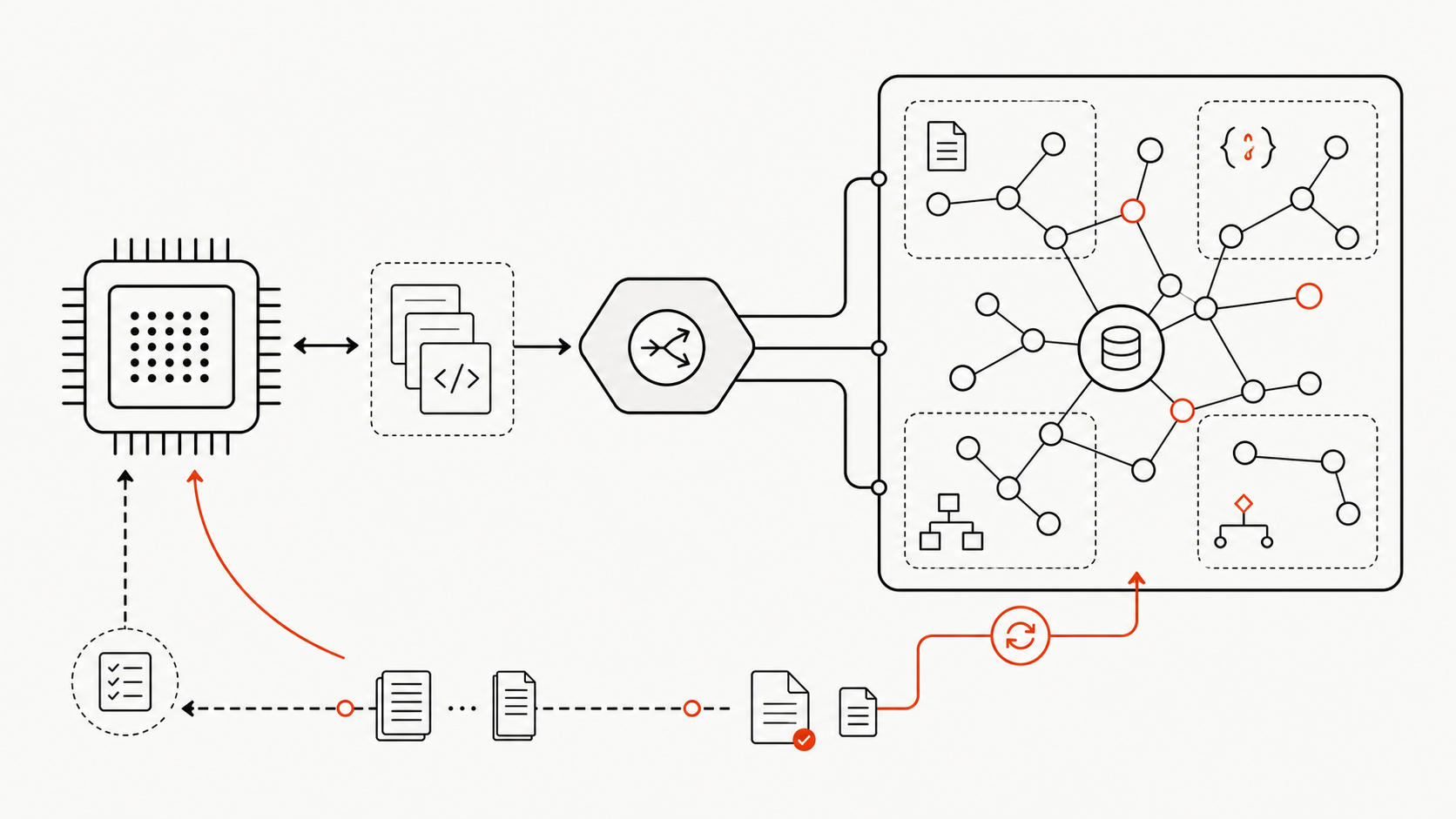
A shared project-memory layer narrows retrieval, while current source files remain the final authority.
How Knowledge Graphs Support Agent Memory
A code knowledge graph can act as structured repository memory by storing entities and typed relationships rather than a flat transcript of previous prompts.
Useful nodes may represent files, packages, functions, classes, tests, schemas, routes, and architecture documents. Edges can record imports, calls, ownership, coverage, generation, or documentation relationships. The graph then becomes a query layer: an agent can ask which modules depend on a symbol, which tests cover a route, or which document explains a boundary before opening the underlying files.
Graphify follows this model. It creates queryable repository artifacts and provides commands for graph queries, paths, explanations, updates, and watch workflows. The existing Ornith-1.0 and code knowledge graph guide explains the model-versus-repository-visibility distinction. The memory layer adds a further operational question: what knowledge should persist, and how is it refreshed?
Imports, symbol relationships, package communities
Rebuild after structural changes
Decision context
ADRs, rationale, ownership boundaries
Update when a decision is superseded
Task history
Failed approaches, temporary observations
Retain selectively with expiry
This structure is model-independent. An Ornith endpoint, another local model, and a cloud model can reuse the same graph through files, CLI queries, a local API, or MCP. Each agent should still verify the current source before changing it.
Limits for Local Workflows
Local does not automatically mean private, correct, cheap, or production-ready.
First, verify the actual runtime path. Ollama's ornith:9b and ornith:35b entries make local evaluation convenient, but listed artifact size is not total RAM or VRAM use. Context length, quantization, concurrency, and tool traces affect resource requirements.
Second, verify tool behavior. Ornith's official recipes document reasoning and tool-call parsers. A model served behind an OpenAI-compatible endpoint can be configured in OpenCode, but transport compatibility does not prove reliable multi-step tool use.
Third, keep memory fresh. A stale graph can be more dangerous than no graph because it looks authoritative. Graph updates should follow merges that change imports, routes, schemas, generated code, package boundaries, or architecture documentation. Graphify's CLI reference documents update, watch, and Git-hook options.
Finally, govern access. Do not put secrets, production credentials, private customer data, or unrestricted historical transcripts into shared memory. Record provenance and update time so the agent can distinguish current source-derived facts from human notes and inference.
FAQ
What memory should stay outside the prompt?
Keep reusable structure, stable workflow rules, architecture decisions, provenance, and refresh metadata outside the prompt. Load only the portion relevant to the current task. Current source code and exact test output should still be read when needed.
How should teams refresh repo memory?
Use repository events rather than an arbitrary calendar. Rebuild structural memory after merged changes to dependencies, routes, schemas, package boundaries, generated artifacts, or architecture documents. Store the source commit and generation time with the memory artifact.
Can multiple local models reuse one memory layer?
Yes. A model-independent graph or repository report can be exposed through a CLI, files, local API, or MCP. Different models can query the same layer, but each run should record the model, task, retrieved evidence, and source revision for comparison.
Conclusion
Ornith-1.0 makes local agentic coding easier to evaluate, but a capable local model is only one layer of the system. Long context supports temporary working memory; it does not create durable repository understanding.
Use the model for reasoning and tool use, the agent for permissions and execution, and a maintained project-knowledge layer for reusable structure. The decision rule is simple: if every new session has to rediscover the same architecture before useful work begins, move that stable map outside the prompt—and keep it tied to current source.
The Inkling model is Thinking Machines Lab’s first open-weight foundation model: a 975-billion-parameter Mixture-of-Experts system with 41 billion active parameters, native text, image, and audio reasoning, and weights designed for customization. It arrived on July 15, 2026, with a deliberately measured pitch. Thinking Machines Lab does not call Inkling the strongest model overall. It presents Inkling as a broad base that developers can inspect, deploy, and fine-tune.
That distinction matters. Inkling combines an unusually large sparse architecture, controllable reasoning effort, multimodal inputs, and a native context window of up to one million tokens. But the practical product has boundaries: hosted Tinker access currently exposes 64K and 256K contexts, self-hosting demands hundreds of gigabytes to terabytes of accelerator memory, and most headline benchmark results come from the vendor’s release evaluation rather than a uniform independent test.
This guide separates the Inkling model’s published specifications from its marketing, explains how its architecture works, interprets the benchmarks, and shows the realistic options for trying, fine-tuning, or self-hosting it.
Mira Murati founded Thinking Machines Lab after serving as OpenAI’s chief technology officer. This source cover image accompanied the original Chinese report.
66 layers; 256 routed experts plus 2 shared experts per MoE layer
Six routed experts activate for each token
Context
Up to 1M tokens in the native model
Tinker currently offers 64K and 256K configurations
Inputs and output
Text, images, and 16 kHz WAV audio in; text out
Video appeared in pretraining data but is not a documented runtime input
Pretraining
45 trillion multimodal tokens
Exact corpus mix and training cutoff are not disclosed
Fine-tuning
Available through Tinker
Playground and cookbook recipes lower the evaluation barrier
Checkpoints
BF16 and NVIDIA-oriented NVFP4
BF16 needs at least 2 TB aggregate VRAM; NVFP4 at least 600 GB
License position
Checkpoints labelled Apache 2.0 plus a separate Model Acceptable Use Policy
Accurate shorthand is “open-weight,” not unrestricted open source
Smaller model
Inkling-Small preview: 276B total, 12B active
Full weights were not released as of July 16, 2026
What is the Inkling Model?
Inkling is a general-purpose multimodal model trained from scratch by Thinking Machines Lab. Its stated purpose is not to dominate one benchmark category. The company trained it across reasoning, coding, tool use, instruction following, factuality, vision, audio, conversation, and safety so that organizations can adapt one foundation to different workflows.
The company’s release announcement emphasizes three properties:
Open weights: developers can download the checkpoint rather than accessing it only through a closed API.
Native multimodality: text, image, and audio representations are processed jointly by the model.
Controllable thinking effort: applications can trade additional reasoning tokens for performance instead of using one fixed inference budget.
Thinking Machines Lab’s launch announcement describes Inkling as an open-weight model for reasoning across text, images, and audio, with fine-tuning available through Tinker.
Inkling is also intended to become the background reasoning component for the company’s interaction-model work, where users collaborate through voice and vision. That helps explain why the first release prioritizes breadth and customizability over a narrow benchmark crown.
Open weight does not mean completely open
Inkling’s Hugging Face repositories label the checkpoints Apache-2.0. However, Thinking Machines Lab also applies a binding Model Acceptable Use Policy with additional restrictions. The complete pretraining corpus, corpus proportions, full training code, and total compute budget are not published.
For that reason, “open-weight model” is the precise description. “Fully open-source AI” would imply a level of training transparency and unrestricted use that the release does not provide.
Architecture: 975B total, 41B active
Inkling is a 66-layer sparse MoE Transformer. Although the checkpoint contains 975 billion parameters, only about 41 billion are active for each token. Sparse activation is what makes a model of this total size computationally usable: the router sends each token to a subset of specialized expert networks instead of evaluating every parameter.
Each MoE layer contains 256 routed experts and two shared experts. Six routed experts activate per token. Their outputs are combined with the shared experts after joint score normalization. The router uses sigmoid scores and an auxiliary-loss-free balancing bias, following ideas popularized by DeepSeek-V3.
The attention stack alternates five sliding-window layers for every global-attention layer, producing 55 local and 11 global layers. There are eight key-value heads. Thinking Machines Lab chose learned relative-position attention instead of RoPE, reporting better long-sequence extrapolation in its experiments. Short convolutions appear after key/value projections and again before attention and MLP residual branches return to the main residual stream.
These details are not cosmetic. Local attention controls cost, periodic global attention carries information across the sequence, and sparse experts expand capacity without activating the entire 975B checkpoint for every token.
The launch demo places Inkling inside an OpenCode harness and asks it to write, run, and evaluate a Tinker fine-tuning job. It is a product demonstration, not an independent autonomy benchmark.
Multimodal inputs and the 1M-token context window
The native Inkling architecture supports up to one million tokens, but that number needs qualification. Thinking Machines Lab’s Tinker service currently exposes 64K and 256K variants. A buyer evaluating the hosted service should plan around those product limits rather than assuming the full native window is available through every endpoint.
The formal model card documents three runtime input types:
UTF-8 text;
pixel images, with recommended dimensions between 40 and 4,096 pixels;
WAV audio sampled at 16 kHz, with an optimal length of 20 minutes or less.
Output is text. Although video was part of the 45-trillion-token pretraining mixture, video is not listed as a supported runtime input. Calling Inkling a text-image-audio model is therefore more accurate than calling it a video model.
Vision inputs are divided into 40×40-pixel patches and transformed through a four-layer hierarchical MLP. Audio enters as dMel spectrogram representations. Lightweight embedding front ends convert both modalities into representations processed jointly with text tokens by the decoder. Thinking Machines Lab describes this as encoder-free because it avoids a separate large vision or audio encoder.
The vendor’s radar chart illustrates breadth rather than a single aggregate score. Comparing axes with different evaluation methods should be treated as directional.
Inkling benchmarks: strengths and trade-offs
The most useful way to read Inkling’s results is as a capability profile, not a universal leaderboard. Thinking Machines Lab ran its release evaluations at thinking effort 0.99 and temperature 1.0. Coding trajectories could use up to 256K tokens. Some comparator results came from Artificial Analysis, some were self-reported by other vendors, and others used Thinking Machines Lab’s internal harnesses.
Selected published Inkling results include:
Area
Evaluation
Inkling result
Reasoning
Humanity’s Last Exam, text only
29.7%
Reasoning with tools
Humanity’s Last Exam
46.0%
Science reasoning
GPQA Diamond
87.2%
Coding
SWE-bench Verified
77.6%
Coding
SWE-bench Pro Public
54.3%
Terminal agents
Terminal-Bench 2.1, best harness
63.8%
General agents
MCP Atlas
74.1%
Instruction following
IFBench
79.8%
Vision
MMMU Pro
73.5%
Audio
VoiceBench
91.4%
The company explicitly says Inkling is not the strongest model overall. Closed models lead many reasoning and coding rows, while other open-weight systems win specific tasks. Inkling’s argument is that one downloadable checkpoint is competitive across several domains and can be adapted.
Agentic coding and artifact creation
Thinking Machines Lab trained Inkling in multiple coding-agent harnesses and randomized tool definitions to reduce dependence on one interface. In Design Arena’s blinded web-development comparison, Inkling appeared among the stronger open-weight entries at launch, but below several closed models.
Design Arena uses pairwise human judgments of generated web applications. It is useful evidence about visual artifact quality, but it is not a substitute for repository-level software correctness testing.
The demos also show Inkling creating a multi-page travel journal and refining a multiplayer snake game over 40 feedback rounds with a Codex model acting as reviewer. These examples demonstrate sustained tool use and visual consistency under curated conditions. They do not prove that arbitrary long-running tasks will finish without supervision.
A launch demo shows a nine-page food-and-travel journal with consistent visual styling. The animated source is preserved from the original article.
Controllable thinking effort
Inkling can vary its reasoning budget from approximately 0.2 to 0.99 effort. During reinforcement learning, the team changed system-message instructions and the per-token cost so the model learned to respond with different amounts of computation.
This creates a more useful deployment question than “What is the best score?” Applications can ask what score is available at an acceptable token budget and latency. In the vendor’s Terminal-Bench sweep, Inkling matched Nemotron 3 Ultra’s score with roughly one-third as many generated tokens. That is promising efficiency evidence, but it remains a vendor-run comparison whose harness and operating points matter.
Inkling’s blue curves trace performance as effort rises. Competitors are shown at default operating points, so the chart compares a sweep with individual reference points rather than identical inference policies.
Audio and vision
Inkling’s reported audio results place it near specialist open-weight audio models: 77.2% on MMAU and 91.4% on VoiceBench. The VoiceBench score should be read carefully because the benchmark uses formatting-sensitive string matching; Thinking Machines Lab added a system instruction to produce the expected answer format.
For vision, Inkling reported 73.5% on MMMU Pro and 78.1% on CharXiv reasoning questions, rising to 82.0% when a Python tool was available. Tool-assisted image reasoning can zoom, crop, or calculate, but it also means the tool environment contributes to the final result.
The multimodal comparison mixes open- and closed-weight systems. Missing cells mean the source did not report a directly comparable score.
Safety results are a starting point
The vendor reports 78.0% on FORTRESS Adversarial, 95.9% on FORTRESS Benign, and 98.6% on StrongREJECT at effort 0.99. The combination is intended to measure refusal of harmful prompts without excessive refusal of benign look-alikes.
These are release-time safety evaluations, not a guarantee for every deployment. Fine-tuning, tools, system prompts, and application context can materially change behavior.
Open weights make independent evaluation possible, but they also let deployers modify safeguards. Any production use still needs domain-specific red teaming, access control, logging, and post-fine-tuning evaluation.
Why the full benchmark table needs footnotes
Inkling’s open-weight comparison shows strong results in some instruction-following, coding, and multimodal rows, while GLM, Kimi, Nemotron, or other systems lead elsewhere.
The open-weight table uses a mixture of external scores, vendor self-reports, and Thinking Machines Lab harnesses. Small differences should not be treated as statistically decisive.
The table against closed models is even more useful as a reality check: Inkling generally trails the strongest proprietary systems on difficult reasoning and coding rows, despite competitive instruction-following and some agentic results.
Thinking Machines Lab’s own table supports its restrained positioning: Inkling offers breadth and control, not across-the-board frontier leadership.
Teams should rerun their own prompts, tools, latency limits, and cost assumptions. A one-point difference from a release table is less important than reproducibility in the intended environment. For a broader evaluation framework, see Graphify’s guide to the best LLMs for coding in 2026.
How the Inkling model was trained
Inkling was pretrained on 45 trillion tokens spanning text, images, audio, and video. The model card describes broad source categories—public internet and repositories, acquired third-party data, and synthetic or augmented data—but does not publish the mix, named datasets, or cutoff date.
Large matrix weights used the Muon optimizer, while other parameters used Adam. The team coupled weight decay to the square of the learning rate and used schedules inspired by its modular-manifold research. Post-training covered math, agentic coding and tool use, audio, vision, conversation, factuality, and safety.
An initial supervised fine-tuning stage used synthetic data generated by open-weight models, including Kimi K2.5. Thinking Machines Lab says that stage consumed a small share of compute and that the majority went to large-scale reinforcement learning on synthetic and human-created environments.
The asynchronous RL program exceeded 30 million rollouts over two long continuous runs on NVIDIA GB300 NVL72 systems.
The held-out aggregate reward rose roughly log-linearly across the reported run. Because the aggregate combines several evaluations, it does not reveal whether every capability improved at the same rate.
The team also observed that the model’s hidden reasoning traces became shorter and more telegraphic as training rewarded efficiency. That observation is interesting, but compressed internal reasoning should not be confused with a guarantee of lower end-to-end latency or higher answer quality.
The example shows fewer grammatical connectives in a later RL trace while retaining the same solution path. It is an illustrative sample, not a population-level measure.
Inkling-Small preview
Inkling-Small is a separate 276B-parameter MoE preview with 12B active parameters. Thinking Machines Lab reports that it uses a similar architecture, improved pretraining data and recipe, and the same scalable post-training stack.
The smaller model is close to Inkling on several published rows and slightly ahead on HLE with tools, GPQA Diamond, IFBench, and a few multimodal tests. It is also materially behind on Terminal-Bench 2.1, Tau 3 Banking, SimpleQA Verified, and AudioMC.
Inkling-Small trades capacity for 12B active parameters. As of July 16, 2026, it remained a preview and its full weights had not been released.
There is no published firm release date, complete hardware profile, standalone price, or public checkpoint for Inkling-Small. Treat it as a roadmap signal rather than a deployable option today.
How to access and use Inkling
There are three practical paths.
1. Evaluate or fine-tune through Tinker
Tinker offers Inkling with 64K and 256K context configurations. The Inkling Playground provides chat and integrated web search for quick qualitative testing. Tinker’s cookbook adds audio recipes, while tml-renderer supports sampling and post-training with tool calls, reasoning content, and multimodal inputs.
Thinking Machines Lab advertised a limited-time 50% discount at launch. Its July 16 documentation listed, per one million tokens:
Tinker mode
Prefill
Cached input
Sample
Train
64K
$1.87
$0.374
$4.68
$5.61
256K
$3.74
$0.748
$9.36
$11.23
Pricing is time-sensitive, and the documentation warned of broader changes effective July 17. Verify current prices before budgeting.
2. Use a hosted inference provider
Thinking Machines Lab announced Together AI, Fireworks, Modal, Databricks, and Baseten as API partners. Availability can differ by provider and date: Modal and Baseten published live launch support, while Together’s public page still said “coming soon” during this review. Check the chosen provider’s actual endpoint, context limit, modality support, and price rather than assuming every announced integration is live.
3. Download and self-host the weights
The official Hugging Face organization publishes BF16 and NVFP4 checkpoints. The model is integrated or being integrated with Transformers, SGLang, vLLM, TokenSpeed, and llama.cpp-related workflows.
Hardware is the main constraint:
BF16: at least 2 TB of aggregate VRAM; the model card gives examples such as eight B300 or sixteen H200 GPUs.
NVFP4: at least 600 GB; W4A4 targets four B300 GPUs, while W4A16 can target eight H200 GPUs.
Those are minimum memory profiles, not complete production sizing. KV cache, context length, concurrency, multimodal preprocessing, networking, and serving overhead all affect the real cluster requirement.
Fine-tuning Inkling with Tinker
Inkling is most differentiated when a team needs to adapt a generalist model to specialized judgments, tools, audio workflows, or internal data. A sensible pilot is narrower than “fine-tune our company model”:
Define one measurable task and a held-out test set.
Establish the base model’s quality, latency, token use, and refusal behavior.
Fine-tune on a small, provenance-controlled dataset.
Compare the checkpoint against the base using blinded review and task metrics.
Re-run safety, privacy, and regression tests after every training change.
Record the exact checkpoint, renderer, prompt format, effort setting, and tool schema.
The model’s size does not remove the usual fine-tuning risks. Poor labels, leaked evaluation examples, narrow reward signals, and aggressive specialization can degrade useful general capabilities.
Limitations and who should use it
Inkling is a credible candidate for teams that need a customizable text-image-audio base, can evaluate models rigorously, and have either a Tinker workflow or access to substantial inference infrastructure. Agentic coding teams may value tool-schema robustness and controllable effort. Audio and visual-reasoning teams gain a single checkpoint rather than separate specialist models.
It is a weaker fit when:
a closed API already meets the quality target at lower operational complexity;
the deployment cannot support the hardware or provider cost;
a fully reproducible training dataset and pipeline are mandatory;
the application needs documented video input;
“open source” procurement rules conflict with the additional acceptable-use policy;
benchmark leadership matters more than customization.
The best evaluation is a workload-specific curve: quality versus total tokens, latency, price, human correction rate, and failure severity. Inkling’s controllable effort is useful only if those operating points are measured in the real application.
Inkling Model FAQ
Is the Inkling model open source?
Its full weights are downloadable and the Hugging Face repositories are labelled Apache 2.0, but use is also subject to Thinking Machines Lab’s Model Acceptable Use Policy. The training data and full training pipeline are not public. “Open weight” is the more precise term.
How large is Inkling?
Inkling has 975 billion total parameters and activates about 41 billion per token through a sparse Mixture-of-Experts architecture.
Does Inkling support a one-million-token context?
The native model supports up to 1M tokens. Tinker currently exposes 64K and 256K configurations, and third-party providers may have different limits.
What modalities does Inkling accept?
The model card documents text, images, and 16 kHz WAV audio as inputs and text as output. Video was included in pretraining data but is not a documented runtime input.
Can Inkling run locally?
Technically yes, but not on ordinary consumer hardware. Official minimums start around 600 GB aggregate VRAM for NVFP4 or 2 TB for BF16, before serving overhead.
Is Inkling-Small available?
Not as a full public checkpoint as of July 16, 2026. Thinking Machines Lab has published a 276B-total, 12B-active preview and says weights will follow after testing.
Bottom line
The Inkling model is best understood as a large, open-weight multimodal foundation for customization—not a claim to universal state of the art. Its 975B/41B-active MoE design, controllable effort, text-image-audio support, and Tinker integration create a flexible platform. Its value will depend on whether teams can reproduce the vendor’s strengths in their own harnesses while accepting the hardware, licensing, data-transparency, and evaluation constraints.
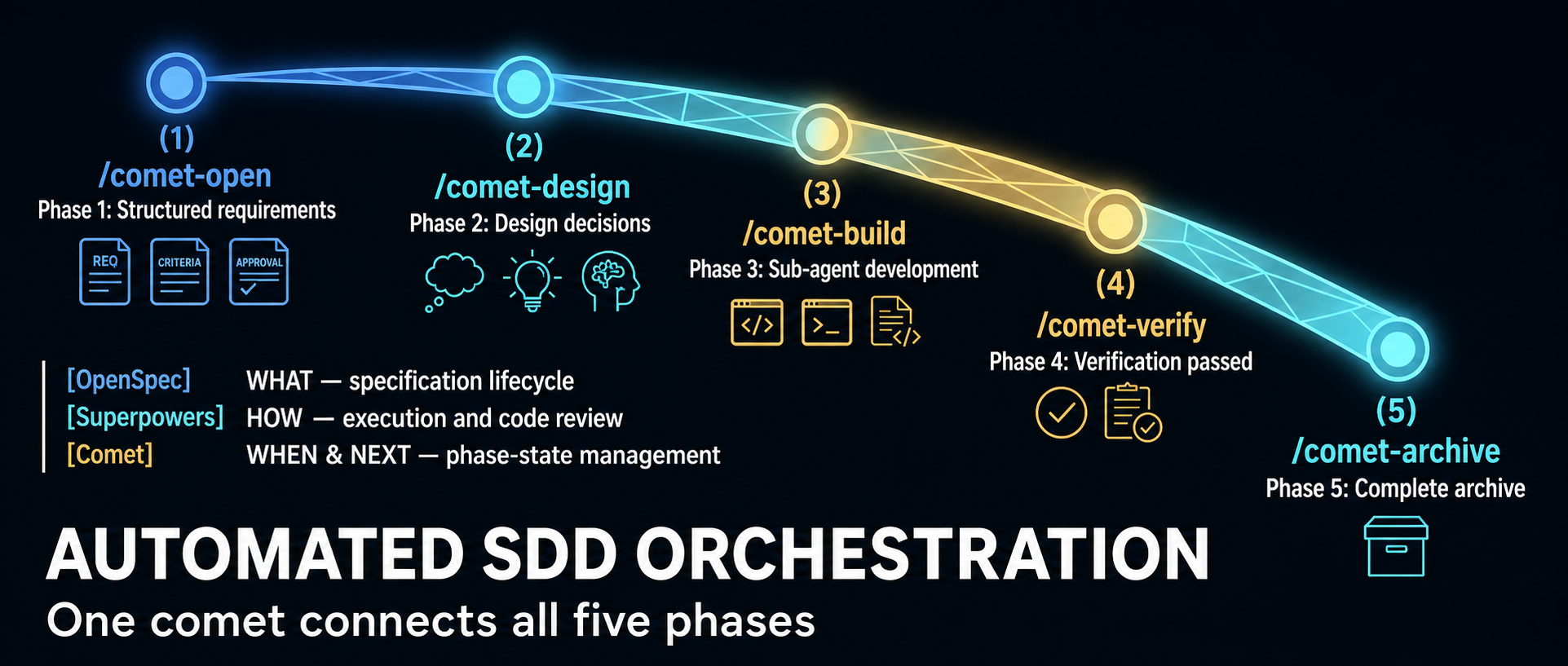
Comet began as an orchestration layer for combining OpenSpec’s specification lifecycle with Superpowers-style planning and execution. The project now describes itself more broadly: a resumable workflow and Skill platform for coding. That shift matters because current Comet has three distinct jobs, not one:
/comet runs a guarded software-change workflow.
/comet-any turns existing Skills into a reusable workflow package.
comet eval tests whether a Skill behaves reliably enough to advance toward publication.
A June 2026 WeChat article from 职场向上生长力 explains the original five-phase design well. It is now a historical snapshot of the 0.3.x line: its central state-machine model remains relevant, but several counts, scripts and product boundaries changed in the 0.4 beta series. This guide uses the current official rpamis/comet repository and release metadata as the authority.
Version reality: current does not mean stable
Classic is the established architectural core, but the current npm default remains a semantic prerelease; pin the exact package version.
As of July 16, 2026, npm’s latest tag for @rpamis/comet points to 0.4.0-beta.4, published July 12. It is the current default install, but the beta identifier still makes it a semantic prerelease. The last version without a prerelease suffix is 0.3.9, published June 18.
Choice
What it means
Best fit
@rpamis/comet@0.3.9
Last non-beta release; mature Classic workflow built around the 0.3 architecture
Teams prioritizing a fixed, non-prerelease baseline
@rpamis/comet@0.4.0-beta.4
Current npm default; pure Node runtime plus the expanded Skill and eval platform
Evaluation, new integrations and teams willing to absorb beta changes
Unpinned @rpamis/comet
Currently resolves to beta.4 because npm latest points there
Only when your update policy intentionally follows the current channel
The repository calls Classic Spec “the stable core for long-running tasks.” Read that as a product-architecture claim: the five-phase lifecycle is the established center of Comet. It does not turn the 0.4.0-beta.4 package into a generally available 0.4 release. Likewise, beta.4’s release notes call several top-level commands “Stable Classic commands”; that describes their supported interface inside the beta, not the maturity label of the entire package.
Pin the version in team setup documentation and automation. Otherwise, the same installation command can resolve to a materially different runtime over time.
What changed in the 0.4 beta line
The most visible engineering change is a pure Node runtime. The 0.4 README says Comet no longer depends on Bash or WSL; the package declares Node.js 20 or newer. This is especially meaningful for Windows users and for cross-platform workflow bundles, because state and guard logic no longer depend on a shell environment that behaves differently across machines.
The product surface also expanded:
Classic Spec remains the requirements-to-archive workflow.
/comet-any authors composed Skill Bundles with workflow nodes, schemas, guards and handoffs.
comet eval supplies local or LangSmith-connected evaluation evidence.
comet dashboard provides a read-only browser view of active changes and archive history.
Beta.4 adds or hardens ambient resume, a registry of project-scope installations, direct comet state, comet guard, comet handoff and comet archive commands, custom build evidence, multi-change guards, archive confirmation and Codex Skill discovery. Those details come from the official 0.4.0-beta.4 release, not from the older WeChat walkthrough.
Surface 1: Classic Spec with /comet
Classic Spec is for a software change that should move through a controlled lifecycle. Its conceptual phases remain:
Open — turn an idea into an OpenSpec change and obtain human agreement on scope.
Design — record architectural decisions and resolve ambiguity before implementation.
Build — create an execution plan, choose isolation and implement under review rules.
Verify — collect test, task and design-conformance evidence.
Archive — synchronize the accepted delta into the main specification and close the change.
The important mechanism is not the command sequence. It is durable external state. Each managed change stores workflow facts in .comet.yaml: phase, mode, artifact references, verification outcome and archive status. /comet can inspect that state and recommend the next legal action after a terminal restart or context reset.
Guards are equally important. A useful workflow must reject illegal transitions, not merely remind the agent what it should do. Comet’s Classic runtime checks prerequisites before phase advancement and can restrict source writes while a change is still in requirements or design. Beta.4 also requires final archive confirmation to be represented in machine-owned state, so calling an internal path cannot silently bypass the human decision.
A practical Classic setup
Requirements are Node.js 20+, npm or npx, and Git. Choose a version deliberately:
# Last non-beta release
npm install -g @rpamis/comet@0.3.9

# Current beta evaluated in this guide
npm install -g @rpamis/comet@0.4.0-beta.4
Then initialize inside the target repository:
cd your-project
comet init
comet doctor --json
comet status --json
Use /comet from the supported coding agent to start or resume a change. Do not begin with automatic transitions enabled on a high-risk repository. First learn which points request scope, isolation, review and archive decisions. After the team trusts its checks, automation can reduce ceremony without hiding governance.
Surface 2: /comet-any for workflow authoring
/comet-any addresses a different problem: turning Skills into a distributable workflow rather than implementing a product feature. The current Skill defines a workflow contract in terms of:
Workflow Nodes that own resumable responsibilities;
Skill Bindings and required Skill calls;
Output Schemas attached to specific nodes;
Guardrails that permit or block advancement;
Handoffs containing cross-node or subagent evidence;
a workflow-protocol.json source of truth.
This is more rigorous than placing several Skill names in a prompt. A bound Skill does not automatically replace a workflow node, and a schema declared globally does not enforce anything until it is attached to a concrete node. The authoring flow requires a proposal and human confirmation before generation, then creates scripts, rules, hooks, references and an eval manifest.
There are two broad modes. A comet-five-phase-overlay customizes parts of Classic Spec while preserving .comet.yaml semantics and protected control nodes. A workflow-kernel is for a genuinely different lifecycle with its own state model and guard design. If a team wants to replace fundamental control nodes such as open, execute, verify or archive, it should treat that as a new kernel rather than quietly weakening Classic’s guarantees.
Use /comet-any when the deliverable is a reusable workflow package. Use /comet when the deliverable is a software change. Mixing those intents produces confusing state and weak acceptance criteria.
Surface 3: comet eval as evidence
Comet separates guarded software changes, reusable workflow bundles, and evaluation evidence into three connected surfaces.
comet eval asks whether a Skill can be discovered, executed and scored on defined tasks. For a bundle generated by /comet-any, the recommended sequence is:
--collect is a low-cost preflight: it checks the manifest, task discovery and dependency paths without starting the expensive evaluation. --html performs the run and creates a browsable report. The official documentation distinguishes raw runs from the clean analysis set and attributes failures to harness, workflow, task, model or environment instead of folding every infrastructure error into a Skill-quality score.
For an early local Skill without an eval manifest, comet eval ./my-skill --quick --html is a smoke test. It is not final release evidence. Publish readiness expects evaluation tied to the current draft hash; failed, missing or stale-hash evidence blocks progression.
The README discusses Rubric, Pass@k and Pass^k scoring and shows repository-generated benchmark charts. Treat those results as project evidence for its published tasks and treatments, not proof that every team’s custom workflow will improve by the same amount. Your tasks, model, environment and validators determine whether the measurement transfers.
Choosing the right Comet path
Start with the outcome:
For a feature, bug fix or refactor that needs traceable requirements and verification, use Classic /comet.
For a repeatable organizational process assembled from multiple Skills, use /comet-any.
For evidence that a Skill works across runs, use comet eval.
For a conservative rollout, pin 0.3.9 and test the beta in a separate repository.
For 0.4 capabilities, pin beta.4, record the version in artifacts and rerun evaluation when upgrading.
Comet’s most valuable idea is not that an agent can execute five commands. It is that workflow control can be represented as files, state transitions, deterministic checks and review evidence. That architecture survives a context window. The 0.4 beta extends the same principle from one software-development workflow to a broader platform for composing and evaluating Skills.
AI coding agents are fast at local execution and unreliable at remembering why a project works the way it does. Trellis addresses that gap by putting durable engineering context inside the repository: scoped specifications, task artifacts, per-developer journals, workflow state, and platform-specific agent configuration.
That makes Trellis less like a model or code generator and more like an agent harness. It does not replace Claude Code, Codex, Cursor, or another coding agent. It gives those agents a shared project layer and a repeatable delivery loop.
At the time of this review, the mindfold-ai/Trellis repository had roughly 12.7k GitHub stars—12,662 when checked—and the npm package was version 0.6.7. The project uses the AGPL-3.0-only license. Its current prerequisites are Node.js 18.17 or newer for the CLI and Python 3.9 or newer for the scripts and hooks.
What Trellis stores in the repository
The .trellis/ directory holds the stable project context; generated skills, hooks, and host entry files adapt that core to each coding environment.
The .trellis/ directory is the stable core across supported coding tools. Four areas matter most:
spec/ stores team conventions: directory structure, error handling, testing, component patterns, and other rules that should survive a chat session.
tasks/ stores active and archived work, including a PRD and separate context manifests for implementation and review.
workspace/ stores per-developer journals so a later session can recover what happened without reconstructing the entire conversation.
workflow.md and runtime state tell the agent which phase is active and what evidence it should produce next.
Trellis also generates platform-specific skills, subagent definitions, commands, hooks, and entry files such as AGENTS.md. The core artifacts stay the same, but their delivery varies by host. Claude Code, Cursor, and OpenCode expose richer hook and subagent integration; other tools may rely on pull-based context, a prompt file, or an inline main-agent path.
This distinction is important. “Supports 17 platforms” means Trellis ships configurators for 17 environments. It does not mean every environment provides identical session-start events, pre-tool hooks, slash commands, or subagent context injection. The official capability matrix should be reviewed for the exact tools a team uses.
The current four-phase loop
Plan selects context, Implement produces the change, Verify collects evidence, and Finish archives the task while promoting durable lessons.
The current Trellis README describes a four-phase workflow:
Plan — trellis-brainstorm clarifies the task one question at a time and writes prd.md. Research-heavy questions can be delegated to trellis-research. The plan curates which specs and research artifacts belong in implement.jsonl and check.jsonl.
Implement — trellis-implement works from the PRD and the selected implementation context. It is instructed not to commit the change.
Verify — trellis-check reviews the diff against the task and specs, then runs the relevant lint, type-check, and test commands. It can self-fix small mechanical issues.
Finish — a final check runs, trellis-update-spec promotes durable lessons into the spec library, and finishing the work archives the task and updates the developer journal.
An older source described spec update as a separate third stage and finish as a fourth. The current documentation folds spec promotion into Finish, after Plan, Implement, and Verify. That is more than naming: the knowledge update is part of closure, not an optional cleanup step detached from verification.
Specs are bootstrapped, then curated
The most consequential correction to older Trellis reviews concerns specification authoring. Trellis no longer expects every team to fill every placeholder entirely by hand. The official README says many teams let AI draft specifications from the existing codebase, then tighten important rules manually. The quick-start documentation also includes a bundled spec-bootstrap skill and an optional template marketplace.
The right mental model is AI draft, team curate:
Use the codebase to produce a first-pass description of actual patterns.
Delete generic advice that does not constrain a decision.
Add concrete examples and counterexamples from the repository.
Review high-impact rules—security, migrations, API compatibility, testing, error handling—like code.
Keep the specs versioned and update them when a verified task establishes a better convention.
AI-generated specs are not automatically trustworthy. A model can faithfully document an accidental pattern, copy an anti-pattern that happens to be common, or turn preferences into false absolutes. Trellis provides the structure and update path; the team remains responsible for the standard.
Why context manifests are useful
Large instruction files often fail in two ways: they consume context on every turn, and unrelated rules distract the agent from the current task. Trellis instead uses task-specific JSONL context manifests.
The planning phase selects the relevant material for implementation and checking. An implementation worker might need API conventions, database rules, and the PRD. A reviewer may need those plus testing and error-handling guidance. The two manifests can differ, which helps keep each agent’s context bounded and makes the selection inspectable.
This mechanism does not guarantee lower total token use. Hooks, planning, subagents, checks, and spec updates all cost time and model work. Its value is context precision and repeatability, not free context. Teams should compare end-to-end latency and usage against their current workflow on representative tasks.
Project memory without one giant chat history
Trellis journals record what a developer completed, while task state records what remains active. On hook-backed platforms, session startup can inject identity, Git status, active tasks, spec indexes, and recent journal context. On tools without the same hook surface, an entry skill or generated prelude supplies a fallback.
This is durable memory in the engineering sense: versioned project knowledge plus developer-specific work summaries. It is not a claim that every past conversation is automatically correct or that journal context should override the repository. The current code, tests, and reviewed specs remain the source of truth.
Per-developer workspace directories reduce journal conflicts, while shared specs and tasks remain reviewable through normal pull requests. Teams should still define ownership for spec changes; otherwise, the knowledge base can accumulate contradictions as quickly as a monolithic AGENTS.md file.
Installation and a safe first pilot
Install the current CLI and initialize only the platforms you actually use:
The generic trellis init -u your-name flow can auto-detect installed platforms. Pinning the npm version makes a team trial reproducible; @latest is convenient for exploration but can change generated templates between machines.
For an existing codebase, use this pilot sequence:
Initialize Trellis on a disposable branch.
Let the bootstrap workflow draft a narrow set of specs from real code.
Have maintainers review and reduce those specs to high-signal rules.
Choose one medium-sized, reversible feature with clear acceptance criteria.
Run the complete Plan → Implement → Verify → Finish loop.
Inspect which files each JSONL manifest selected.
Intentionally violate one rule and confirm the review phase catches it.
Start a new session and verify that task and journal recovery are accurate.
Measure repository footprint, merge noise, runtime, and model usage before expanding adoption.
Codex users need an additional platform check. Current Trellis documentation says Codex uses an AGENTS.md prelude, skills and agent files, and a UserPromptSubmit hook; hook support must be enabled and reviewed in compatible Codex releases. Subagent context injection is not identical to Claude Code’s PreToolUse path, so parity should be tested rather than assumed.
Trade-offs teams should evaluate
Repository weight
Trellis generates more than a single instruction file. Exact file counts vary by version and selected platforms, so an old “152 files” result should not be treated as a fixed product property. The meaningful question is whether those generated files stay stable, reviewable, and useful enough to justify their maintenance cost.
Platform variance
The same .trellis/ core can be shared broadly, but automation depth varies. Some platforms have full session and subagent hooks; others use skills or inline execution. A mixed-tool team should test its least-capable required platform first.
Spec quality and governance
Poor specs scale poor decisions. Teams need reviewers, ownership, deprecation rules, and a way to resolve conflicts between written standards and working code.
Workflow overhead
Planning, isolated implementation, independent checking, and spec promotion are valuable for consequential work. They can be excessive for a one-line fix or disposable prototype. Trellis’s current quick-start says small inline tasks do not have to become Trellis tasks; use that escape hatch deliberately.
License
Trellis is licensed AGPL-3.0-only, not MIT or Apache-2.0. Organizations with distribution, modification, hosted-service, or proprietary integration concerns should have the intended use reviewed against the license before standardizing the tool. This is a governance check, not a reason to avoid the project automatically.
Who should adopt Trellis?
Trellis is most compelling for a long-lived repository where multiple people or coding agents repeatedly need the same architectural knowledge. It is particularly relevant when the team has already outgrown one large AGENTS.md or CLAUDE.md, when task context needs to be reviewable, or when sessions frequently lose the reasoning behind local conventions.
It is less compelling for a small prototype, a one-person script, or a repository whose conventions are still changing faster than anyone can curate them. In those cases, a concise instruction file plus normal tests may be the simpler and more reliable harness.
The core Trellis proposition is not “AI remembers everything.” It is “the repository carries the right memory forward.” That proposition succeeds only when specs are curated, tasks are closed honestly, checks are meaningful, and each platform’s integration is verified in practice.
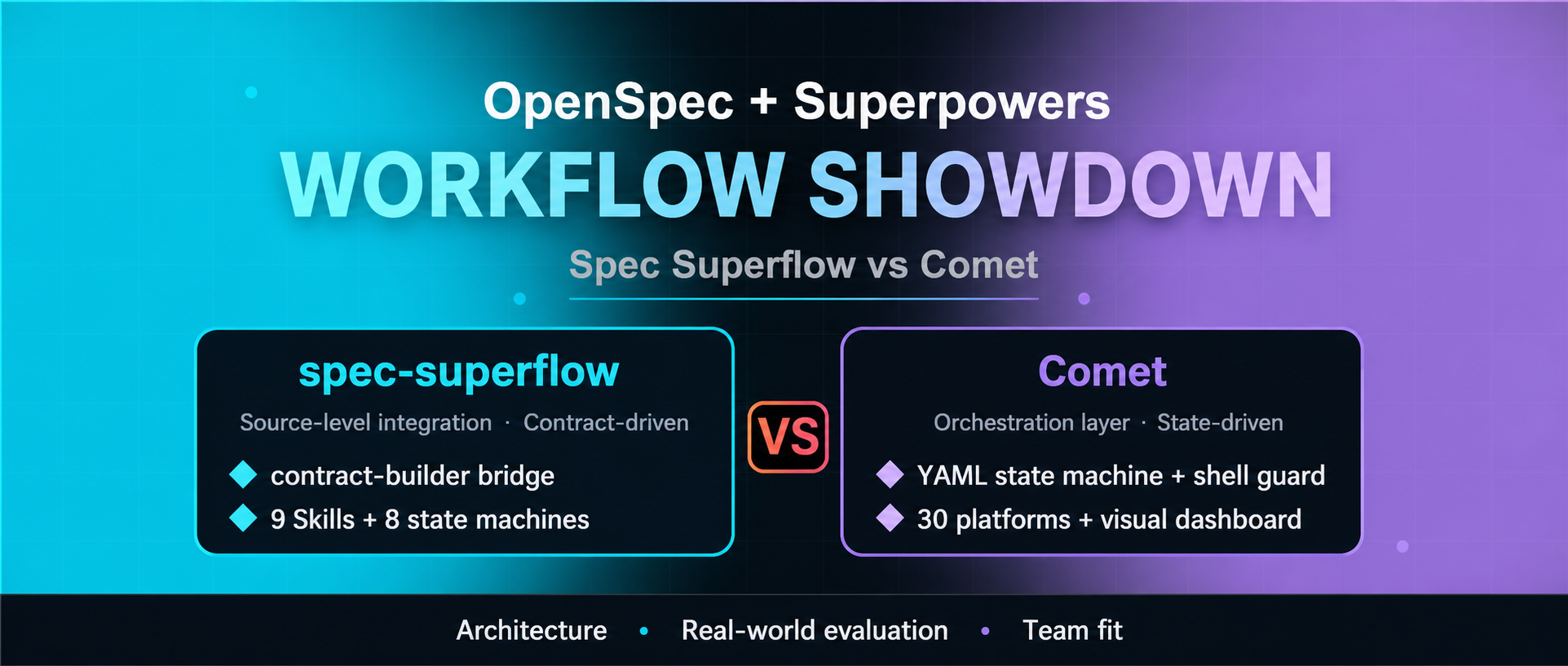
OpenSpec and Superpowers solve different parts of AI-assisted software delivery. OpenSpec emphasizes explicit change artifacts and a maintained specification lifecycle; Superpowers emphasizes disciplined implementation practices such as design, testing, review, and verification. Spec Superflow and Comet both try to connect those layers—but the two projects now serve noticeably different buyers.
This comparison updates a Chinese WeChat article that examined earlier releases. As of July 16, 2026, the current published versions are Spec Superflow v0.9.1 and Comet 0.4.0-beta.4. That matters because the source compared v0.8.10 with v0.3.9. Since then, Spec Superflow has expanded its portable runtime and execution controls, while Comet has moved its Classic workflow from shell scripts to Node.js and broadened into skill composition and evaluation.
The short answer: choose Spec Superflow when you want a self-contained, prescriptive spec-to-execution contract. Choose Comet when you want a broader workflow platform with cross-tool installation, a dashboard, reusable skill composition, and evaluation. Neither is automatically the right answer for a small change that one agent can safely complete and verify.
Current comparison at a glance
A concise decision matrix for the two projects’ current architectural trade-offs.
Dimension
Spec Superflow v0.9.1
Comet 0.4.0-beta.4
Primary design
Self-contained spec-first workflow
Cross-platform skill harness with a Classic spec workflow
OpenSpec/Superpowers relationship
Incorporates their planning and execution ideas without requiring either at runtime
Connects OpenSpec artifacts, Superpowers methods, and Comet’s own runtime
Core control model
Eight-state flow, execution contract, decision points, guards, execution plan and review receipts
Nine English skills plus matching Chinese variants in the release tree, including comet-any
Platform support claimed by project
17 platforms
33 platforms
Runtime
Node.js 20+; self-contained package
Node.js 20+; pure Node runtime; OpenSpec is a package dependency
Visibility
CLI validation, doctor, audit, state and execution-plan commands
CLI status/doctor plus a local read-only web dashboard
Extension path
Fixed workflow with controlled execution modes and handoffs
/comet-any, skill creation/publishing, local and LangSmith-oriented evaluation
Release posture
v0.9.1
0.4.0 beta series
The platform and skill counts above are project claims, not independent compatibility certifications. A listed installer does not guarantee that every host exposes identical hooks, subagents, permissions, or skill-discovery behavior.
Spec Superflow: make the handoff a contract
Spec Superflow’s defining choice is to make planning-to-implementation handoff explicit and difficult to bypass. Its nine skills cover discovery, specification, contract building, execution, debugging, review, release, and spec merging. A workflow starts by inspecting the content of existing artifacts, rather than relying only on timestamps, and routes the change through an eight-state model.
The centerpiece is execution-contract.md. The contract condenses the planning artifacts into an implementation boundary, with an intent lock, constraints, and freshness checks. Guards can refuse implementation when the contract is absent, stale, or unapproved. The workflow also enforces TDD, review, and spec synchronization in its full path.
Version 0.9.1 goes beyond the older “nine skills and a guard” summary. For full and hotfix changes, it can generate a guarded execution recommendation, ask the user to confirm an execution mode, persist an execution plan, and require passing review receipts for each wave. The available modes include inline work, serial batch-inline work, and subagent-driven development. A plan can be upgraded to a more structured mode, but the tooling intentionally prevents silent downgrade of an approved plan.
This design favors auditability and constraint retention. It also creates ceremony. A team must be willing to maintain the artifacts, honor decision points, and understand why a guard blocked progress. Spec Superflow includes hotfix and tweak routes, but its core value appears when a change is important enough to justify a durable contract.
Spec Superflow is the stronger fit when
you want one self-contained package instead of runtime coordination across separately installed frameworks;
the planning-to-build boundary is the main source of risk;
TDD, review receipts, and spec synchronization should be enforced rather than suggested;
a controlled set of execution modes is preferable to an open-ended workflow platform;
CLI audit evidence matters more than a graphical dashboard;
Chinese-first workflow instructions are useful to the team.
Comet: make the workflow a platform
Comet still offers a five-phase Classic workflow—open, design, build, verify, archive—but the current project is broader than the “YAML plus shell glue” description in the older source. Beginning with the 0.4 beta line, its runtime is pure Node.js. The installed Classic skills use JavaScript modules such as comet-guard.mjs, comet-state.mjs, and comet-handoff.mjs, while .comet.yaml remains the per-change state record.
That state file allows the main /comet entry point to determine the active phase and resume work. The 0.4.0-beta.4 release also adds an ambient resume probe, stable top-level state/guard/handoff/archive commands, stronger evidence handling for custom builds, and archive-confirmation enforcement. The dashboard provides a read-only browser view of active changes, phase status, task progress, artifacts, and archive history.
Comet’s larger strategic difference is /comet-any and its evaluation tooling. The project now positions itself as a harness for composing arbitrary skills into distributable workflows, then measuring them with rubrics and Pass@k/Pass^k-style experiments. comet eval can run local checks and produce HTML reports; the repository also documents a LangSmith path for teams that want centrally inspectable evaluation traces.
This breadth increases the number of moving parts. Comet declares OpenSpec as a package dependency and its initializer manages OpenSpec, Superpowers, Comet skills, platform-specific directories, language variants, updates, and uninstall behavior. Its published release is still named 0.4.0-beta.4, so teams should treat version pinning and upgrade tests as part of adoption, even though GitHub marks the release itself as non-prerelease metadata.
Comet is the stronger fit when
the team already uses OpenSpec or Superpowers and wants an orchestration layer around them;
one workflow must be installed across a heterogeneous set of coding tools;
a visual status dashboard will help reviewers or project leads;
TDD and review strictness need to be configurable by project;
the organization wants to create, package, evaluate, and distribute skills beyond the Classic spec workflow;
resumability and cross-device recovery are higher priorities than minimizing the framework surface.
The real trade-off: controlled depth versus platform breadth
It is tempting to reduce the choice to “discipline versus flexibility,” but that misses the engineering boundary.
Spec Superflow internalizes more of the workflow contract. Its guards, decision points, execution plans, and review receipts form one opinionated control system. That reduces runtime dependency on upstream frameworks and makes the intended path easier to audit. The cost is tighter coupling to Spec Superflow’s own artifact model and release cadence.
Comet externalizes and composes more capabilities. Its Classic mode coordinates OpenSpec and Superpowers concepts, while the wider platform adds installation adapters, a dashboard, skill creation, and evaluations. That provides more extension points, but each extension point is another compatibility surface to test.
Neither architecture guarantees better code. Both can enforce that evidence exists; neither can ensure that a generated test is meaningful, that a review caught the right risk, or that a specification captured the user’s actual intent. Human approval remains most valuable at irreversible decisions: scope, architecture, data migration, security boundaries, and release.
A practical pilot before standardizing either tool
Use the same change and score both branches on repeatability, evidence quality, recovery, review effort, overhead, and exit cost.
Run the same medium-sized change through both systems in disposable branches. Avoid using a tiny edit, because both workflows will look artificially expensive, and avoid a mission-critical migration, because a first trial should be reversible.
Score each run on evidence rather than impressions:
Setup repeatability: Can a second developer install the pinned release and reproduce the environment?
Artifact quality: Do proposal, design, tasks, contract/state, verification, and archive records agree?
Guard behavior: Does an intentionally missing approval, stale artifact, or failing test actually stop progression?
Resume behavior: Can a new session recover the correct change and next action without guessing?
Review usefulness: Do review receipts or reports contain actionable evidence rather than a ceremonial “pass”?
Change overhead: How much time and model usage go to coordination compared with implementation?
Portability: Do the specific coding tools your team uses support the required hooks, skills, and permissions?
Exit cost: Can you uninstall or stop using the framework while preserving useful specifications and history?
Pin exact versions during the pilot. Both repositories are young and actively changing: Spec Superflow was created in late June 2026, and Comet in May 2026. Release notes, not old tutorials, should be the first stop before every upgrade.
Recommendation
For a team whose main failure mode is “the implementation drifted away from an approved design,” start with Spec Superflow v0.9.1. Its contract-builder, guarded execution plan, and review receipts directly target that boundary.
For a team whose main problem is “we need one resumable workflow and skill platform across many coding environments,” start with Comet 0.4.0-beta.4. Its installer breadth, dashboard, skill composition, and evaluation surface are the differentiators—not merely its five-phase Classic flow.
If the work is a one-file fix, a configuration adjustment, or a question that does not need a durable spec, start with neither. The best workflow is the smallest one that preserves the evidence and control the change actually requires.
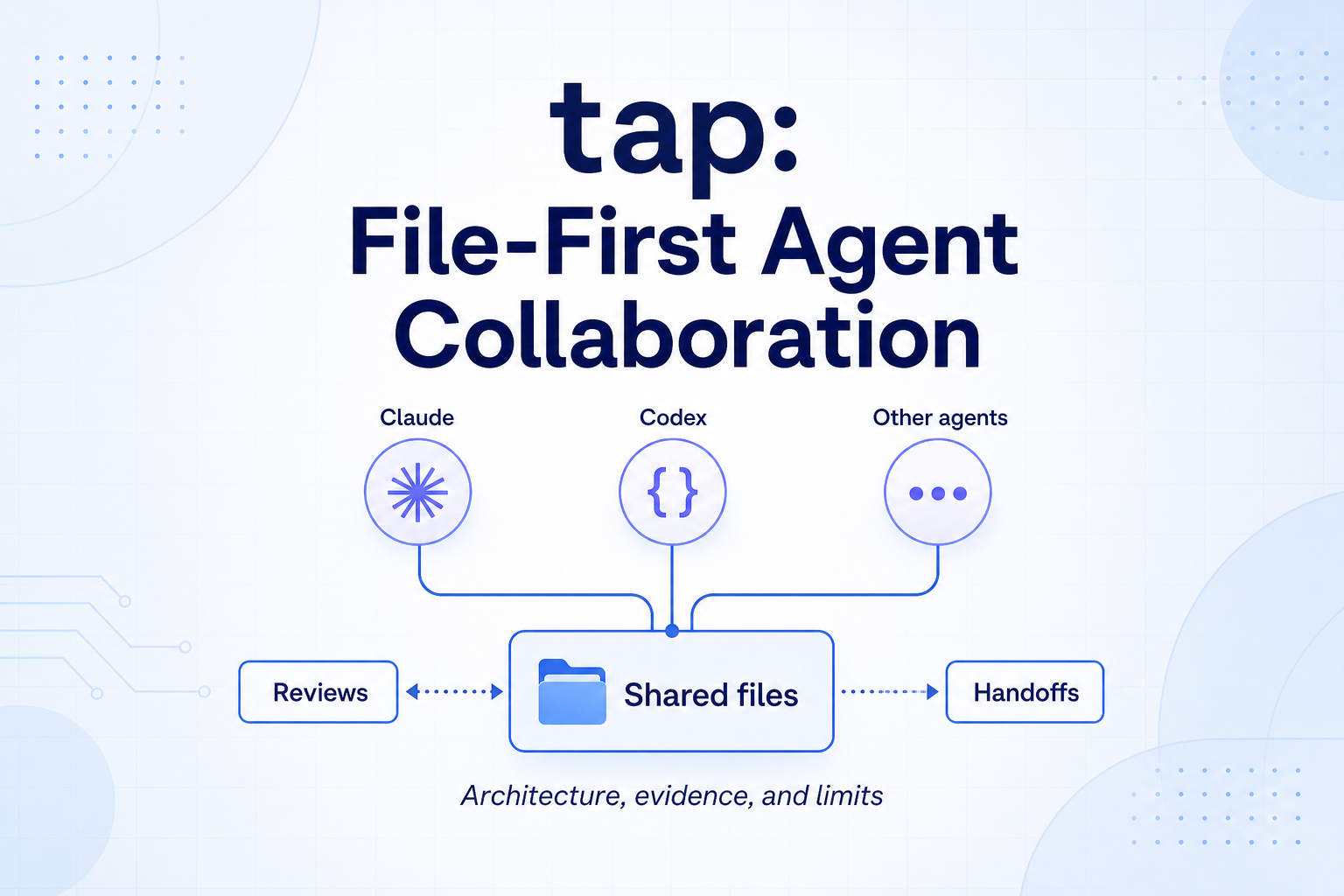
Running one coding agent as the implementer and another as the reviewer sounds straightforward until the tools live in separate terminals, use different configuration formats, and forget one another’s state. tap addresses that coordination problem with a deliberately modest contract: messages become files, notifications point back to those files, and each agent works in its own Git worktree.
That design is more interesting than another “AI team” demo because it treats reliability as a software-engineering problem. The protocol does not claim to make Claude, Codex, or Gemini smarter. It tries to make their handoffs durable, inspectable, and recoverable.
The evidence is promising but bounded. In its June 2026 paper, tap reports 27 days of self-application, 37 agent generations, 209 merged tap-related pull requests, and 717 operational artifacts. Its heterogeneous review pairs recorded at least one defect or requested change more often than homogeneous pairs. Those figures describe one evolving repository and one operational setup; they do not establish that mixed-model review is inherently superior.
This article explains what tap actually contributes, what its data supports, and what a team should verify before adopting it.
The core idea: preserve state before sending a signal
Many agent integrations start with a transport: a socket, message queue, callback, or shared chat service. tap starts with the durable record instead.
When an agent calls tap_reply, the protocol first writes a Markdown message with YAML metadata into an inbox/ directory. That file is the canonical message. A faster delivery mechanism may then alert the recipient, but the alert is not the source of truth. The receiving agent rereads the file before acting.
This ordering creates a useful invariant:
A notification may disappear, but the state needed to recover must already exist.
If a WebSocket disconnects, an MCP notification is missed, or an agent process restarts, the failure becomes a delay rather than immediate message loss. A replacement agent can inspect the same inbox and operational records without reconstructing the conversation from someone’s terminal scrollback.
The paper’s architecture: Claude and Codex have real-time notification paths, while the file inbox remains the canonical message store. Gemini’s file-inspection path was experimental in the reported run.
The architecture has three separable responsibilities:
Durable communication: Markdown plus metadata records the original message.
Low-latency notification: runtime-specific channels tell an agent that new work exists.
Workspace isolation: Git worktrees keep concurrent edits out of one shared working directory.
Keeping these responsibilities separate is the protocol’s strongest idea. It avoids pretending that delivery, memory, and code isolation are one problem.
Two delivery tiers, with different guarantees
tap describes file inspection as Tier 1 and real-time notification as Tier 2.
Tier 1 provides the evidence trail. An agent or operator can list messages, inspect metadata, retry an unprocessed handoff, and perform a postmortem. This is also the path available to runtimes without a dedicated live adapter.
Tier 2 reduces waiting. In the paper’s reported configuration, Claude received channel-style MCP notifications and Codex used a delivery program over WebSocket. The notification tells the recipient to inspect the durable record; it does not replace that record.
This is close to a familiar distributed-systems pattern: store the state transition first, then emit a best-effort signal. But tap should not be mistaken for a transactional message broker. A local filesystem alone does not automatically provide exactly-once processing, global ordering, access control, replication, or safe multi-host consensus. Teams still need to define idempotency, ownership, retention, and recovery procedures.
Standardize configuration, not every runtime
Claude, Codex, and other coding agents expose different integration surfaces. The paper’s version of tap handled that mismatch through a common setup procedure: inspect the environment, plan changes, apply runtime-specific configuration, and verify the result. Claude might require .mcp.json; Codex might require config.toml; another client may need a different JSON file.
The important abstraction is therefore not “one universal agent API.” It is a repeatable configuration lifecycle with per-runtime adapters.
There is also meaningful version drift between the paper and the software available today. The paper records @hua-labs/tapv0.5.2. As of July 16, 2026, the npm registry lists v0.6.1, and the official repository labels the 0.6 line an “advanced operator preview.” Its public workflow is now dry-run-first:
The current README also says Codex App/Desktop live delivery is experimental and strictly gated by runtime health and route freshness, while Gemini CLI support is legacy/deprecated in that release line. Anyone evaluating tap should follow the installed version’s documentation rather than copying commands from the paper or an older article.
Git worktrees reduce collisions—but do not merge the work
Giving multiple autonomous processes write access to one checkout is an invitation to corrupt intermediate state. tap assigns agents separate Git worktrees and separates process IDs, logs, and state by instance identifier.
That is a sensible reuse of Git’s existing isolation model. An implementer can modify one branch while a reviewer examines another directory without both tools racing over the same index and uncommitted files.
Worktrees do not eliminate coordination costs. Branches can still diverge, generated files can conflict, migrations can be incompatible, and an agent can commit secrets or destructive changes. A production workflow still needs:
explicit branch ownership and merge authority;
tests that run against the integration target, not only an agent branch;
protected paths and secret scanning;
a human or trusted policy gate for merging into the default branch;
cleanup rules for stale worktrees and orphaned processes.
In other words, worktrees isolate the editing surface. They do not decide which changes are correct.
Files as external operational memory
The paper groups reviews, findings, retrospectives, and handoffs as operational artifacts. These records let a new agent generation recover decisions after a previous session ends or reaches its context limit.
This is better understood as external memory than model memory. The system is not preserving a hidden internal state. It is preserving explicit, inspectable artifacts that a later agent can read.
That distinction has practical benefits. Operators can review why a change was requested, identify repeated failures, and separate a current task from the accumulated narrative of the project. But file-backed memory also needs governance. Without schemas, retention limits, and summarization, the archive can become a second codebase full of stale instructions and contradictory decisions.
A robust deployment should attach at least four fields to important artifacts: the originating task or commit, authoring agent and runtime, creation time, and current disposition. Superseded decisions should remain traceable but clearly marked as obsolete.
What the 27-day self-application run demonstrated
The reported operation is useful because it lasted longer than a staged demo and generated concrete failure records. At commit 563d859c, dated April 15, 2026 in the paper, the project reported:
27 days of operation;
37 agent generations;
209 merged tap-related pull requests;
104 package source files with 26,404 lines of code;
76 test files with 19,406 lines of code;
717 operational artifacts;
real-time paths for Claude and Codex, with experimental MCP polling for the generic path.
Table 1 from the tap paper, reproduced in the source article. It reports the project state at one commit rather than a controlled benchmark.
These numbers support a narrow but valuable claim: the file-first protocol was used to coordinate real development and review activity over multiple agent turnovers. They do not show how tap compares with alternative orchestration systems on cost, latency, correctness, or operator workload.
The paper also notes that humans intervened frequently during early message delivery and progress checks. Later direct delivery improved, but major decisions and final approval remained with the operator. That is not a weakness to hide; it is an important description of the actual control boundary.
Operational failures became protocol changes
The self-application run surfaced ordinary infrastructure defects: a Windows path-prefix problem that caused a CLI hang, a bridge log path that produced zero-byte logs, and an agent-name collision that misdelivered messages. The reported fixes normalized the working directory, separated logs per instance, and introduced canonical names.
Table 2 from the paper. Durable records made these failures diagnosable, but the table is an illustrative sample, not a complete reliability assessment.
This is a good example of why observability belongs in the protocol. A failed handoff should leave enough evidence to distinguish “the reviewer disagreed,” “the reviewer never received the task,” and “the bridge delivered it to the wrong instance.” Treating all three as an agent-quality problem would lead to the wrong fix.
The review-rate result is a signal, not a winner’s podium
Across 375 review and re-review artifacts, heterogeneous model pairs recorded at least one defect or requested change in 183 of 262 artifacts, or 69.8%. Homogeneous pairs did so in 60 of 113 artifacts, or 53.1%.
Table 3 from the paper. “Positive review rate” means the share of review artifacts containing at least one defect or requested change; it is not the percentage of all defects found.
The distinction in that caption matters. A review with one minor requested change and a review with several critical defects both count as positive. Re-reviews of the same pull request may be counted more than once. The assignment was not randomized, and 245 of the artifacts were Codex reviewing Claude-authored work. Later Codex reviewers often ran headlessly on a separate Linux server, so model identity, reviewer role, time, operating system, and execution environment are entangled.
The paper itself acknowledges these limitations. It also manually identified 12 security or security-adjacent cases, including six candidates for runtime vulnerabilities, but correctly avoids turning that small set into a quantitative claim about security-review superiority.
The defensible conclusion is therefore modest: in this operation, mixed model-and-environment review produced a broader pattern of requested changes. A stronger causal test would give the same pull requests to balanced reviewer pairs, randomize assignment, deduplicate re-reviews, grade severity, and measure accepted fixes as well as comments.
A practical adoption checklist
Before using tap—or any file-based agent protocol—in a production repository, validate the operating model rather than only the happy-path demo:
Define the canonical record. Specify when a message is considered written, acknowledged, processed, and superseded.
Make handlers idempotent. A recovered or polled message may be observed more than once.
Separate notification health from task state. A green socket does not prove a task was processed; a broken socket does not prove the task was lost.
Protect the shared directory. Agent messages can contain repository context, commands, findings, and potentially secrets. Apply least-privilege filesystem permissions and keep the directory out of unintended publication paths.
Review generated configuration. Use the current release’s dry-run plan, inspect every proposed change, and verify runtime readiness afterward.
Constrain worktrees. Give agents scoped branches and tools, then require tests and an approval gate before integration.
Measure operator load. Count retries, manual routing interventions, stale routes, and recovery time—not only pull requests and review comments.
Plan for version drift. The paper’s v0.5.2 architecture and the current 0.6.x preview are related but not operationally identical.
The real value is a cleaner human control boundary
tap’s most credible promise is not autonomous software development. It is reducing the amount of fragile, low-value state copying required to coordinate heterogeneous tools.
Files provide durable evidence. Notifications reduce latency. Worktrees isolate edits. Operational artifacts let replacement agents inherit explicit context. Humans still decide direction, approve risky changes, and authorize the final merge.
That division of labor is less dramatic than an “AI engineering team,” but it is much closer to a system that can be inspected and improved. The next step for tap is not a louder autonomy claim. It is broader, controlled validation across repositories, balanced reviewer assignments, and measurable recovery behavior under failure.
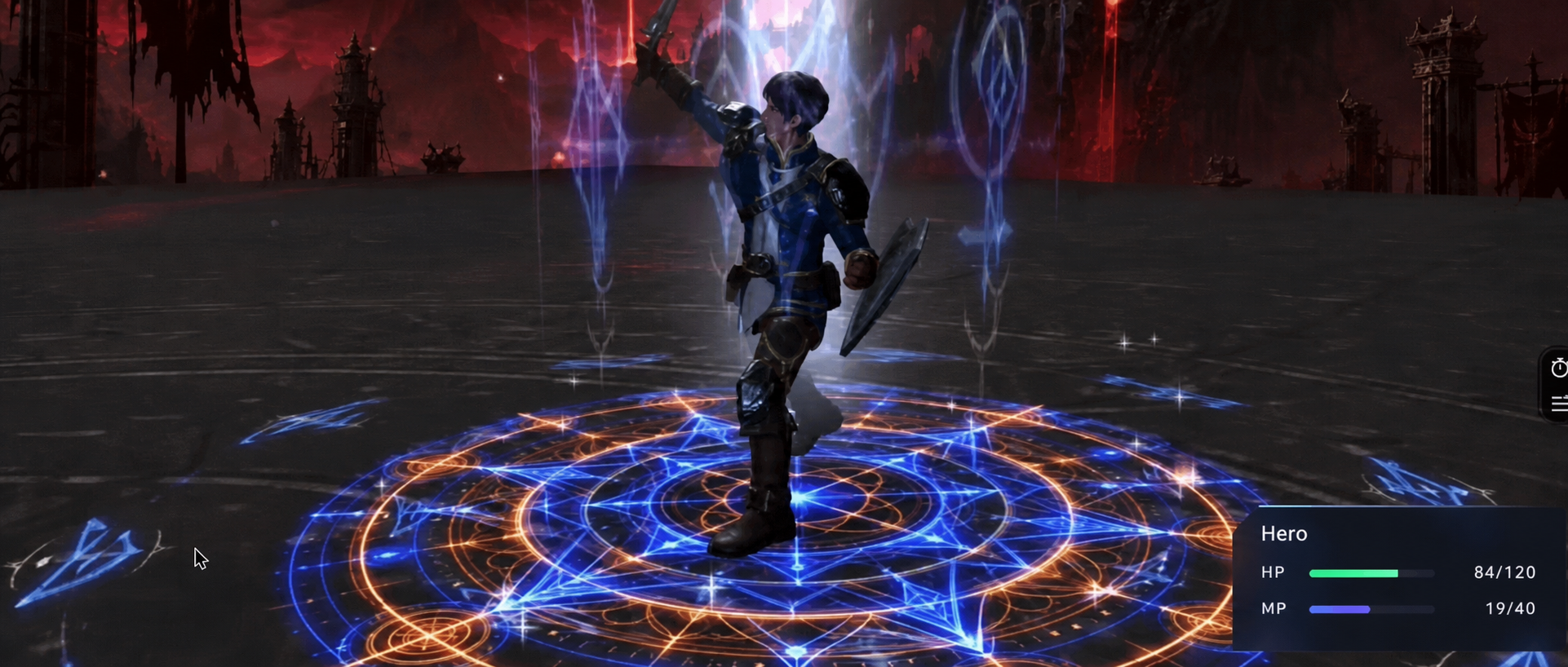
AI can now shorten the distance between a mood board and a playable-looking 3D scene. It does not remove the hard parts; it changes where they appear. Instead of spending all your time creating every texture, mesh and keyframe by hand, you spend more time checking topology, retargeting motion, controlling draw calls and deciding which generated assets are safe to ship.
A July 2026 WeChat article by AI for Frontend offers a compact example: generate spell graphics, create a character mesh, extract motion from video, assemble the scene with Blender MCP and Claude, then present it in a Three.js browser experience. The source says a usable demonstration was produced in a day. That is a useful prototype claim, not a production benchmark—the article does not publish its prompts, project files, hardware profile or frame-time measurements.
The more durable lesson is the shape of the pipeline. Each tool should own a narrow, inspectable artifact, and every handoff should have an acceptance test.
The pipeline at a glance
Stage
Candidate tool
Artifact to keep
Acceptance test
Visual direction
GPT Image 2
reference images and transparent effect sheets
consistent silhouette, palette and alpha edges
Geometry and materials
TRELLIS.2, Rodin, Blender
cleaned mesh, UVs and PBR textures
usable topology, scale, normals and material channels
Agentic editing
Blender MCP with Fable 5 or another Claude model
Blender scene plus an operation log
every change is visible, reversible and saved
Character motion
Mixamo or Video2MotionCapture
skeleton, source motion and retargeted clip
stable feet, joint limits and correct root motion
Browser runtime
Three.js
GLB/GLTF assets, code and compressed textures
target-device frame time, memory and loading budget
That artifact-first framing matters. A model can appear to “build the game,” but the actual system is a chain of lossy transformations. Diagnose the artifact at the boundary, not the model’s explanation of what it thinks it did.
1. Build a visual grammar before building a character
OpenAI describes GPT Image 2 as an image generation and editing model that accepts text and image input. In this workflow, its best role is not “make all the art.” It is to establish a controlled visual grammar: a limited palette, repeated motifs, front/side references and effect textures designed for compositing.
The source’s first generated sheet contains sixteen purple ability emblems on transparency. For a real game, separate the cells, trim transparent margins and pack them into an atlas.
A single high-contrast magic-circle texture can drive a decal, emissive plane or particle system. Keep the source image, the processed texture and its color-space setting together.
A second colorway can communicate a different ability state without requiring new geometry.
Transparent images still need cleanup. Inspect premultiplied alpha, edge halos and empty pixels. For the browser build, resize to the maximum on-screen size, use texture atlases where appropriate, and test GPU-friendly compression. A beautiful 1024-pixel effect that occupies 120 pixels on screen is wasted bandwidth and memory.
2. Let Blender MCP operate the scene, but keep Blender authoritative
Blender MCP connects an MCP client to a Blender add-on. Its documented capabilities include inspecting a scene, manipulating objects and materials, executing Blender Python, retrieving external assets and making a Three.js sketch. This makes it a useful control plane, not a replacement for the .blend file.
Claude Fable 5 is a plausible model for the long tool-using portion of this job. Anthropic says Fable 5 is available in Claude Code, while the source says Claude Sonnet 5 handled later code fixes. The model label is less important than operational discipline:
Save a version before each structural operation.
Ask for one observable change at a time.
Require a viewport render or object summary after the change.
Keep generated Blender Python in version control when possible.
Never assume an agent’s “done” message proves scene correctness.
The Japanese-localized Blender screenshot shows a magic-circle effect being reviewed after agent-driven changes. The useful pattern is the visual verification loop, not the specific prompt.
Blender MCP can execute arbitrary Python inside Blender. That power deserves the same caution as any local automation: review unfamiliar scripts, restrict credentials, use trusted asset sources and keep backups. Fast iteration is valuable only when rollback is cheap.
3. Treat image-to-3D output as a draft asset
The source uses a ComfyUI wrapper around TRELLIS.2 for base geometry. The TRELLIS.2 project describes a 4-billion-parameter image-to-3D model capable of PBR attributes such as base color, roughness, metallic and opacity. Its headline timing figures were measured on an NVIDIA H100, so they should not be read as consumer-hardware expectations.
The source compares an in-scene armored character with mesh and rendered references. Visual similarity does not establish animation-ready topology.
Before rigging, inspect the mesh for disconnected parts, self-intersections, thin surfaces, non-manifold areas, inconsistent normals and an impractical polygon count. Then normalize scale and orientation, decide which materials genuinely need separate draw calls, and rebuild UVs if the generated layout is inefficient. A static render can hide problems that become obvious as soon as elbows bend or a cape moves.
Rodin is another possible asset source, and Blender MCP documents direct Hyper3D Rodin integration. Whichever generator you use, retain its license terms and provenance beside the asset. “Generated” does not automatically mean unrestricted, and motion or body-model dependencies may impose separate conditions.
4. Motion is a retargeting problem, not a file-import problem
For standard humanoids, Mixamo remains a convenient baseline. Adobe’s Mixamo FAQ says its auto-rigger and animation library support bipedal humanoids only, and it lists failure cases such as extra limbs, wings, large props, disconnected parts and non-neutral poses. Ornate armor and oversized cloth can therefore break an otherwise simple upload.
The source’s more experimental route uses ComfyUI-Video2MotionCapture. Its repository labels the project “WIP” and describes a pipeline from video to SMPL motion, rigged FBX export and retargeting to Mixamo-compatible or custom characters. It also calls for roughly 3.5 GB of model downloads and notes separate licensing for underlying SMPL and GVHMR assets.
The motion-capture workflow maps a human performance to a 3D body and then to the armored character. The screenshot demonstrates the concept, not retargeting quality.
This preserved poster frame came from the source’s embedded video. It shows a different pose in the same capture-to-retarget sequence.
Review retargeted clips at half speed. Look for foot sliding, knee inversion, shoulder collapse, hand intersections, scale mismatch and root-motion drift. Fight animation also needs gameplay edits: anticipation, contact, recovery, cancel windows and hit timing. A captured dance can provide movement vocabulary, but it does not automatically become a readable attack.
5. Optimize the handoff to Three.js
Export a GLB/GLTF test asset early, before the Blender scene becomes elaborate. The official Three.js GLTFLoader documentation is the stable reference for loading these assets. Keep a small automated scene that loads every current export and reports missing textures, animation names and bounding dimensions.
The browser build needs budgets that the source article does not provide. At minimum, measure:
compressed download size and first-interaction time;
triangles, materials, draw calls and texture memory;
CPU animation cost and GPU frame time on the weakest target device;
the cost of transparent particles and overlapping emissive effects;
fallback behavior when WebGL capability or memory is limited.
The source links a live effect-verification demo, which was reachable during review. Its existence shows the pipeline can produce a browser artifact; it does not by itself prove maintainability, asset rights or stable performance across devices.
The source’s final embedded-video poster shows the prototype’s combat HUD and spell effect. Japanese text at the bottom reports the character using a thunderbolt ability.
What a one-day prototype can—and cannot—prove
A day is enough to answer a narrow question: can these assets, this motion and this effect language coexist in a browser scene? It is not enough to establish a production pipeline. The next milestone should be a vertical slice with one character, one enemy, one attack and one target device, all passing explicit budgets.
That slice should preserve provenance, reproduce exports from saved inputs, survive a clean checkout, and hold frame time under stress. If it does, the AI-assisted workflow has become more than a demo. It has become an engineering system that can be improved.
The open-source project claude-dynamic-workflows-codex connects two systems that are usually discussed separately: Claude Code writes a JavaScript orchestration workflow, while local Codex agents execute the work through Codex app-server. That distinction matters. This is not a native Codex /dynamic command, and it is not an official OpenAI or Anthropic integration. It is a community-built Claude Code plugin and standalone runner that uses Codex as its agent backend.
A Chinese WeChat article from Ai 这个时代 introduced the project as a way to reduce context pressure in multi-agent work. The underlying idea is sound, but the current repository differs from several operational details in that account. The repository’s documented command is /codex-workflows, installation happens from Claude Code’s plugin marketplace or a Claude skills directory, and the project explicitly describes itself as unofficial.
The architecture: orchestration in code, execution in Codex
The community plugin routes a generated workflow through Codex app-server and stores reusable workflow state; it is not a Codex-native skill.
Dynamic workflows move coordination logic out of the conversational loop and into a JavaScript program. The script can express parallel phases, pipelines, budgets, races, review gates, and stopping conditions. Intermediate results can remain in runtime variables rather than being pasted wholesale into the top-level conversation.
In this project, Claude Code turns a rough request into that workflow script. The runner then connects to the local codex app-server, starts Codex threads, streams events, records progress in a journal, and renders the run as either a terminal map or an interactive browser view. OpenAI’s documentation describes app-server as the interface for deep client integrations that need authentication, conversation history, approvals, and streamed agent events. The community project is therefore building on a real, documented Codex integration surface rather than scraping a terminal UI.
The practical result is a separation of responsibilities:
Claude Code acts as the workflow author and operator.
JavaScript holds the execution graph, branching, and intermediate state.
Codex app-server supplies the agent threads and streamed execution events.
A journal supports replay, inspection, and resuming unfinished work.
The viewer exposes phases, workers, token counts, timing, and final results.
This is more than a cosmetic wrapper around subagents. The repository adds sessionful workers that can receive follow-up instructions on an existing thread, races that cancel losing approaches, human gates, run summaries, and a multi-workflow fleet mode. Those features are implemented by this repository; they should not be mistaken for guarantees attached to every Codex client.
What problem does it solve?
Standard subagent delegation is useful when several bounded tasks can run independently. Current Codex documentation says subagents can keep noisy exploration and test output away from the main thread, but it also warns that every worker performs its own model and tool work, so multi-agent runs generally consume more tokens than comparable single-agent work.
A scripted workflow becomes attractive when the coordination pattern itself needs to be durable. Examples include:
scanning many independent areas and then adversarially verifying the findings;
racing several root-cause hypotheses and stopping the losing workers;
loading a large corpus once and asking repeated questions on the same warm thread;
pausing at a human decision before a risky phase;
resuming a long run without repeating every completed step;
comparing structured run journals over time.
The benefit is not simply “more agents.” It is the ability to make fan-out, review, cancellation, and convergence explicit and repeatable. For a one-off question or a small edit, that machinery is unnecessary overhead.
The token claim needs a narrower reading
The repository benchmark is directional evidence for one repeated-context workload, not proof of universal savings or production reliability.
The source article says the port uses fewer tokens than Claude Code’s native dynamic workflow. The repository does publish evidence, but it supports a more limited conclusion.
Its warm-versus-cold benchmark used Codex 0.137.0, GPT-5.5 at medium effort, a roughly 3,300-line corpus, and three follow-up questions. A warm worker spent 329,000 tokens on initial ingestion and about 69,000 tokens per follow-up. Fresh workers that reread the corpus used about 219,000 tokens per question. Across all three questions, the warm arm reported 535,000 tokens versus 656,000 for the cold arm, with substantially lower marginal latency.
That is useful evidence for repeated interrogation of the same material. It is not a general comparison between this project and every native Claude Code workflow. The repository itself notes that the warm approach loses for a single question because the initial ingestion dominates. Results will also vary with corpus size, model, cache behavior, effort, prompt design, and the workflow graph. Anyone making cost decisions should rerun the included benchmark on their own workload and compare total billed cost, not token count alone.
Accurate setup and a low-risk first test
The repository currently requires Node.js 18 or newer and a logged-in codex CLI on the local path. Its recommended Claude Code installation is:
After installation, a task is invoked from Claude Code with a command such as:
/codex-workflows Audit every route under src/ for missing authorization, read-only
Before spending model tokens, the repository also includes an offline viewer demo:
git clone https://github.com/scasella/claude-dynamic-workflows-codex
cd claude-dynamic-workflows-codex
node runner/bin/view-run.js examples/incident-demo --open
That demo is the safest way to inspect the execution map without launching agents. For a live first run, use a small read-only task, inspect the generated workflow script, set a hard budget, and confirm that the Codex version and permissions match the repository’s expectations.
Where it fits—and where it does not
This project is a credible option for developers who already use Claude Code as their control surface but want Codex agents underneath a repeatable orchestration layer. It is especially interesting for research, large audits, migrations, incident analysis, and workloads where the same warm context will answer several questions.
It is a weaker fit when:
one capable agent can finish the task directly;
the work is dominated by a single sequential dependency;
concurrent edits would create merge conflicts;
the organization cannot accept a community integration spanning two vendors’ tools;
reproducibility, audit, and version pinning have not been established;
a CI job would be better served by OpenAI’s supported SDK or GitHub Action.
There are also operational costs. More agents can mean more token usage, more local processes, more permission decisions, and a larger failure surface. The generated script is executable orchestration and deserves review. Sandboxing should reflect the task, secrets should stay out of prompts and journals, and model or protocol changes can break an unofficial integration even when both underlying products continue to work independently.
Bottom line
claude-dynamic-workflows-codex is best understood as an experimental orchestration bridge: Claude Code authors the plan, a JavaScript runtime manages it, and Codex app-server executes agent threads. Its strongest contribution is not a universal promise of cheaper agents. It is a concrete, inspectable way to encode multi-agent control flow, preserve run state, and reuse warm workers.
That can materially improve the economics of the right repeated-context workload. It does not remove the need to size the workflow, review permissions, validate outputs, and measure the actual bill. Start with the offline demo, then a small read-only run, and promote the pattern only after its journal shows that the extra orchestration is buying something a simpler approach cannot.
GPT-5.6 Sol can now sit inside a Claude Code workflow—but “inside” hides two very different architectures. One replaces the model behind Claude Code through a compatibility gateway. The other, OpenAI’s official codex-plugin-cc, keeps Claude Code intact and delegates selected work to a local Codex process.
That distinction matters. The two paths have different credentials, failure modes, support boundaries, and user experiences. A viral five-minute setup may prove that agent interfaces and models are becoming more modular, but it does not make every combination equally supported or safe to operate.
What the viral setup actually demonstrated
A Chinese WeChat report from 智猩猩AI collected a short exchange between developer Theo and OpenAI product leader Thibault Sottiaux. Theo said GPT-5.6 Sol felt better in Claude Code than in Codex for his use case. Sottiaux then shared a compact setup built around CLIProxyAPI and a claudex alias.
That is an interesting practitioner report, not a controlled comparison. It tells us that one developer preferred a particular model-and-harness pairing; it does not establish that Claude Code is universally a better host for GPT-5.6 Sol or that a proxy preserves every Codex capability.
The source screenshot translates Theo’s claim that GPT-5.6 Sol performed “meaningfully better” for him in Claude Code. Treat this as an anecdotal workflow preference, not a benchmark.
The key distinction: model replacement versus task delegation
An agentic coding product has at least three layers:
The model generates reasoning and tool requests.
The harness manages context, permissions, tools, subagents, and the terminal interface.
The provider adapter translates the harness’s requests into the upstream model API and converts responses back.
The community proxy setup keeps Claude Code as the harness but changes the provider path. Claude Code sends Anthropic-format requests to a local or remote compatibility layer; that layer translates them for OpenAI and routes them to GPT-5.6 Sol.
The official OpenAI plugin uses a different boundary. Claude Code remains connected to its normal model, while plugin commands launch or communicate with the local Codex CLI/app server for a review, rescue, handoff, or background task. The plugin is an interoperability bridge between two agents, not a main-model replacement switch.
Path one: running GPT-5.6 Sol through a compatibility gateway
The screenshots show a shell alias that starts Claude Code with gpt-5.6-sol as the requested model and several implementation-specific environment variables. A second screenshot makes the hidden prerequisite explicit: the alias only works when Claude Code is already pointed at an Anthropic-compatible proxy.
The first setup screenshot explains the claudex alias. Several variables shown are specific to this setup; they should not be assumed to be stable Claude Code configuration keys.The follow-up screenshot adds the missing architecture: Claude Code must connect to a gateway that accepts Anthropic-format traffic and routes the requested model to the correct provider. Copying the alias alone is insufficient.
Anthropic officially documents ANTHROPIC_BASE_URL and gateway credentials for routing Claude Code through an organization-operated LLM gateway. Its documentation also states two important limitations: Anthropic does not endorse or audit third-party gateways, and it does not support routing Claude Code to non-Claude models through a gateway.
That does not mean a compatibility proxy cannot work. It means the operator owns the integration risk. A translator must preserve more than plain text. It may need to map system prompts, tool schemas, streaming events, reasoning controls, usage accounting, error objects, image inputs, prompt caching, and evolving beta headers. A basic conversation can succeed while a subagent, tool call, or long-running session fails later.
The proxy route is therefore best treated as an experiment for developers who can inspect traffic and recover from breakage—not as a zero-maintenance product feature.
The source screenshot summarizes three steps in Chinese: install CLIProxyAPI, connect it to Claude Code, and define a claudex alias. It is evidence of the shared experiment, not an official support guarantee for model substitution.
Credential policy is separate from technical compatibility
The easiest mistake is to assume that any credential already stored by either CLI can safely be reused by a bridge. Technical access and permitted access are different questions.
Anthropic’s current legal-and-compliance documentation says subscription OAuth is intended for ordinary use in Claude Code and other native Anthropic applications. It prohibits third-party developers from offering Claude.ai login or routing requests through Free, Pro, or Max plan credentials on behalf of users. For products and services, Anthropic directs developers to API keys or supported cloud providers.
For a gateway experiment, use credentials deliberately issued for the traffic being sent. Do not copy consumer OAuth tokens out of credential stores, expose them to an unreviewed proxy, or assume a saved Claude subscription becomes an OpenAI entitlement. On the OpenAI side, use the authentication method documented for Codex or the API, and keep provider keys server-side when a gateway is shared.
There is also a data boundary to review. A gateway can observe prompts, source snippets, tool results, and metadata unless designed otherwise. Before using one with proprietary code, verify its source, deployment location, logging defaults, update path, access controls, and retention policy.
CLIProxyAPI deserves an additional network check before use. Its example configuration documents an empty bind host as listening on all IPv4 and IPv6 interfaces and leaves TLS disabled by default. A local experiment should be bound to loopback, protected with a strong proxy key, and kept off untrusted networks. The same example also exposes options described as Claude “cloak” and identity-confuse; avoid any identity-obscuring mode unless the relevant providers explicitly permit it.
This source screenshot promotes the “one harness, any model” idea. The useful caveat is that protocol compatibility, provider terms, and credential handling must each be evaluated separately.
Path two: OpenAI’s official Codex plugin for Claude Code
OpenAI’s official codex-plugin-cc offers the lower-risk route when the real goal is to use Codex capabilities without abandoning a Claude Code workflow. The project’s documented installation is:
The plugin then exposes commands such as /codex:review, /codex:adversarial-review, /codex:rescue, /codex:status, and /codex:result. It uses the globally installed Codex binary, the Codex app server, existing Codex configuration, and local Codex authentication.
This architecture has a clean trust boundary: Claude Code orchestrates the current interaction, and Codex performs explicitly delegated work. It also makes provenance easier to understand. A Codex review is a Codex task with Codex usage limits and configuration; it is not Claude Code secretly running on an OpenAI model.
The trade-off is experience. If you want every Claude Code turn to be generated by GPT-5.6 Sol, the official plugin does not provide that. If you want to stay in Claude Code while sending selected reviews or difficult tasks to Codex, it is the purpose-built option.
Side-by-side decision guide
Question
Compatibility gateway
Official Codex plugin
What changes?
The model/provider path behind Claude Code
Selected tasks are delegated to Codex
Main interface
Claude Code for the whole session
Claude Code plus /codex:* commands
Authentication
Gateway credential plus upstream provider credential
Existing local Codex login or OpenAI API key
Official support
Anthropic does not support non-Claude models through gateways
Added orchestration complexity and separate usage limits
Best fit
Controlled interoperability experiments
Reviews, rescues, and background Codex tasks from Claude Code
What GPT-5.6 Sol contributes
OpenAI describes GPT-5.6 Sol as the flagship GPT-5.6 model for complex professional work. The current model page lists a 1,050,000-token context window, up to 128,000 output tokens, and support for tools including web search, file search, hosted shell, computer use, MCP, and tool search. The gpt-5.6 alias routes to Sol. API pricing is listed at $5 per million input tokens and $30 per million output tokens, with separate cache and long-context rules.
Those specifications explain the interest in pairing Sol with a familiar harness, but they do not predict end-to-end agent quality. The harness determines what context reaches the model, how tools are described, when permission is requested, how failures are retried, and how long sessions are compressed. A strong model can underperform through a lossy adapter; a well-integrated model can feel better even when raw benchmark differences are small.
A practical recommendation
Choose the official plugin if your objective is “use Codex from Claude Code.” It has a documented install path, keeps authentication scoped to Codex, and makes delegation explicit.
Consider a compatibility gateway only if your objective is specifically “evaluate GPT-5.6 Sol as Claude Code’s main model” and you can accept an unsupported combination. Use a disposable test repository first. Pin versions, use purpose-issued credentials, disable gateway logging where possible, test tool calls and cancellation—not just chat—and keep a direct Codex baseline for comparison.
The larger lesson is real: models and agent harnesses are becoming more composable. But composability is a spectrum. A working demo proves that protocol translation is possible; production readiness requires supported authentication, faithful tool semantics, predictable upgrades, and clear ownership when something breaks.
Vibe coding means directing an AI to build software through natural-language prompts, running what it produces, and steering by visible results while paying little attention to the generated code. Andrej Karpathy coined the term in a February 2025 post about accepting changes, pasting errors back, and letting the code grow beyond immediate comprehension. That original meaning is narrower—and more reckless—than simply using AI well.
In 2026, people also use “vibe coding” loosely for prompt-driven app builders and coding agents. Keep the distinction: a disposable prototype can be vibe-coded; production software becomes engineering when someone specifies behavior, inspects risk, verifies the change, and owns the result.
What Vibe Coding Means
The strict workflow is a conversational feedback loop:
Describe a behavior or visual result.
Let an AI model generate or modify the implementation.
Run or preview the result.
Report what looks wrong, or paste the error back.
Repeat until the output feels acceptable.
The developer optimizes for observed behavior, not line-by-line authorship. Voice input, automatic edits, terminal agents and instant previews make the loop feel closer to directing than programming. That can lower the cost of exploring an idea, especially for a designer, founder or domain expert who can state the desired outcome but cannot implement the full stack alone.
It is not synonymous with AI-assisted software development. A developer who uses an agent to draft a patch, reads the diff, runs tests and rejects unsafe choices is exercising engineering judgment. The model wrote code, but the human still controls the specification and acceptance boundary.
Why Vibe Coding Became Popular
Three frictions fell at once. Models became better at coordinated multi-file edits. Tools gained access to terminals, browsers and project context. Hosted builders connected prompting to preview, databases and deployment. The time from “I wonder if this works” to an interactive artifact shrank from days to minutes for some tasks.
That speed changes who can participate. Product managers can test a workflow instead of writing a memo. Developers can create one-off migrations or internal utilities. Teams can put a rough interface in front of users before committing to an architecture.
But fast generation is not the same as faster professional work. METR’s early-2025 randomized study found experienced open-source developers took 19% longer on the measured tasks with then-current AI tools, despite expecting a speedup. The result is a historical snapshot, not a universal 2026 verdict. It does show why perceived momentum, generated lines and time-to-first-preview are weak productivity measures. Measure accepted, maintainable outcomes instead.
Where Vibe Coding Fits in Real Work
Use pure vibe coding when failure is cheap and recovery is obvious: throwaway demos, personal scripts without sensitive data, interface explorations, learning exercises and prototypes meant to answer one question. Delete the artifact when the question is answered unless it passes a deliberate promotion review.
Use a supervised prompt-driven workflow for internal tools and pilots. Freeze scope, work on a branch, use synthetic or sanitized data, add acceptance tests, keep a rollback point and assign a technical owner. The owner must be able to diagnose the system after the conversation context disappears. A maintained AI coding boilerplate can supply useful structure, but it does not transfer ownership away from the team.
Do not “accept all” for authentication, authorization, payments, secrets, destructive migrations, safety-critical behavior, regulated data or public infrastructure. These areas require explicit design, threat modeling and accountable review. The boundary depends on consequence, not whether the generated screen looks polished.
A practical promotion rule is: prototype by behavior; promote by evidence. Before a prototype becomes a product, inventory its dependencies, replace placeholder security, test failure paths, review data handling and document how to operate and reverse it.
Tools Commonly Used for Vibe Coding
No tool automatically makes a workflow safe or reckless. An AI app builder shortens the prompt-to-preview loop; it does not remove the need for review. The interaction mode and review discipline matter more than the label.
Prompt-to-app builders:Replit Agent, Lovable, Bolt and v0 can turn descriptions into working interfaces or applications with short preview loops. Confirm current export, hosting, data and billing terms before choosing a platform.
AI-native editors:Cursor and similar editors combine repository context, generated edits and diff review. They suit developers who want prompting without abandoning the codebase.
Terminal coding agents: Claude Code, Codex CLI and other AI coding CLIs can inspect a repository, execute commands and propose broad changes. Terminal access increases both capability and blast radius.
General model interfaces: chat tools can draft functions, explain errors and generate small artifacts, but manual copy-paste weakens provenance and makes it easier to miss related files.
Select a tool by the control loop you need: visible diff, command approval, sandboxing, checkpoints, test execution, repository export, audit logs and model/data policy. A one-click deployment is a convenience, not a security review.
When a task needs repository-wide planning or autonomous command execution, compare the broader operating model in Graphify's AI coding agent guide. Graphify maps tool, model and workflow relationships so a product label does not substitute for a risk decision.
Risks, Guardrails, and Code Review
The central vibe coding risk is an ownership gap: the artifact can work while nobody understands its trust boundaries, dependencies or failure modes. The OWASP Secure Coding Practices for AI-Generated Code warns about insecure output, hallucinated packages, hardcoded secrets, missing validation, excessive permissions and prompt-injection paths. Generated code belongs in the same—or stricter—review system as an external contribution.
Use five release gates:
Scope: require a small change, named files or boundaries, acceptance criteria and an explicit out-of-scope list.
Test: run formatting, types, unit and integration tests; add a failing test that proves the requested behavior was missing.
Security: scan dependencies and secrets, validate inputs, review permissions, and test authentication and authorization failures.
Review: inspect the complete diff and generated configuration. A second human or independent model can assist, but the accountable reviewer must understand critical paths.
Release: deploy gradually, watch errors and business invariants, retain a rollback, and record the prompt, model/tool version, commit and approvals needed to reconstruct the decision.
Checkpoints help iteration, but they are not equivalent to Git history, database backups or a tested rollback. Replit’s documentation, for example, notes that ordinary rollback does not restore a production database automatically. Treat application code, schema, data and deployment state as separate recovery surfaces.
For teams, define a promotion policy before experimentation starts. State which data may enter the tool, which repositories it may access, who can approve external commands, what evidence a pull request must include and which components prohibit autonomous changes. The policy turns an ambiguous “use AI carefully” instruction into a testable operating boundary.
FAQ
Who should review vibe-coded production changes?
The engineer who owns the affected system should review ordinary changes. Security, data, infrastructure or compliance owners should approve changes in their domains. A nontechnical builder can own product acceptance, but production approval needs someone capable of understanding the diff, validating failure modes and operating the result.
What tests should a team require before deployment?
Require the repository’s normal checks plus tests for the requested behavior, authorization boundaries, invalid input, dependency or network failure, data migration and rollback. For user-facing flows, exercise the critical path in a production-like environment. Test evidence should be attached to the change, not left only in an AI conversation.
How should teams document AI-generated code?
Keep the same durable records used for human changes: issue or specification, commit and pull request, architecture decisions, test results, dependency changes and approvals. Add the tool and model version, relevant project instructions and any material generated commands. Do not paste sensitive prompts or secrets into logs.
Conclusion
Vibe coding is a fast way to discover software by steering an AI through outcomes, often without reading the implementation. It fits disposable experiments and can open building to more people. It is not a production quality system. As consequence rises, narrow the scope, preserve checkpoints, inspect the diff, test behavior and failure, review security, assign ownership and retain a rollback. The useful 2026 workflow is not “vibes everywhere”; it is a controlled funnel from promptable idea to evidence-backed software.