Blog

  • ChatGPT and OpenAI Codex MCP Guide: Support, Setup, Config, and Server Integration

    ChatGPT and OpenAI Codex MCP Guide: Support, Setup, Config, and Server Integration


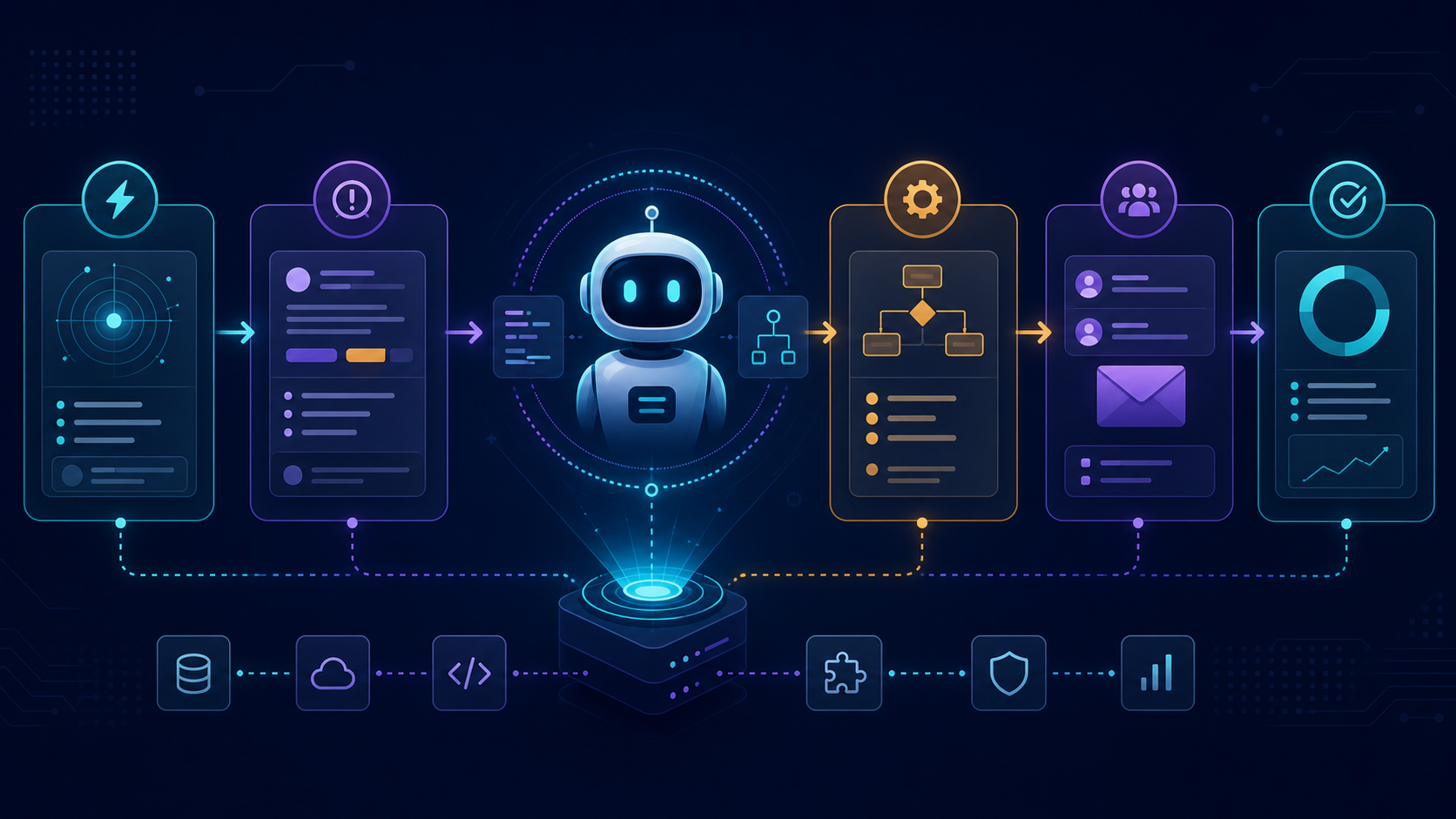
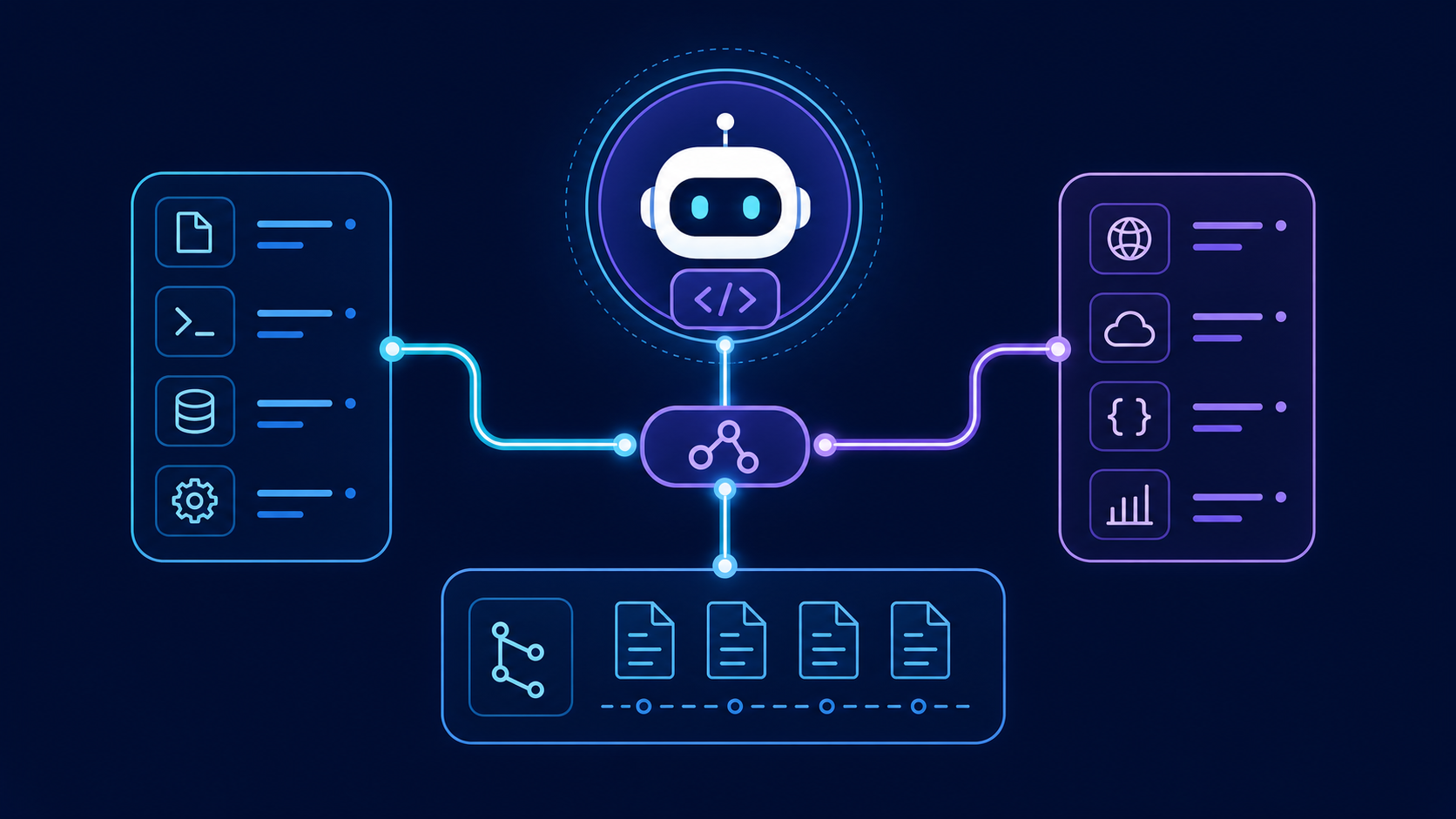
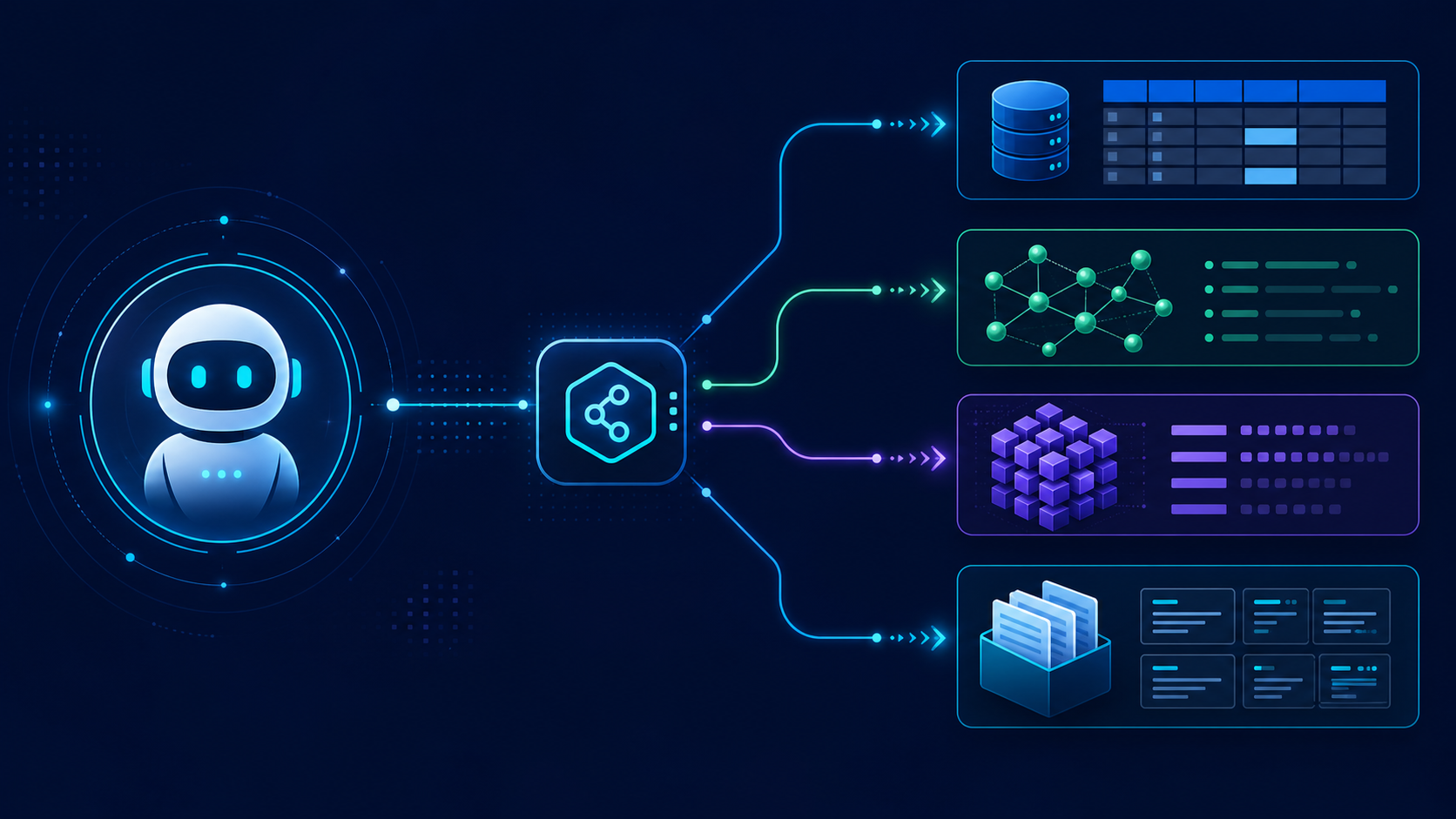
    ChatGPT and OpenAI Codex support the Model Context Protocol, but they use it in different ways. Codex acts as an MCP client for local stdio servers and remote HTTP servers. ChatGPT connects to remote MCP-powered apps through its Apps and developer-mode workflow. Choose the host first; the correct setup, transport, and security model follow from that choice.

    This guide separates three products that search results often blur together:

    • Codex as an MCP client connects tools to the Codex CLI and IDE extension.
    • Codex as an experimental MCP server exposes a Codex engine to another MCP client through codex mcp-server.
    • ChatGPT MCP apps connect ChatGPT web to remote, workspace-governed tools.

    That distinction prevents the most common setup error: copying a local Codex stdio configuration into ChatGPT, which expects a remote app endpoint.

    Does ChatGPT support MCP?

    Yes. ChatGPT supports custom MCP-powered apps through developer mode, subject to plan, role, and product limitations. OpenAI's current help documentation says full MCP support, including write actions, is rolling out in beta for Business, Enterprise, and Edu workspaces. Pro users can connect read/fetch MCPs in developer mode, while full write support remains limited. The feature is on ChatGPT web, not mobile.

    Question Current answer Practical consequence
    Can ChatGPT connect to an MCP server? Yes, as a custom app Create the app in ChatGPT settings and provide a remote endpoint
    Can ChatGPT connect directly to localhost? No Use a remote server or OpenAI's Secure MCP Tunnel for private/local infrastructure
    Can an MCP app write data? Plan- and permission-dependent; full support is beta Treat every write tool as privileged and require confirmation
    Can ChatGPT use several apps together? Yes Keep tool names specific so the model can choose correctly
    Do server tool changes appear automatically? No An admin must review and publish changes to the frozen tool snapshot
    Can agent mode use custom apps? OpenAI currently says no Test the intended ChatGPT surface before deployment

    OpenAI changes availability and UI over time. Verify the current ChatGPT developer-mode requirements before you design a rollout.

    How do Codex and ChatGPT MCP support differ?

    Codex MCP and ChatGPT MCP solve related problems at different boundaries.

    Dimension Codex CLI or IDE extension ChatGPT web app
    Main role MCP client for coding workflows Host for workspace apps
    Local stdio server Supported Not connected directly
    Remote HTTP server Supported Required for a custom app
    Configuration codex mcp commands or config.toml Apps UI plus endpoint and authentication
    Governance Local config, project policy, approvals Admin publishing, RBAC, action controls, confirmations
    Best fit Repository tools, browser testing, local developer utilities Business systems, shared knowledge, approved workflows

    Use Codex CLI MCP when the tool belongs beside a repository and needs local process access. Use ChatGPT custom MCP when a workspace needs a shared, remote, governed integration.

    How do you add an MCP server to Codex CLI?

    The shortest path is the codex mcp add command. This example registers Microsoft's Playwright MCP package as a local process:

    codex mcp add playwright -- npx "@playwright/mcp@latest"
    

    Then inspect the configured server:

    codex mcp list
    codex mcp get playwright
    

    Remove it with:

    codex mcp remove playwright
    

    Codex stores MCP server launchers in config.toml. A direct configuration is useful when you need environment variables, timeouts, or repeatable team documentation:

    [mcp_servers.playwright]
    command = "npx"
    args = ["@playwright/mcp@latest"]
    

    The official Codex repository describes Codex CLI as an MCP client and documents codex mcp for adding, listing, reading, and removing launchers. Check the current Codex configuration documentation when you need fields beyond the basic launcher.

    How do you configure a remote MCP server in Codex?

    A remote server uses a URL rather than a local command. The exact accepted fields can change with Codex releases, so confirm them against the current configuration schema. The conceptual configuration is:

    [mcp_servers.company_tools]
    url = "https://mcp.example.com/mcp"
    

    If the server requires OAuth, complete the login flow through the client instead of pasting bearer tokens into a repository. Codex supports MCP OAuth credential storage and a local callback listener. Prefer the OS keyring when available.

    How do you verify a Codex MCP server actually works?

    Do not stop when the config parses. Use a five-part test:

    1. Discovery: codex mcp list shows the expected server.
    2. Startup: the local process starts without package, runtime, or path errors.
    3. Capability: Codex can enumerate the intended tools.
    4. Execution: a read-only prompt triggers one expected tool call.
    5. Boundary: a disallowed operation fails or asks for approval.

    A useful smoke-test prompt names the server and requests a low-risk fact: “Use the GitHub server to read the repository description; do not create or update anything.” This tests tool selection and permissions without creating data.

    How do you add an MCP server to ChatGPT?

    To add MCP to ChatGPT, create a custom app in developer mode and point it at a remote MCP endpoint. The UI is workspace- and role-dependent, but the current flow is:

    1. Ask an admin or owner to enable developer mode for the workspace.
    2. Enable developer mode for the authorized account.
    3. Open Settings → Apps → Create, or the equivalent workspace Apps page.
    4. Enter the remote MCP endpoint and metadata.
    5. Select the authentication method.
    6. Run Scan Tools and complete OAuth if required.
    7. Create the draft app and test it in a new chat.
    8. Review every tool and publish it only after the workspace owner approves its actions.

    ChatGPT connects to remote MCP servers. For a server on a developer machine, private VPC, or on-premises network, use a supported private-connection method rather than opening an unauthenticated public port.

    What should a ChatGPT MCP integration expose?

    Expose small, explicit tools that match user jobs. A tool named create_linear_issue is safer and easier to route than a generic execute_api_request tool. Describe side effects in the tool schema, validate inputs on the server, and return concise results.

    For product-specific integrations, keep the existing product pages canonical:

    This hub explains the OpenAI host layer. The product pages own package names, tool lists, and vendor-specific installation details.

    What is the OpenAI API MCP path?

    The OpenAI API can call remote MCP servers as tools in agentic application flows. This is separate from ChatGPT's Apps UI and Codex's local client configuration. Your application sends a model request, declares a remote MCP tool, and controls which server and operations the model can use.

    Treat an OpenAI MCP client as application code with three responsibilities:

    • authenticate to the remote MCP server;
    • restrict tools and actions to the user's job;
    • log the server call, result, and approval decision.

    Do not market an arbitrary API wrapper as an “OpenAI MCP server.” A server implements MCP; OpenAI models or products consume that server through a client surface.

    Can Codex run as an MCP server?

    Yes, but this is different from configuring Codex to consume MCP tools. The official repository documents an experimental codex mcp-server command that exposes Codex through stdio and JSON-RPC. Another MCP client can then control Codex threads and turns.

    codex mcp-server | your_mcp_client
    

    For inspection:

    npx @modelcontextprotocol/inspector codex mcp-server
    

    The interface is experimental and subject to change. Use it for controlled integration work, not as an undocumented production contract. The Codex MCP server interface lists its current transport and RPC surface.

    Which MCP servers work well with Codex?

    The best Codex MCP servers add structured context or actions that the coding agent cannot get safely from the repository alone.

    Job Server type Example prompt Guardrail
    Read repository issues Source-control MCP “Summarize open bugs tagged regression.” Start read-only
    Test a web app Browser MCP “Reproduce checkout failure in staging.” Isolated profile and allowed origins
    Query a database schema Database MCP “Explain tables involved in invoice status.” Read-only role, row and schema restrictions
    Create a project ticket SaaS MCP “Draft a Linear issue from this stack trace.” Require approval before create
    Trigger an automation n8n MCP “Run the approved release checklist.” Allow-list workflow IDs

    Avoid installing every available server. Large tool catalogs increase ambiguity and context cost. Add the smallest server set that completes the workflow, then enable only the necessary tool groups.

    How should you secure OpenAI and Codex MCP integrations?

    MCP extends the model's reach, so the server boundary must enforce policy even when the prompt does not. Prompt instructions are not access controls.
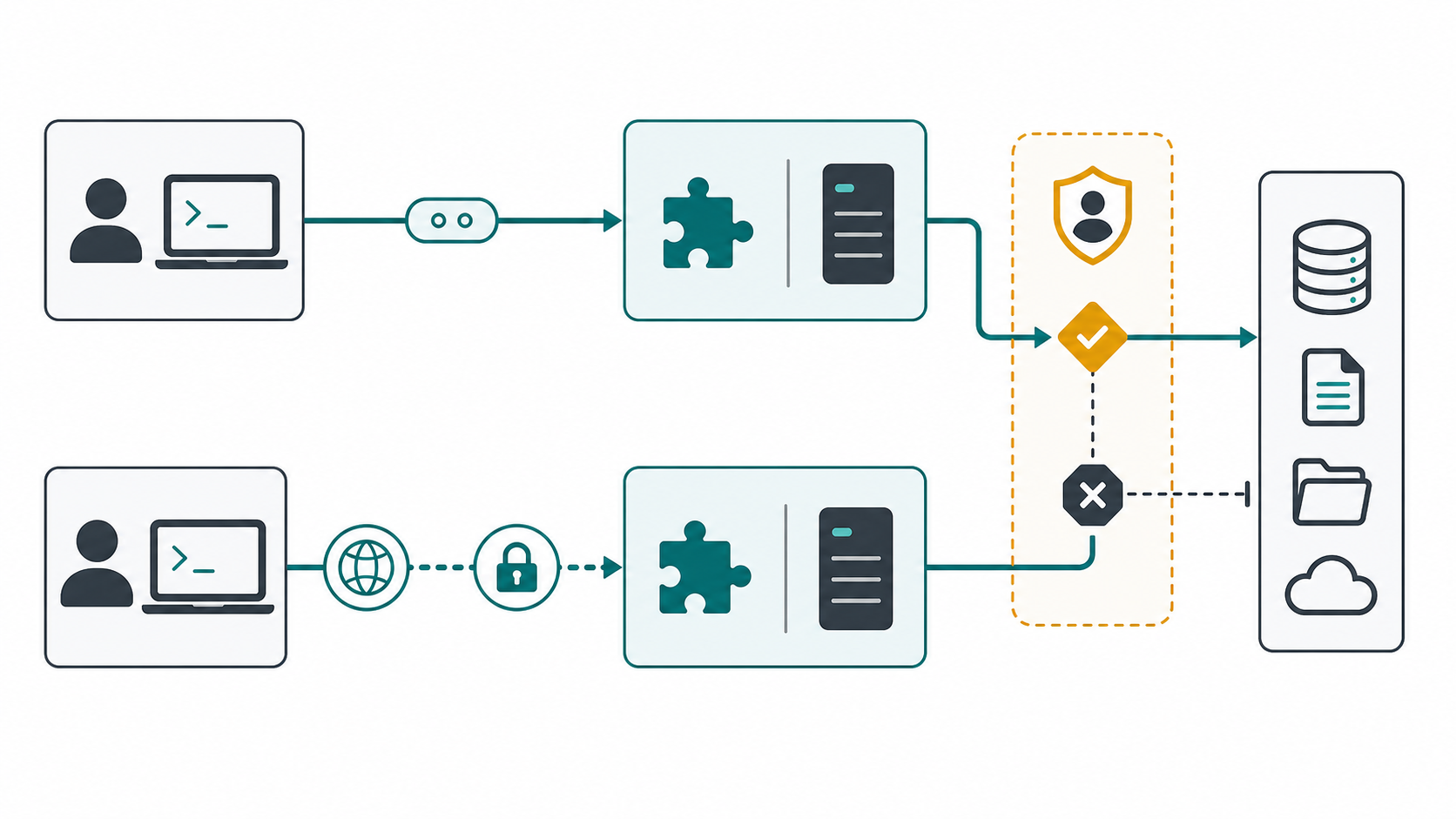
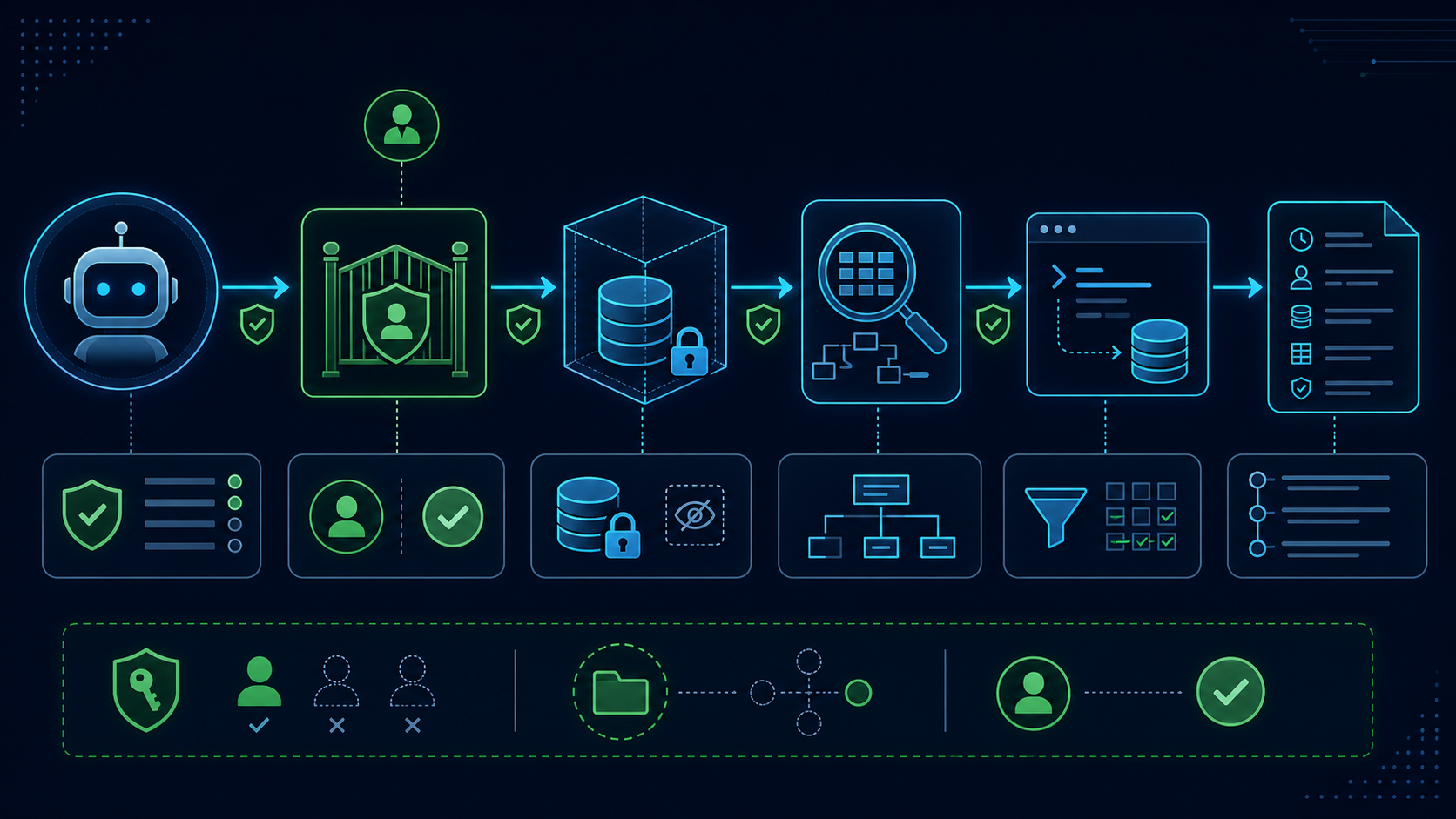
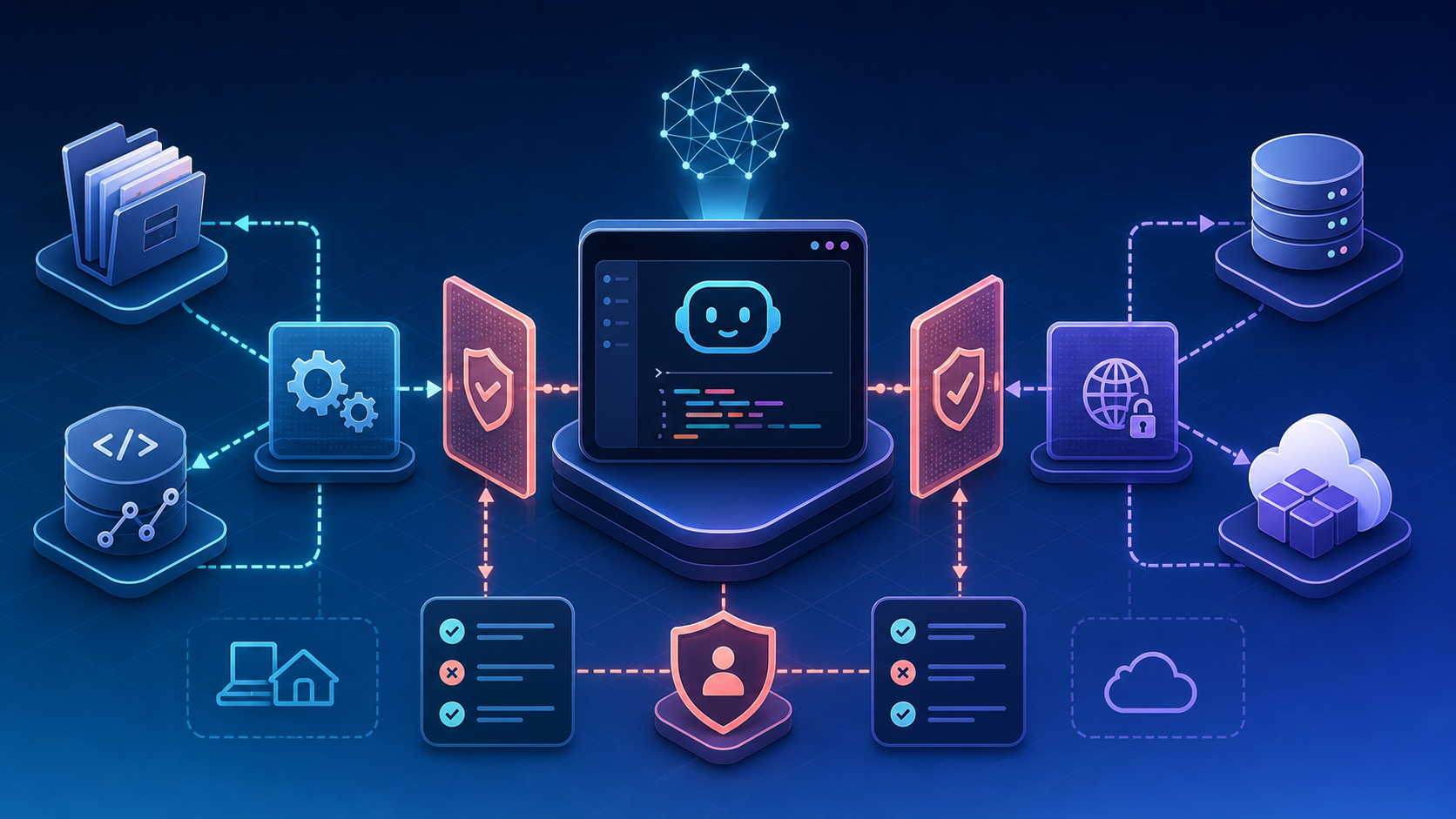
    Local and remote MCP connections pass through explicit security and approval controls.

    Use these controls in combination:

    1. Trust the server source. Pin packages or container digests where practical. Review updates before deployment.
    2. Use least privilege. Give a read task read credentials. Split read and write toolsets.
    3. Keep secrets outside prompts and repositories. Use environment injection, a secret manager, or OAuth.
    4. Require approval for side effects. Creating issues, sending messages, changing records, and executing deployments need explicit gates.
    5. Constrain network and filesystem access. A browser or shell tool should not inherit access to every host and directory.
    6. Log tool identity and outcome. Record the user, server, tool, inputs, approval, result, and error class.
    7. Defend against prompt injection. Treat tool output and retrieved pages as untrusted data. Never let external content rewrite system policy.

    OpenAI warns that unsafe MCP servers increase prompt-injection and data-exposure risk. For ChatGPT workspaces, admins should review actions, use RBAC, and republish changed tool definitions. For Codex, keep project instructions and approval policy aligned with the server's real credentials.

    Why is my ChatGPT or Codex MCP connection failing?

    Symptom Likely cause Fix
    ChatGPT cannot reach localhost ChatGPT expects a remote endpoint Deploy remotely or use a supported secure tunnel
    Codex lists a server but exposes no tools Server startup, protocol, or authentication failed Run the command directly, inspect logs, and verify transport
    OAuth works once and then expires Refresh tokens are not issued Enable offline/refresh access and recreate the app
    The model selects the wrong tool Names or descriptions overlap Narrow the catalog and use action-specific tool names
    Write tools fail after a server update ChatGPT uses a reviewed snapshot Ask an admin to refresh and approve changed actions
    npx server fails on another machine Runtime or package resolution differs Document Node requirements and pin a known version
    A local server sees the wrong project Working directory or environment is wrong Set the correct launcher directory and explicit variables

    Debug one layer at a time: host configuration, transport, authentication, capability discovery, tool execution, then model routing. Mixing those layers produces vague “MCP does not work” diagnoses.

    What is a reliable production rollout checklist?

    Before publishing a ChatGPT app or sharing a Codex MCP configuration, confirm:

    • The host and transport match: Codex local/remote versus ChatGPT remote.
    • The server has a named owner and an update policy.
    • Every tool has a clear description and bounded input schema.
    • Credentials use the minimum scopes.
    • Read-only mode is the default for evaluation.
    • Write actions require approval and server-side authorization.
    • A smoke test covers discovery, execution, failure, and audit logging.
    • Tool output is treated as untrusted input.
    • Product-specific pages remain canonical and receive internal links.
    • The deployment date and tested versions are recorded.

    Frequently asked questions

    Is “Codex MCP” a client or a server?

    It can mean either. Codex CLI is an MCP client that connects to configured servers. The experimental codex mcp-server command makes Codex itself available to another MCP client. State the direction whenever you document an integration.

    Does ChatGPT Desktop support local MCP servers?

    Do not assume ChatGPT Desktop behaves like Claude Desktop or Codex CLI. OpenAI's current custom-app documentation describes remote MCP apps on ChatGPT web. Verify the current product documentation before promising local desktop connectivity.

    What is the fastest way to install MCP in Codex?

    Use codex mcp add <name> -- <command> [args...], then verify it with codex mcp list and one read-only tool call. For Playwright, the official package documents codex mcp add playwright -- npx "@playwright/mcp@latest".

    Does OpenAI support the Model Context Protocol directly?

    Yes. OpenAI products expose several MCP integration surfaces: ChatGPT custom apps, Codex as an MCP client, the OpenAI API's remote MCP tool path, and the experimental Codex MCP server interface. Their configuration and security boundaries are not interchangeable.

    Should I connect Linear, n8n, Supabase, Atlassian, or Playwright through this guide?

    Use this guide to choose and configure the OpenAI host. Then follow the linked product detail page for its exact server, permissions, and tools. That prevents duplicate setup advice and keeps vendor-specific information current.

    Final recommendation

    Start with one read-only server and one observable job. For a developer, that might be Codex reading repository issues. For a workspace, it might be ChatGPT fetching an approved internal record. Prove discovery, permissions, and auditability before adding write tools. MCP creates the most value when the connection is narrow, explicit, and easy to inspect.
    Sources

  • Ornith-1.0 and Code Knowledge Graphs

    Ornith-1.0 and Code Knowledge Graphs

    The first thing I check with a new coding model is not whether it can solve a benchmark prompt. I check what happens when it lands in a repo where the answer depends on three folders, an old design decision, and a test nobody remembers writing. Ornith-1.0 is interesting because it pushes open coding models further into agentic workflows. But the harder question is still the same: what structure does the model actually see?

    For developers using OpenCode, OpenHands, Ollama, or other local agent stacks, the model is only one layer. The missing layer is often a code knowledge graph: a durable map of files, symbols, docs, dependencies, and relationships that an AI coding agent can query before it starts guessing.

    Why Ornith-1.0 Raises the Context Question

    DeepReinforce describes Ornith-1.0 as a family of open-source models for agentic coding, with 9B Dense, 31B Dense, 35B MoE, and 397B MoE variants. The public release frames the model around self-scaffolding: the model is trained not only to generate solutions, but also to generate task scaffolds that help guide those solutions.

    That is a useful direction. Agentic coding is not just “write the patch.” It includes planning, tool use, shell commands, retries, test interpretation, and sometimes a small amount of stubbornness. A model that learns better scaffolds may become more reliable inside terminal workflows.

    But I would separate two things.

    • One is model capability. Can the model reason, call tools, use long context, and recover from failed attempts?
    • The other is repo visibility. Can the model see the right structure before it acts?

    Those are related, but not the same. A stronger model can still inspect the wrong files. A longer context window can still be filled with low-value text. A local deployment can still lack the project memory that a team has built up over months.

    What Open Coding Models Can and Cannot See

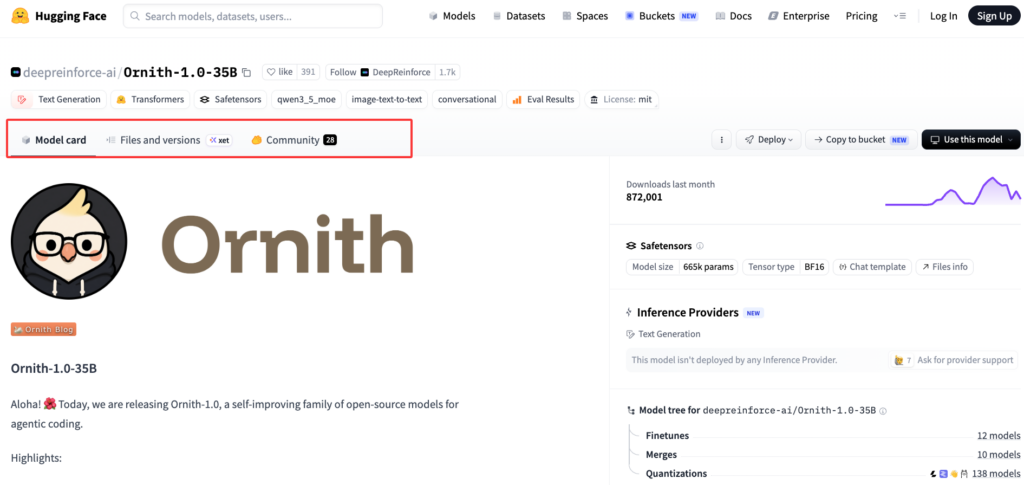
    The Ornith-1.0-35B model card is unusually relevant for workflow builders because it documents more than a download link. It shows OpenAI-compatible serving through vLLM and SGLang, parser requirements for reasoning and tool calls, a 262,144-token serving example, and agentic usage examples for frameworks and coding CLIs.

    That means a developer can wire the model into local or self-hosted workflows instead of waiting for a hosted product to expose it. You can run an endpoint, point tools at it, and start testing.

    But here is the uncomfortable part: model serving does not equal codebase understanding.

    A model can see:

    • Files included in the prompt.
    • Output from tools it is allowed to run.
    • Search results from grep, ripgrep, LSP, or custom tools.
    • Instructions from AGENTS.md, README files, or framework-specific config.
    • Conversation history until the context gets compacted or dropped.

    A model usually cannot see:

    • Why a module boundary exists.
    • Which docs are stale.
    • Which generated files should not be edited.
    • Which previous refactor failed.
    • Which ownership boundary matters in review.
    • Which dependency path is architectural rather than incidental.

    This is where open models make the problem more visible. When you run a local model through Ollama or a self-hosted endpoint, you control more of the stack. That is good. But you also inherit the responsibility for context retrieval, graph freshness, memory policy, and review boundaries.

    OpenCode is a good example. Its official docs describe it as an open-source AI coding agent available through terminal, desktop, and IDE surfaces. It supports provider configuration, project initialization, AGENTS.md generation, planning, undo, and team sharing. Those are useful mechanics. They still need a reliable context layer underneath.

    Why Large Repos Need Code Knowledge Graphs

    A large repo fails differently from a small repo.

    In a small project, a coding model can often read a few files and get enough signal. In a larger system, the relevant context is rarely sitting in one file. It is spread across imports, tests, generated types, config, migrations, internal docs, issue history, and naming conventions.

    That is where a code knowledge graph starts to matter.

    A code knowledge graph does not try to replace the model. It gives the model a map. The graph can represent relationships such as:

    Repo signalWhy it matters for agents
    Symbol definitions and referencesHelps the agent avoid editing the wrong implementation
    Import and dependency pathsShows how a change can move across modules
    Test ownership and coveragePoints the agent toward validation paths
    Docs-to-code linksSeparates living documentation from stale notes
    Generated filesReduces accidental edits to derived artifacts
    Architectural communitiesHelps the model reason at system level, not file level

    This matters even more when the agent is local. If you run an open model through Ollama, llama.cpp, vLLM, or SGLang, you may not get the same managed retrieval layer that a closed coding product provides. That can be an advantage if you build your own layer well. It can also be a quiet failure mode if every session starts from scratch.

    The real test is not whether the model can summarize the repo. The test is whether it can answer, “Which path should I inspect next, and why?”

    How Graphify Turns Codebases Into Queryable Structure

    Graphify fits into this workflow as a knowledge layer for AI coding agents. The point is not to make every local model magically understand a repo. That would be the wrong promise. The point is to give agents a queryable structure that makes context selection less random.

    For an Ornith-based workflow, the shape could look like this:

    1. Serve the model locally or on your own infrastructure.
    2. Connect it through OpenCode, OpenHands, or another agent interface.
    3. Build a code graph from the repo and supporting docs.
    4. Expose graph queries through MCP, CLI tools, or a retrieval service.
    5. Ask the agent to justify which files, symbols, and docs it used before editing.

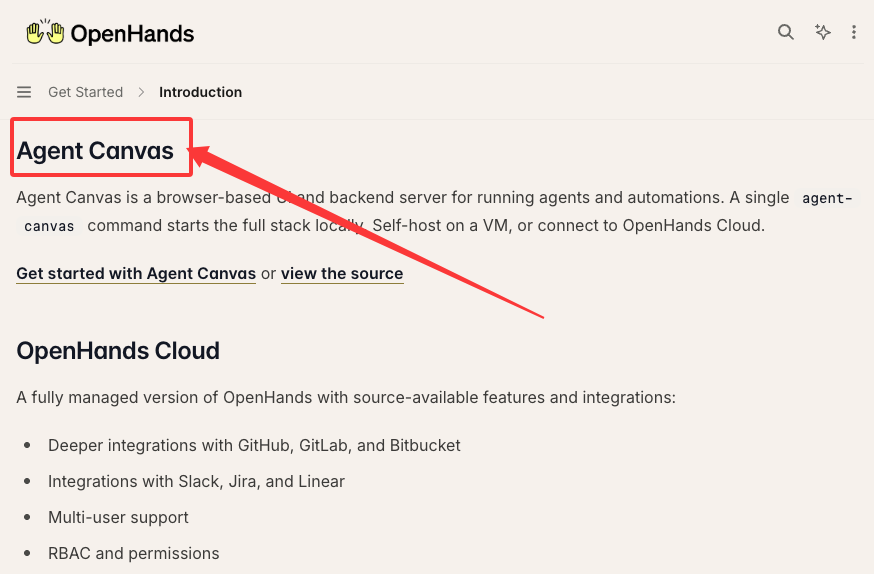
    OpenHands is especially relevant here because its current docs describe multiple operating surfaces, including Agent Canvas, Cloud, Enterprise, CLI, and SDK paths. The OpenHands introduction also calls out GitHub/GitLab/Bitbucket integrations, multi-user support, permissions, reporting, and budget enforcement in managed versions. That makes it closer to an agent operations layer than a simple terminal assistant.

    If OpenHands or OpenCode is the workbench, Graphify can be the map. The agent still needs permissions. It still needs review. It still needs tests. But the first retrieval step becomes less improvised.

    For local model users, Ollama is the other practical piece. The Ollama GitHub repository currently positions it around open models and notes that it can connect to existing agents and applications, including OpenCode and other coding-agent tools. That makes Ollama a natural runtime layer for developers who want local inference, offline testing, or simpler model switching.

    The key is shared context. If one developer uses OpenCode, another uses OpenHands, and a third uses a raw Ollama endpoint, the team should not rebuild project understanding three different ways. A shared graph layer gives each agent the same structural map.

    Limits and What to Verify

    I would not treat any of this as automatic.

    Before putting an open coding model into a real repo workflow, verify the boring details. Boring details are where production failures usually hide.

    Check these first:

    • Model variant: 9B, 31B, 35B, or 397B changes hardware, latency, and capability.
    • Serving runtime: vLLM, SGLang, Transformers, llama.cpp, or Ollama may expose different behavior.
    • Parser settings: reasoning blocks and tool calls need the right parser path.
    • Context length: advertised context and usable context are not always the same.
    • Tool permissions: shell access, file writes, network access, and secret exposure need policy.
    • Graph freshness: stale structure is worse than no structure because it feels authoritative.
    • Review cost: measure how much human review the agent adds or removes.

    The model card for the 35B variant documents vLLM and SGLang recipes, OpenAI-compatible chat completions, tool calling, and GGUF/Ollama-style usage. That is enough to start a serious evaluation. It is not enough to assume safety, cost, or repo fit.

    I would also avoid over-reading benchmark tables. They are useful, but they are not your repo. Your repo has naming conventions, hidden coupling, old migration scripts, and tests that only fail on Tuesday. Fine, maybe not Tuesday. But you know the category.

    A good pilot should include three tasks:

    • A local bug with a clear failing test.
    • A cross-module change with generated or shared types.
    • A repo onboarding question where the agent must explain the system path before editing.

    If the agent cannot explain why it chose its files, the model is not ready for unsupervised work. If the graph cannot answer the same question, the graph is not ready either.

    FAQ

    What repo signals should be indexed first?

    Start with signals that reduce wrong-file edits.

    Index symbols, definitions, references, imports, dependency edges, test files, config files, generated-file markers, and architecture docs. After that, add issue links, ADRs, API schemas, database migrations, and ownership metadata.

    Do not index everything with equal weight. A 4-year-old design note and a current type definition should not have the same authority.

    When should teams update the code graph?

    Update the graph whenever structural meaning changes, not only on a calendar.

    Good triggers include merged PRs, dependency changes, generated-code updates, schema migrations, route changes, package boundary changes, and documentation edits. For active repos, a CI-driven update after merge is usually cleaner than asking each developer to rebuild manually.

    For slower repos, daily or weekly updates may be enough. The important rule is simple: if the graph is older than the code paths being edited, the agent should know that before it trusts the map.

    Can local agents share the same graph layer?

    Yes, and they probably should.

    A local Ornith endpoint, OpenCode session, OpenHands workspace, and Ollama-backed agent can all benefit from the same graph if the graph is exposed through a common interface: MCP, a local API, a CLI query tool, or a shared artifact generated in CI.

    The hard part is not technical access. It is governance. Decide who can update the graph, which repos it covers, how stale entries are handled, and whether sensitive docs are included.

    Conclusion

    Ornith-1.0 makes open agentic coding more interesting because it gives developers another serious model family to test in local and self-hosted workflows. But model strength is not the whole system.

    For small tasks, a capable model and a terminal agent may be enough. For larger repos, the failure mode shifts. The model does not only need more tokens. It needs better structure.

    That is where Graphify belongs in the stack. Not as a replacement for OpenCode, OpenHands, Ollama, or the model itself. As the code knowledge graph layer that helps those tools ask better questions before they edit.

    The moment this becomes useful is the moment file-level context stops being enough.

  • Best AI Coding CLIs 2026

    Best AI Coding CLIs 2026

    Evan here. I usually judge an AI coding CLI by the moment it stops being cute. A one-file change is easy. The real test is a repo with old decisions, generated code, half-true docs, and a failing test that depends on three modules. That is where an AI coding CLI either reduces guessing or quietly makes review harder.

    This ranking is written for developers who already live in the terminal. It is not an install tutorial. It is a workflow judgment for choosing between terminal AI coding tools in 2026: Claude Code, Codex CLI, Gemini CLI, Aider, and the other tools worth re-checking before a team rollout.

    How We Ranked AI Coding CLIs

    I would not rank these tools by demo quality alone. For a DR30, growth-stage technical site, the useful angle is trust: which tools deserve attention from developers who already know how to use a shell, Git, local tests, and repo-level context.

    The criteria:

    • Context handling: can it find the right files, not just plausible files?
    • Edit safety: can you inspect, constrain, and reverse changes?
    • Model access: which models are supported, and how predictable is routing?
    • Pricing and limits: subscription pool, API billing, free quota, or bring-your-own-key?
    • Platform fit: macOS, Linux, Windows, WSL, IDE companion, CI, or cloud handoff.
    • Team control: permissions, spend limits, auditability, and policy ownership.
    • Active status: recent docs, releases, package updates, or visible repository activity.

    I also weighted “review cost” heavily. A fast agent that leaves vague diffs is not a productivity tool. It is deferred work.

    Quick Comparison Table

    ToolBest fitModel accessPricing shapePlatform notesMain trade-off
    Claude CodeDeep repo work, agent workflows, multi-file tasksClaude models, subscription or API/cloud-provider pathsPro/Max/Team/Enterprise usage pools or token billingTerminal, IDEs, desktop, web; strong macOS/Linux/Windows coverageCan burn usage quickly on large contexts
    Codex CLITerminal-first OpenAI workflow, review, local automation, cloud handoffGPT-5.6 family and plan/API-dependent modelsIncluded in ChatGPT plans; API key option for token billingCLI, IDE extension, cloud, desktop/web surfacesBest when your team already uses OpenAI/Codex
    Gemini CLIFree or Google-native terminal agent, large-context explorationGemini models, Google OAuth/API key/Vertex AIGenerous free quota, then API or enterprise billingnpm, Homebrew, MacPorts, Anaconda; GitHub workflow supportModel routing and enterprise policy need careful verification
    AiderGit-native pair programming with many model providersOpenAI, Anthropic, DeepSeek, Gemini, local and compatible APIsOpen-source tool; pay the model providerPython package, terminal-first, IDE-adjacentLess managed than first-party CLIs
    Other toolsSpecialized workflows or org-standard stacksVariesVariesVerify per toolDo not rank without fresh checks

    The Best AI Coding CLIs in 2026

    Claude Code

    Claude Code is still the tool I would test first for serious multi-file work. The official Claude Code documentation describes a coding agent that can read a codebase, edit files, run commands, and work across terminal, IDE, desktop, and browser surfaces. That matters because the CLI is no longer just a prompt box. It is a development surface.

    The strongest part of Claude Code is workflow depth. It has project instructions, permission modes, MCP, hooks, skills, memory, IDE support, and team-oriented controls. In a real repo, those are not decorations. They decide whether the agent keeps reading the same stale file or learns the structure of the project.

    Pricing is the part to watch. Anthropic’s help article on using Claude Code with Pro or Max says Claude Code can draw from subscription usage, while API credits or Console authentication can shift you into token billing. For teams, that means “Claude Code access” is not one policy. It is subscription seats, usage credits, API keys, and cloud-provider routes.

    Platform support is broad: macOS, Windows, Linux variants, WSL, VS Code, Cursor-style VS Code forks, and JetBrains. The practical limit is not installation. It is usage governance. Large repos, multiple subagents, verbose MCP servers, and long sessions can turn into invisible spend unless someone owns the budget.

    Use Claude Code when the task crosses file boundaries and you need the assistant to reason through structure.Be more cautious when your team has not decided who can approve shell commands, connect MCP servers, or continue past usage limits.

    Codex CLI

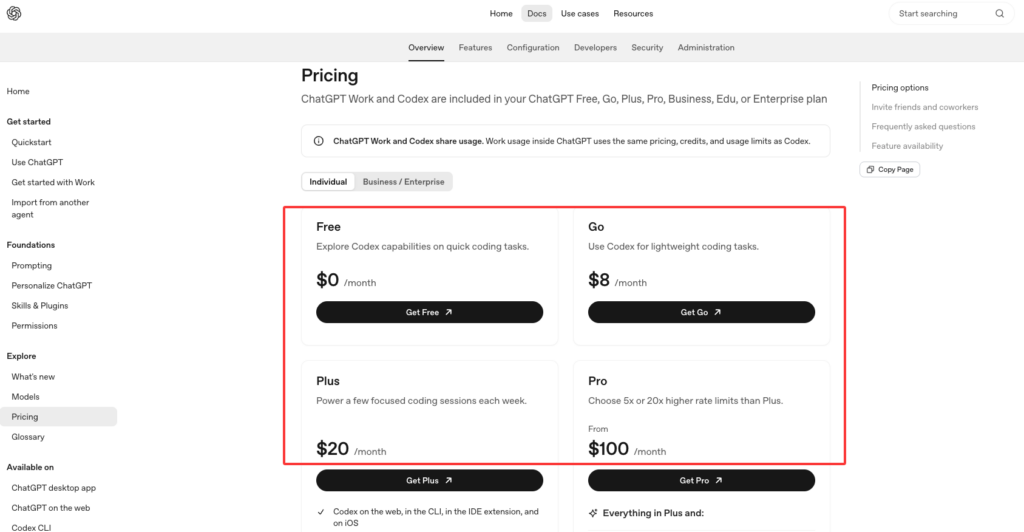
    Codex CLI is the best choice when you want an OpenAI-native coding loop in the terminal, especially if your team already uses ChatGPT, Codex cloud, or OpenAI’s model stack. The Codex pricing page currently lists Codex across Free, Go, Plus, Pro, Business, Edu, and Enterprise plans, with Plus including CLI, web, IDE, and iOS access, and Pro adding higher usage plus a research-preview fast Codex model.

    The interesting thing about Codex CLI is control. It is built around inspecting code, editing locally, running commands, choosing permissions, changing model and reasoning effort, and using non-interactive codex exec for repeatable workflows. That makes it strong for developers who want the agent close to their existing shell habits.

    I also like Codex CLI for review workflows. A local review command is not a replacement for human review, but it catches a useful class of boring mistakes before a PR. That matters more than people admit. The first answer is less important than the next diff.

    The model story is plan-dependent. In the current docs, Codex surfaces use the GPT-5.6 family on paid plans, while API-key mode follows the models available to that API key. That is good flexibility, but it also means teams should document which auth mode is allowed. A developer using a personal ChatGPT plan, an API key, and a managed workspace may not be operating under the same cost or data policy.

    Use Codex CLI when you want a terminal AI coding workflow that can stay local, move to cloud when needed, and fit into OpenAI governance.

    Gemini CLI

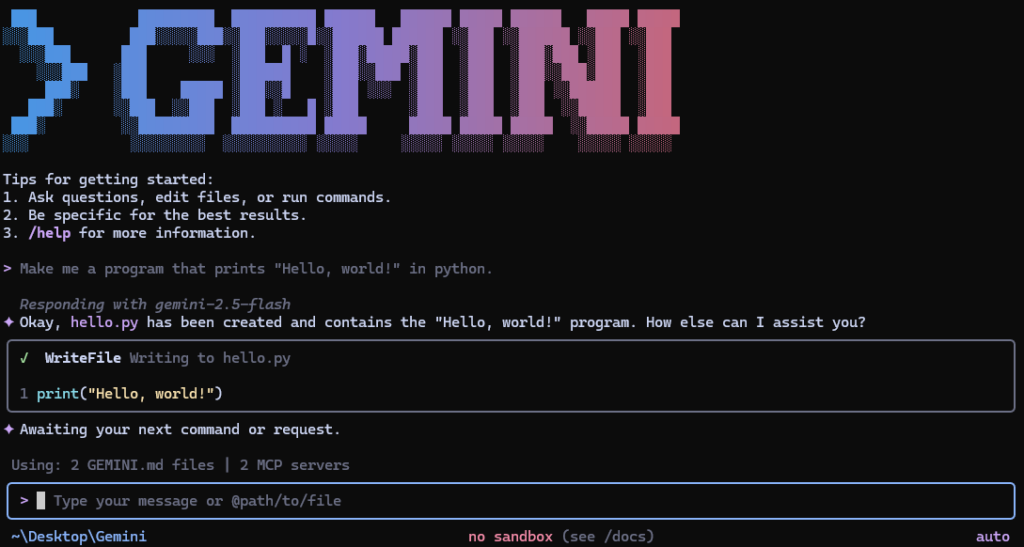
    Gemini CLI is the value pick. Google’s Gemini CLI repository describes an open-source terminal agent with built-in file operations, shell commands, web fetching, Google Search grounding, MCP support, GitHub workflows, and a free tier listed at 60 requests per minute and 1,000 requests per day for personal Google accounts.

    That is unusually generous for developers who want to test terminal agents without starting with a procurement conversation. It also makes Gemini CLI a good candidate for repo exploration, documentation questions, and large-context experiments. The repository currently points to Gemini 3 models and a 1M token context window, which is attractive when your failure mode is “the assistant cannot see enough of the system.”

    But I would still treat it as a tool to validate, not blindly standardize. Google authentication options include OAuth, API key, and Vertex AI. That is useful, but it creates different policy paths. A personal Google account is not the same as a managed Vertex AI deployment.

    The platform story is friendly:npx, npm global install, Homebrew, MacPorts, and Anaconda. For teams, the better question is not “can we install it?” It is “which identity, model route, telemetry setting, and billing account are allowed?”

    Use Gemini CLI when you want a low-friction terminal agent, large-context exploration, and Google-native workflows. Do not use the free quota as your team policy.

    Aider

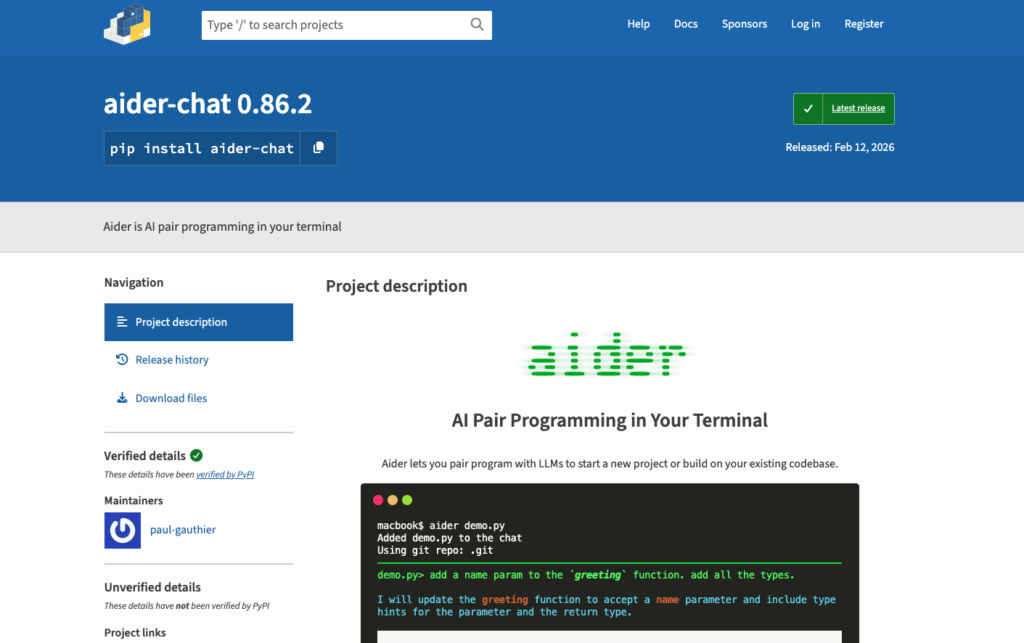
    Aider is different from the first-party CLIs. It is not trying to be one vendor’s managed coding surface. It is an open-source, Git-aware pair programmer that can connect to many LLMs. The aider-chat PyPI page shows version 0.86.2 released on February 12, 2026, Python support from 3.10 to below 3.13, and features such as codebase maps, Git integration, linting/testing loops, image and web context, and broad model-provider support.

    That makes Aider useful when you care about portability. You can pair it with OpenAI, Anthropic, DeepSeek, Gemini, local models, or OpenAI-compatible endpoints. If your team does not want one vendor to define the whole workflow, Aider is still worth keeping on the shortlist.

    Its strength is also its burden. You own more of the setup. You choose models. You manage keys. You decide how much context to add. You decide whether the code map is enough for your repo. For experienced developers, that control can be a feature. For a team rollout, it can become fragmentation.

    Aider is strongest for developers who want Git-native edits, explicit diffs, and model flexibility. It is weaker when your organization needs centralized seat management, admin analytics, managed policy, and support contracts.

    Other Tools to Verify

    I would not freeze a 2026 ranking without a verification lane. Tools such as Cline, OpenCode, Qwen Code, Goose, GitHub Copilot CLI-style workflows, Cursor terminal features, and vendor-specific agents may be the right answer for a specific team.

    But I would not rank them unless the current public evidence is checked the same way: active releases, pricing, supported models, platform limits, enterprise controls, and security posture. This is where many “best AI coding CLI 2026” posts get lazy. They copy a tool list and call it research.

    How to Choose the Right CLI

    Start with the failure mode, not the brand.

    If your failure mode is cross-file reasoning, test Claude Code and Codex CLI first. Give each one the same repo, the same unclear bug, and the same review standard. Watch which files it opens, which assumptions it makes, and whether it can explain the change path.

    If your failure mode is cost-sensitive exploration, test Gemini CLI. The free quota makes it easy to run lightweight repo-reading sessions before deciding whether a managed Google path is worth it.

    If your failure mode is vendor lock-in, test Aider. It gives you more control over model routing and local workflow. You pay for that control with more setup and less centralized governance.

    For complex repos, I would also connect the decision to codebase context. A CLI alone does not fix missing structure. Sometimes the better move is to give the agent a stronger map of the system.

    Limits and Trade-Offs

    The model is not always the bottleneck. The context often is.

    A stronger model can still choose the wrong file. A bigger context window can still include the wrong history. A faster agent can still create a diff that takes longer to review than writing the fix manually.

    The main trade-offs:

    • Subscription CLIs are easier to adopt but can hide real usage pressure.
    • API-key workflows are easier to meter but harder for individual developers to manage.
    • Free tiers are great for evaluation but weak as policy.
    • Multi-agent and cloud workflows increase throughput, but also increase review and spend complexity.
    • Local terminal tools fit developer habits, but they still need security boundaries.
    • Codebase maps, memories, and instructions help only if they stay current.

    For a team, the right tool is the one that reduces guessing in the messy repo, not the one that looks best in a launch video.

    FAQ

    Who should own CLI access policies in a team?

    Platform engineering should usually own the policy, with security and engineering managers involved. Individual developers should not be left to decide which API keys, MCP servers, shell permissions, cloud handoffs, and spend limits are acceptable.

    A good policy covers allowed tools, allowed auth methods, command approval rules, repo access, data boundaries, logging, and cost ownership. The details can be lightweight. The ownership cannot be vague.

    What should be documented before switching CLIs?

    Document the current model route, pricing path, supported platforms, permission settings, approval mode, local sandbox behavior, CI usage, secrets policy, and rollback workflow.

    Also document project context files. If one tool uses CLAUDE.md, another uses AGENTS.md, and another uses its own config, the migration is not just a CLI switch. It is a context migration. That is where teams quietly lose quality.

    When should this ranking be refreshed?

    Refresh it quarterly, and immediately after any major model, pricing, platform, or policy change. For terminal ai coding tools, a six-month-old ranking can be stale.

    At minimum, re-check active releases, plan limits, model availability, enterprise controls, and whether the tool still fits your repo size and review process.

    Conclusion

    The best AI coding CLI 2026 choice depends on what you are trying to reduce.

    Pick Claude Code when deep repo workflow and agent features matter most. Pick Codex CLI when you want an OpenAI-native terminal loop with strong review, automation, and cloud handoff. Pick Gemini CLI when free exploration, Google-native routing, and large context are the draw. Pick Aider when model flexibility and Git-native control matter more than managed admin surfaces.

    I would not standardize on any of them from a feature table alone. Put each tool in the same messy repo, give it the same cross-file task, and measure the thing that matters: did it reduce guessing, or did it just make the answer sound more confident?


  • Who Gets to Decide? Designing an Authority Control Plane for AI Coding Agents

    Who Gets to Decide? Designing an Authority Control Plane for AI Coding Agents

    Imagine asking a coding agent to “make failed payments more reliable.” It finds the background-job system, adds three automatic retries, writes passing tests, and produces a clean pull request. The implementation is technically competent. It may also violate customer-support policy, create duplicate-payment risk, and change the product experience without anyone authorising those choices.

    This is not primarily a hallucination problem. The agent may understand the code perfectly. The failure is authority leakage: a system designed to execute work silently becomes the owner of a decision that belongs to a product, security, legal, or operations role.

    A recent update to Matt Pocock’s open-source grilling workflow, reached through the small grill-me wrapper, makes two useful ideas explicit. The agent should investigate facts that already exist, and it should wait when the answer depends on a human choice. A confirmation gate then checks shared understanding before execution.

    Those rules are a good starting point. Production agent systems need a broader operating model: one that connects conversational confirmation to tool permissions, sandbox boundaries, network policy, audit records, rollback, and measurable reliability. In other words, an agent needs an authority control plane, not just a polite prompt.

    Authority is different from capability

    Models are increasingly capable of proposing product rules, migration strategies, security controls, and operational responses. Capability answers, “Can the system produce a plausible solution?” Authority answers, “Who is entitled to choose this outcome, and under which constraints?”

    The distinction matters because a repository contains several different kinds of information:

    Information class Typical source Correct agent response
    Retrievable fact Code, tests, configuration, logs, documentation, authorised tools Investigate and cite the evidence
    Non-negotiable constraint Regulation, contract, compatibility guarantee, budget, explicit project rule Preserve it and flag conflicts
    Owned preference Product intent, risk tolerance, policy, design direction, new trade-off Present options and wait for the responsible owner
    Testable hypothesis Prediction about users, performance, adoption, or an uncertain technical approach Design a prototype, measurement, or reversible experiment

    The fourth category prevents a subtle mistake. If no internal caller uses an API, that does not prove an external customer is not using it. Repository search cannot settle the question, but neither can a manager’s preference. The answer may require telemetry, a deprecation window, or a controlled experiment.

    This expanded classification produces a better division of labour:

    • Agents retrieve evidence.
    • Systems enforce constraints.
    • Accountable people make choices.
    • Experiments resolve hypotheses.

    NIST’s AI Risk Management Framework supports this organisational view. Its core asks organisations to define human and AI roles, document system knowledge limits, specify how outputs are overseen, and assign responsibility for AI risk. Oversight is therefore a designed operating process, not a generic “human in the loop” label.

    Replace binary approval with four action modes

    Not every tool call deserves the same interruption. A useful control plane assigns each proposed action to one of four modes.

    1. Observe

    Read-only inspection of code, documentation, logs, schemas, or authorised dashboards. These actions should usually proceed automatically when access is already in scope. The agent records what it inspected and does not mutate state.

    2. Prepare

    The agent creates a draft, diff, plan, migration preview, query, or message without applying it to the live target. Preparation is valuable because it converts an abstract request into something a reviewer can inspect. A prepared database migration is not the same as running it; a drafted email is not the same as sending it.
    3. Execute with guardrails

    The agent performs a bounded, reversible mutation inside a defined environment. Examples include editing files in a worktree, running tests in a sandbox, or changing a feature flag for a small canary. The control plane limits tools, credentials, network destinations, scope, and runtime.

    4. Explicit approval

    The action affects an external system, uses privileged credentials, creates a material commitment, changes customer-visible policy, destroys data, or is difficult to reverse. The agent pauses and presents an approval packet tied to the exact action.

    This model is stricter than “ask before every write” and more useful than “let the agent decide.” It allows low-risk work to move quickly while concentrating attention on authority transitions.

    English grill-me update banner reading “The missing piece is finally in place” and “Major update,” beside a glowing puzzle piece and illustrated character.

    English redraw of an illustration from the original Chinese report. The translated headline announces a major grill-me workflow update.

    Use an authority budget, not a vague risk label

    “High risk” is too imprecise to drive tooling. A more actionable approach evaluates five dimensions:

    1. Impact: what happens if the action is wrong?
    2. Irreversibility: can the previous state be restored completely and quickly?
    3. Scope: how many users, records, services, or repositories are affected?
    4. Uncertainty: how strong is the evidence that the proposed action is correct?
    5. Novelty: is this a familiar, tested pattern or a new path with weak operational history?

    This is an editorial synthesis of NIST risk management, OWASP least-agency guidance, and release-engineering practice—not a published standard. Its value is operational: increasing any dimension should reduce the agent’s autonomy or increase the strength of the control.

    The same idea can be expressed as an authority budget:

    • Which tools may the agent invoke?
    • Which data and resources may those tools reach?
    • How large a side effect may one action create?
    • How long may the agent continue before a checkpoint?

    A local formatting change may have a generous budget. A production schema deletion should have almost none.

    OWASP’s guidance on excessive agency identifies excessive functionality, permissions, and autonomy as distinct root causes. That separation is important. Even a well-instructed model remains dangerous if its tool can execute arbitrary shell commands with a production administrator credential. Conversely, a narrowly scoped tool operating under the current user’s identity can make a model error much less damaging.

    A confirmation packet should be parameter-bound

    The least useful approval prompt is “Continue?” It hides the information the reviewer needs and encourages reflexive acceptance.

    A serious approval packet should contain:

    • Outcome: the user-visible or operational result.
    • Exact action: tool, target, parameters, command, request, or proposed diff.
    • Affected resources: files, services, records, users, and external systems.
    • Effective identity: whose credential and which scopes will be used.
    • Evidence: tests, repository facts, policies, and primary documentation.
    • Decisions: choices already made and their accountable owner.
    • Residual uncertainty: assumptions and unverified inferences.
    • Blast radius: plausible worst-case impact.
    • Recovery: rollback, restore, cancellation, or containment path.
    • Reason for escalation: the boundary that requires approval.

    The OpenAI Agents SDK human-approval flow illustrates several implementation details. Approval can be attached to specific tools, execution can pause with the tool name and arguments visible, state can be serialised, and the original run can resume after approval or rejection. Decisions can be scoped to one call instead of becoming vague permission for everything that follows.

    That last point is critical. “Yes, send this email” should not become “Yes, send any future email.” Sticky approval can be convenient within a bounded run, but it should be explicit, time-limited, and tied to a known tool and scope.

    Separate the decision plane from the execution plane

    The same model that proposes an action should not be the only mechanism deciding whether the action is permitted. Prompts express policy intent; enforcement belongs in the surrounding system.

    A bounded-autonomy architecture uses at least six control surfaces:

    Tool surface

    Expose only necessary operations. Prefer read_invoice and schedule_retry over a general shell or unrestricted HTTP client. Validate structured arguments before execution.

    Identity surface

    Run actions in the requesting user’s context where possible. Use short-lived credentials, narrow OAuth scopes, least-privilege database roles, and separate read from write identities.

    Filesystem and process surface

    Place code execution in an isolated workspace. Anthropic’s Claude Code sandboxing report describes filesystem and network isolation as complementary boundaries and reports that sandboxing reduced internal permission prompts by 84%. A filesystem boundary alone does not stop exfiltration; a network boundary alone does not stop local secret access.

    Network surface

    Default-deny outbound access for sensitive workflows, then allowlist required destinations. Log allowed and denied requests. Do not treat a URL fetched from untrusted content as implicitly authorised.

    Approval surface

    Pause before boundary-crossing actions and show the parameter-bound packet. Keep the approval mechanism outside the agent’s natural-language reasoning loop.

    Trace surface

    Record model and policy version, user goal, selected tool, exact arguments or diff, target, effective identity and scope, approval identity and time, result, and rollback pointer. NIST SP 800-53 provides implementation-grade least-privilege and audit principles: processes should receive only the privileges required, privileged functions should be audited, and audit records should capture who did what, where, when, and with what result.

    OpenAI’s description of running Codex safely follows the same layered logic: sandbox policy constrains writes and network access, approvals govern boundary crossings, and telemetry captures security-relevant activity. The design lesson is more important than any vendor implementation: safety emerges from layers that fail independently.

    Approval fatigue is a safety defect

    Requiring confirmation for every action sounds conservative. In practice it can train reviewers to click through.

    A controlled USENIX SOUPS study on warning habituation found that repeated non-security notifications reduced attention and adherence even for a new security warning, especially when the interfaces looked similar. The study was not about coding agents, so applying it here is an informed analogy. The implication is still useful: uniform approval dialogs can make exceptional risk look routine.

    Approval design should therefore be tiered:

    • Do not interrupt for authorised read-only investigation.
    • Batch related low-risk prepared changes into one reviewable diff.
    • Use distinct visual treatment for privileged, destructive, or externally visible actions.
    • Explain why the action escalated.
    • Show the exact side effect, not only the agent’s rationale.
    • Measure approval volume, rejection rate, and time-to-decision.
    • Remove approval prompts that never affect the outcome.

    The goal is not zero friction. It is high-information friction at the moment responsibility changes hands.

    Checkpoint, validate, and promote

    Conversation-level approval is only one checkpoint. A stronger workflow separates preparation from promotion:

    1. Snapshot: create a commit, worktree, database snapshot, or versioned configuration before mutation.
    2. Act in isolation: let the agent modify a sandbox or staging target.
    3. Validate: run deterministic tests, static analysis, policy checks, security scans, and task-specific graders.
    4. Review evidence: present the diff, results, residual risk, and rollback pointer.
    5. Promote atomically: merge, deploy, publish, or switch traffic only after the required approval.
    6. Observe: monitor defined success and failure signals.
    7. Rollback or expand: restore the previous state when thresholds fail, or progressively increase scope when evidence remains healthy.

    This pattern imports proven release-engineering ideas into agent workflows. Google SRE’s canarying guidance recommends small, self-contained changes because they are easier and cheaper to reverse. A canary exposes only a limited population while the system compares outcomes and decides whether to continue.

    For coding agents, the equivalent may be a local worktree, draft pull request, shadow query, dry run, feature flag, or limited rollout. Autonomy can increase as reversibility increases.

    Worked example: redesigning payment retries

    Return to the failed-payment request.

    Observe

    The agent inspects the queue, payment-provider integration, idempotency-key handling, error taxonomy, customer notifications, dashboards, and existing tests. It records factual findings and links them to files or documentation.

    Map constraints

    The agent identifies provider limits, contractual commitments, compliance requirements, and existing support procedures. If those sources conflict, it flags the conflict instead of selecting the most convenient interpretation.

    Isolate owned choices

    The team must decide which errors qualify for retry, maximum delay, customer-visible state, notification timing, and ownership of a final failure. The agent presents options and consequences.

    Identify hypotheses

    Whether retries improve recovery without increasing duplicates is an empirical question. The plan may require a small canary, a shadow calculation, or historical replay before changing live behaviour.

    Produce the approval packet

    The packet might propose one retry for a narrow transient-error class, preserve the existing idempotency key, exclude declined cards, add an operator metric, limit rollout to 5%, and automatically disable the flag when duplicate-attempt or error thresholds are exceeded.

    Execute and observe

    The agent implements the bounded change in a worktree, runs tests, opens a reviewable diff, and waits before production promotion. After approval, the system deploys gradually and records overrides, failures, and rollback decisions.

    Most work remains agent-owned. Human attention is reserved for customer policy, financial risk, and production authority.

    Evaluate both outcomes and trajectories

    An agent saying “done” is not evidence. The final environment state must prove the claim.

    Anthropic’s guide to agent evaluations distinguishes the outcome from the trajectory. The outcome is what changed in the environment; the trajectory is the sequence of model turns, tool calls, and intermediate actions. Both matter:

    • A correct patch produced through an unauthorised production action is not a safe success.
    • A perfectly compliant trajectory that fails to solve the task is not a useful success.

    Use deterministic graders where possible: tests, schema validation, file assertions, permission checks, and state comparison. Use model-based grading for qualities that resist exact rules, then calibrate those graders periodically against human experts.

    Evaluation should also separate:

    • Capability suites: difficult tasks that reveal what the agent may be able to do.
    • Regression suites: established behaviours expected to pass consistently.
    • First-try usefulness: often expressed as pass@1.
    • Consistency: the probability of succeeding across repeated trials, often expressed as pass^k.

    Benchmarks such as SWE-bench are valuable because they apply generated patches to real repositories and run tests in controlled environments. They do not replace organisation-specific evaluation. Production authority failures may never appear in a repository issue benchmark.

    Infrastructure can distort results too. Anthropic reported in its analysis of evaluation infrastructure noise that resource configuration alone moved Terminal-Bench 2.0 scores by six percentage points in one study. Small leaderboard differences should not drive autonomy policy unless the environments are comparable.

    For long-running work, task duration matters. METR’s task-completion time horizon asks how long a task would take a human expert at a specified agent success probability. An operational inference follows: as the expected task horizon grows, checkpoints, state persistence, evidence review, and recovery mechanisms should become stronger.

    Metrics for the authority control plane

    Track technical performance and oversight quality together:

    • Task success rate after environment verification.
    • First-try success and repeated-trial consistency.
    • Approval requests per completed task.
    • Approval acceptance, rejection, and override rates.
    • False-positive escalations: the agent asked for a decision that evidence could answer.
    • False-negative escalations: the agent acted where approval was required.
    • Time to escalation and time waiting for a decision.
    • Post-approval failure rate.
    • Rollback frequency and mean time to recovery.
    • Tool errors, retry loops, and policy violations.
    • Blast radius of failed actions.
    • Human overrides by action class.
    • Cost and token use per verified outcome.

    The target is not fewer approvals at any cost. It is better allocation: fewer interruptions for facts, more reliable escalation for real authority changes, and stronger evidence before irreversible actions.

    Confirmation belongs inside a lifecycle

    NIST’s Generative AI Profile places governance, testing, monitoring, incident response, recovery, and deactivation in one lifecycle. Relevant practices include sending pre-deployment test evidence to release authorities, recording human overrides, defining escalation routes, maintaining fallback procedures, and establishing criteria for deactivation.

    That suggests a continuous control loop:

    Test → authorise → observe → override → learn → rollback or deactivate

    A confirmation gate handles the authorise step. It cannot compensate for missing monitoring, an unusable rollback path, or a system that never learns from rejected approvals.

    A practical rollout sequence

    Teams do not need to build the entire control plane at once.

    First: inventory side effects

    List every tool and classify whether it reads, prepares, mutates locally, affects an external system, uses privileged identity, or performs an irreversible action.

    Second: narrow the execution surface

    Remove unused tools, split broad functions, reduce credential scopes, and run code in isolated workspaces. Enforce limits outside the prompt.

    Third: define escalation policy

    Assign action modes, authority owners, and the evidence required for promotion. Make rules parameter-bound and test them on both positive and negative examples.

    Fourth: make recovery real

    Add snapshots, dry runs, feature flags, limited rollouts, cancellation, and rollback. Test recovery rather than documenting an unverified command.

    Fifth: trace and evaluate

    Record trajectories and final state. Seed an evaluation suite with actual failures, including cases where the agent should proceed and cases where it must stop.

    Sixth: tune the human experience

    Measure approval burden and remove low-value interruptions. Preserve prominent, information-rich prompts for high-impact actions.

    What this model cannot guarantee

    An authority control plane does not make an agent correct. A reviewer can approve a harmful action. A sandbox can be misconfigured. A tool can hide side effects. A rollback can fail after data has propagated. A model can produce a persuasive but false rationale.

    The design therefore assumes failure and limits its consequences. Prompts express intent; permissions bound capability. Tests provide evidence; traces support investigation. Human approval allocates responsibility; staged execution and rollback preserve operator control.

    The most mature agent is not the one given unlimited freedom. It is the one embedded in a system that knows the difference between evidence, experimentation, and authority—and can prove what happened after the decision.

    References

  • Superpowers vs. Grill Me: Match AI Planning to the Cost of Being Wrong

    Superpowers vs. Grill Me: Match AI Planning to the Cost of Being Wrong

    A substantially expanded English analysis of a Chinese article by 大刘 (AI大刘), updated with current project documentation, official coding-agent guidance, and empirical research on clarification and planning.

    AI coding is rarely limited by how fast a model can produce code. The expensive failure mode is building a plausible solution to the wrong problem, then discovering the mismatch after code, tests, and assumptions have accumulated. That is why planning skills have become popular. But “more planning” is not a universal answer, and “more questions” is not a quality metric.

    This article responds to 大刘’s original WeChat article, which contrasts the comprehensive Superpowers workflow with Matt Pocock’s compact Grill Me skill. Its central intuition is useful: the tools allocate decision-making differently. Current documentation and newer research sharpen that claim. The practical question is not “Which tool wins?” It is “Which uncertainty are we reducing, and how costly would a wrong answer be?”

    English banner introducing a practical comparison of Superpowers and Grill Me
    A practical comparison of Superpowers and Grill Me. English-localized derivative based on the original visual by 大刘 / AI大刘.

    Clarification, planning, and verification do different jobs

    Many discussions collapse three activities into “thinking before coding.” That hides their different purposes:

    • Clarification reduces uncertainty about what should be built. It resolves intent, constraints, ownership, acceptable trade-offs, and observable success.
    • Planning manages dependencies in how it will be built. It orders changes, identifies interfaces, assigns verification, and exposes coordination risks.
    • Verification produces evidence that the result is acceptable. Tests, logs, type checks, screenshots, diffs, and human review answer a different question from either clarification or planning.

    Claude Code’s official Plan mode illustrates the distinction. It is primarily a research-and-approval boundary: the agent can inspect the project and propose changes, but edits remain blocked until the plan is approved. That is valuable, yet it does not guarantee that the agent asked the product owner the one question that changes the feature’s meaning. A plan can be detailed and still encode the wrong requirement.

    The reverse is also true. A thorough interview can establish intent without producing a safe migration sequence, a test strategy, or a reviewable implementation contract. The three layers complement one another; substituting one for all three is the mistake.

    English graphic framing the friction of turning vague requirements into agent work
    Vague requirements create friction when an agent must turn them into work. English-localized derivative based on the original visual by 大刘 / AI大刘.

    The 2026 comparison is stack versus primitive

    The most important correction to a simple Superpowers-versus-Grill-Me framing is that these are not equivalent products at different sizes.

    As checked on 14 July 2026, grill-me itself is a tiny user-invoked wrapper: it starts the underlying grilling skill. The current instructions say to walk a decision tree one question at a time, recommend an answer with each question, investigate facts available in the environment, leave decisions to the user, and wait for shared understanding before acting.

    Matt Pocock’s broader repository now routes different situations to different skills. Its current ask-matt guidance directs greenfield, stateless discussion toward Grill Me; existing-codebase work that needs durable context toward grill-with-docs; and larger work through specification, ticketing, implementation, and review steps. Grill Me is therefore one entry point in a growing workflow stack, not a complete one-file replacement for design records, execution, testing, and review.

    Superpowers is explicitly a full software-development methodology. Its latest formal release at the time of checking was v6.1.1, published 2 July 2026. The repository contained 14 top-level skills, and its documented chain runs from brainstorming through worktree isolation, detailed planning, subagent or sequential execution, test-driven development, review, verification, and branch completion.

    English graphic contrasting two repositories with different scopes
    The two repositories operate at different levels of scope. English-localized derivative based on the original visual by 大刘 / AI大刘.

    This changes the comparison. The real alternatives are closer to these:

    Layer Matt Pocock workflow Superpowers workflow Primary output
    Intent discovery grill-me, grilling, or grill-with-docs brainstorming Agreed decisions and constraints
    Durable design Context and decision records, then spec when needed Written design spec with review gates Reviewable design artifact
    Decomposition Spec and tickets for larger work writing-plans with small verified tasks Ordered implementation contract
    Execution implement and related engineering skills Subagent-driven or plan execution Code changes in bounded steps
    Quality control TDD and final review in the broader stack TDD, task review, branch review, completion verification Evidence, review findings, release choice

    The fair conclusion is not that Grill Me replaces Superpowers. It is that a compact clarification primitive can be useful before, inside, or instead of a larger methodology depending on the task’s risk and coordination needs.

    Superpowers has also become more deliberate about user decisions

    The current Superpowers brainstorming instructions do not simply let the agent decide everything. They tell the agent to inspect the project first, ask questions one at a time, propose two or three approaches with trade-offs, present the design in sections, obtain approval, write a design document, self-review it, and obtain review of the written specification before moving to planning.

    That overlap matters. Both approaches separate facts the agent can discover from decisions the owner must make. Their main difference is what happens around and after the interview. Superpowers persists design artifacts and connects them to a mandatory engineering chain. Grilling can stop at shared understanding or hand off to other skills selected for the job.

    English graphic presenting Superpowers as an end-to-end workflow
    Superpowers is an end-to-end development methodology. English-localized derivative based on the original visual by 大刘 / AI大刘.
    English screenshot illustrating the mandatory instruction style discussed in the source
    The source article discusses mandatory workflow instructions. This describes a workflow style, not a guarantee that every model and installation will comply identically. English-localized derivative based on the original visual by 大刘 / AI大刘.

    Superpowers’ current writing-plans skill also reaches beyond a prose outline. It asks for exact files, interfaces, concrete code or commands, small actions, test-first RED/GREEN steps, and commits. That is expensive compared with a three-bullet plan, but it creates a portable execution artifact. The cost is justified when another agent or engineer must resume the work, when multiple components change in dependency order, or when reviewers need to detect divergence before merge.

    English graphic illustrating a longer planning document
    A longer planning artifact can make assumptions and dependencies reviewable, but it also creates reading and approval work. English-localized derivative based on the original visual by 大刘 / AI大刘.

    The project is not static. Superpowers’ v6.0.0 release consolidated review steps, added branch-level review and plan checks, and revised interfaces and global constraints. Its v6.1 line reduced bootstrap overhead and improved Codex integration. It is therefore misleading to treat “Superpowers overhead” as a fixed property measured by one older run. Workflow cost depends on release, harness, model, codebase, and configuration.

    Grill Me protects decision ownership—but should not ask everything

    Grilling’s most useful rule is not “ask many questions.” It is “research facts; ask the user for decisions.” A repository can usually answer which framework is installed, how neighboring endpoints authorize requests, which commands run tests, and whether a migration helper already exists. Asking a user for those facts wastes attention and invites stale answers.

    The user is needed for questions that the environment cannot settle: whether backward compatibility matters more than cleanup, which failure mode is acceptable, whether a data migration may be irreversible, who can view a new field, or what business event counts as success.

    English graphic introducing Grill Me as an interview-style skill
    Grill Me is an interview-style skill and one entry point in a broader workflow. English-localized derivative based on the original visual by 大刘 / AI大刘.
    English graphic summarizing Grill Me’s one-question-at-a-time workflow
    The approach asks one question at a time, recommends an answer, checks the environment for discoverable facts, and waits for agreement. English-localized derivative based on the original visual by 大刘 / AI大刘.

    That division makes human attention a scarce engineering resource. Approval prompts can become theater when they appear at every minor action. The better control points are boundaries with real consequence: freezing the requirement, accepting the plan, crossing a sandbox or network boundary, applying an irreversible migration, merging, or publishing. Low-risk, local, reversible steps can proceed inside an agreed boundary and return evidence afterward.

    English graphic illustrating shared understanding before implementation
    The desired outcome is shared understanding before implementation begins. English-localized derivative based on the original visual by 大刘 / AI大刘.

    Research supports targeted clarification, not maximum interrogation

    The empirical literature gives stronger support to clarification than the original single-run comparison, but it also warns against overgeneralization.

    The 2024 FSE paper ClarifyGPT detected ambiguous requirements, generated targeted questions, refined the request from the answers, and then generated code. In its small human study, GPT-4 Pass@1 on MBPP-sanitized rose from 70.96% to 80.80%. Across four automated benchmark evaluations, average GPT-4 performance rose from 68.02% to 75.75%, while ChatGPT rose from 58.55% to 67.22%. Those are meaningful results, but the human study had ten participants, the tasks were mainly function-level Python problems, and the larger evaluation relied on simulated user feedback. It supports the mechanism—not a claim that every large repository needs a long interview.

    A newer 2026 study, Ask or Assume?, tested clarification on underspecified variants of SWE-bench Verified. Its uncertainty-aware multi-agent setup resolved 69.4% of tasks versus 61.2% for a standard single-agent setup. The agent also conserved questions on easier tasks. Again, the missing information and user interaction were experimentally constructed, so the result is evidence for uncertainty-aware clarification rather than a production guarantee.

    Most directly relevant to Grill Me’s “37 questions” story, Asking What Matters found that increasing question count did not consistently improve task success; performance plateaued while the share of answerable questions declined. Its trained clarification module matched GPT-5’s resolution rate on the study’s underspecified issues with 41% fewer questions. The authors identify two useful criteria: task relevance—does the missing information predict success?—and user answerability—can the user realistically supply it?

    That yields a better question test:

    1. Can the agent find the answer in code, documentation, logs, tests, or a small experiment? If yes, investigate instead of asking.
    2. Could different answers materially change the interface, data model, permission boundary, compatibility promise, or acceptance criteria? If no, defer or choose a reversible default.
    3. Is the person being asked actually able and authorized to decide? If no, identify the owner or state the unresolved risk.
    4. Will the answer be converted into a constraint or observable check? If no, the question may create conversation without reducing implementation risk.

    The important unit is information gain per interruption, not questions per session.

    Planning evidence is strongest when dependencies matter

    Clarification is not the only intervention with empirical support. The 2024 TOSEM paper Self-Planning Code Generation reported relative Pass@1 improvements of up to 25.4% over direct generation by having models generate concise implementation steps first. The tasks were primarily algorithmic and function-level, so the exact gain should not be projected onto production repositories.

    Repository-scale evidence is more relevant to Superpowers’ value proposition. Microsoft Research’s CodePlan used dependency-aware multi-step planning on repository migrations and temporal edits touching between 2 and 97 files. It passed build and correctness checks in five of seven repositories; a context-matched baseline without planning passed none. The sample was small and the task types were structured, but the result captures where planning earns its keep: later edits depend on earlier ones, and local correctness does not imply repository-level correctness.

    Conversely, bounded work with a strong evaluator can benefit from a simpler loop. Agentless used a fixed localization–repair–validation pipeline rather than a highly autonomous workflow and solved 96 of 300 SWE-bench Lite issues in its reported evaluation. That historical benchmark does not settle today’s tool choice, but it illustrates a durable point: when the scope is narrow and the verifier is reliable, disciplined direct execution can outperform extra ceremony.

    Treat the 0 / 6 / 37 comparison as a case study

    The original article cites Alex Rusin’s comparison of three approaches on one API feature. In that reported run, Plan Mode asked no questions and produced a plan in roughly ten minutes; Superpowers asked six focused questions and took more than 31 minutes before stalling; Grill Me asked 37 questions.

    Those figures are useful as a trace of how one configuration allocated decisions. They are not a benchmark. One feature, operator, model configuration, repository, and run cannot establish general speed or correctness. The projects have also changed since the test. Superpowers now has newer planning and review behavior; Grilling’s July 2026 releases added an explicit confirmation gate and a clearer facts-versus-decisions split.

    English graphic: one tool governs process while the other asks the user to clarify intent
    One tool governs a larger process; the other concentrates on clarification. English-localized derivative based on the original visual by 大刘 / AI大刘.
    English chart comparing Plan Mode, Superpowers, and Grill Me
    Alex Rusin’s cited case compares Plan Mode (0 questions, about 10 minutes), Superpowers (6 questions, 31+ minutes), and Grill Me (37 questions). It is an illustrative single run, not a general performance study. English-localized derivative based on the original visual by 大刘 / AI大刘.

    A risk-weighted decision matrix

    Choose the smallest workflow that covers the costly uncertainty—not the smallest workflow in absolute terms.

    Situation Useful default What must be true before execution
    Vague greenfield idea; domain owner available Grill Me High-impact choices are explicit and the user confirms shared understanding
    Existing codebase; decisions need a durable record Grill With Docs or equivalent Context, terminology, and architectural decisions are written down
    Multi-file or multi-component change with dependency order Superpowers or another structured planning stack Design is approved, interfaces are named, steps have verification and rollback boundaries
    Small local change following a stable pattern Lightweight plan and direct execution Scope is reversible and a reliable test or observable check exists
    Production write, security boundary, destructive migration, or external side effect Structured workflow plus explicit approval Blast radius, recovery path, owner, and final approval are unambiguous
    Large, multi-session problem whose shape is still unclear Discovery/decomposition workflow before implementation The problem is split into independently reviewable scopes

    A useful qualitative risk score is:

    planning intensity ≈ probability of a wrong assumption × cost of reversal × coordination surface

    This is not a numeric formula. It is a prompt to examine three independent reasons for more structure. High ambiguity raises the chance of choosing the wrong target. Irreversible or customer-visible effects raise the cost of being wrong. Many files, systems, sessions, or contributors raise the chance that a correct local change fails as a whole.

    The strongest workflow is a sequence

    For consequential work, the best combination is usually:

    1. Inspect before asking. Read project instructions, neighboring code, tests, logs, schemas, and recent decisions. Separate facts from owner-only choices.
    2. Grill only high-impact decisions. Ask one answerable question at a time, explain the recommended default, and record the decision as a constraint or acceptance criterion.
    3. Freeze a decision brief. Capture goal, non-goals, external behavior, interfaces, compatibility, data and permission boundaries, acceptance criteria, and actions that require renewed approval.
    4. Generate a dependency-aware plan. Map files and interfaces, sequence dependent changes, define RED/GREEN or equivalent checks, and place rollback or human gates at high-blast-radius steps.
    5. Execute in verifiable increments. Keep changes small enough that failures have a clear cause. Use independent review where the cost warrants it.
    6. Return evidence, not confidence. Show the diff, tests, logs, screenshots, citations, migration results, and unresolved risks before merge or publication.

    This sequence matches broader official guidance. Anthropic describes an agent loop of gathering context, taking action, and verifying results, and recommends giving Claude something concrete to verify against. OpenAI’s original Codex description likewise emphasizes isolated environments and iterative tests. The tools differ, but the control principle is stable: approval governs authority; verification governs trust.

    Stop grilling when

    • every decision that would change scope, architecture, external behavior, data, or permissions has an owner-approved answer;
    • goals, non-goals, and acceptance criteria are observable;
    • discoverable facts have been investigated instead of delegated back to the user;
    • remaining unknowns are local, reversible, or cheaply testable; and
    • it is clear which later actions require renewed approval.

    Start implementation when

    • each plan step has a concrete artifact or observable result;
    • verification commands and expected outcomes are present, not merely a list of files to edit;
    • high-risk steps have rollback or approval boundaries;
    • repository instructions contain current build, lint, test, and validation commands; and
    • a reviewer can tell from the plan what “done” means.

    What the evidence still cannot tell us

    No cited study directly compares current Superpowers, Grill Me, Grill With Docs, Claude Plan mode, and a lightweight baseline across the same production repositories and human teams. Function-level benchmarks underrepresent coordination and maintenance. Simulated users may answer more consistently than real stakeholders. SWE-bench variants emphasize issue resolution rather than product discovery. Project release notes report maintainers’ intentions and internal evaluations, not independent universal outcomes.

    That uncertainty should change how teams adopt these methods. Measure rework, elapsed time, human attention, escaped defects, review findings, and recovery cost on your own task mix. Do not use repository stars, plan length, token count, or question count as a substitute for outcome evidence.

    The most defensible conclusion is narrower and more useful: clarification reduces uncertainty about what should be built; planning manages dependencies in how it will be built; verification determines whether the result is acceptable. Match the depth of each layer to the cost of being wrong.

    Sources and attribution

  • Code Intelligence MCP Servers: Context7, Serena, Sourcegraph, Graphiti, Cognee, and Code Index

    Code Intelligence MCP Servers: Context7, Serena, Sourcegraph, Graphiti, Cognee, and Code Index


    Code intelligence MCP servers give AI coding clients better evidence than a raw chat window can hold. Some retrieve current library documentation. Some package repository text. Some navigate symbols and references. Others preserve knowledge as a graph or scan code for quality and security findings.

    No single server wins every task. Choose the context model that matches the question. Use Context7 for version-aware library docs, Serena for symbol-level repository work, a code index for retrieval, static-analysis servers for findings, and a knowledge graph when relationships and memory must survive across sessions.

    Short answer: Documentation retrieval answers “How does this API work?” Symbol intelligence answers “Where is this behavior implemented?” Static analysis answers “Which rule is violated?” A knowledge graph answers “How are these code, document, and system entities connected?”

    What Is a Code Intelligence MCP Server?

    A code intelligence MCP server is an MCP implementation that exposes code or documentation operations as tools. The server may search an index, resolve a symbol, find references, retrieve versioned docs, package files, query a knowledge graph, or return scanner findings.

    The key entity relationship is simple: an MCP client invokes a tool; the tool queries an evidence system; the server returns structured context; the model uses that context to plan or edit. Quality depends on what the evidence system represents and how fresh, scoped, and attributable its results are.

    Which Code Intelligence MCP Server Should You Use?

    Select by the question your agent must answer.

    Primary question Context approach Good starting points Limitation
    “What does the current library API require?” Documentation retrieval Context7 Does not model your full codebase architecture
    “What files should enter the prompt?” Repository packaging Repomix A snapshot loses live symbol semantics
    “Where is this symbol defined and referenced?” Symbol/LSP intelligence Serena, Sourcegraph, code index Requires indexing or language support
    “What does this repository do?” Repository documentation DeepWiki-style systems Generated docs can lag the source
    “What relationships persist across sessions?” Graph memory Graphiti, Cognee, Graphify Ingestion and update policy matter
    “Which defect or vulnerability is present?” Static analysis SonarQube, Semgrep, Snyk Findings still need triage and context

    The best stack often combines two layers. Fresh external docs plus symbol-aware local code navigation is more reliable than either alone.

    How Does Context7 MCP Improve Documentation Retrieval?

    Context7 MCP retrieves current, version-relevant library documentation and examples. Its official repository describes two core MCP tools: one resolves a library name to a Context7 library ID, and another queries documentation for that ID. Supplying an exact library ID or version reduces ambiguity.

    The existing Context7 MCP profile remains canonical for context7 mcp, context7-mcp, mcp context7, context7 mcp server, and configuration details. The profile also owns queries such as context7 mcp documentation, context7 mcp official docs, and context7 mcp server documentation.

    Use Context7 when the failure mode is stale training knowledge: removed methods, changed configuration keys, or version-specific APIs. Cite the retrieved library and version in the final answer. Do not treat community-contributed documentation as infallible; verify security-sensitive behavior against the library owner's docs.

    When Is Serena MCP Better Than Text Search?

    Serena MCP exposes semantic code retrieval, editing, refactoring, and debugging operations at the symbol level. Its official repository explains that it can use Language Server Protocol backends or a JetBrains plugin to understand symbols and relationships.

    Use the existing Serena MCP profile for the canonical serena mcp, serena mcp server, and mcp serena installation details.

    Serena is strong when a task requires:

    • Finding a symbol without reading the whole file.
    • Listing references before a change.
    • Understanding type or implementation relationships.
    • Editing a symbol body rather than applying brittle line-based replacement.
    • Preserving project memory across a longer coding workflow.

    Text search remains faster for an exact literal or tiny repository. Symbol intelligence pays off when the codebase is large, names are overloaded, or a refactor crosses files.

    What Do Code Index MCP and Sourcegraph MCP Provide?

    A code index MCP exposes an indexed representation of a repository. The exact tools vary, but useful servers support file discovery, lexical or semantic search, symbol lookup, reference traversal, and incremental refresh. Search variants code index mcp and code-index-mcp should resolve to one canonical comparison section, not two pages.

    Before adopting an implementation, test five properties:

    1. Freshness: how quickly do commits enter the index?
    2. Scope: can it isolate repository, branch, and tenant?
    3. Semantics: does it understand symbols or only chunks?
    4. Evidence: does every result include file, range, revision, and retrieval method?
    5. Operations: can you rebuild, inspect, and delete the index?

    Sourcegraph MCP belongs to the same broad category but may connect to a larger code search and intelligence platform. Validate current MCP availability and supported operations in Sourcegraph's official documentation before planning a rollout; product integration details can change faster than the general selection framework.

    Where Do DeepWiki and Repomix Fit?

    deepwiki mcp and deepwiki mcp server represent repository-explanation intent. A DeepWiki-style system turns a repository into navigable documentation and answers. It is useful for orientation, but any generated explanation should link back to the exact revision and source files.

    repomix mcp represents repository-packaging intent. Repomix-style tools collect selected files into an AI-friendly artifact. Packaging is simple and portable, but a packed snapshot has three limits: it can exceed the context budget, become stale, and flatten relationships that a symbol graph preserves.

    Use packaging for bounded review or handoff. Use an index for repeated retrieval. Use symbol intelligence for navigation and refactoring.

    How Do Graphiti, Cognee, and Knowledge-Graph MCP Differ?

    graphiti mcp and graphiti mcp server target temporal or evolving graph memory. Graphiti's official repository describes a system that builds and queries knowledge graphs for AI agents, with relationships that can change over time.

    cognee mcp server targets persistent AI memory constructed from ingested data. Cognee's official repository exposes memory-oriented operations and an MCP server path within its broader data and graph stack.

    The generic queries knowledge graph mcp, mcp knowledge graph, knowledge graph memory, and knowledge graph memory mcp describe a pattern, not one product. A useful knowledge-graph MCP implementation should expose:

    • Entity and relationship provenance.
    • Time or revision boundaries.
    • Upsert, deletion, and conflict rules.
    • Tenant and dataset isolation.
    • A way to explain which source supports each edge.

    Graph memory does not replace repository truth. It accelerates reasoning by preserving relationships; the agent should still verify a proposed code change against the current branch.

    Where Does Greptile MCP Fit?

    greptile mcp represents hosted repository intelligence and code-review context. Treat Greptile as a product-specific option whose current tool surface, repository permissions, and retention policy must be verified in official documentation. The comparison questions remain stable: what gets indexed, which revisions are searchable, how evidence is cited, and whether the service can delete stored code.

    For private repositories, include data residency, model-provider access, retention, and organization-level authorization in the review—not only search quality.

    How Do SonarQube, Semgrep, and Snyk MCP Servers Differ?

    Static-analysis MCP servers expose findings, rules, locations, and sometimes remediation actions. They should complement, not replace, their underlying scanners.

    Server category Evidence Best use Guardrail
    SonarQube MCP Quality and security findings from analyzed projects Explain issues, inspect quality gates Pin project and branch
    Semgrep MCP Pattern and data-flow findings Search rules, triage findings, explain matches Keep rule and engine version
    Snyk MCP Vulnerability and code-security findings Prioritize and remediate security issues Preserve severity, dependency, and path evidence

    Keyword variants such as sonarqube mcp, sonarqube-mcp-server, sonarqube mcp server, and mcp sonarqube belong to one entity cluster. The same is true for semgrep mcp and semgrep mcp server, and for snyk mcp and snyk mcp server.

    Require the server to return the scanner source, rule ID, file and range, revision, severity, and a stable finding identifier. A model-generated explanation without those fields is advice, not a verified finding.

    How Should You Combine Documentation, Code, and Memory?

    Use a layered retrieval plan. Each layer answers a different kind of question and supplies a different evidence type.

    A decision map routes coding tasks to documentation retrieval, repository packaging, symbol navigation, or graph memory.

    1. Clarify the task. Identify target repository, branch, library version, and expected output.
    2. Retrieve external contracts. Use current official or Context7 documentation for APIs and frameworks.
    3. Inspect local structure. Use symbol or index tools to find definitions, references, tests, and configuration.
    4. Consult memory. Use graph memory for prior decisions, architecture relationships, and cross-artifact context.
    5. Verify with scanners and tests. Static analysis and tests check the proposed change.
    6. Cite evidence. The answer names the revision, files, symbols, docs, and findings it used.

    This sequence reduces a common error: applying a correct current API example to the wrong part of the local architecture.

    How Can You Evaluate Code Intelligence MCP Servers?

    Create a benchmark from real repository tasks and keep the expected evidence set hidden from the tool under test.

    Task Success criterion
    Locate implementation Finds the correct symbol and revision
    Trace impact Finds callers, tests, and configuration
    Answer versioned API question Cites the right library version
    Explain architecture Links claims to code and documents
    Detect stale index Reports revision mismatch instead of guessing
    Triage a finding Preserves scanner rule and location
    Reject cross-tenant request Returns no unauthorized evidence

    Measure precision, recall, citation completeness, context tokens, latency, freshness delay, and authorization failures. Also run a no-tool baseline. The server earns its place only if it improves task outcomes enough to justify its context and operational cost.

    Where Does Graphify Add Unique Value?

    Graphify is a knowledge-graph layer for AI coding assistants. It connects code, documents, and design artifacts into queryable structures so an agent can reason about a complex system instead of treating the repository as unrelated chunks.

    That makes Graphify complementary to the tools in this guide:

    • Context7 supplies fresh external library facts.
    • Serena supplies precise symbol operations.
    • Static analyzers supply verified findings.
    • Graphify supplies cross-artifact structure and relationships.

    For a large codebase, the strongest workflow combines these evidence types and keeps provenance attached. The model can then explain not only what to change, but why the change belongs in that subsystem and what it may affect.

    Frequently Asked Questions

    Is code index MCP the same as a knowledge graph MCP?

    No. A code index optimizes retrieval over code artifacts. A knowledge graph stores explicit entities and relationships, often across code, documents, and decisions. Some products combine both, but the data models and query guarantees differ.

    Is Context7 MCP enough to understand my repository?

    No. Context7 is strongest for external library documentation. Pair it with repository search, symbol intelligence, or a code knowledge graph for local architecture and implementation evidence.

    Is Serena MCP a code index?

    Serena can retrieve code semantically through language-aware tooling, but its value is broader than a generic text index: it exposes symbol relationships and structured editing/refactoring capabilities.

    Can graph memory become stale?

    Yes. Every stored entity and relationship needs source provenance and a revision or time boundary. Re-index changed artifacts and delete invalid edges instead of allowing memory to silently diverge from the repository.

    Should a scanner MCP server be allowed to edit code automatically?

    Default to read and propose. Let the agent prepare a patch, then run tests and the underlying scanner before approval. An MCP explanation is not proof that a remediation is safe.

    Final Recommendation

    Choose by evidence model. Use documentation retrieval for external contracts, symbol intelligence for local code, static analysis for verified findings, and a knowledge graph for system relationships and durable memory. Then evaluate the combined stack on real tasks with revision-aware citations. More context is useful only when it is current, scoped, attributable, and connected to the decision.

    Sources

  • Graphify vs Context7, ToonDex, Repomix, DeepWiki, and Serena

    Graphify vs Context7, ToonDex, Repomix, DeepWiki, and Serena


    Graphify is the strongest fit when an AI coding workflow needs a persistent, queryable graph that connects code, architecture, documents, schemas, and other project evidence. It is not the best tool for every context problem. Choose Context7 for current library documentation, ToonDex for a compact folder map, Repomix for a portable repository bundle, DeepWiki for a conversational repository wiki, or Serena for symbol-aware retrieval and editing through MCP.

    The right choice depends on the question you need the agent to answer. “What is the current Next.js API?” is a documentation-retrieval problem. “Where is this symbol defined and referenced?” is an IDE problem. “How does this service connect to a schema, deployment file, and design decision?” is a knowledge-graph problem.

    Entity note: ToonDex in this comparison means the open-source ToonDex Claude Code skill at cpoepke/Toon-Dex, not unrelated comic-reading sites that also appear for the bare query “toondex.” Serena means the oraios/serena coding toolkit, not another product with the same name.

    Original Graphify editorial visual. It abstracts six context models—folder index, documentation retrieval, repository bundle, conversational wiki, symbol tools, and a multimodal graph—without reproducing product logos or interfaces.

    What is the short answer in Graphify vs its alternatives?

    Use the smallest context model that can answer the real engineering question, then add a deeper layer only when the task requires it. The six products overlap because each helps an AI understand software, but they store different evidence and expose different operations.

    Tool Primary context model Best first use Important boundary
    Graphify Persistent nodes and relationships across code and project artifacts Architecture exploration, dependency paths, impact analysis, cross-source reasoning A graph must be built and refreshed; inferred relationships still need verification
    Context7 Retrieved, version-aware library documentation and examples Current framework and API questions It retrieves library docs; it does not model your private repository architecture
    ToonDex Recursive ordered folder summaries in index.toon files Fast repository orientation for Claude Code Folder summaries are not symbol references or a general knowledge graph
    Repomix One AI-friendly packed representation of selected repository files Portable review, prompting, handoff, and remote-repository analysis A bundle preserves content but does not automatically provide IDE semantics or graph traversal
    DeepWiki Generated, conversational documentation for a repository Human-friendly system overview and follow-up questions Generated explanations can lag or simplify the source; validate critical claims in code
    Serena Symbol-aware retrieval, editing, refactoring, and memory through MCP Precise navigation and code changes Language-server or JetBrains backend capabilities vary by language and configuration

    This table is a decision map, not a universal ranking. A small library may need only Repomix. A large monorepo may benefit from Serena for symbol work and Graphify for architecture. An unfamiliar framework may require Context7 before either tool can produce correct code.

    What does Graphify actually build?

    Graphify builds a reusable knowledge graph from software and supporting project material. Its official repository describes code parsing with Tree-sitter, graph relationships across functions, classes, imports, calls, inheritance, concepts, and supporting artifacts, plus query modes for finding nodes, paths, and explanations.

    The key distinction is the stored model. Graphify does not only concatenate files or return a search result. It represents entities and their relationships so an agent can ask questions such as:

    • Which components connect the public API to this database table?
    • What path links an authentication concept to middleware and configuration?
    • Which code, design notes, schema files, and infrastructure artifacts describe the same subsystem?
    • Which entities become part of the impact surface if this service changes?

    Graphify’s official repository distinguishes parser-derived EXTRACTED relationships from semantic INFERRED relationships. That distinction matters. Extracted code structure can be checked against syntax; inferred meaning is useful for discovery but should not be treated as proof.

    When is Graphify the wrong first tool?

    Graphify is excessive when the question needs only one exact source or a short-lived context artifact. If you need the current signature of a third-party API, Context7 is more direct. If you need to send one repository snapshot to a model, Repomix is simpler. If you need a safe cross-file rename, Serena’s symbol tools are closer to the operation.

    A deeper data model creates maintenance work. Teams must choose inputs, build the graph, refresh it as the project changes, review inferred edges, and keep sensitive artifacts within an approved processing boundary.

    What is Context7, and how is it different from Graphify?

    Context7 retrieves current, version-aware documentation and code examples for libraries; Graphify models relationships inside a project. Context7 solves the “the model’s training data may be stale” problem. Graphify solves the “the agent cannot connect our project evidence” problem.

    The current Context7 repository documents two use modes:

    1. CLI plus Skills, installed through npx ctx7 setup and queried with commands such as ctx7 docs.
    2. MCP, connected through https://mcp.context7.com/mcp or a client-specific configuration.

    Context7 resolves a library identifier, then retrieves relevant documentation for a question. Supplying an exact library ID and version reduces ambiguity. That workflow is valuable when a coding agent might otherwise invent an API or use an obsolete example.

    Graphify vs Context7: which questions belong to each tool?

    Question Better first tool Why
    “How does Next.js 16 middleware work?” Context7 The answer belongs to current external library documentation
    “Which of our routes still use the old middleware pattern?” Graphify plus exact search The answer depends on the project’s code and relationships
    “What is the current Supabase auth method?” Context7 Version-aware vendor documentation is the source of truth
    “How does our auth flow reach Supabase and the user table?” Graphify The answer crosses application code, configuration, and schema
    “Can Context7 prove our implementation is correct?” Neither alone Documentation explains the contract; source review and tests prove behavior

    Context7’s own README warns that indexed projects are community-contributed and that accuracy, completeness, and security are not guaranteed. Retrieved documentation should guide implementation, while a developer still verifies the vendor source, installed version, code, and tests.

    What is ToonDex, and when is a folder map enough?

    ToonDex creates a recursive semantic folder index for Claude Code. Its index.toon files list direct child folders with short behavioral summaries, ordered by importance. The root index points an agent toward a likely subsystem, and child indexes provide the next hop.

    The official ToonDex repository documents commands for creating and refreshing the index. It can use Git history to identify changed areas and can flag low-confidence summaries for human review.

    This model is deliberately small. It answers “where should I look next?” without forcing the agent to read the whole repository.

    Graphify vs ToonDex: folder map or relationship graph?

    Choose ToonDex when repeated folder discovery is the bottleneck. Choose Graphify when the task depends on relationships that a folder tree cannot express.

    • ToonDex can point the agent to src/auth because the folder summary describes sessions and access control.
    • Graphify can connect an authentication concept to middleware, handlers, configuration, schema entities, and supporting documents.
    • ToonDex is easy to inspect as text and cheap to inject into a prompt.
    • Graphify provides a richer query surface but requires a maintained graph.

    For many small, well-organized repositories, ToonDex may be sufficient. For a complex system, a sensible layered workflow uses ToonDex for first-hop orientation and Graphify only for cross-file or cross-source questions.

    What is Repomix?

    Repomix packages selected repository files into a single AI-friendly output with file structure, content, token counts, filtering, security checks, and optional Tree-sitter compression. It is a context transport and packaging tool.

    The fastest local invocation in the official Repomix repository is:

    npx repomix@latest
    

    That command produces a packed file for the current directory. Repomix also supports remote repositories, include and ignore patterns, multiple output formats, token counting, output splitting, Secretlint checks, and --compress for a structure-focused representation.

    What does npx repomix give an AI assistant?

    npx repomix gives the assistant a portable snapshot, not a live semantic IDE. The output is useful for one-off code review, architecture summaries, documentation generation, handoffs, and prompts sent to tools that cannot access the repository directly.

    Its strength is interoperability. The same bundle can be inspected, archived, attached, or passed to different models. Its weakness is that the model must still reason over the packed representation. A file bundle does not automatically expose safe rename operations, reference graphs, or a persistent cross-source knowledge model.

    Graphify vs Repomix: graph or packed repository?

    Decision factor Repomix Graphify
    Output AI-friendly packed file or files Queryable graph and related artifacts
    Best unit of work Snapshot, handoff, review prompt Repeated project exploration and relationship queries
    Retrieval Model reads or searches the bundle Node, neighbor, path, and explanation-oriented queries
    Structure File tree plus selected content; optional compressed code structure Explicit entities and relationships
    Non-code evidence Can include selected text files in the bundle Designed to connect code with documents and other project artifacts
    Maintenance Re-run packaging when a new snapshot is needed Refresh the graph when project evidence changes

    Use Repomix when the artifact itself is the product. Use Graphify when later queries and connected reasoning justify maintaining a graph. Teams can also store a Repomix snapshot as traceable evidence while using Graphify to explore relationships.

    What is DeepWiki, and when is a generated wiki better?

    DeepWiki generates up-to-date, conversational documentation for public repositories and lets readers ask follow-up questions. Its official site describes the product as documentation you can talk to and “Deep Research for GitHub.”

    DeepWiki is valuable when a developer needs a broad, human-readable tour of an unfamiliar codebase. A wiki can surface modules, concepts, and flows faster than opening files at random. It also creates a shareable reading surface for onboarding or evaluation.

    Graphify vs DeepWiki: explanation surface or evidence model?

    Choose DeepWiki for a readable repository explanation; choose Graphify for a project-controlled relationship model that must support repeated queries across more than a public GitHub repository.

    The distinction is not “documentation versus no documentation.” Both can explain a system. The distinction is what remains after generation:

    • DeepWiki presents generated pages and a conversational interface.
    • Graphify retains nodes, edges, evidence status, and graph query operations.
    • DeepWiki reduces the reading cost for humans.
    • Graphify reduces the traversal cost for relationship-oriented agent questions.

    Generated documentation can be wrong or stale. Treat a wiki as a map, then open the referenced code and run tests before acting on a critical claim.

    What is Serena AI?

    Serena is an MCP coding toolkit that gives agents IDE-like, symbol-aware retrieval and editing operations. The official Serena GitHub repository describes tools for finding symbols and references, inspecting symbol overviews, replacing symbol bodies, inserting code around symbols, and performing supported refactorings.

    Serena can use language servers by default or a JetBrains plugin backend. Capability depends on the selected backend, programming language, language server, and project configuration. The project explicitly warns users to follow its official quick start instead of stale marketplace instructions.

    Searchers often use both “github serena” and “serena github.” The canonical project is oraios/serena; confirm the repository owner before copying installation commands.

    Graphify vs Serena: architecture graph or IDE for the agent?

    Choose Serena when the agent must locate, inspect, or edit concrete symbols. Choose Graphify when it must connect architecture across code and heterogeneous project evidence.

    Task Serena Graphify
    Find a symbol definition Strong fit Useful for graph entities, but not a replacement for precise IDE navigation
    Find references Strong fit when the backend supports them Useful when relationships were extracted into the graph
    Rename or replace symbol code Strong fit with supported backend/tool Not the primary operation
    Trace a concept across code, schema, docs, and infrastructure Partial Strong fit
    Explore architecture paths and communities Partial Strong fit
    Maintain task memory Built-in memory system is available Graph persists project relationships rather than conversational task memory

    These tools can complement each other. Graphify narrows an architecture-level impact surface; Serena opens the exact symbols and performs supported edits. Tests then validate the change.

    Which Graphify alternative should you choose by task?

    Choose by the evidence unit your task requires, not by feature count.

    • Choose Context7 when correctness depends on current third-party library documentation or version-specific examples.
    • Choose ToonDex when the agent wastes time navigating folders and needs a compact, inspectable map.
    • Choose Repomix when you need a portable repository snapshot for a prompt, review, archive, or handoff.
    • Choose DeepWiki when a human or agent needs a readable, conversational overview of a public repository.
    • Choose Serena when work centers on symbols, references, refactoring, and code editing.
    • Choose Graphify when work centers on relationships, architecture, impact paths, and mixed project evidence.

    Do not treat installation convenience as the only selection factor. Also compare data exposure, update cadence, failure behavior, output inspectability, supported languages, and the cost of validating generated conclusions.

    Can these tools work together?

    Yes. A layered workflow often beats a forced single-tool choice because each layer solves a different evidence problem.

    Five-stage workflow from repository orientation through exact evidence, symbol relationships, architecture context, and source-code validation

    Original Graphify editorial workflow. The five stages separate orientation, retrieval, symbol semantics, architecture context, and verification so no generated context artifact is mistaken for proof.

    1. Orient. Use ToonDex or DeepWiki to identify the likely subsystem and vocabulary.
    2. Retrieve exact evidence. Use text search, Repomix, or Context7 to obtain relevant source and current external documentation.
    3. Inspect symbols. Use Serena or an IDE to find definitions, references, and safe edit points.
    4. Connect architecture. Use Graphify to trace relationships across code, schemas, infrastructure, and rationale documents.
    5. Validate. Open the source, review the diff, run tests, and confirm runtime behavior.

    This workflow also limits context. An agent does not need every artifact at every stage. It starts with a cheap map, retrieves precise evidence, and expands to a graph only when the decision requires connected context.

    How should you evaluate Graphify alternatives on your own repository?

    Run the same task set against the same commit and record evidence quality, not just answer fluency. A polished explanation can still be wrong.

    Use five representative tasks:

    1. Find the owner and dependencies of one user-facing feature.
    2. Trace a cross-file request or data flow.
    3. Locate all references before changing one symbol.
    4. Explain how a library API should be used in the installed version.
    5. Connect one implementation detail to a schema, deployment artifact, or design note.

    Score each tool on:

    Metric What to record
    Evidence precision How many claims point to the correct file, symbol, document, or vendor source?
    Missing context Which necessary relationships or files did the tool omit?
    False context Which statements were unsupported, stale, or inferred too strongly?
    Time to verified answer How long until a human confirms the answer in source and tests?
    Refresh cost What must be rebuilt or re-indexed after a change?
    Exposure boundary Which source content leaves the machine or reaches a hosted service/model?
    Reusability Can the result support later questions without rebuilding everything?

    No public benchmark proves one universal winner across these products. Repository size, language support, task type, privacy rules, model choice, and update frequency can reverse the result. A small pilot on your own code is more useful than star counts or marketing adjectives.

    What privacy and security questions should you ask?

    Map the complete data path before indexing private code. “Local,” “MCP,” and “open source” do not automatically mean that every processing step stays on the same machine.

    Ask these questions for each deployment:

    • Which files, Git history, schemas, documents, images, or logs are read?
    • Does parsing happen locally, and does semantic processing call a hosted model or service?
    • Where are indexes, packed outputs, wikis, memories, logs, and caches stored?
    • Can ignore rules exclude secrets, generated files, customer data, and regulated material?
    • Does the tool execute commands or write code, or is it read-only?
    • How are MCP credentials, API keys, and remote endpoints scoped?
    • What is the deletion and retention process?

    Repomix includes Secretlint scanning, but a scanner cannot guarantee that a bundle contains no sensitive material. Serena can expose editing and shell-adjacent capabilities depending on configuration, so enable only the tools the workflow needs. Context7 retrieves external documentation but still requires careful handling of API keys and prompts. Graphify users should review both parser inputs and any configured semantic backend.

    Final verdict: which code-context tool is best?

    There is no single best code-context tool because “code context” contains at least six different jobs. Context7 retrieves current library knowledge. ToonDex routes an agent through folders. Repomix transports a repository snapshot. DeepWiki explains a repository. Serena gives an agent symbol-aware IDE operations. Graphify connects project evidence as a reusable graph.

    Start with the narrowest tool that answers your recurring question. Add another layer only when it produces a measurable reduction in time to a verified answer. For many teams, the strongest stack is not one winner: it is exact documentation, precise source navigation, connected architecture context, and tests used together.

    Frequently asked questions

    Is Context7 a Graphify alternative?

    Context7 overlaps with Graphify at “giving an AI better context,” but it solves a different problem. Context7 retrieves current external library documentation. Graphify models relationships in your project.

    Is ToonDex a search engine?

    ToonDex calls itself an experimental semantic index, but its documented core artifact is a recursive set of ordered folder summaries. It is best understood as a compact navigation map, not a general vector or symbol search engine.

    What does npx repomix do?

    npx repomix@latest packages the current repository into an AI-friendly output. You can filter files, choose formats, count tokens, process remote repositories, scan for secrets, and optionally compress code structure.

    Is Serena available on GitHub?

    Yes. The canonical Serena AI project is the MIT-licensed oraios/serena repository on GitHub. Use its official quick start because the maintainers warn that third-party marketplace instructions may be outdated.

    Does Graphify replace normal code search or an IDE?

    No. Graphify can narrow and explain connected context, but engineers should still use exact text or symbol search, open source files, review diffs, and run tests.

    Can I use Graphify with Serena or Repomix?

    Yes. Repomix can create a portable snapshot, Graphify can expose architecture relationships, and Serena can navigate or edit exact symbols. The tools address different layers and can share one verification workflow.

    Primary sources

    Research and product behavior checked July 14, 2026. Features, commands, and hosted-service terms may change; verify the linked primary source before installation.

  • SaaS and Workflow MCP Servers: n8n, Jira, Linear, Notion, and Obsidian

    SaaS and Workflow MCP Servers: n8n, Jira, Linear, Notion, and Obsidian


    SaaS workflow MCP servers let AI clients search workspaces, create or update issues, read documentation, and trigger automations through a standard tool interface. The most useful setup is not the one with the most tools. It is the one that gives an agent enough context to plan work while keeping writes visible, reversible, and accountable.

    This guide compares n8n, Jira, Linear, Notion, and Obsidian MCP patterns. It also explains when a server should retrieve context, when it should execute a workflow, and where a human approval gate belongs.

    Short answer: Use one system as the source of truth, start with read tools, and require preview plus approval for issue creation, status changes, page edits, messages, or workflow execution.

    What Is a SaaS Workflow MCP Server?

    A SaaS workflow MCP server is an adapter between an MCP client and a hosted or local work application. The server publishes tools such as search, get issue, create task, update page, list workflow, or run automation. The MCP client makes those tools available to the model.

    The server owns the real security boundary. It authenticates the user or service identity, limits the actions, calls the upstream API, and returns a structured result. A useful design separates read, propose, approve, and execute instead of presenting every action as a single opaque tool.

    Which Workflow MCP Server Fits Your Job?

    Choose by the record that must remain authoritative after the AI session ends.

    Primary job Best-fit category Typical MCP actions Main risk
    Orchestrate multi-app automation n8n MCP Discover nodes, inspect workflows, create or run automations Cascading writes across services
    Manage enterprise work Jira or Atlassian MCP Search, create, transition, comment, link Wrong project, issue, or transition
    Manage product execution Linear MCP Find, create, and update issues, projects, comments Bulk or duplicate changes
    Search and edit team knowledge Notion MCP Search pages, read content, create and update pages Workspace-wide data exposure
    Work with local notes Obsidian MCP Search vault, read/write notes, inspect links Accidental overwrite or path escape

    An agent may use several servers in one flow, but only one system should own each record type. If Jira owns delivery status, do not let a parallel Notion table silently become a second status database.

    How Does n8n MCP Work?

    n8n mcp can describe two different directions of integration:

    1. An AI client controls n8n. An n8n MCP server exposes node documentation, workflow inspection, validation, creation, or execution.
    2. n8n acts as an MCP client. An n8n mcp client or n8n mcp client tool node connects a workflow to external MCP servers and makes their tools available inside the automation.

    This distinction explains keyword variants such as n8n mcp integration, n8n mcp server, n8n mcp client node, n8n mcp client tool node, n8n mcp client stdio, and n8n nodes mcp. They are related, but they do not describe the same runtime direction.

    Use the existing n8n MCP profile for the canonical n8n-mcp, n8n-mcp-server, mcp n8n, and mcp server n8n product details. This guide focuses on architecture and selection.

    When should n8n be the orchestrator?

    n8n is a strong orchestrator when the result must cross applications or run on an event or schedule. A practical pattern is:

    1. A trigger receives an incident, form, or repository event.
    2. Read tools collect evidence from approved systems.
    3. The model proposes a structured plan.
    4. Deterministic workflow nodes validate the plan.
    5. A human approves high-impact actions.
    6. Write nodes execute the approved changes.
    7. The workflow records an audit summary.

    The n8n mcp node should not become a universal escape hatch. Prefer narrow workflow inputs and outputs over passing unrestricted tool access through every branch.

    What should n8n MCP client tool documentation explain?

    Good n8n mcp client tool documentation should state transport support, authentication, tool discovery, input mapping, timeouts, retries, streaming behavior, and how errors appear in workflow execution. It should also explain whether credentials stay in n8n, travel to the remote server, or enter model context.

    How Do Jira and Atlassian MCP Servers Fit Enterprise Work?

    A Jira MCP server connects an AI client to issues, projects, comments, users, and workflows. Search variants such as jira mcp, mcp jira, mcp for jira, mcp server jira, and mcp server for jira express the same broad intent: let an agent work with Jira through MCP.

    Atlassian Jira MCP can refer to a Jira-focused server or the broader Atlassian remote server that spans Jira and Confluence. The broader surface is helpful when requirements live in Confluence and execution lives in Jira. It also increases the importance of site, project, and space scoping.

    Use the existing Atlassian MCP profile for the canonical product implementation. Before following any jira mcp setup, verify whether the server is vendor-hosted or community-run, which authentication flow it uses, and whether write tools can transition or delete issues.

    What is a safe Jira workflow?

    A safe Jira workflow converts a natural-language request into a previewable change set:

    • Resolve the target site, project, and issue.
    • Read current status, assignee, labels, and workflow options.
    • Propose the exact fields and transition.
    • Ask for approval when the change affects delivery or another person.
    • Execute once with an idempotency key or duplicate check.
    • Return the issue key, changed fields, and audit link.

    This pattern prevents the common failure where an agent creates a duplicate issue because a search result was incomplete.

    How Does Linear MCP Differ From Jira MCP?

    Linear's official MCP server is a hosted, authenticated remote server. Its documentation describes tools for finding, creating, and updating issues, projects, and comments. It uses Streamable HTTP and an OAuth-based flow at its hosted endpoint.

    The existing Linear MCP profile remains canonical for linear mcp server, mcp linear, and linear app mcp setup details.

    Decision Linear MCP Jira/Atlassian MCP
    Typical environment Product and software teams Broader enterprise work management
    Core objects Issues, projects, cycles, comments Issues, projects, workflows, fields, comments
    Configuration complexity Often lower Often higher due to custom schemes and fields
    Main validation Team, project, state, duplicate Site, project, issue type, field schema, transition

    Do not choose based on interface preference alone. Choose the server tied to the system your team already treats as authoritative.

    What Can Notion MCP Do?

    Notion's official hosted MCP server gives compatible AI tools access to a user's workspace through authentication. The official documentation describes search, documentation creation, task management, reporting, and campaign-planning use cases.

    Use the existing Notion MCP profile for the canonical mcp notion implementation. In this hub, the key design question is scope: a convenient workspace-wide search can reveal far more than the current task needs.

    Use a dedicated integration or user authorization with the smallest practical page access. Treat page content as untrusted input. A malicious instruction in a pasted document must not override the workflow policy.

    When Does Obsidian MCP Make Sense?

    An Obsidian MCP server fits local-first knowledge work: search a vault, inspect backlinks, summarize project notes, or create a structured note. Keyword variants include obsidian mcp, obsidian-mcp, mcp obsidian, obsidian mcp server, and obsidian mcp tools.

    Obsidian integrations are commonly community projects, so capability and maintenance vary. Protect the filesystem boundary:

    • Pin the server to one vault path.
    • Resolve and validate paths before every operation.
    • Deny hidden files, configuration secrets, and parent-directory traversal.
    • Write through atomic replacement or version control.
    • Preview frontmatter and links before saving.

    For a team-wide system of record, a hosted knowledge platform may offer stronger centralized authorization. For private engineering notes, a local vault can keep context close to the developer.

    How Should You Design Human Approval?

    Approval should depend on impact, not on whether the model sounds confident. Read-only retrieval may proceed automatically. A state-changing operation should present the exact target, change, and expected consequence.

    A safe SaaS MCP workflow plans, previews, requests approval, executes, logs, and supports rollback.

    Action Default policy Why
    Search issues or pages Automatic within scope Low state-change risk
    Draft a proposed issue or page Automatic, unsaved Reversible preview
    Create one issue in an approved project Confirm target and fields External state change
    Transition, assign, or notify Require approval Affects people and process
    Run a multi-app workflow Require plan-level approval Can produce cascading effects
    Bulk edit or delete Deny or require elevated workflow High blast radius

    The approval record should include the actor, tool, normalized arguments, target account, timestamp, and result. A chat “yes” without a bound action is not a durable control.

    How Can You Prevent Duplicate and Cascading Actions?

    Workflow agents fail differently from question-answering agents. A retry can create two issues, send two messages, or run the same n8n workflow twice.

    Use four controls:

    1. Idempotency: attach a stable request key to every write.
    2. Read-before-write: search for an existing object using a deterministic fingerprint.
    3. Bounded retries: retry transient reads more freely than writes.
    4. Compensation: define how to archive, revert, or annotate a partial result.

    For multi-system workflows, store a transaction journal outside the model conversation. The journal maps one intent to every created or updated record.

    How Do You Evaluate a Productivity MCP Server?

    Build a test suite from real work rather than judging a polished demo.

    Test Expected result
    Ambiguous project name Agent asks which project
    Existing duplicate Agent links or updates instead of creating
    Unsupported field Server returns the schema mismatch clearly
    Hidden workspace content Server refuses access
    Prompt injection in a page Content is quoted as data, not followed as policy
    Write timeout System checks outcome before retrying
    Revoked access Server fails closed and explains re-authentication

    Score task success, false writes, authorization failures, latency, trace quality, and recovery. One false write can outweigh many correct summaries.

    How Does Graphify Complement SaaS Workflow MCP Servers?

    Workflow MCP servers expose operational records. Graphify builds a knowledge graph from code, documentation, and design artifacts so an AI coding assistant can understand the software behind those records.

    A useful combined workflow starts with a Jira or Linear issue, uses Graphify to find the affected services and dependencies, proposes an implementation plan, and then writes the evidence-backed plan back to the issue. The work tracker remains canonical for status; Graphify remains the structural context layer.

    Frequently Asked Questions

    How do I make an MCP server for a SaaS tool?

    To answer how to make an mcp server or how to make mcp server, define the smallest required tools, add upstream authentication, validate every input against the SaaS API schema, enforce resource scope, and return structured results. Follow the dedicated MCP server-building guide for SDK and transport implementation; this article covers solution selection.

    Is n8n an MCP server or an MCP client?

    It can participate in either direction. An n8n-focused server lets an AI client inspect or operate n8n. An n8n MCP client tool lets an n8n workflow call tools exposed by other MCP servers.

    Should an agent be allowed to create Jira or Linear issues automatically?

    Only for a narrow, validated workflow with duplicate detection and bounded fields. General conversational access should preview the issue and request approval before creation.

    Is Obsidian MCP safe for a private vault?

    It can be, if the server is local, scoped to one vault, blocks path traversal, and uses previewable or versioned writes. Review the specific implementation; MCP alone does not enforce filesystem safety.

    Do I need one MCP server for every SaaS product?

    Not always. A workflow orchestrator can call several APIs, but separate servers can provide clearer permissions and ownership. Prefer the design that makes each credential and action auditable.

    Final Recommendation

    Start with one read-only workflow tied to a real job. Add a preview, a bound approval, idempotency, and an audit record before enabling writes. n8n excels at orchestration; Jira and Linear own work; Notion and Obsidian own knowledge. Keep those roles clear, and an MCP-enabled agent becomes a controlled operator instead of an invisible source of state changes.

    Sources

  • Database, Vector, and Analytics MCP Servers: Supabase, PostgreSQL, MongoDB, Redis, Neo4j, and More

    Database, Vector, and Analytics MCP Servers: Supabase, PostgreSQL, MongoDB, Redis, Neo4j, and More


    A database MCP server connects an AI client to a data system through named tools and resources. Choose the server that matches the database and job, then restrict it to the smallest project, feature set, role, and network path possible. Supabase MCP is a strong managed Postgres option; PostgreSQL, MySQL, SQLite, MongoDB, Redis, Neo4j, Qdrant, Firebase, Elasticsearch, and dbt require different query and safety models.

    Do not choose by database popularity alone. A read-only schema explorer, a migration tool, a vector-memory service, and an analytics assistant expose very different consequences when an agent calls the wrong operation.

    Original Graphify editorial visual. The categories are abstracted from current database MCP use cases and do not reproduce vendor interfaces or artwork.

    Which database MCP server should you choose?

    Choose by data model, required action, and authority boundary. Start with read-only metadata and queries. Add writes, DDL, account administration, or deployment tools only after the workflow proves that it needs them.

    Need Good starting category Examples from this guide Main risk to control
    Managed Postgres development Platform-specific MCP Supabase MCP Account-wide access and mutating project tools
    SQL inspection and tuning Relational database MCP Postgres MCP, MySQL MCP, SQLite MCP Destructive SQL, locks, expensive scans, sensitive rows
    Flexible document data Document database MCP MongoDB MCP, Firebase MCP Broad collection access and writes with weak filters
    Connected entities and paths Graph database MCP Neo4j MCP Write-capable Cypher and large traversal cost
    Semantic retrieval Vector database MCP Qdrant MCP, Chroma MCP, Pinecone MCP Cross-tenant retrieval, untrusted stored text, embedding cost
    Cache, streams, and agent memory Key-value MCP Redis MCP Mutation, eviction, unbounded keys, production session exposure
    Search and observability data Search MCP Elasticsearch MCP or its current successor Large queries, cluster scope, and deprecated deployment paths
    Analytics project context Analytics MCP dbt MCP Running SQL in the wrong environment and exposing warehouse data

    The term MCP database does not identify one canonical server. Several official vendor projects exist, while other repositories are community maintained. Verify the owner, release, license, transport, and permissions before copying a configuration.

    What can a database MCP server expose?

    A database MCP server normally converts model requests into a small set of database-specific operations. The exact tools vary, but they usually fall into five groups:

    1. Metadata: list databases, schemas, tables, collections, indexes, graph labels, or vector collections.
    2. Read: run SQL, aggregation pipelines, Cypher, search queries, or semantic retrieval.
    3. Write: insert, update, delete, cache, publish, or create graph relationships.
    4. Administration: create projects, branches, indexes, users, or storage resources.
    5. Documentation and diagnostics: search product docs, inspect logs, explain plans, or report configuration.

    Tool names are not security controls. The database credential, server-side allowlist, project scope, query policy, and client approval gate determine what an agent can actually do.

    How should you secure a database MCP server?

    Build the connection as if an untrusted prompt could reach every enabled tool. Database values, tickets, documents, and log records can contain instructions that try to redirect an agent. A model can also generate a harmful query without malicious input.

    Original least-privilege pipeline for database MCP access, from isolated environment and scoped identity through approval and audit

    Original Graphify editorial visual. The pipeline separates environment, identity, tool, query, approval, and audit controls.

    Use this order:

    1. Connect a development, branch, replica, or sanitized dataset—not production.
    2. Create a dedicated database identity; never reuse an owner or administrator credential.
    3. Limit the identity to the necessary schema, database, collection, graph, or index.
    4. Start in read-only mode and disable mutating tool groups.
    5. Constrain network egress and ingress to the MCP process and database endpoint.
    6. Keep manual approval enabled for tool calls, especially generated queries.
    7. Set timeouts, row limits, cost limits, and statement restrictions server-side.
    8. Log tool name, sanitized parameters, identity, result size, decision, and error.
    9. Test prompt-injection strings stored inside database rows and documents.
    10. Rotate credentials and delete cached results or local logs according to policy.

    Read-only does not make data safe. A read-only role can still expose personal data, secrets, proprietary embeddings, customer documents, or a large export.

    What makes Supabase MCP different?

    Supabase MCP is a hosted and local development interface for Supabase projects, not merely a generic Postgres query wrapper. Its official documentation lists database, docs, debugging, development, functions, branching, storage, and account-management tool groups.

    The current remote URL supports three important restrictions:

    https://mcp.supabase.com/mcp?project_ref=YOUR_PROJECT_REF&read_only=true&features=database,docs
    
    • project_ref limits access to one project and disables account-level tools.
    • read_only=true runs queries as a read-only Postgres user and disables mutating tools.
    • features enables only selected tool groups.

    The Supabase MCP documentation recommends a development project, project scoping, read-only mode, feature restriction, branching, and manual review. Those are layered controls, not interchangeable switches.

    Graphify already has an exact-product Supabase MCP profile. This hub owns the broader selection and security intent; it does not replace that setup page.

    Which PostgreSQL MCP server should you use?

    “Postgres MCP” describes several implementations, so identify the repository before installing anything. Graphify’s current exact-product Postgres MCP profile covers crystaldba/postgres-mcp, a server focused on database analysis and performance work with restricted and unrestricted access modes.

    Common search variants—including postgres mcp, postgres-mcp, PostgreSQL MCP server, MCP server Postgres, and Postgres MCP Pro—may lead to different packages or old reference implementations. Confirm:

    • repository owner and package publisher;
    • whether the server can write or run only read queries;
    • whether it exposes plans, index advice, health checks, or arbitrary SQL;
    • which PostgreSQL versions and extensions it supports;
    • whether credentials appear in process arguments, environment variables, or config files;
    • how it enforces statement timeouts and result limits.

    For a first trial, use a dedicated read-only role on a non-production database. Query plans can still consume resources, so apply database-side timeouts even when writes are blocked.

    How do MySQL MCP and SQLite MCP differ from Postgres MCP?

    MySQL MCP servers connect to a networked relational database; SQLite MCP servers operate on a database file. Both can expose schema and SQL tools, but their containment problems differ.

    What should you check in a MySQL MCP server?

    Search results for MySQL MCP, MCP MySQL, and MySQL MCP server include community projects such as benborla29/mcp-server-mysql. Treat the repository name as part of the entity. Check its current maintenance, package provenance, TLS options, allowed statements, and database role before use.

    A read-only MySQL user should receive only the necessary schema privileges. Avoid connecting an agent through an application account that can write every production table.

    What should you check in a SQLite MCP server?

    Search variants such as SQLite MCP, MCP SQLite, and MCP server SQLite may describe a local file tool or a broader database server. Restrict the process to an explicit database path. Prevent arbitrary path selection, symlink escapes, attachment of unrelated databases, unsafe extension loading, and writes outside the workspace.

    SQLite is convenient for a disposable local test because a copied file is easy to isolate. That convenience disappears if the MCP process can browse the whole filesystem.

    What does the official MongoDB MCP server provide?

    The official MongoDB MCP Server connects agents to MongoDB databases and Atlas clusters. MongoDB’s product page and mongodb-js/mongodb-mcp-server repository document database and Atlas access for compatible clients.

    MongoDB tasks differ from SQL tasks. An agent may inspect collections and indexes, run aggregation pipelines, sample documents, or manage Atlas resources depending on enabled tools. Restrict the connection string to the intended database, use a dedicated role, and review filters before a query scans or returns large collections.

    Searches for MongoDB MCP, MongoDB MCP server, mongodb-mcp-server, MCP MongoDB, and MongoDB Atlas MCP server also surface community servers. Use the canonical vendor project when vendor support matters, and state clearly when a guide describes another implementation.

    What can Firebase MCP access?

    Firebase MCP can give AI development tools access to Firebase projects, app code, documentation resources, and services such as Cloud Firestore and Firebase Data Connect. The official Firebase MCP documentation is the source of truth for current tools and installation.

    The phrases Firebase MCP and Firebase MCP server are broad because Firebase combines database, hosting, authentication, functions, and project configuration. Enable only the product areas needed for the task. A tool that reads Firestore data does not need permission to deploy a function or change hosting configuration.

    Firebase Studio warns that an added MCP server can run code and potentially modify an app. Apply the same approval and environment isolation rules used for SQL servers.

    When should you choose Neo4j MCP?

    Choose Neo4j MCP when the agent must inspect or query nodes, relationships, labels, properties, and paths in a Neo4j graph. The current official neo4j/mcp server supports schema exploration and Cypher queries and provides a NEO4J_READ_ONLY option.

    The older neo4j-contrib/mcp-neo4j Labs collection includes components such as mcp-neo4j-cypher. Its README now directs users who want the official product server to neo4j/mcp. That lifecycle distinction matters for searches such as neo4j mcp server, neo4j-mcp, mcp neo4j, mcp server neo4j, and mcp-neo4j-cypher.

    Graph queries can traverse far more data than expected. Limit database scope, set query timeouts, cap returned paths, and keep write-capable Cypher disabled until the use case requires it.

    Which vector database MCP server should you choose?

    A vector database MCP server stores and retrieves items by semantic similarity; it is not a general replacement for a source database. Choose based on the existing vector platform, metadata-filter requirements, embedding pipeline, tenancy model, and delete/update semantics.

    Server family Typical MCP job Verification question
    Qdrant MCP Store and retrieve snippets or documents with metadata Are collection, tenant filter, embedding model, and score threshold fixed?
    Chroma MCP Local or application-level semantic memory Where is persistence stored, and can the process reach other collections?
    Pinecone MCP Managed vector retrieval Which index and namespace are allowed, and who can upsert or delete?

    The official Qdrant MCP repository presents an example that can become a specialized code-search tool. Its tool descriptions are examples and may need customization. Searches for Qdrant MCP and Qdrant MCP server should resolve to that canonical owner when official provenance is required.

    For Chroma MCP, Pinecone MCP server, MCP vector database, and MCP server vector database, verify the individual implementation rather than assuming the database vendor maintains it. Vector records may contain untrusted text, so treat retrieved content as data, not instructions.

    When do Redis MCP and Elasticsearch MCP fit?

    Redis MCP fits state, cache, streams, search, and fast agent-memory patterns; Elasticsearch MCP fits search and analysis over indexed documents. Neither should inherit a production administrator credential just because the server is convenient to configure.

    The official Redis MCP repository exposes tools for Redis data structures, streams, JSON, search, and vector operations. Configure ACLs, TLS, key prefixes, expiry rules, and a dedicated logical database or instance. Write access can alter sessions, queues, rate limits, or cache behavior immediately.

    Elastic’s elastic/mcp-server-elasticsearch repository now marks that server as deprecated and says it has been superseded by the Elastic Agent Builder MCP endpoint for Elastic 9.2.0+ and Elasticsearch Serverless. Articles targeting Elasticsearch MCP or Elasticsearch MCP server must surface that status instead of recommending a stale deployment as the default.

    What is dbt MCP used for?

    dbt MCP gives an agent context and tools for dbt Core, dbt Fusion, dbt Platform, product documentation, and supported SQL workflows. It belongs in this hub because analytics context includes models, metrics, lineage, tests, documentation, and warehouse execution—not only a raw database connection.

    The official dbt MCP repository documents tools for dbt project and product context. The search variants dbt mcp and dbt-mcp refer to the same core entity, but current capabilities depend on authentication and configured toolsets.

    Keep development and production targets explicit. A natural-language request that sounds like analysis can still run expensive SQL or reach sensitive warehouse tables.

    How should you evaluate a database MCP server before adoption?

    Run a permission-first pilot before measuring answer quality. Use a disposable environment and test both legitimate and adversarial requests.

    Record these facts:

    Area Required evidence
    Identity Canonical owner, release, package, license, and signed/container provenance
    Transport stdio or Streamable HTTP endpoint, bind address, TLS, and authentication
    Database scope Account, project, database, schema, collection, graph, index, or namespace
    Tool scope Metadata, read, write, DDL, admin, docs, diagnostics, and shell execution
    Query controls Allowlist, timeout, row/result limit, cost cap, and transaction behavior
    Data handling Prompt path, model/service path, logs, caches, retention, and deletion
    Human control Approval prompts, change preview, rollback, and escalation owner
    Operations Health check, audit log, rate limit, backup, and credential rotation

    Test at least one denied write, one overbroad read, one prompt-injection string stored in a row, one expensive query, one secret-like value, and one tool call with an ambiguous target. A safe server should fail clearly and leave a usable audit trail.

    Final recommendation

    Use a platform-specific official MCP server when it exists and fits the task, but rely on database permissions—not branding—for safety. Supabase, MongoDB, Firebase, Neo4j, Qdrant, Redis, dbt, and Elastic publish current first-party material. PostgreSQL, MySQL, SQLite, Chroma, and Pinecone searches may require more implementation-level provenance checks.

    Begin with one development data source, a dedicated read-only identity, a narrow tool set, manual approvals, and hard query limits. Expand authority only after the team can explain why each additional tool is necessary and how to reverse its effects.

    Frequently asked questions

    What is an MCP database server?

    An MCP database server is a program that exposes database context or operations to an MCP-compatible AI client through declared tools and resources. It translates model requests into controlled database-specific actions.

    Is Supabase MCP the same as Postgres MCP?

    No. Supabase MCP includes Supabase platform and project tools in addition to database operations. A generic Postgres MCP server connects directly to PostgreSQL and exposes the operations implemented by that specific project.

    Can a database MCP server be read-only?

    Yes, if both the MCP tool set and the database identity enforce read-only access. Use both layers. A prompt or client setting alone is not sufficient.

    Is a vector database MCP server safe from prompt injection?

    No. Retrieved vector records can contain adversarial or irrelevant instructions. Treat retrieved text as untrusted data, constrain follow-up actions, and require confirmation for sensitive tools.

    Which database MCP server is best for local testing?

    A SQLite MCP server connected to a copied database file can be simple to isolate. A local Supabase development stack or disposable Postgres container is better when the application depends on Postgres behavior.

    Should I connect an MCP server to production?

    Avoid production for exploration and setup. If a production read is unavoidable, use a dedicated role, narrow database scope, manual approvals, hard limits, monitoring, and an incident owner.

    Primary sources

    Research checked July 14, 2026. Database MCP projects change quickly; verify the current official source, release, and permission model before installation.

  • Claude MCP Complete Guide: Claude Code and Desktop Setup, Config, Commands, and Best Servers

    Claude MCP Complete Guide: Claude Code and Desktop Setup, Config, Commands, and Best Servers


    Claude MCP connects Claude Code or Claude Desktop to external tools and data through Model Context Protocol servers. In Claude Code, use claude mcp add for local stdio or remote HTTP servers, choose the correct configuration scope, run claude mcp list, and inspect /mcp before you let a server act on real data. In Claude Desktop, prefer reviewed desktop extensions or authenticated remote connectors where available.

    This guide covers the current setup paths, configuration files, commands, server selection, and troubleshooting. Product-specific pages remain the canonical source for exact servers; this page explains how those servers fit into Claude.

    Which Claude MCP setup should you use?

    Claude supports more than one MCP experience. Pick the client and connection type before copying a command.

    Goal Use Connection Best setup path
    Work in a terminal coding agent Claude Code Local stdio or remote HTTP claude mcp add
    Share a server definition with a repository Claude Code project scope Local or remote Commit .mcp.json without secrets
    Use local files or desktop apps in chat Claude Desktop Desktop extension/local server Settings → Extensions
    Connect Claude to a cloud service Claude connectors Remote MCP Settings → Connectors and OAuth
    Centrally govern enterprise connections Managed Claude Code/Desktop Managed configuration Admin policy and allow/deny rules

    Anthropic’s Claude Code MCP documentation recommends HTTP for remote servers and documents stdio for local processes. The legacy SSE transport is deprecated; use HTTP where the server offers it.

    Original Graphify illustration: Claude connects to local code and files through a local process, and to cloud systems through an authenticated remote boundary.

    How do you add an MCP server to Claude Code?

    Use claude mcp add, place every option before the server name, and place -- before the executable for stdio servers. Then verify the saved definition and connection status.

    How do you add a remote HTTP MCP server?

    Use this form for a remote Streamable HTTP endpoint:

    claude mcp add --transport http <name> <url>
    

    Example with a placeholder endpoint:

    claude mcp add --transport http docs https://mcp.example.com/mcp
    

    For an OAuth-enabled server, add it first, open Claude Code, and use /mcp to authenticate. Avoid a static bearer token when the server provides a supported OAuth flow.

    How do you add a local stdio MCP server?

    Use this form for a reviewed executable that Claude Code should launch:

    claude mcp add --transport stdio <name> -- <command> [args...]
    

    Example with a generic local package:

    claude mcp add --transport stdio local-docs -- npx -y example-docs-mcp
    

    The double dash matters. Claude Code options such as --transport, --env, and --scope must appear before the server name. Server command arguments belong after --.

    How do you pass environment variables?

    Pass secrets to the server environment instead of embedding them in a shared file:

    claude mcp add --transport stdio \
      --env SERVICE_API_KEY="$SERVICE_API_KEY" \
      service -- npx -y example-service-mcp
    

    This keeps the literal value out of .mcp.json, but it may still be stored in local Claude configuration when passed as a value. Prefer environment expansion or the server’s OAuth flow for reusable setups. Never commit an API key.

    What are the Claude MCP commands?

    The core Claude MCP list command and management commands are:

    claude mcp list
    
    claude mcp get <name>
    
    claude mcp remove <name>
    
    claude mcp add-json <name> '<json>'
    
    claude mcp add-from-claude-desktop
    
    claude mcp reset-project-choices
    
    claude mcp serve
    

    Inside Claude Code, use:

    /mcp
    

    The /mcp panel shows connection status and available tool counts. It also starts OAuth login for supported remote servers. Treat claude mcp list as configuration evidence and /mcp as live-session evidence; you need both when debugging.

    Which Claude Code MCP configuration scope should you choose?

    Claude Code supports local, project, and user scopes. The scope controls where a server loads, who receives the definition, and where it is stored.

    Scope Loads in Shared with team Stored in Best use
    local (default) Current project No Project entry inside ~/.claude.json Experiments, personal credentials, one repository
    project Current project Yes .mcp.json in the repository root Reviewed team configuration
    user All projects No ~/.claude.json Trusted personal utilities used everywhere

    Add the --scope option before the name:

    claude mcp add --transport http --scope project docs https://mcp.example.com/mcp
    

    For the same server name, Claude Code uses this precedence: local, project, user, plugin-provided, then Claude connectors. A higher-precedence duplicate can make a correct lower-level definition appear ignored.

    Claude MCP local, project, and user configuration scopes

    Original Graphify illustration: nested configuration scopes converge on one active definition when names or endpoints overlap.

    What does .mcp.json do in Claude Code?

    .mcp.json stores project-scoped MCP server definitions that a team can review and share through version control. Claude Code asks for approval before using a project-scoped server from this file.

    A remote example:

    {
      "mcpServers": {
        "docs": {
          "type": "http",
          "url": "${DOCS_MCP_URL:-https://mcp.example.com/mcp}",
          "headers": {
            "Authorization": "Bearer ${DOCS_MCP_TOKEN}"
          }
        }
      }
    }
    

    A local example:

    {
      "mcpServers": {
        "repo-helper": {
          "type": "stdio",
          "command": "npx",
          "args": ["-y", "example-repo-mcp"],
          "env": {
            "REPOSITORY_ROOT": "${CLAUDE_PROJECT_DIR:-.}"
          }
        }
      }
    }
    

    Claude Code expands ${VAR} and ${VAR:-default} in command, arguments, environment, URL, and headers. If a required variable has no value or default, parsing fails. Commit variable names and safe defaults—not secret values.

    What does claude --mcp-config do?

    The search phrases claude --mcp-config and claude code --mcp-config refer to starting Claude Code with an explicit MCP configuration file. Use it for an isolated configuration or automation that should not depend on the normal saved scopes.

    claude --mcp-config ./path/to/mcp-config.json
    

    Check your installed Claude Code version’s claude --help output before scripting this flag. CLI surface area can change faster than third-party tutorials.

    How do you set up MCP in Claude Desktop?

    For current Claude Desktop releases, Anthropic presents two primary paths:

    How do you install a local desktop extension?

    1. Open Settings → Extensions.
    2. Browse the extension directory.
    3. Install a reviewed extension.
    4. Configure required values in the extension interface.
    5. Restart or inspect extension logs if tools do not appear.

    Anthropic’s local MCP server guide explains Desktop Extensions (.dxt) and organization controls. A DXT package reduces manual JSON and dependency work, but you should still review its publisher and requested access.

    How do you add a remote connector?

    1. Open Settings → Connectors.
    2. Choose a pre-built connector or Add custom connector.
    3. Use the URL published on the provider’s official site.
    4. Authenticate and review OAuth permissions.
    5. Enable only the tools needed for the task.

    Remote connectors are appropriate for cloud services. Local desktop extensions are appropriate when the server must reach files or applications on your computer. Anthropic’s comparison of desktop and web connectors recommends matching the connection type to the data boundary.

    What about claude_desktop_config.json and stdio?

    Some local servers still document a manual Claude Desktop configuration. Follow the server’s current official instructions and use an absolute executable path if the desktop application cannot resolve your shell PATH. Prefer the extension UI when the same integration ships as a reviewed DXT.

    Do not copy a random claude_desktop_config.json block without checking the package name, command, arguments, environment, and publisher. A JSON configuration is executable setup, not inert documentation.

    What are the best MCP servers for Claude?

    The best Claude MCP servers cover distinct jobs with little overlap. Start with two or three read-oriented capabilities.

    Need Recommended starting point Canonical Graphify profile Claude-specific note
    Current library docs Context7 Context7 MCP Add project-specific usage instructions rather than loading every library
    Code navigation and memory Serena or Graphify Serena Scope indexing to the intended repository
    Source control GitHub GitHub MCP Server Start read-only; protect merge and write actions
    Browser testing Playwright Playwright MCP Use a separate test profile and non-production account
    Database work Supabase or Postgres Supabase MCP, Postgres MCP Use a read-only database role for exploration
    Project planning Atlassian Atlassian MCP Separate search from issue creation/editing
    Knowledge and notes Notion Notion MCP Confirm workspace and page access
    Workflow automation n8n n8n MCP Review downstream side effects before execution
    Cloud documentation AWS Docs AWS Docs MCP Keep documentation access separate from infrastructure control

    How do Context7 and Claude Code work together?

    Queries such as Claude Code MCP Context7 and Context7 MCP Claude Code belong to the dedicated Context7 profile. The integration pattern is simple: Claude calls a documentation tool with a library identity and version, then uses the returned official documentation while coding.

    The benefit is freshness and version targeting. The risk is context volume and misplaced trust. Ask for the narrow documentation slice you need and retain links or identifiers that let you verify it.

    How do Serena and Claude Code work together?

    Queries such as Claude Code Serena, Serena MCP Claude Code, Serena Claude, and Serena Claude Code belong to the Serena profile. Serena focuses on semantic code navigation and editing workflows. Review its repository scope and edit capabilities before enabling it across projects.

    Graphify covers a complementary need: it turns code, documents, and design artifacts into a living knowledge graph. Use this structural context when Claude needs to reason across modules rather than retrieve isolated files.

    How do you add Supabase, Postgres, or MySQL?

    Use the provider’s current endpoint or package instructions, then apply least privilege:

    • Claude Code add MCP Supabase: begin with the Supabase MCP profile and a restricted project role.
    • Claude MCP Postgres / Claude Postgres MCP: use the Postgres MCP profile and a read-only connection for inspection.
    • Claude MySQL MCP / Claude Snowflake MCP / Snowflake MCP Claude: separate schema and query access from mutation or administrative operations.

    Never give a general coding session a production owner credential.

    How do you add Playwright or Puppeteer?

    For add Playwright MCP to Claude Code, install Playwright MCP Claude Code, and Claude Playwright MCP, follow the Playwright MCP profile. Use a test account, isolate browser state, and confirm before submissions, purchases, or destructive actions.

    For Claude Code Puppeteer MCP or Puppeteer MCP Claude Code, verify the package and publisher because similarly named community servers exist. Do not run browser automation against a personal profile that contains unrelated authenticated sessions.

    How do you add GitHub, Atlassian, Jira, or Notion?

    • For Claude Code GitHub MCP and add GitHub MCP to Claude Code, use the GitHub MCP profile. Start with repository read access.
    • For Atlassian MCP Claude Code and add Atlassian MCP to Claude Code, use the Atlassian MCP profile and review site scopes.
    • For Jira MCP Server Claude Code, route through the Atlassian/Jira product documentation and separate search from issue mutation.
    • For Claude MCP Notion, use the Notion MCP profile and restrict page access.

    What about memory, filesystem, and other specialized servers?

    Use Claude memory MCP or Claude Code memory MCP only after you understand retention, deletion, and cross-project isolation. Use Claude filesystem MCP with explicit allowed roots. A filesystem server should not receive your entire home directory by default.

    Specialized searches—including Claude MCP SSH, Claude Outlook MCP, Claude MCP PDF, Claude Projects MCP, Claude Code Stripe MCP, Vercel MCP Claude Code, Excalidraw MCP Claude Code, Unity MCP Claude, Claude Mac MCP RStudio, Sequential Thinking MCP Claude Code, Windows-MCP Claude, Claude Python MCP, and browser MCP Claude—represent separate trust and capability profiles. Verify each publisher and keep the exact product page canonical rather than relying on a generic list.

    How do you verify a Claude MCP installation?

    Use this sequence after every change:

    1. Run claude mcp get <name> and confirm the saved type, command or URL, and scope.
    2. Run claude mcp list and check whether the server connects.
    3. Open Claude Code and run /mcp.
    4. Inspect the live tool count and authenticate if required.
    5. Ask Claude to describe the available tools without calling them.
    6. Run one read-only operation with test data.
    7. Review the returned source, server logs, and permission prompt.
    8. Test one expected failure, such as an out-of-scope path or unauthorized write.

    A successful connection proves transport and initialization. It does not prove that the right server is running or that every tool is safe.

    Why is Claude MCP not working?

    Diagnose the first failed layer instead of reinstalling everything.

    Symptom Likely cause Check Fix
    Server not listed Wrong scope or configuration not parsed claude mcp list, JSON syntax, current directory Re-add in the intended scope; fix missing environment variables
    spawn ... ENOENT Executable not in the app’s PATH which <command> Use an absolute path or install the runtime
    Server disconnects at startup Package crash, missing argument, or bad environment Server stderr/logs Run the command directly and resolve its first error
    Authentication required OAuth flow not completed /mcp Authenticate, then retry
    Tools are missing Capability mismatch, delayed connection, or server exposes no tools /mcp tool count Wait, update, or inspect the server’s advertised capabilities
    Project server ignored Duplicate name at a higher-precedence scope claude mcp get, local/user config Remove or rename the duplicate
    .mcp.json fails Undefined ${VAR} without a default Shell environment and JSON Set the variable or add a safe default
    Huge context or slow selection Too many servers/tools or large tool output /mcp, response size Disable unused servers; narrow tools and outputs
    Desktop extension has no tools Extension config or refresh issue Settings → Extensions → logs Review settings and restart Claude Desktop

    Claude Code warns when a tool output exceeds 10,000 tokens and uses a default maximum of 25,000 tokens for tools without their own limit, according to the current official documentation. Use MAX_MCP_OUTPUT_TOKENS only after fixing unnecessarily broad queries.

    Why does stdio connect in a terminal but fail in Claude Desktop?

    Desktop applications often inherit a different environment from your interactive shell. Use an absolute executable path, provide required environment variables explicitly, and inspect the extension or server logs. Do not solve PATH errors by running the whole desktop app with excessive privileges.

    Why does a server show zero tools?

    The server may expose only resources or prompts, may require authentication before publishing tools, or may have declared the tools capability without returning tools. Inspect /mcp, server logs, and the server’s official capability documentation.

    How do you secure Claude MCP?

    Apply controls at several layers:

    • Choose provenance: install from the provider’s official page or a verified registry record.
    • Minimize scope: prefer local or project scope over user scope for task-specific tools.
    • Protect secrets: use OAuth or environment expansion; never commit tokens.
    • Separate read and write: use different credentials or server profiles where possible.
    • Constrain local access: allow specific directories, not an entire home folder.
    • Review live tools: a package name does not tell you every action it exposes.
    • Require confirmation: protect destructive, publishing, financial, and external-message actions.
    • Isolate browser state: use test accounts and dedicated profiles.
    • Log and revoke: keep enough evidence to investigate and remove access quickly.
    • Treat external content as untrusted: files, issues, pages, and tool results can contain prompt-injection attempts.

    For teams, Claude Code supports managed MCP configuration and allow/deny policies. A deny rule takes precedence over an allow rule. Central policy reduces configuration drift but does not replace server-side authorization.

    Frequently asked questions

    What is Claude MCP?

    Claude MCP is Claude’s use of Model Context Protocol to connect to external servers that expose tools, resources, or prompts. Claude Code, Claude Desktop extensions, and remote connectors use different configuration experiences.

    Is Claude an MCP client?

    Claude Code and Claude Desktop act as MCP hosts and manage client connections to servers. The underlying Claude model is not itself the network client.

    Where is Claude Code MCP configuration stored?

    Local and user scopes are stored in ~/.claude.json. Project-scoped servers are stored in .mcp.json at the repository root.

    What is the Claude MCP server config format?

    Each entry sits under mcpServers and defines a local stdio command or a remote URL. Use claude mcp add to generate the correct shape when possible.

    How do I list Claude MCP servers?

    Run claude mcp list in the terminal. Inside Claude Code, run /mcp to inspect live status, tools, and authentication.

    Can Claude Code itself run as an MCP server?

    Yes. Run claude mcp serve to expose Claude Code’s tools over stdio to another MCP client. The consuming client remains responsible for user confirmation and safety controls.

    Are Claude Desktop MCP servers the same as Claude Code servers?

    They can point to the same server, but configuration, packaging, scope, and supported features differ. Claude Code can import selected Desktop servers on macOS and WSL with claude mcp add-from-claude-desktop.

    Which Claude MCP servers should I install first?

    Install one server for your highest-value recurring job and one for supporting context. A documentation server plus a repository or code-understanding server is a strong read-oriented starting point.

    Recommended Claude MCP rollout

    Start in a disposable repository. Add one server at local scope. Inspect its live tools. Complete a read-only task. Record permissions and data flow. Move the definition to project scope only after review, and keep secrets in environment variables or OAuth storage. Add a second server only when it closes a measured capability gap.

    For current product instructions, use the dedicated MCP server directory and exact product profiles linked above. For protocol concepts, read What Is MCP?.