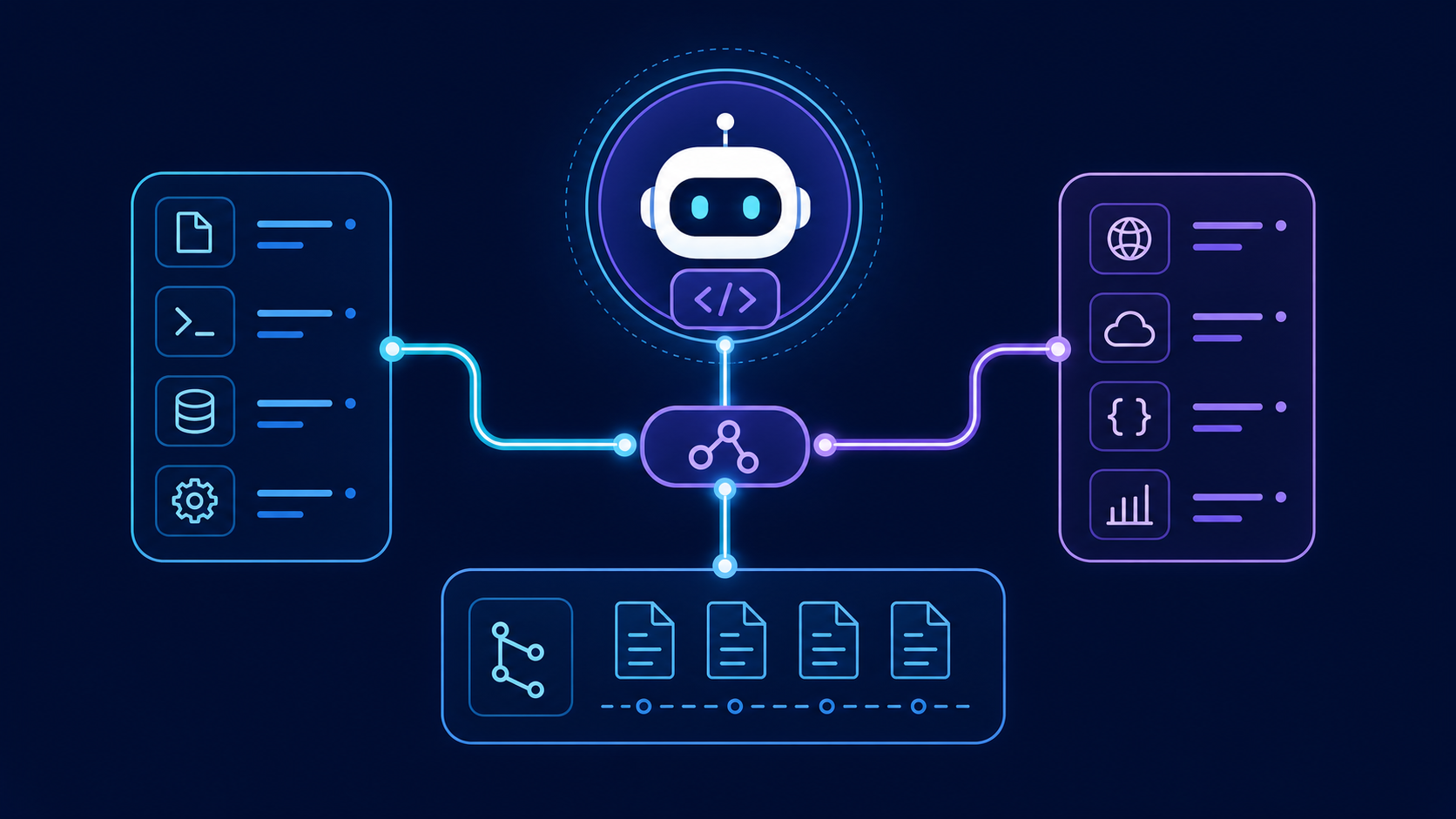
ChatGPT and OpenAI Codex support the Model Context Protocol, but they use it in different ways. Codex acts as an MCP client for local stdio servers and remote HTTP servers. ChatGPT connects to remote MCP-powered apps through its Apps and developer-mode workflow. Choose the host first; the correct setup, transport, and security model follow from that choice.
This guide separates three products that search results often blur together:
- Codex as an MCP client connects tools to the Codex CLI and IDE extension.
- Codex as an experimental MCP server exposes a Codex engine to another MCP client through
codex mcp-server. - ChatGPT MCP apps connect ChatGPT web to remote, workspace-governed tools.
That distinction prevents the most common setup error: copying a local Codex stdio configuration into ChatGPT, which expects a remote app endpoint.
Does ChatGPT support MCP?
Yes. ChatGPT supports custom MCP-powered apps through developer mode, subject to plan, role, and product limitations. OpenAI's current help documentation says full MCP support, including write actions, is rolling out in beta for Business, Enterprise, and Edu workspaces. Pro users can connect read/fetch MCPs in developer mode, while full write support remains limited. The feature is on ChatGPT web, not mobile.
| Question | Current answer | Practical consequence |
|---|---|---|
| Can ChatGPT connect to an MCP server? | Yes, as a custom app | Create the app in ChatGPT settings and provide a remote endpoint |
| Can ChatGPT connect directly to localhost? | No | Use a remote server or OpenAI's Secure MCP Tunnel for private/local infrastructure |
| Can an MCP app write data? | Plan- and permission-dependent; full support is beta | Treat every write tool as privileged and require confirmation |
| Can ChatGPT use several apps together? | Yes | Keep tool names specific so the model can choose correctly |
| Do server tool changes appear automatically? | No | An admin must review and publish changes to the frozen tool snapshot |
| Can agent mode use custom apps? | OpenAI currently says no | Test the intended ChatGPT surface before deployment |
OpenAI changes availability and UI over time. Verify the current ChatGPT developer-mode requirements before you design a rollout.
How do Codex and ChatGPT MCP support differ?
Codex MCP and ChatGPT MCP solve related problems at different boundaries.
| Dimension | Codex CLI or IDE extension | ChatGPT web app |
|---|---|---|
| Main role | MCP client for coding workflows | Host for workspace apps |
Local stdio server |
Supported | Not connected directly |
| Remote HTTP server | Supported | Required for a custom app |
| Configuration | codex mcp commands or config.toml |
Apps UI plus endpoint and authentication |
| Governance | Local config, project policy, approvals | Admin publishing, RBAC, action controls, confirmations |
| Best fit | Repository tools, browser testing, local developer utilities | Business systems, shared knowledge, approved workflows |
Use Codex CLI MCP when the tool belongs beside a repository and needs local process access. Use ChatGPT custom MCP when a workspace needs a shared, remote, governed integration.
How do you add an MCP server to Codex CLI?
The shortest path is the codex mcp add command. This example registers Microsoft's Playwright MCP package as a local process:
codex mcp add playwright -- npx "@playwright/mcp@latest"
Then inspect the configured server:
codex mcp list
codex mcp get playwright
Remove it with:
codex mcp remove playwright
Codex stores MCP server launchers in config.toml. A direct configuration is useful when you need environment variables, timeouts, or repeatable team documentation:
[mcp_servers.playwright]
command = "npx"
args = ["@playwright/mcp@latest"]
The official Codex repository describes Codex CLI as an MCP client and documents codex mcp for adding, listing, reading, and removing launchers. Check the current Codex configuration documentation when you need fields beyond the basic launcher.
How do you configure a remote MCP server in Codex?
A remote server uses a URL rather than a local command. The exact accepted fields can change with Codex releases, so confirm them against the current configuration schema. The conceptual configuration is:
[mcp_servers.company_tools]
url = "https://mcp.example.com/mcp"
If the server requires OAuth, complete the login flow through the client instead of pasting bearer tokens into a repository. Codex supports MCP OAuth credential storage and a local callback listener. Prefer the OS keyring when available.
How do you verify a Codex MCP server actually works?
Do not stop when the config parses. Use a five-part test:
- Discovery:
codex mcp listshows the expected server. - Startup: the local process starts without package, runtime, or path errors.
- Capability: Codex can enumerate the intended tools.
- Execution: a read-only prompt triggers one expected tool call.
- Boundary: a disallowed operation fails or asks for approval.
A useful smoke-test prompt names the server and requests a low-risk fact: “Use the GitHub server to read the repository description; do not create or update anything.” This tests tool selection and permissions without creating data.
How do you add an MCP server to ChatGPT?
To add MCP to ChatGPT, create a custom app in developer mode and point it at a remote MCP endpoint. The UI is workspace- and role-dependent, but the current flow is:
- Ask an admin or owner to enable developer mode for the workspace.
- Enable developer mode for the authorized account.
- Open Settings → Apps → Create, or the equivalent workspace Apps page.
- Enter the remote MCP endpoint and metadata.
- Select the authentication method.
- Run Scan Tools and complete OAuth if required.
- Create the draft app and test it in a new chat.
- Review every tool and publish it only after the workspace owner approves its actions.
ChatGPT connects to remote MCP servers. For a server on a developer machine, private VPC, or on-premises network, use a supported private-connection method rather than opening an unauthenticated public port.
What should a ChatGPT MCP integration expose?
Expose small, explicit tools that match user jobs. A tool named create_linear_issue is safer and easier to route than a generic execute_api_request tool. Describe side effects in the tool schema, validate inputs on the server, and return concise results.
For product-specific integrations, keep the existing product pages canonical:
- Use the Linear MCP server for Linear-specific setup and tool details.
- Use the n8n MCP server for n8n nodes and workflow automation.
- Use the Supabase MCP server for database operations.
- Use the Atlassian MCP server for Jira and Confluence access.
- Use the Playwright MCP server for browser automation.
This hub explains the OpenAI host layer. The product pages own package names, tool lists, and vendor-specific installation details.
What is the OpenAI API MCP path?
The OpenAI API can call remote MCP servers as tools in agentic application flows. This is separate from ChatGPT's Apps UI and Codex's local client configuration. Your application sends a model request, declares a remote MCP tool, and controls which server and operations the model can use.
Treat an OpenAI MCP client as application code with three responsibilities:
- authenticate to the remote MCP server;
- restrict tools and actions to the user's job;
- log the server call, result, and approval decision.
Do not market an arbitrary API wrapper as an “OpenAI MCP server.” A server implements MCP; OpenAI models or products consume that server through a client surface.
Can Codex run as an MCP server?
Yes, but this is different from configuring Codex to consume MCP tools. The official repository documents an experimental codex mcp-server command that exposes Codex through stdio and JSON-RPC. Another MCP client can then control Codex threads and turns.
codex mcp-server | your_mcp_client
For inspection:
npx @modelcontextprotocol/inspector codex mcp-server
The interface is experimental and subject to change. Use it for controlled integration work, not as an undocumented production contract. The Codex MCP server interface lists its current transport and RPC surface.
Which MCP servers work well with Codex?
The best Codex MCP servers add structured context or actions that the coding agent cannot get safely from the repository alone.
| Job | Server type | Example prompt | Guardrail |
|---|---|---|---|
| Read repository issues | Source-control MCP | “Summarize open bugs tagged regression.” | Start read-only |
| Test a web app | Browser MCP | “Reproduce checkout failure in staging.” | Isolated profile and allowed origins |
| Query a database schema | Database MCP | “Explain tables involved in invoice status.” | Read-only role, row and schema restrictions |
| Create a project ticket | SaaS MCP | “Draft a Linear issue from this stack trace.” | Require approval before create |
| Trigger an automation | n8n MCP | “Run the approved release checklist.” | Allow-list workflow IDs |
Avoid installing every available server. Large tool catalogs increase ambiguity and context cost. Add the smallest server set that completes the workflow, then enable only the necessary tool groups.
How should you secure OpenAI and Codex MCP integrations?
MCP extends the model's reach, so the server boundary must enforce policy even when the prompt does not. Prompt instructions are not access controls.
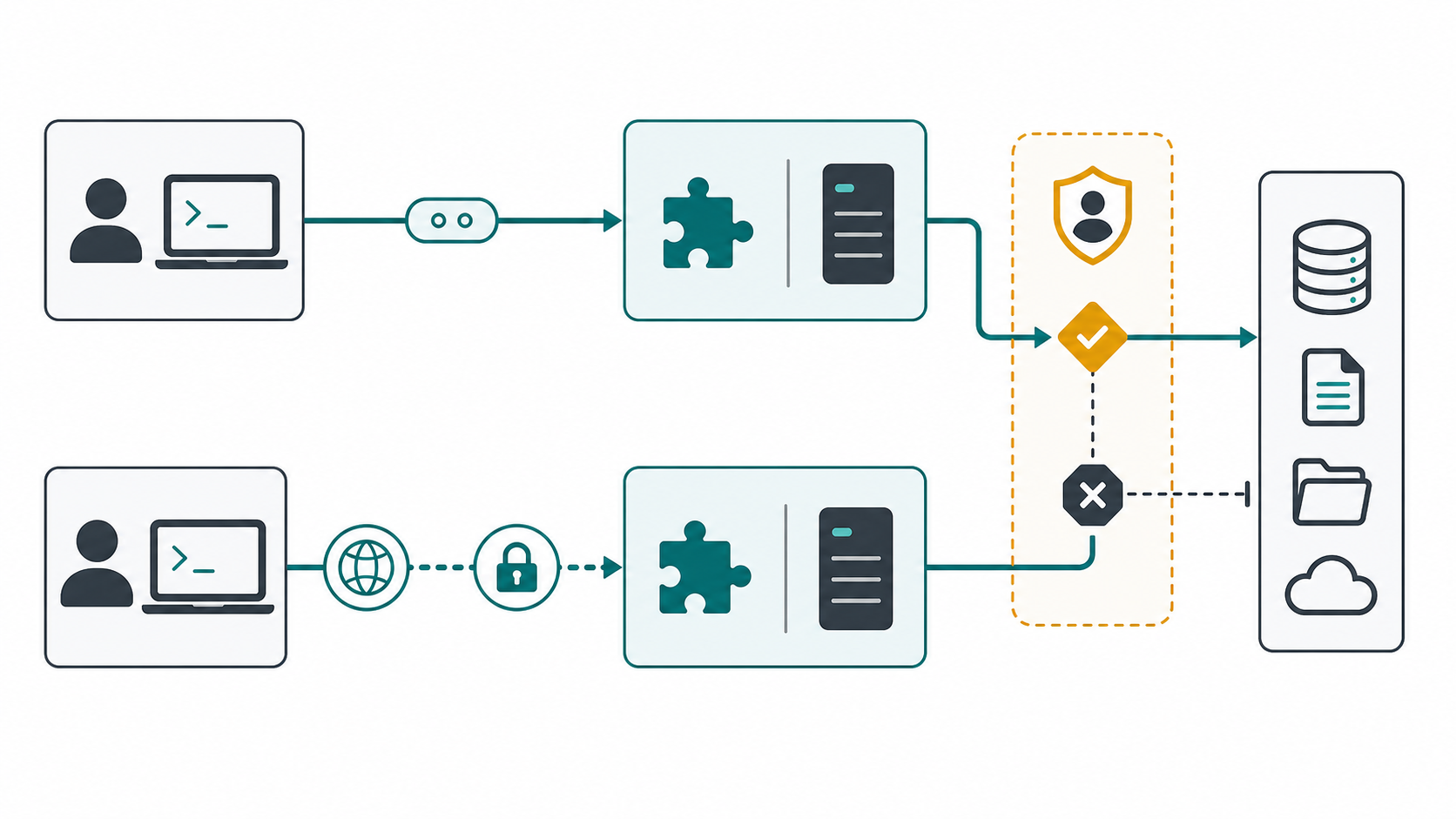
Use these controls in combination:
- Trust the server source. Pin packages or container digests where practical. Review updates before deployment.
- Use least privilege. Give a read task read credentials. Split read and write toolsets.
- Keep secrets outside prompts and repositories. Use environment injection, a secret manager, or OAuth.
- Require approval for side effects. Creating issues, sending messages, changing records, and executing deployments need explicit gates.
- Constrain network and filesystem access. A browser or shell tool should not inherit access to every host and directory.
- Log tool identity and outcome. Record the user, server, tool, inputs, approval, result, and error class.
- Defend against prompt injection. Treat tool output and retrieved pages as untrusted data. Never let external content rewrite system policy.
OpenAI warns that unsafe MCP servers increase prompt-injection and data-exposure risk. For ChatGPT workspaces, admins should review actions, use RBAC, and republish changed tool definitions. For Codex, keep project instructions and approval policy aligned with the server's real credentials.
Why is my ChatGPT or Codex MCP connection failing?
| Symptom | Likely cause | Fix |
|---|---|---|
| ChatGPT cannot reach localhost | ChatGPT expects a remote endpoint | Deploy remotely or use a supported secure tunnel |
| Codex lists a server but exposes no tools | Server startup, protocol, or authentication failed | Run the command directly, inspect logs, and verify transport |
| OAuth works once and then expires | Refresh tokens are not issued | Enable offline/refresh access and recreate the app |
| The model selects the wrong tool | Names or descriptions overlap | Narrow the catalog and use action-specific tool names |
| Write tools fail after a server update | ChatGPT uses a reviewed snapshot | Ask an admin to refresh and approve changed actions |
npx server fails on another machine |
Runtime or package resolution differs | Document Node requirements and pin a known version |
| A local server sees the wrong project | Working directory or environment is wrong | Set the correct launcher directory and explicit variables |
Debug one layer at a time: host configuration, transport, authentication, capability discovery, tool execution, then model routing. Mixing those layers produces vague “MCP does not work” diagnoses.
What is a reliable production rollout checklist?
Before publishing a ChatGPT app or sharing a Codex MCP configuration, confirm:
- The host and transport match: Codex local/remote versus ChatGPT remote.
- The server has a named owner and an update policy.
- Every tool has a clear description and bounded input schema.
- Credentials use the minimum scopes.
- Read-only mode is the default for evaluation.
- Write actions require approval and server-side authorization.
- A smoke test covers discovery, execution, failure, and audit logging.
- Tool output is treated as untrusted input.
- Product-specific pages remain canonical and receive internal links.
- The deployment date and tested versions are recorded.
Frequently asked questions
Is “Codex MCP” a client or a server?
It can mean either. Codex CLI is an MCP client that connects to configured servers. The experimental codex mcp-server command makes Codex itself available to another MCP client. State the direction whenever you document an integration.
Does ChatGPT Desktop support local MCP servers?
Do not assume ChatGPT Desktop behaves like Claude Desktop or Codex CLI. OpenAI's current custom-app documentation describes remote MCP apps on ChatGPT web. Verify the current product documentation before promising local desktop connectivity.
What is the fastest way to install MCP in Codex?
Use codex mcp add <name> -- <command> [args...], then verify it with codex mcp list and one read-only tool call. For Playwright, the official package documents codex mcp add playwright -- npx "@playwright/mcp@latest".
Does OpenAI support the Model Context Protocol directly?
Yes. OpenAI products expose several MCP integration surfaces: ChatGPT custom apps, Codex as an MCP client, the OpenAI API's remote MCP tool path, and the experimental Codex MCP server interface. Their configuration and security boundaries are not interchangeable.
Should I connect Linear, n8n, Supabase, Atlassian, or Playwright through this guide?
Use this guide to choose and configure the OpenAI host. Then follow the linked product detail page for its exact server, permissions, and tools. That prevents duplicate setup advice and keeps vendor-specific information current.
Final recommendation
Start with one read-only server and one observable job. For a developer, that might be Codex reading repository issues. For a workspace, it might be ChatGPT fetching an approved internal record. Prove discovery, permissions, and auditability before adding write tools. MCP creates the most value when the connection is narrow, explicit, and easy to inspect.
Leave a Reply