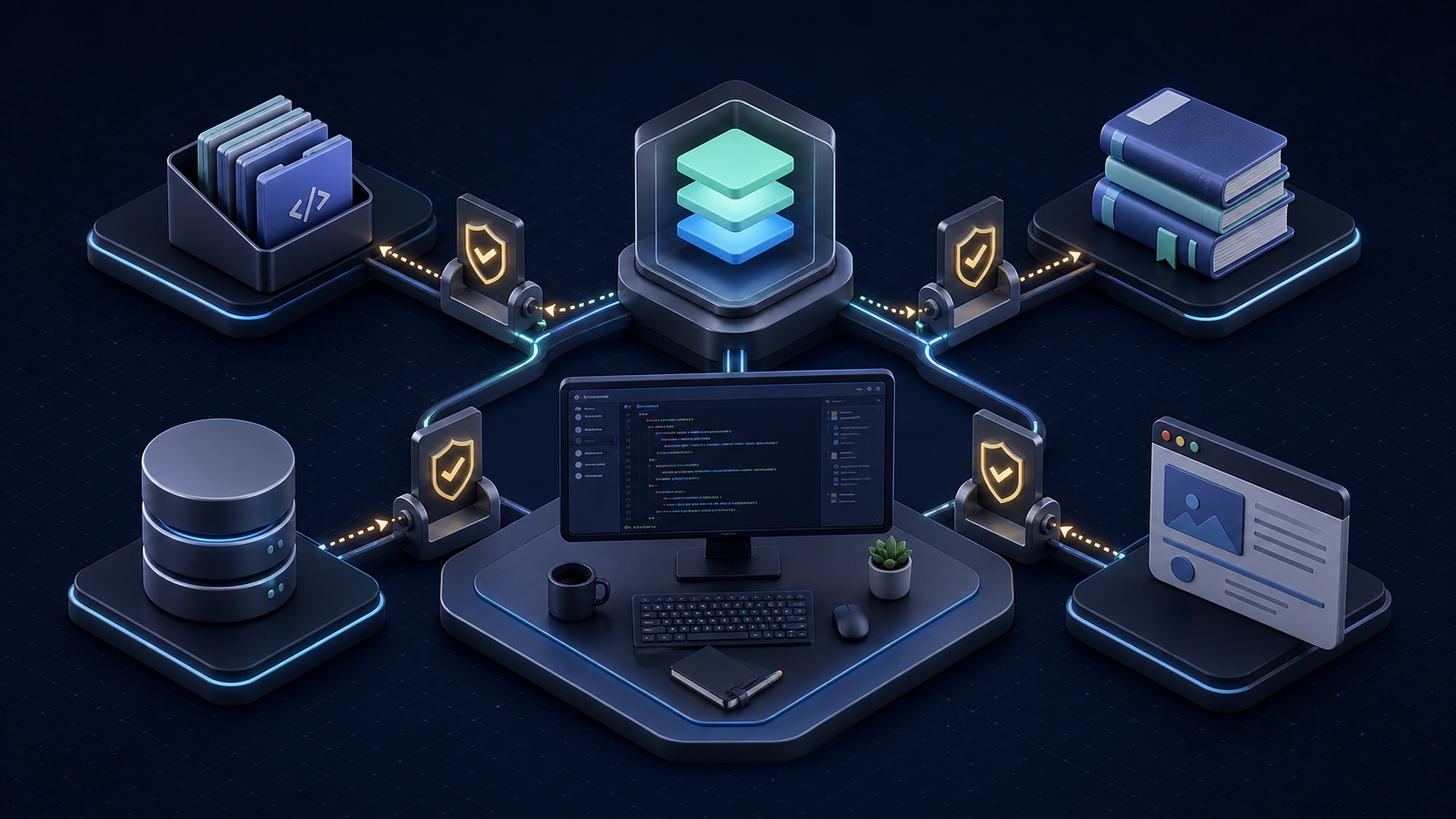
The best MCP servers for AI coding are GitHub MCP Server for repository work, Context7 for current library docs, Supabase MCP or MCP Toolbox for database context, and Playwright MCP or Chrome DevTools MCP for browser validation. Firecrawl MCP is useful when an agent needs clean public-web evidence. Do not install all of them by default: choose the smallest maintained set that completes a defined workflow with bounded permissions.
This shortlist is for developers who need better agent context or controlled actions. It evaluates workflow components, not entries in another generic MCP server directory. Repository access, documentation, schema inspection, and test evidence each receive a separate trust boundary.
Why MCP Matters for Coding Agents
A model can reason about code already in its prompt. A coding agent can also edit files and run tools. The Model Context Protocol adds a standard client-server interface through which that agent can discover tools and retrieve resources from external systems. In practice, a useful server turns “guess what the repository, database, or browser contains” into “query the authorized source and return evidence.”
That distinction matters in four workflows:
- Repository: connect an issue, branch, pull request, and CI result.
- Documentation: retrieve the API version used by the project.
- Database: expose schema or query results needed to debug code.
- Browser: reproduce a UI failure and inspect the changed page.
MCP does not make the evidence correct or the action safe. A server defines capabilities; the host decides which capabilities to expose; credentials determine the reachable data; and a person remains accountable for consequential writes. The official MCP Registry helps with structured discovery and publisher identity, but registration is not a security audit or a guarantee of production readiness.
If the underlying problem is understanding relationships across a large codebase rather than reaching another SaaS API, Graphify adds structural code context that can complement narrower repository and documentation servers. The broader AI coding agents comparison explains how the host agent affects planning, tool use, and review.
How We Selected MCP Servers
We checked the official publisher repository or product documentation on July 15, 2026. Each selected project was unarchived and showed current maintenance activity. We did not rank by GitHub stars or count every tool as a benefit.
Five filters determined inclusion:
- Provenance: the publisher, repository, and install path are traceable to an official source.
- Coding value: the server improves a recurring step between issue, code, test, and review.
- Permission control: teams can narrow projects, toolsets, credentials, or read/write effects.
- Operational fit: the transport and authentication work with the intended host and environment.
- Exit cost: credentials can be revoked, configuration removed, and the workflow restored without trapping project data.
Maintenance is a gate, not a lifetime promise. Recheck the repository, releases, security notices, and client compatibility. The official reference-server repository warns that its examples are not production-ready. This list therefore excludes the old archived PostgreSQL reference package.
Quick Comparison Table
| MCP server | Best coding job | Access to constrain | Evidence checked | Main limit |
|---|---|---|---|---|
| GitHub MCP Server | Repos, issues, PRs, CI, security findings | Organization/repositories, OAuth or token scopes, toolsets, write tools | Official GitHub repository, active | A broad token can turn code lookup into repository mutation |
| Context7 | Version-aware library docs and examples | Requested library, API key, returned source | Official Upstash repository, active | Retrieved examples still require version and project-fit review |
| Supabase MCP | Supabase schema, docs, local or hosted project work | Project reference, read_only, feature groups |
Official Supabase repository, active | Production data and DDL make broad access high impact |
| MCP Toolbox for Databases | PostgreSQL and multi-database schema/query workflows | Database role, source, named tools/toolsets | Official Google APIs repository, active | Generated SQL is not automatically safe or efficient |
| Playwright MCP | Accessibility-tree-driven browser automation | Browser profile, origins, downloads, session state | Official Microsoft repository, active | Rich page state can consume context; the project notes CLI skills may be leaner for high-throughput agents |
| Chrome DevTools MCP | Console, network, performance, screenshots, live Chrome debugging | Browser instance/profile, exposed tabs, tool mode | Official Chrome DevTools repository, active | The connected browser can expose authenticated content and allow modification |
| Firecrawl MCP | Search, scrape, crawl, and clean public-web context | API account, domains, crawl depth, enabled tools | Official Firecrawl repository, active | External content is untrusted input and some operations consume paid credits |
“Active” describes the verification date, not a promise about future support. Exact packages, endpoints, OAuth behavior, quotas, and prices should be checked in the linked source at rollout.
Best MCP Servers for AI Coding
Repository and Filesystem Context
GitHub MCP Server is the strongest first choice for GitHub-centered delivery. GitHub documents repository browsing, code search, commits, issues, pull requests, project boards, Dependabot alerts, and other security findings. It offers a GitHub-hosted remote server and a local option, plus installation guidance for coding hosts including Codex and Claude Code.
Start with one organization or a small repository set. Enable read-oriented repository and pull-request tools before issue creation, merges, workflow reruns, or file writes. For a bug-fix pilot, ask the agent to connect one issue to the relevant files, existing tests, and current CI result. Do not grant administration scope merely because a tool schema supports it.
For an unhosted worktree, limit filesystem roots to the project and exclude secrets and caches. Prefer the host's sandbox when it already has equivalent file tools; duplicated capabilities add ambiguity.
Database and Docs Context
Context7 is the focused choice for library documentation. Its official project describes version-specific documentation and examples delivered directly to the agent. This is useful when a dependency has changed since model training or when two major versions use similar names. Supply the exact library identifier and version when possible, then require the agent to cite the retrieved page in its implementation note. Documentation retrieval reduces guessing; it does not prove that a snippet matches your architecture.
Supabase MCP fits teams building directly on Supabase. The official project supports project-scoped configuration, a read_only option, and selected feature groups such as database and docs. A safe progression is local development, then a staging project with read-only database context, and only then narrowly approved writes. Never connect a production project to an exploratory agent session with a broad account-level credential.
MCP Toolbox for Databases is the better PostgreSQL-oriented alternative to the archived generic reference server. The maintained Google APIs project supports PostgreSQL and other databases through prebuilt tools and configurable toolsets. Give it a dedicated database role, expose schema inspection and bounded queries first, and keep migrations or unrestricted SQL in a separate approval profile. Database context should help code match the real schema; it should not let a prompt become an unreviewed migration operator.
Graphify can sit beside these servers: docs describe the external API, database tools reveal schema, and structural code context shows where that contract is used.
Browser and Testing Context
Playwright MCP is best when an agent needs structured page interaction and persistent browser state. Microsoft says the server uses accessibility snapshots rather than depending on screenshots or a vision model. That supports exploratory flows, self-healing tests, and iterative reasoning over page structure. Its own README also notes that CLI-plus-skill workflows may use fewer tokens for high-throughput coding, so test the MCP form against the host's existing Playwright CLI before standardizing it.
Chrome DevTools MCP is stronger for diagnosis. It exposes console messages, network requests, screenshots, and performance analysis from a live supported Chrome instance. Use it when the question is why the page failed, not merely whether a button can be clicked. Connect a disposable profile with test accounts. The official project explicitly warns that the server can inspect, debug, and modify data available in the browser instance.
Firecrawl MCP is the web-context choice, not a substitute for browser tests. It can search, scrape, interact with, and crawl public pages into cleaner agent-ready content. That helps an agent verify current API pages, migration notes, or competitor behavior before editing code. Restrict target domains and crawl depth, retain source URLs, and treat all retrieved page content as untrusted. A webpage can contain instructions aimed at the agent; provenance does not neutralize prompt injection.
Choose one primary browser path per task. Playwright for repeatable interaction, Chrome DevTools for runtime diagnosis, and Firecrawl for public-web retrieval have different evidence models. Loading all three into every session wastes context and creates overlapping tool choices.
Security and Permission Limits
The official MCP security guidance covers confused-deputy attacks, token handling, session risks, and consent. For a coding team, translate that into a small operational contract before the first connection.
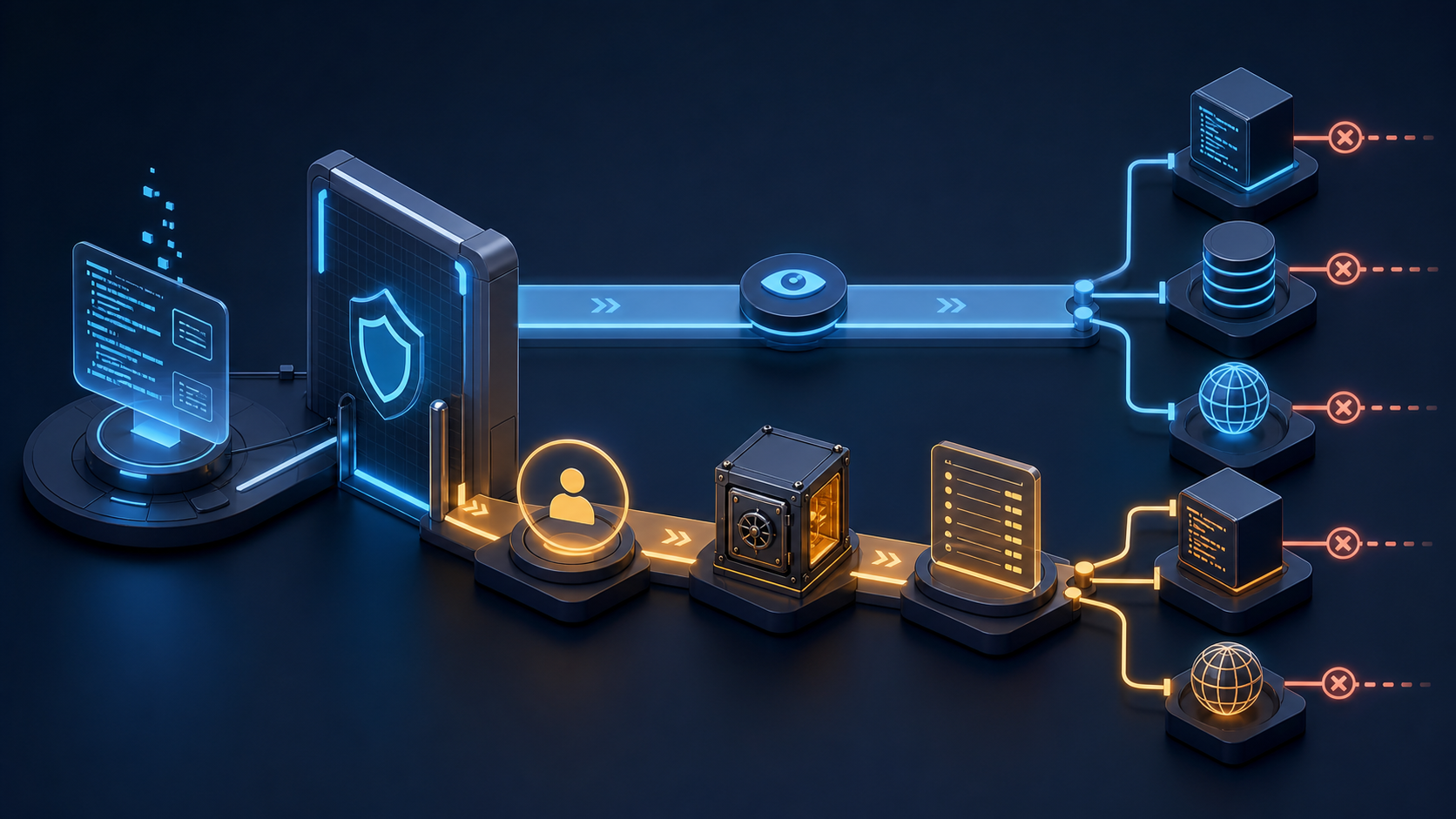
Original Graphify illustration: read access and write actions should follow different approval paths, credentials, and logs.
Use a three-stage rollout:
- Observe: list the exposed tools, run read-only tasks in a disposable project, and record every external system reached.
- Constrain: reduce repository selection, project scope, database role, browser profile, feature groups, and toolsets to the minimum that passed the pilot.
- Approve writes separately: require a human checkpoint for merges, issue changes, SQL, migrations, production browser actions, and any operation that triggers downstream automation.
Record the server version and source, owner, host version, enabled tools, credential identity and scopes, targets, timestamps, approvals, summarized calls, changed artifacts, and rollback result. Redact secrets.
Repository comments, docs, database text, and webpages can contain prompt injection. Retrieved content must remain data; it must not expand permissions, reveal secrets, or authorize another tool. Separate credentials by environment.
Define removal conditions before adoption. Disable and investigate a server when its publisher or package identity changes unexpectedly, the repository becomes archived or materially unmaintained, a security advisory affects the deployed version, requested scopes expand without a reviewed use case, logs disappear, output cannot be traced to a source, or the server duplicates a safer native capability. Also remove it when 30 days of observed work show no recurring task benefit. Revoke credentials first, remove client configuration second, clear cached session data, and verify that the endpoint can no longer access the target.
FAQ
Who should maintain MCP server configurations?
Assign one engineering owner for workflow fit and one security or platform approver for credentials and policy. Repository-specific configuration can live with the owning team, but shared defaults, allowed publishers, minimum versions, and revocation procedures belong in a centrally reviewed catalog. The planned Codex CLI Guide shows where project rules and shared agent configuration fit around these server entries.
What audit records should teams keep?
Keep the exact server identity and version, source URL, configuration diff, enabled tools, transport, credential scopes, target systems, trial task, approvals, tool-call timestamps, resulting code or data changes, and rollback test. Preserve enough information to reproduce why the agent acted without storing raw secrets or unnecessary sensitive content.
When should a team remove an MCP server?
Remove it when maintenance or publisher trust fails, permissions exceed the approved task, a security issue cannot be mitigated promptly, required logs are unavailable, outputs lack provenance, or another controlled tool provides the same capability. Remove unused servers on a scheduled review instead of leaving dormant credentials attached to every coding session.
Conclusion
The best MCP servers in 2026 form a small workflow-specific stack: GitHub MCP Server for repository evidence, Context7 for current docs, Supabase MCP or MCP Toolbox for database context, and one browser option matched to testing, diagnosis, or public-web retrieval. The selection is only good when its permissions and maintenance record are good.
Begin with one read-only server and one representative task. Measure whether it improves the accepted patch, not whether the demo looks impressive. Record the live tools, constrain access, add a human gate for side effects, and define the removal trigger before enabling writes. That discipline gives a coding agent useful context without turning every connected system into an implicit permission.
Leave a Reply