Category: AI Coding Agents

How AI coding agents work: architecture, workflows, repository understanding, planning, tool use, pull requests, testing, and autonomous software engineering.

  • Agent Swarm Codebase Context

    Agent Swarm Codebase Context


    Reliable agent swarm codebase context is not one transcript copied to every worker. It is a set of versioned repository artifacts, bounded task packets, and evidence-rich handoffs that independent coding agents can verify. Use parallel agents for separable work, give each component one owner, and route cross-cutting decisions through an integration owner.

    That architecture lets a team reuse repository structure without pretending that agents share live memory. It also preserves the final responsibility to inspect current source, run tests, resolve conflicts, and approve the combined change.

    Why Agent Swarms Lose Repository Context

    Parallel coding agents begin with different working states. One worker may discover a generated-file rule, another may map the caller chain, and a third may act on an older architecture note. Unless those findings become explicit artifacts, each agent builds a partial repository model and later workers repeat the same searches.

    Current product documentation reinforces this boundary. Anthropic says Claude Code subagents start with fresh isolated contexts, while agent-team teammates use fully independent contexts with a shared task list and messages. OpenAI describes Codex subagents as specialized workers whose results return for synthesis and notes that each worker consumes its own model and tool resources. Neither design creates a universal shared token window.

    Context loss usually enters through four gaps:

    • Unequal discovery: agents inspect different files and infer different boundaries.
    • Unversioned evidence: a message names a relationship but not the commit, file, or symbol supporting it.
    • Overlapping ownership: two writers modify the same component under incompatible assumptions.
    • Missing synthesis: locally correct patches interact badly after merge.

    Adding more agents can amplify these gaps. Anthropic’s agent-team guidance warns about coordination overhead and greater token use, especially when work is not independent. The safe objective is not maximum parallelism. It is the smallest set of independent workstreams that improves the accepted result after integration.

    Shared Memory vs Shared Code Structure

    “Shared agent memory” is useful shorthand but often hides several different artifacts. A swarm needs layers with different owners, freshness rules, and authority.

    Layer Contents Authority and lifetime
    Policy repository instructions, security boundaries, required commands, component ownership human-reviewed; durable
    Structure modules, symbols, imports, calls, schemas, tests, provenance generated for a named commit; refreshed
    Task objective, acceptance criteria, allowed files, relevant evidence, unknowns task owner; expires with the task
    Handoff inspected locations, findings, changes, tests, assumptions, downstream effects worker-authored; verified by receiver
    Integration combined diff, conflict decisions, full checks, unresolved risks integration owner; retained with review

    Policy can live in scoped AGENTS.md files and reviewed engineering documentation. Structure can come from source indexes, code graphs, and architecture records. Task packets should contain only the evidence and permissions needed for one assignment. Handoffs should carry proof rather than a free-form claim such as “the payment module is unaffected.”

    This layered model avoids turning a growing memory file into an unreviewed mixture of rules, guesses, and obsolete task history. The AGENTS.md versus knowledge graph guide explains why human intent and generated code relationships should remain distinct.

    For cross-tool teams, sharing repository context across coding agents provides the broader contract. A swarm adds stricter concurrency controls because several workers may read and write from the same base revision at once.

    How a Code Graph Reduces Duplicate Reads

    A code graph can give each worker the same starting map. Instead of every agent scanning the repository root, a coordinator can query the affected symbol, follow import or call relationships, and attach a bounded neighborhood to the task packet.
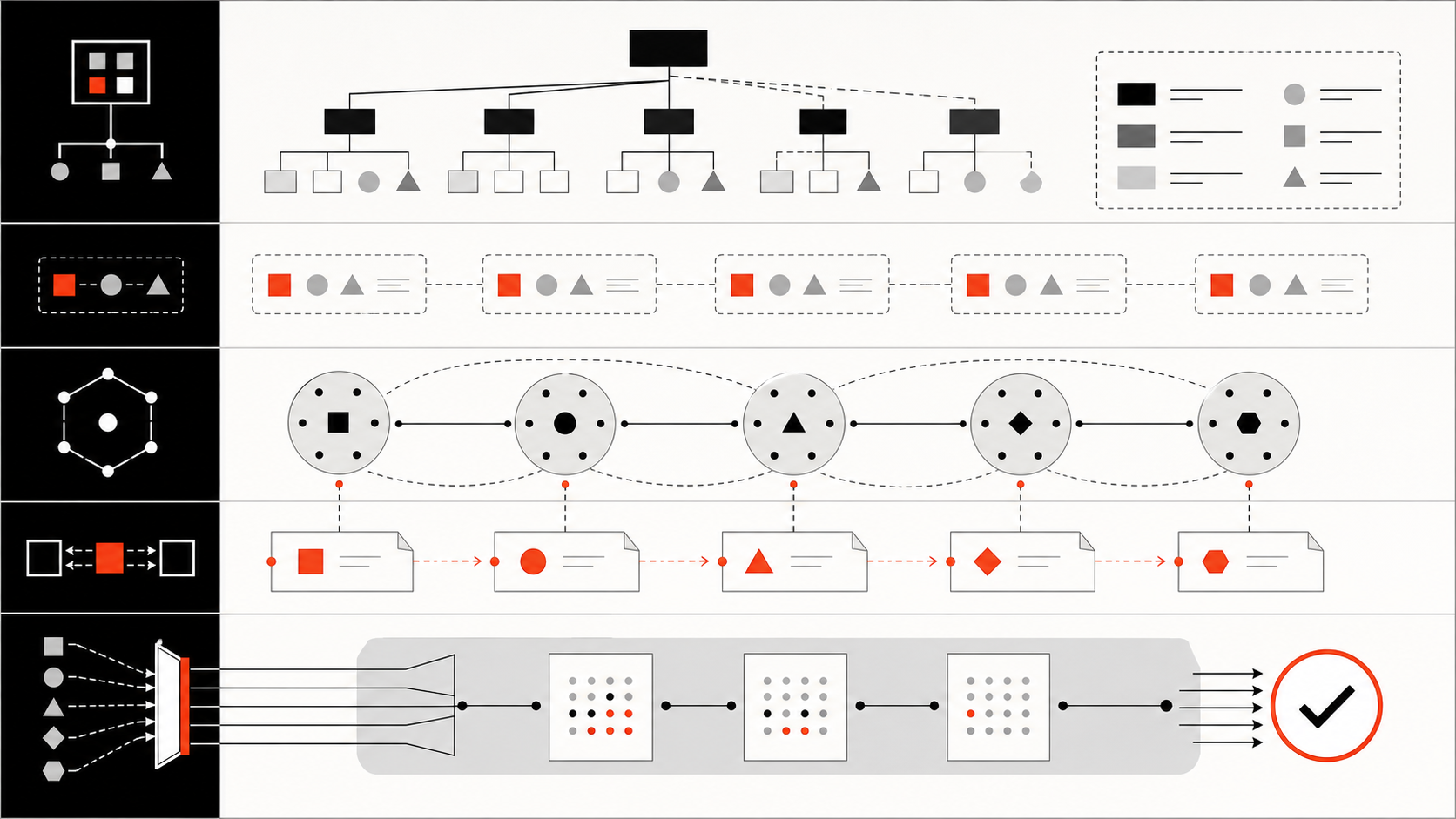
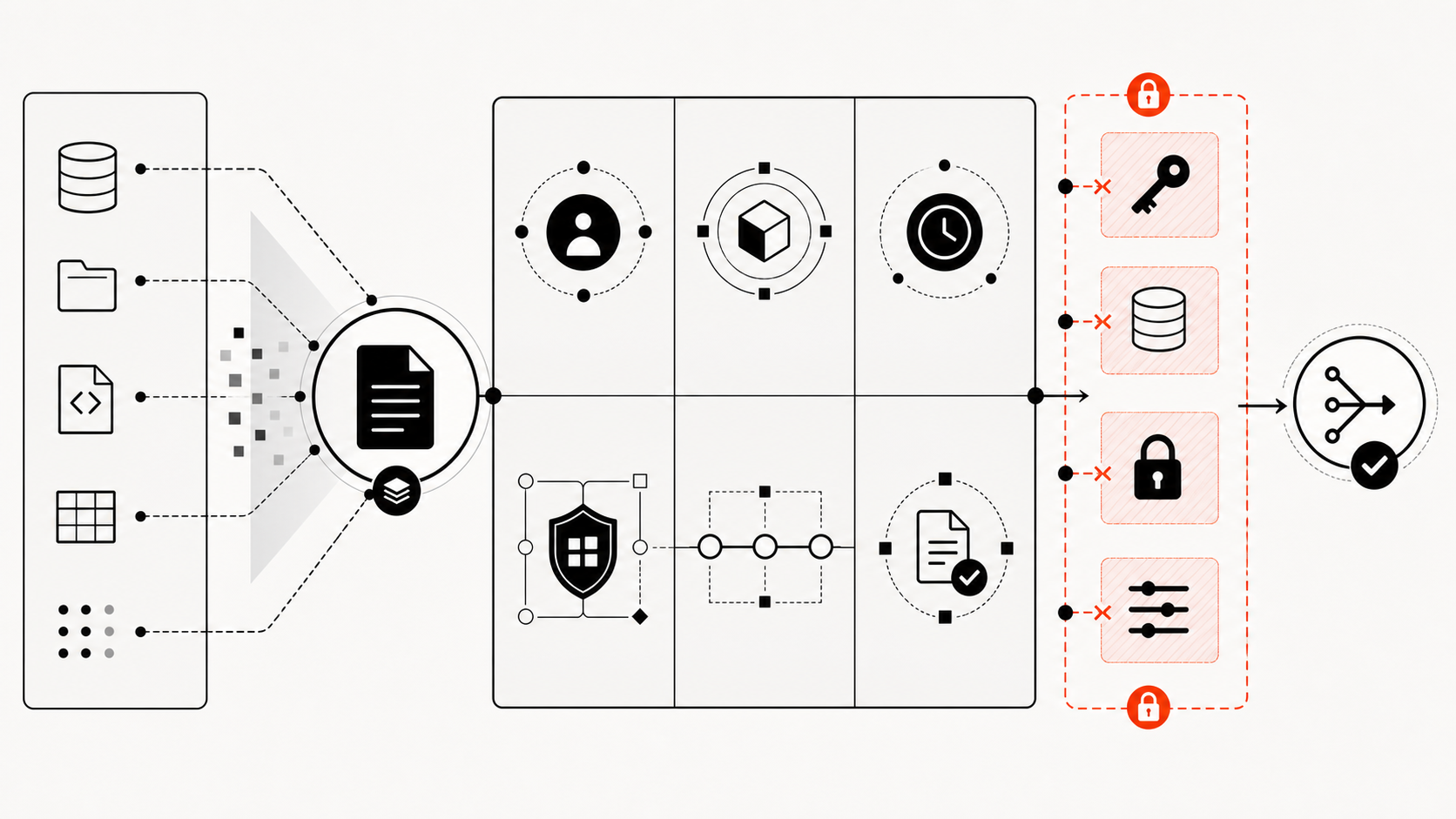
    Abstract agent swarm structural context and evidence flow

    Graphify documents graph artifacts that represent code entities and typed relationships such as calls and imports. It also distinguishes EXTRACTED, INFERRED, and AMBIGUOUS edges with provenance. Those labels matter in a swarm: an extracted import can guide navigation, while an inferred semantic relationship remains a hypothesis that a worker must check.

    A practical structural packet can include:

    • repository commit and graph snapshot time;
    • affected nodes and relationship paths;
    • source locations for extracted edges;
    • confidence and provenance for inferred edges;
    • likely tests, owners, and public boundaries;
    • explicit gaps that require raw-source inspection.

    This can reduce duplicate discovery when several agents need adjacent parts of the same map. It is not a universal speedup and does not make the graph ground truth. Dynamic dispatch, generated code, runtime configuration, cross-repository consumers, and stale indexes can leave relationships incomplete.

    Workers should use the graph to choose where to read, then verify consequential paths in the current worktree. After accepted changes alter public symbols, imports, schemas, or calls, refresh the structural layer before assigning downstream tasks. A graph aligned to the base commit but not the current branches is historical evidence, not current context.

    Coordination Patterns for Parallel Agents

    The best coordination pattern depends on whether workers read, write, or aggregate. Four patterns cover most repository work.

    1. Read-only fan-out: assign architecture, dependency, test, and risk questions to separate agents. The coordinator compares evidence before any edit begins.
    2. Component ownership: give each writer a separate component and Git worktree. One owner controls each mutable file or package for the duration of the task.
    3. Sequential aggregation: let workers produce compact evidence packets that another agent or human combines. Google’s Chain-of-Agents research shows that explicit aggregation can help selected long-context tasks, including a code-completion benchmark; it does not establish that arbitrary swarms share knowledge automatically.
    4. Independent review: keep the reviewer out of implementation context, then provide the task contract, combined diff, test output, and known uncertainties.

    Every assignment should name the objective, base commit, worktree, writable paths, acceptance criteria, graph snapshot, relevant source, required tests, permission limits, and return format. Avoid telling two workers to “handle the backend” when their edits can converge on shared schemas or generated clients.

    Every handoff should record:

    • task ID, worker, component, base commit, and worktree;
    • files and symbols inspected;
    • findings with source or graph-path evidence;
    • changes made and the resulting commit or patch;
    • commands and tests with exact outcomes;
    • assumptions, failed approaches, and unresolved questions;
    • downstream dependencies and required follow-up;
    • permissions, external data, or network access used.

    The integration owner decides whether the evidence is sufficient, orders dependent merges, refreshes shared structure, and runs checks against the combined tree. Workers own local correctness; the integrator owns interaction correctness.

    Conflict, Drift, and Review Risks

    Physical isolation prevents simultaneous filesystem edits, not logical conflict. Two worktrees can independently change an API and its caller in incompatible ways. Component ownership, contract freezes, and serialized integration are still required.
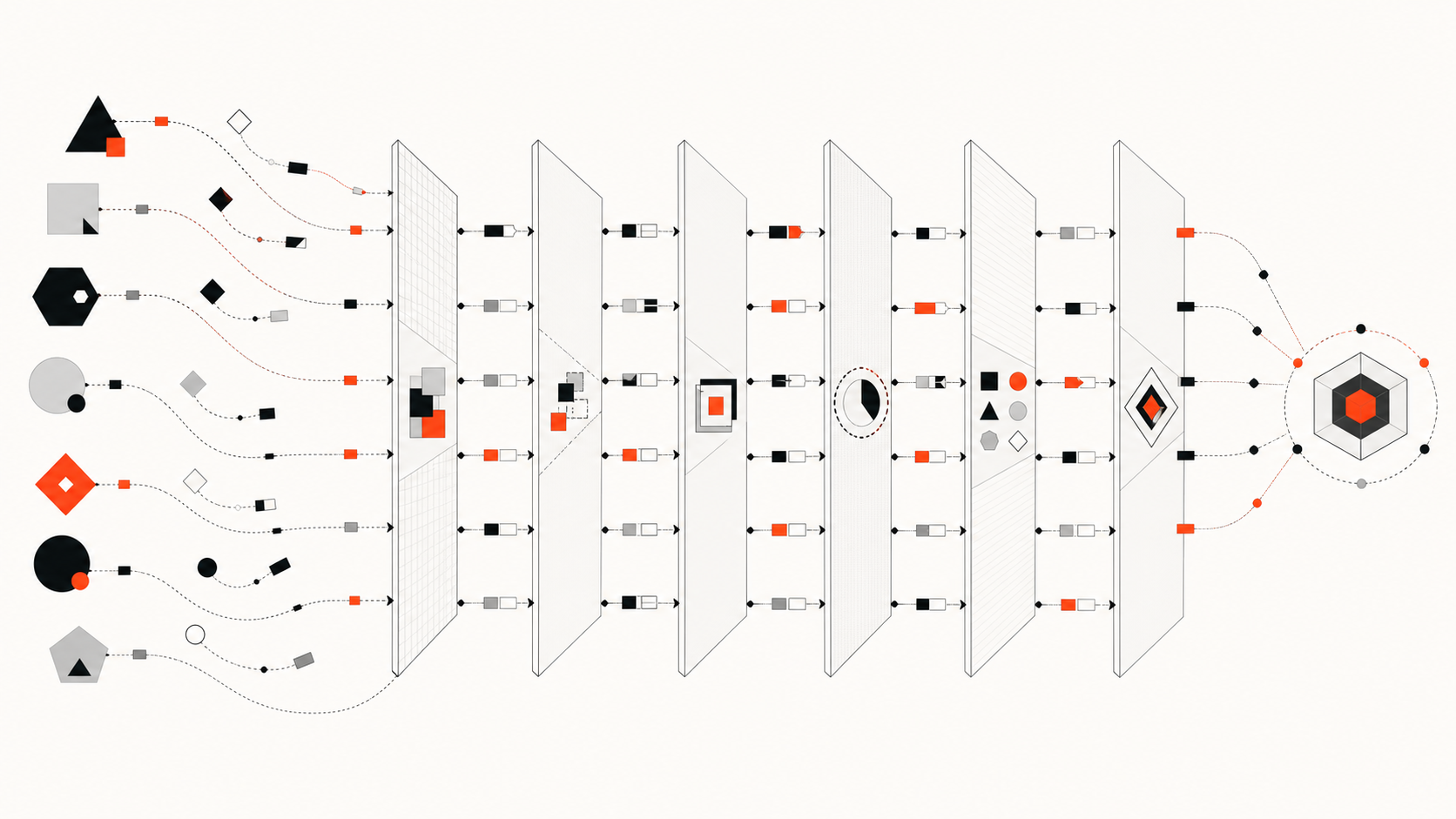
    Abstract conflict drift and integration review gates

    Use these controls:

    • Conflict: assign one owner per mutable component; escalate cross-cutting edits to the integrator.
    • Evidence drift: attach a commit to every graph, report, and handoff; mark results stale after relevant merges.
    • Decision drift: store accepted architecture decisions in reviewed ADRs, not worker transcripts.
    • Message risk: treat agent messages as leads. Verify high-impact findings against source, configuration, and tests.
    • Permission drift: state allowed tools, writable paths, network access, and secret boundaries in each task.
    • Review gaps: inspect the combined diff and run integration tests after all accepted patches land.

    Task-local hypotheses should expire when the task closes. Retain reviewed decisions, accepted patches, test evidence, and reusable structural updates; discard speculative notes and superseded plans. If a finding becomes durable repository guidance, move it through normal review before adding it to policy or architecture documents.

    Measure the swarm as a system. Useful signals include accepted-patch rate, duplicate file reads, missed dependencies, merge conflicts, reviewer corrections, total tokens, elapsed time, and integration failures. Do not infer value from agent count or wall-clock speed alone.

    FAQ

    Who resolves conflicting agent findings?

    The named integration owner resolves them. That person or agent should compare source evidence, reproduce relevant commands, consult component owners, and record the decision. For security, data, public API, or deployment conflicts, the accountable human owner retains approval.

    What should be logged between agents?

    Log the task and owner, base commit and worktree, structural snapshot, inspected files and symbols, claims with evidence, changes, test commands and results, assumptions, unresolved questions, downstream dependencies, and permission boundaries. Keep summaries compact, but never omit provenance needed for verification.

    How often should swarm memory expire?

    Expire task-local context at task completion or when its base commit becomes unsuitable. Rebuild structural context after accepted relationship-changing edits. Keep policy and ADRs until reviewed or superseded. Expiry should follow artifact type and change risk, not one universal timer.

    Conclusion

    Agent swarms coordinate through explicit artifacts, not magical shared memory. Independent contexts make parallel work possible, but they also create repeated discovery, divergent assumptions, and integration risk.

    Use versioned policy, commit-aligned structure, bounded task packets, evidence-bearing handoffs, isolated ownership, and one integration owner. A code graph can shorten navigation, but source and tests remain the authority. Add agents only when the work can be separated and the combined result can be verified.
  • Share Repo Context Across Coding Agents

    Share Repo Context Across Coding Agents


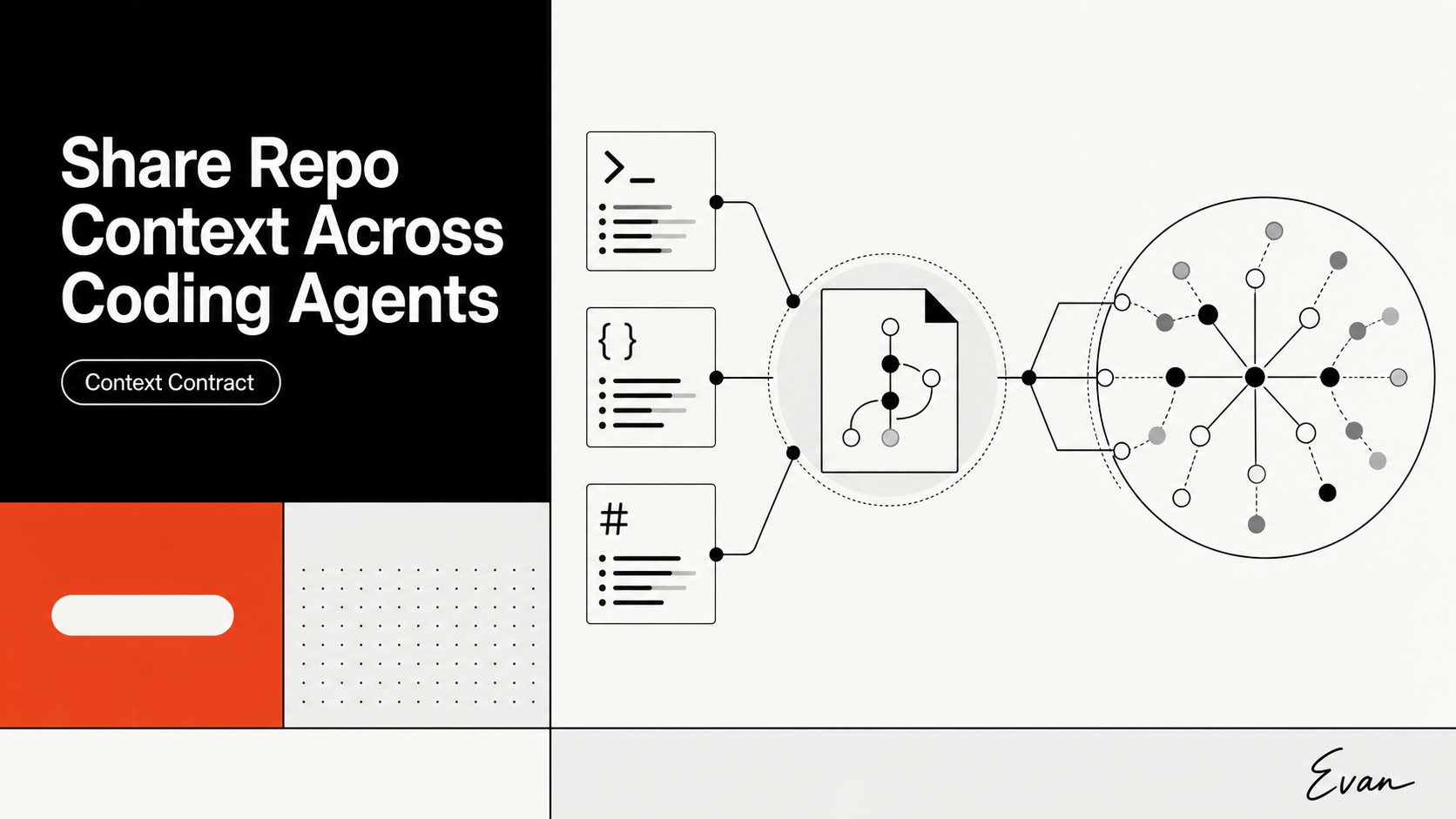
    To share context across coding agents, store stable repository knowledge in version-controlled files and let each tool load or reference that knowledge through its supported instruction system. Do not assume Claude Code, Codex, OpenCode, main agents, and subagents share one live context window, conversation, memory store, or permission state. They do not.

    The practical pattern is a common repository contract plus thin tool-specific adapters. Share facts, constraints, and evidence. Keep credentials, permissions, model settings, private memory, and task history isolated.

    Why Multi-Tool Agent Workflows Need Shared Context

    A multi-model coding agent workflow often repeats the same discovery work. One agent finds the build command. Another reconstructs the package boundaries. A reviewer searches again for schema consumers. A subagent receives a vague task and misses the decision that made an unusual dependency intentional.

    This repetition costs more than tokens. It creates conflicting interpretations of the repository. Two capable agents can read the same files yet choose different authorities when a README is stale, a test preserves legacy behavior, and the current implementation points elsewhere.

    Shared repository context gives every workflow a governed starting point:

    • supported build, lint, test, and generation commands;
    • module ownership and architectural boundaries;
    • public contracts, migrations, and compatibility rules;
    • known test gaps and mandatory verification;
    • links to current decision records and structural evidence.

    The word shared needs a strict definition. It means the same versioned evidence is available to multiple tools. It does not mean that one tool can see another tool’s private transcript or that a subagent automatically inherits every conclusion from its parent.

    That boundary matters when teams combine a Claude Code GPT workflow, Codex, and OpenCode. The model can change while the repository contract remains stable. The nearby Claudex context-engineering guide covers the narrower model-routing workflow; this page owns the cross-tool operating contract.

    What Repository Context Should Be Shared

    Share information that is stable enough to help future tasks and specific enough to verify. A useful common file is short, operational, and linked to deeper evidence rather than filled with a hand-written tour of every directory.

    Context layer Share across tools Refresh trigger
    Commands supported setup, build, lint, test, and codegen commands command or CI change
    Architecture package boundaries, allowed dependency directions, entry points structural change
    Contracts APIs, events, schemas, migrations, compatibility windows contract change
    Governance owners, approval thresholds, protected areas ownership or policy change
    Verification required suites, known gaps, release checks test strategy change
    Evidence index decision records, dependency maps, generated reports source or index update

    Use AGENTS.md as the neutral contract when the tool set includes Codex and OpenCode. Codex documents AGENTS.md as durable repository guidance. OpenCode includes project AGENTS.md in model context and can add more files through the instructions field in opencode.json.

    Claude Code reads CLAUDE.md, not AGENTS.md. Its official documentation recommends a thin adapter that imports the shared file:

    @AGENTS.md
    
    # Claude Code only
    - Use the project-specific reviewer agent for security-sensitive changes.
    

    This avoids copying the same rules into two files that can drift. Claude Code supports imported files in CLAUDE.md, while OpenCode chooses AGENTS.md over CLAUDE.md when both exist for the project.

    A repository knowledge graph can supplement this contract with current entity relationships: callers, imports, schemas, tests, owners, and decision documents. Treat the graph as an evidence index, not an authority that overrides source. Graphify follows this model by producing reusable repository artifacts that different coding assistants can query, while the agents still inspect code and run tests.

    Do not share secrets, raw production data, personal preferences, transient stack traces, or an entire unfiltered transcript through the repository. Those belong in scoped tools, secure systems, or the current task handoff.

    Coordinate Main Agents and Subagents

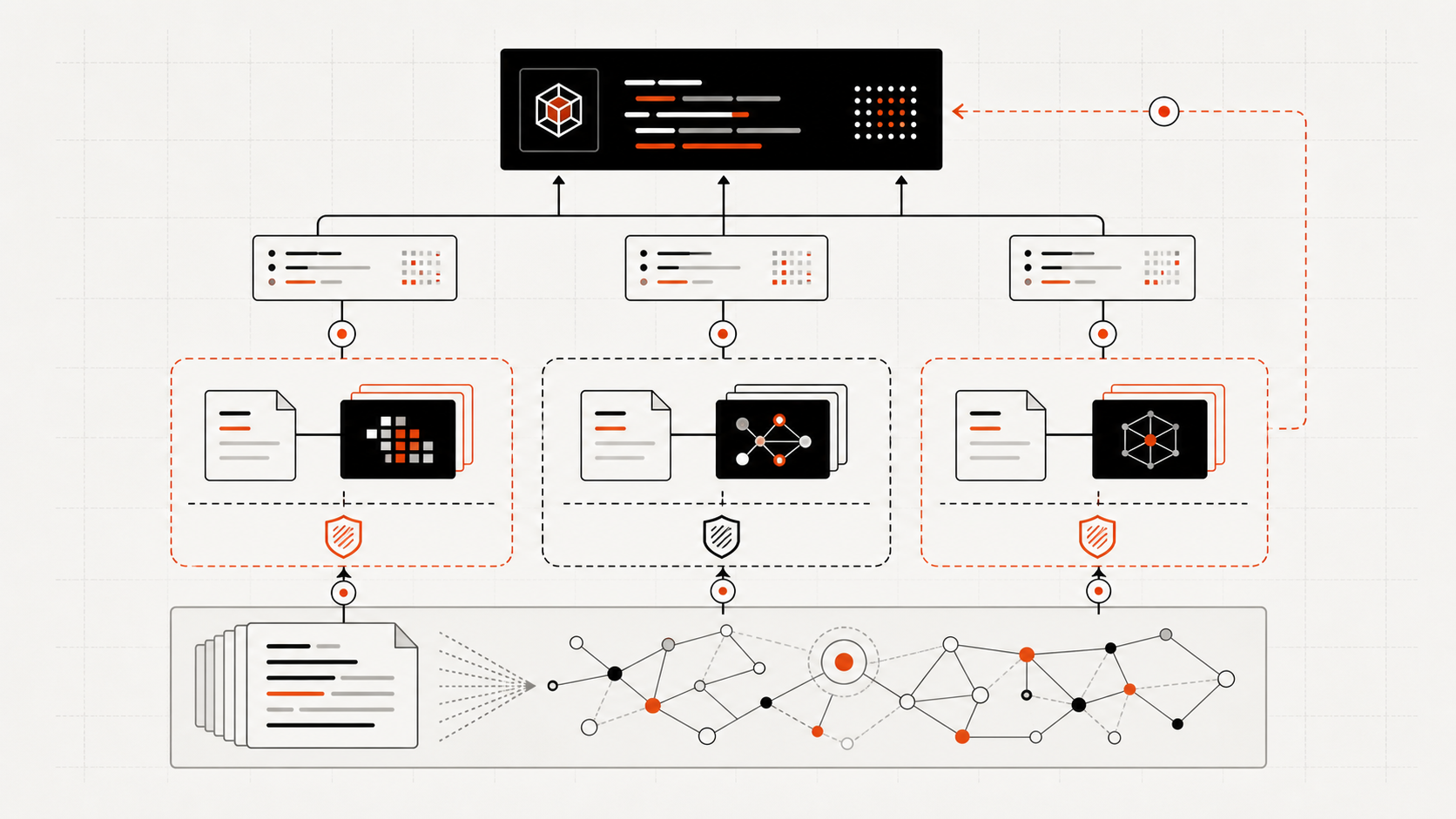
    The main agent should own requirements, decisions, integration, and the final verification record. Subagents should receive bounded work that can return evidence without flooding the main thread.

    Main-agent and subagent coordination through versioned repository knowledge

    Every delegation should state:

    1. the goal and explicit non-goals;
    2. files, modules, and contracts in scope;
    3. relevant shared-context paths;
    4. known callers, dependents, and risks;
    5. whether edits are allowed;
    6. acceptance tests and required evidence;
    7. the expected return format.

    Product behavior differs, so the handoff cannot rely on a universal inheritance rule.

    Claude Code: a normal subagent starts with a fresh, isolated context and a delegation message, not the parent’s full conversation. Custom and most built-in subagents load the Claude memory hierarchy, but the built-in Explore and Plan agents skip CLAUDE.md and parent-session git status. Restate any critical exclusion or safety condition in their task. A Claude fork is different because it inherits the parent conversation.

    Codex: subagents work in separate agent threads and return summaries to the main thread. Codex recommends parallelism first for read-heavy exploration, tests, triage, and summarization because parallel writers can create conflicts. Subagents inherit the active sandbox policy and the permission mode selected for the parent turn, while a custom agent can narrow its own sandbox.

    OpenCode: primary agents can invoke subagents that run as navigable child sessions. Its General agent can perform broad work; Explore and Scout are read-only. OpenCode documents agent-specific permissions and permission.task rules for controlling delegation, but its public docs do not establish that every child receives the parent’s full history. Pass task evidence explicitly.

    For write-heavy work, assign non-overlapping files or serialize implementation. Let parallel agents inspect callers, tests, and risks, then have one owner integrate the combined change. The Codex CLI guide’s limits and usage section provides additional context for choosing bounded runs instead of accumulating an oversized main thread.

    Keep Tool-Specific Instructions Separate

    The shared contract should describe the repository. Tool-specific files should describe how one product operates.

    Keep these concerns separate:

    • Claude agents, hooks, permissions, and local memory under Claude’s configuration;
    • Codex custom agents, model choices, sandbox settings, and skills under Codex configuration;
    • OpenCode agents, provider settings, permissions, and instruction globs under OpenCode configuration;
    • local paths, credentials, tokens, and personal preferences outside committed shared files.

    This separation prevents a repository fact from becoming coupled to one vendor’s syntax. “Package A must not import Package B” belongs in shared guidance. “Use the Explore subagent before editing” is tool-specific behavior. “Never change production data without approval” should appear as a shared policy and also be enforced through each tool’s permission layer.

    Instructions are not enforcement. Claude explicitly treats CLAUDE.md as context rather than hard configuration. Codex and OpenCode also expose separate permission mechanisms. A sentence in AGENTS.md cannot grant file access, approve a shell command, or override a deny rule.

    Keep the shared layer compact. Link to source-controlled architecture records, generated dependency reports, and test documentation instead of pasting them into every instruction file. Agents can retrieve the relevant detail for the current task.

    Risks, Permissions and Update Rules

    Shared context becomes dangerous when it is stale, over-broad, or treated as authorization. A confident obsolete map can steer every agent toward the same wrong conclusion.

    Checklist for permissions, freshness, provenance, and cross-agent change review

    Use the following controls:

    • Named ownership: assign a team or maintainer to the shared contract.
    • Change-coupled updates: update context in the pull request that changes the command, boundary, schema, or owner.
    • Source provenance: link every generated map or graph edge to inspectable source.
    • Freshness metadata: record the commit, generation time, and coverage limits for derived artifacts.
    • Permission isolation: configure read, edit, shell, network, external-directory, and subagent permissions in each tool.
    • Protected review: treat instruction and permission-file changes as security-sensitive configuration.
    • Serialized integration: use one owner to reconcile parallel patches and run the final suite.
    • Audit trail: retain task summaries, changed files, tests, approvals, and unresolved risks.

    The tools have materially different defaults. Claude Code uses allow, ask, and deny rules with deny taking priority. Codex subagents inherit the active parent sandbox and permission mode. OpenCode allows most operations by default unless configured otherwise, while access outside the worktree and repeated identical calls default to asking. A shared policy should therefore state the desired control, and each tool should implement it explicitly.

    Audit the final combined diff, not only each subagent’s local result. Cross-agent changes can pass isolated tests yet fail together through duplicated edits, incompatible assumptions, missed generated files, or a contract changed in two places.

    FAQ

    Who owns shared context in a multi-agent workflow?

    Assign one accountable engineering group, usually platform, developer experience, or the owning service team. Code owners should review changes to their boundaries and commands. Derived graphs or reports also need an owner, refresh trigger, and documented coverage limit.

    What should stay isolated per coding tool?

    Keep model selection, agent definitions, permissions, hooks, provider settings, credentials, private memory, local preferences, and conversation history isolated. Share repository facts and verification rules, then adapt them through CLAUDE.md, AGENTS.md, or the tool’s supported instruction configuration.

    How should teams audit cross-agent changes?

    Record the base commit, task handoffs, agent roles, files changed, approvals, and test output. Review the merged diff for overlapping edits and missed dependents. Run focused tests first, then the repository’s required integration, build, type, security, or release checks.

    Conclusion

    The reliable way to share context across coding agents is to share governed repository knowledge, not live agent state. Use AGENTS.md as the neutral contract, a thin CLAUDE.md import for Claude Code, and native configuration for permissions and agent behavior.

    Give every subagent a bounded evidence packet, keep one owner responsible for integration, and update the shared layer with the code. That lets models and tools change without forcing the team to rebuild repository understanding from zero—or accidentally share authority that should remain isolated.

  • Context Engineering for OpenCode

    Context Engineering for OpenCode


    OpenCode context engineering means deliberately controlling what the agent knows, when it loads that knowledge, and which evidence it must verify. Use AGENTS.md for stable rules, instruction files for modular policy, @file for current evidence, skills for procedures, and a maintained graph or MCP tool for repository relationships.

    The resulting workflow is easier to audit because each context layer has a named owner, refresh rule, and authority boundary instead of becoming an undocumented accumulation of prompt text.

    What Context Engineering Means for OpenCode

    Context engineering is not the same as writing a longer prompt. It is the design of the information system around the coding agent.

    OpenCode's official documentation exposes several distinct context mechanisms:

    • project and global AGENTS.md files;
    • /init for generating or improving project guidance;
    • opencode.json instruction paths, globs, and remote URLs;
    • @file references that add selected files to the conversation;
    • on-demand Agent Skills;
    • local and remote MCP tools;
    • specialized primary agents and subagents;
    • automatic session compaction;
    • cloud and local model providers, including Ollama and custom OpenAI-compatible endpoints.

    Each mechanism has a different job. Problems arise when teams use one mechanism for everything—for example, pasting a repository inventory into AGENTS.md, enabling every MCP server globally, or assuming compaction creates durable project memory.

    A useful context design answers five questions:

    1. What stable rules should always apply?
    2. What current files prove the task's facts?
    3. What procedures should load only when relevant?
    4. What repository relationships need a query layer?
    5. What information must survive a session, model, or agent change?

    OpenCode can orchestrate these layers, but its official documentation does not claim a built-in code knowledge graph or durable cross-session semantic repository memory. Those require maintained external artifacts or tools.

    What OpenCode Agents Need From a Repo

    OpenCode agents need concise rules, trustworthy evidence, and explicit authority boundaries.

    The project-root AGENTS.md should contain stable information that future sessions are likely to need: build and test commands, architecture that is not obvious from filenames, project conventions, setup quirks, and operational warnings. OpenCode's /init command scans important files and can create or improve this guidance. Treat the generated result as a draft to review, not an infallible architecture model.

    Current task evidence should come from current files and commands. OpenCode's TUI supports @file references: selecting a file adds its contents to the conversation. This is useful when the operator knows the likely source. It is less useful when the problem is discovering which file matters.

    Skills package reusable procedures. OpenCode discovers SKILL.md definitions from .opencode/skills, .claude/skills, and .agents/skills at project and global scopes. A migration skill can define review steps and verification commands without loading that procedure into every conversation.

    Agents also need permission boundaries. OpenCode distinguishes a Build agent with broad tools from restricted planning and read-only exploration roles. For a repository-wide change, start with a read-only exploration or planning pass, require a dependency explanation, and only then allow edits.

    Finally, define source authority. A practical order is:

    1. current source, schema, and tests;
    2. approved architecture decisions and operational policy;
    3. generated repository reports and graphs;
    4. temporary task notes and model inference.

    This order prevents a stale summary from overruling the code it was meant to describe.

    For team use, record which layer supported each important planning claim. That small provenance trail makes review faster and exposes when an agent is relying on a remembered convention instead of current repository evidence.

    Organize Architecture and Dependency Context

    Keep architecture context modular and load it by need.

    OpenCode's instructions configuration can include files and glob patterns such as CONTRIBUTING.md, architecture guidelines, testing standards, or package-specific AGENTS.md files. It can also load remote instruction URLs. Remote rules should be pinned or governed because their contents can change outside the repository review process.

    A strong repository layout might use:

    AGENTS.md
    docs/
      architecture/
        index.md
        request-flow.md
        data-boundaries.md
      decisions/
        001-auth-ownership.md
      operations/
        migrations.md
        rollback.md
    .opencode/
      skills/
        api-change/
          SKILL.md
    

    The root rules file tells OpenCode where to look. Architecture files explain system intent. Decision records preserve rationale. Skills describe task workflows. Current code confirms whether the documents still match reality.

    Dependency context should support questions rather than only diagrams. For every repository-wide plan, require the agent to report:

    • entry point;
    • downstream dependency path;
    • data or schema boundary;
    • generated artifacts;
    • tests and verification commands;
    • uncertain or stale evidence.

    That report gives a human reviewer something concrete to approve.

    Avoid loading every document at startup. OpenCode's own rules documentation recommends modular instruction patterns, and its MCP documentation warns that tool descriptions can consume enough context to exceed the model limit. Context should be available, not permanently resident.

    Use Graphs for Planning and Impact Analysis

    A code graph adds a queryable relationship layer when file references and static documents are not enough.

    Useful graph entities include packages, files, symbols, routes, schemas, tests, and architecture documents. Relationships can capture imports, calls, generation, coverage, ownership, and rationale. OpenCode can query the graph before selecting source files for detailed inspection.

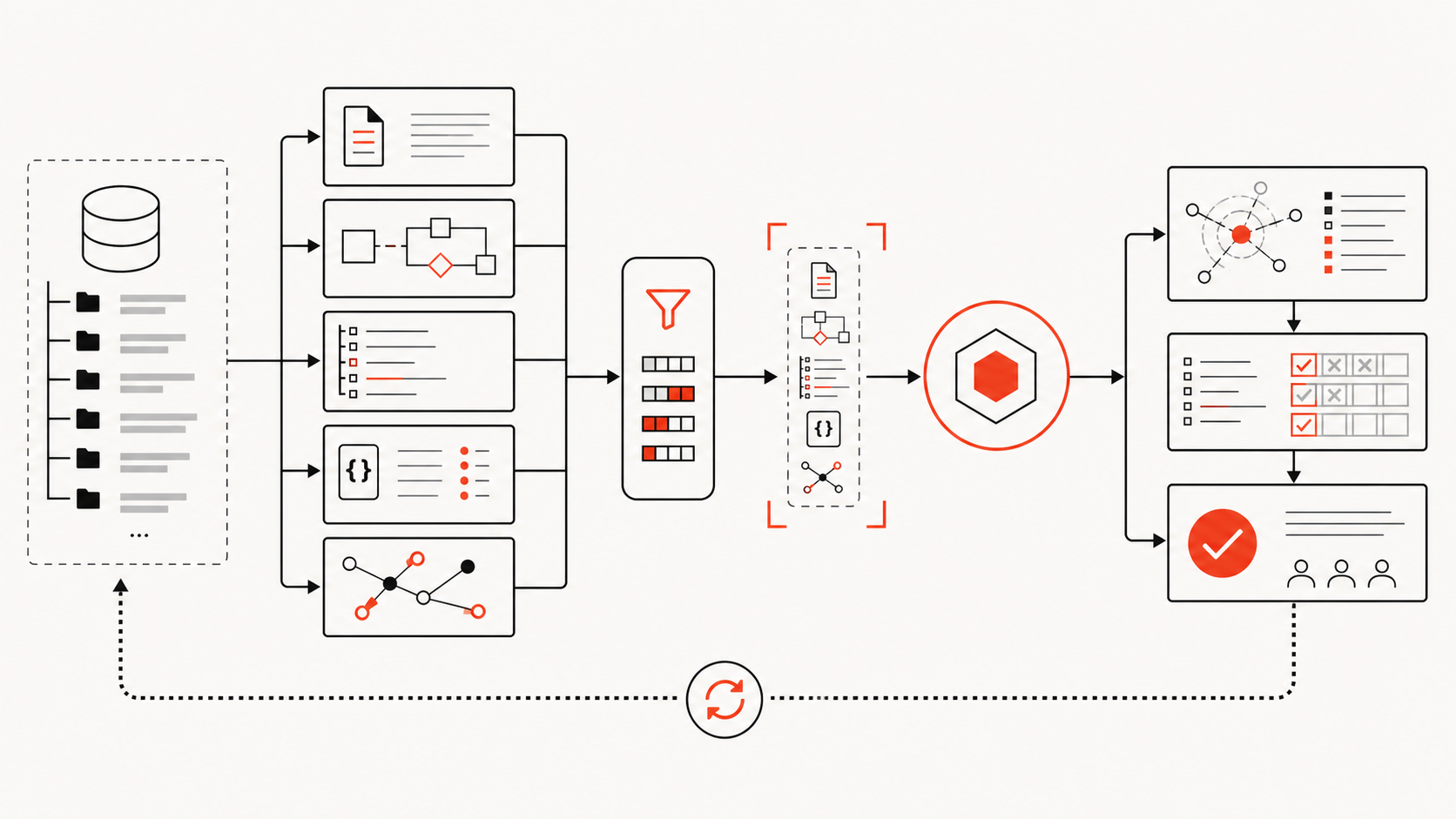
    OpenCode planning flow from graph query to dependency path, source verification, approval, edit, and tests

    Graph-guided planning narrows the search, while source verification and approval control the change.

    Graphify supports this pattern through generated graph artifacts, CLI queries, and MCP. Its CLI reference documents graphify opencode install, which writes project guidance to AGENTS.md, along with query, path, explain, update, watch, and MCP commands.

    An OpenCode planning procedure can be:

    1. Query the graph for the requested entity or behavior.
    2. Trace direct and cross-package relationships.
    3. Identify the source files and tests behind each important edge.
    4. Open those current files.
    5. Flag stale, inferred, or ambiguous graph evidence.
    6. Ask for approval before repository-wide edits.
    7. Run focused tests, then broader verification.

    This workflow improves impact analysis without claiming that the graph replaces source inspection.

    MCP is one integration option. OpenCode supports local and remote MCP servers, but its documentation notes that each server adds tool information to context. Enable only the graph tools needed for the active agent or workflow. A large global tool catalog can erase the context savings the graph was meant to create.

    The graph also supports model independence. An OpenCode workflow using a local Ornith model through Ollama can query the same repository structure as a cloud-model workflow. Model changes then affect reasoning and tool performance without forcing the team to rebuild project knowledge from scratch.

    Limits and Maintenance Risks

    The main context-engineering risks are staleness, overexposure, and false authority.

    Staleness: Review AGENTS.md when commands, architecture, or workflow constraints change. Refresh graphs after structural merges. Put a source commit and generation time on generated artifacts.

    Overexposure: Do not load secrets, customer data, production credentials, or unrelated private documents. Scope MCP tools and agent permissions to the task.

    Instruction drift: Remote instruction URLs and globally installed skills can change outside a project pull request. Pin sources where possible and audit updates.

    Context inflation: More MCP servers, tool output, and instructions can reduce the room available for the task. OpenCode supports automatic compaction and optional pruning, but compaction is context management, not durable memory.

    Local-model assumptions: OpenCode supports Ollama and custom OpenAI-compatible providers. That establishes configuration compatibility, not reliable coding performance. Test tool calling, patch quality, refusal behavior, latency, and context use on your own repository.

    Unreviewed authority: A graph edge or generated summary can be wrong. Require provenance and direct-source confirmation before an edit. Assign a human approver for repository-wide changes, especially those involving security, schemas, dependencies, or deployment.

    FAQ

    What context should be shared across tasks?

    Share stable commands, repository conventions, architecture decisions, ownership boundaries, generated-file rules, and a maintained structural map. Keep transient logs, speculative hypotheses, and task-specific file dumps inside the task unless they produce an approved decision.

    Who should approve repository-wide changes?

    Use the owner of the affected architectural boundary, not only the person operating OpenCode. Security, data, API, and deployment changes may require separate reviewers. The approval should cover the dependency path and verification plan as well as the diff.

    How can teams avoid stale context?

    Tie reviews and graph refreshes to repository events: package moves, schema migrations, route changes, dependency updates, generated-code changes, and revised architecture decisions. Record the source revision and refuse to trust context older than the paths being changed.

    Conclusion

    OpenCode provides the pieces for disciplined context engineering, but teams must assign each piece a clear role.

    Use AGENTS.md for stable rules, modular instructions for policy, @file for exact evidence, skills for repeatable procedures, MCP for carefully scoped tools, and a maintained graph for dependency and impact questions. Use compaction to manage session pressure, not as a substitute for repository memory.

    The decision rule is simple: if context cannot show its source, freshness, and authority, OpenCode should treat it as a lead to verify—not a fact to edit against.

  • Verdent Review 2026: Multi-Agent Coding Tested

    Verdent Review 2026: Multi-Agent Coding Tested


    Verdent is most compelling when a developer or Tech Lead needs to supervise several independent coding workstreams. Its desktop app can place agents in separate Git worktrees, preserve each result for review, and integrate only approved changes. That is a more specific value proposition than “an AI that writes code faster.”

    This Verdent review finds a credible multi-agent control layer, but not a universal replacement for Cursor, Claude Code, Codex CLI, or a team’s existing IDE. Parallel work still requires task decomposition, merge discipline, cost controls, and human verification. Product access, prices, privacy terms, and benchmark claims below were checked on July 15, 2026.

    What Verdent Is

    Verdent is an AI coding environment built around planning, agent execution, verification, and review. It is available as a desktop app for Apple Silicon and Intel Macs and Windows x64, through VS Code and JetBrains integrations, and as a cloud product.

    Verdent is not a foundation model. It orchestrates models from providers such as Anthropic, OpenAI, Google, Moonshot, MiniMax, Qwen, and Z.AI. A user can choose models for tasks and, in supported workflows, compare or review with multiple models. That distinction matters: the model supplies reasoning, while Verdent supplies the workspace, tools, context, permissions, execution loop, and review surface.

    The two main execution modes are straightforward. Plan Mode is read-only: it analyzes the repository, asks questions, and creates a plan without editing files or running commands. Agent Mode can modify files and execute the plan. For a wider market view, compare Graphify’s best AI coding agents in 2026.

    Key Workflow and Agent Features

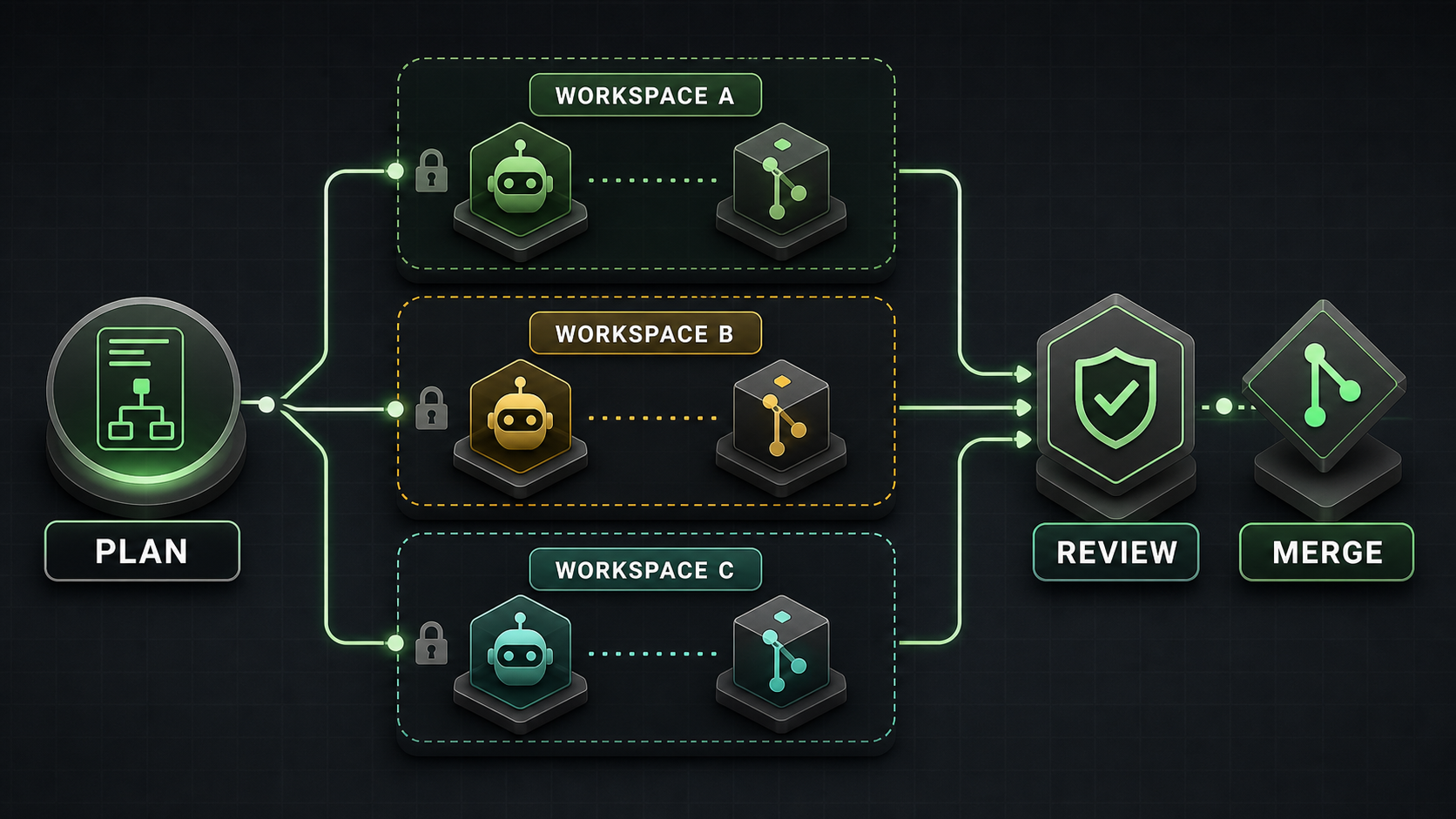
    Verdent’s defining desktop feature is its Workspace abstraction. A Workspace uses a Git worktree, giving it separate working files while sharing repository history. A team can keep one agent on a bug fix, another on tests, and another on documentation without mixing their uncommitted changes.

    The isolation has important boundaries:

    • A task is an agent conversation inside a workspace. Tasks have separate conversation context.
    • Tasks in the same workspace share files. Verdent’s documentation says concurrent edits to the same file are not deterministic and later writes may overwrite earlier work.
    • Agents in separate workspaces have file-level isolation, but overlapping changes can still conflict during merge or rebase.
    • Verdent does not publish a hard parallel-agent limit. Its documentation recommends roughly two to four for most users, depending on system resources and credits.
    • Each worktree may need its own installed dependencies and disk space.

    This is coordinated concurrency, not automatic teamwork. The operator must split work along clean boundaries, assign ownership, inspect diffs, run checks, and resolve integration conflicts. Verdent’s Cloud workspace is also a different object: official documentation explicitly says it is a cloud environment, not local worktree isolation.

    Verdent adds multi-model planning and review, project rules, MCP integrations, command deny rules, diff summaries, test execution, and a review subagent. BYOK currently supports Anthropic, OpenAI, and OpenRouter according to the product changelog. These features make the product a control surface for larger changes, rather than an autocomplete-first editor.

    Benchmarks and Evidence to Verify

    Verdent reported a 76.1% pass@1 and 81.2% pass@3 result on the 500-task SWE-bench Verified set in November 2025. The company said the run used its production agent without leaderboard-specific tuning or candidate selection. This is a historical, vendor-run result—not an independent 2026 ranking.

    The technical report is useful because it also documents limitations. It says SWE-bench measures the complete model-and-agent system, not a raw model. It observed up to a 1.2-point pass@1 difference between providers for the same model. A simplified toolset changed the result very little, and the review subagent added only about 0.5 points to pass@3. Those findings weaken any claim that one headline number proves every part of Verdent’s current workflow.

    Verdent later claimed its code-review system reached 74.2% precision and 20.1% recall, ranking first by F0.5 among nine tools. The claim appears in the company changelog, but the public material we found does not provide a complete dataset, per-tool configuration, or independent replication. Treat it as a vendor claim to reproduce, not a procurement verdict.

    A team trial should compare Verdent with the same repository commit, model where possible, task budget, permissions, and acceptance tests. Otherwise, a different model or retry policy may be mistaken for a better agent platform. Graphify’s best LLMs for coding explains how to separate model evidence from agent evidence.

    Pricing and Access to Verify

    Current Verdent pricing uses a shared credit pool across its products. The official pricing page listed the following on July 15, 2026:

    Plan Price Included usage shown at verification Practical note
    Free trial $0 100 credits for 7 days Suitable for setup and a small pilot
    Lite $5/month Eco Mode with selected lower-cost models Frontier models require added credits
    Starter $19/month 320 base + 160 limited-time bonus 480 total while the promotion lasts
    Pro $59/month 1,000 base + 500 limited-time bonus 1,500 promotional total
    Max $179/month 3,000 base + 1,500 limited-time bonus 4,500 promotional total
    Teams $20/user/month 480 credits per user Central payment and usage visibility

    Verdent states that one credit is approximately $0.059, provider model costs carry no markup, and top-ups start at 340 credits for $20. Eco Mode uses lower-cost models without drawing from credits, but included capacity varies by plan. A task does not have a fixed credit price: model choice, context size, complexity, and parallel execution all change consumption.

    Do not convert a monthly allowance into a guaranteed prompt count. During a pilot, record credits per accepted patch, including retries and review. Promotions, model availability, and Eco Mode limits can change, so recheck the official pricing page before purchase.

    Access also raises a data question. Verdent’s May 2026 privacy policy says it may store input and output as account history. Repository indexing is opt-in; when enabled, Verdent says it stores embeddings rather than plaintext code and deletes unused embeddings after an unspecified period. The same policy says input and output are not used for model training without explicit consent.

    However, the older November 2025 security page still says repository indexing is unavailable and contains older Privacy Mode language. This documentation conflict should be resolved in writing before a private-repository rollout. Verdent says SOC 2 and ISO/IEC 42001 certifications are being pursued; it does not say they are complete.

    Pros and Cons

    Pros

    • Git-worktree isolation preserves parallel alternatives for later review.
    • Read-only planning creates a clear approval point before execution.
    • Multi-model planning, implementation, and review support different task profiles.
    • Diffs, tests, verification, and command rules make agent actions more inspectable.
    • Desktop, IDE, and cloud access cover several developer workflows.
    • Eco Mode, BYOK, subscriptions, and top-ups provide multiple cost paths.

    Cons

    • Parallel agents increase credit use and integration overhead.
    • Same-workspace concurrent edits can overwrite one another.
    • Separate workspaces postpone overlapping-file conflicts rather than eliminating them.
    • Each worktree can duplicate dependencies and consume significant disk space.
    • AI requests travel through Verdent infrastructure and model providers; this is not a purely local system.
    • Public performance evidence is mostly vendor-run and tied to older models or product versions.
    • Security certifications remain in progress, and current public privacy documents are not fully aligned.

    How It Compares to Alternatives

    Alternative Prefer it when Prefer Verdent when Comparison boundary
    Cursor or Windsurf Daily inline editing and an AI-native IDE are central Supervising several isolated workstreams is central Compare editing flow separately from orchestration
    Claude Code or Codex CLI Terminal automation, scripting, and explicit command-line control matter most A visual desktop control plane and managed workspaces matter Hold the model constant where possible
    Devin A cloud-based, asynchronous worker is the desired unit Local worktree-based desktop supervision is preferred Compare environment, governance, and total task cost
    Cline, Roo Code, or OpenCode BYOK flexibility and open extension points outweigh a managed experience Integrated planning, isolation, and review reduce setup work Cloud-model requests are not “fully local”
    CodeRabbit Pull-request review is the main need Generation and review must live in one workflow A review tool can complement Verdent rather than replace it

    A useful Verdent vs Cursor test should therefore include both small interactive edits and larger parallel tasks. A single refactor does not establish which daily workflow is better. For terminal-oriented choices, see the planned Claude Code vs Codex CLI comparison.

    Who Should Use It

    Verdent fits Tech Leads, senior developers, and small teams that routinely have two or more independent tasks in one repository. It is especially relevant for parallel bug fixes, separate implementation experiments, tests alongside feature work, and review-heavy multi-file changes.

    It is a weaker fit for developers who mainly want autocomplete, teams with tightly sequential work, or organizations that cannot yet approve Verdent’s data path. Small one-file fixes may not justify workspace overhead. Highly coupled migrations may be safer as one planned sequence.

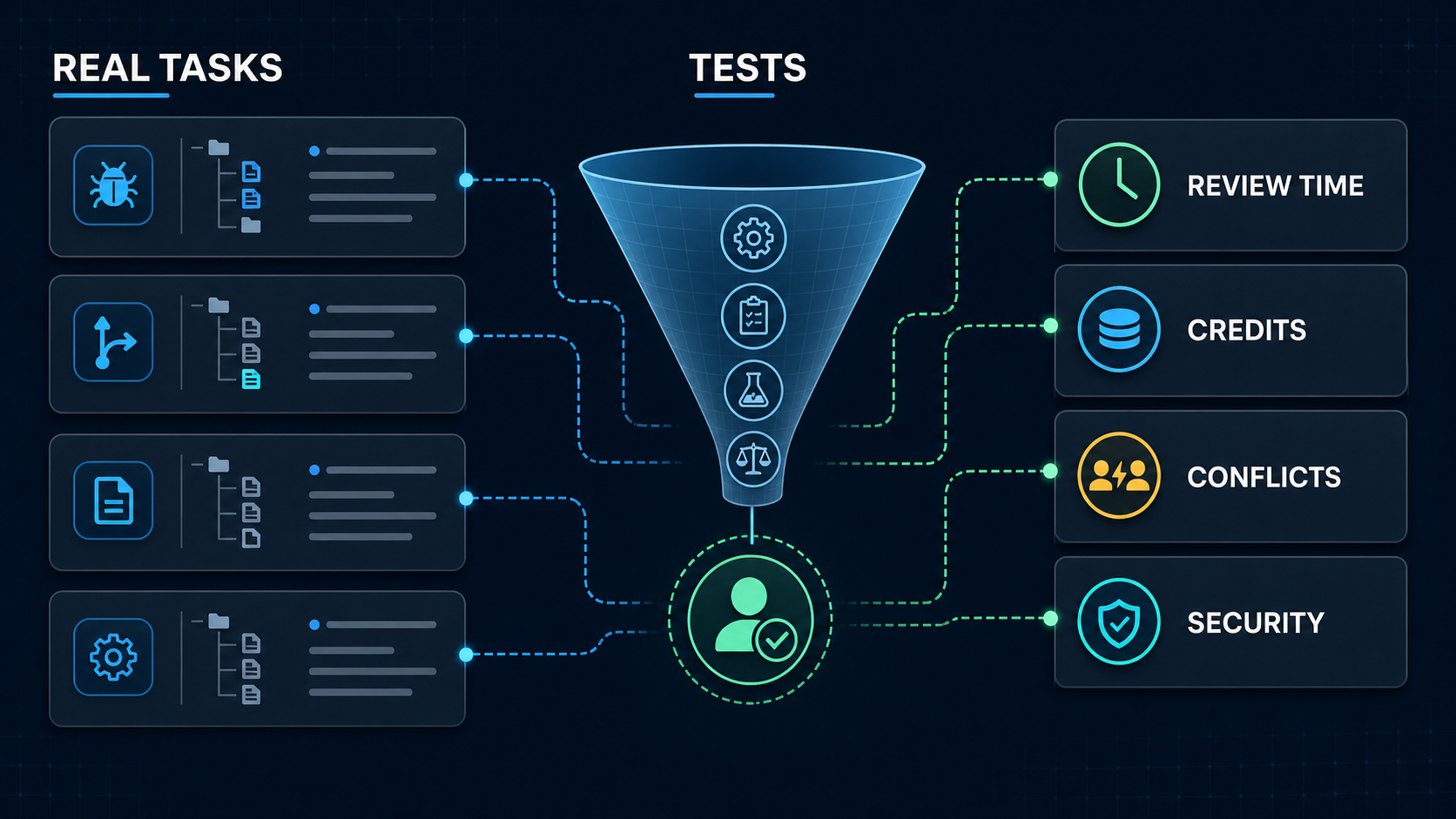
    A real-project pilot measures tests, review time, credits, conflicts, and security

    Run an 8–12 task pilot before adopting it. Include ordinary bugs, a multi-file feature, two genuinely independent parallel tasks, one deliberately overlapping change, a refactor, and a request that should be refused or escalated. Record test success, reviewer minutes, unrequested edits, credits, wall time, rebase conflicts, and security events. Graphify uses this workflow-first lens across AI coding research.

    FAQ

    What internal project should teams use for a trial?

    Use a representative but non-critical repository with reliable tests and no production secrets. Freeze every comparison to the same commit. Choose recent tasks with objective acceptance criteria, including one parallel pair and one expected conflict, rather than a greenfield demo designed to make the tool look good.

    Who should approve multi-agent rollout decisions?

    The engineering owner should approve task fit, review requirements, and merge policy. Security or platform owners should approve repository access, subprocessors, retention, model blocklists, network permissions, and command rules. Finance or procurement should approve credit budgets and contractual terms. Name a rollback owner before expanding access.

    What migration notes should teams keep after testing?

    Keep the Verdent version and access surface, model and provider, prompts, repository commit, workspace layout, permission rules, credits, elapsed time, commands, test output, reviewer edits, conflicts, security events, and acceptance decision. Also record the previous workflow and rollback steps so a tool change does not erase operational knowledge.

    Conclusion

    Verdent offers a coherent answer to multi-agent coding: plan the work, isolate independent changes, verify each result, and merge only after review. Its desktop worktree model is genuinely useful for developers managing concurrent work, but it does not remove task design, cost, conflict resolution, or human accountability.

    The best decision is a bounded trial, not faith in a 2025 benchmark or a promotional credit total. If Verdent reduces accepted-patch time without increasing review burden, conflicts, or data risk, it deserves a place in the workflow. If the work is mostly sequential or autocomplete-driven, a simpler agent or IDE may remain the better choice.

  • Best AI Coding Agents 2026

    Best AI Coding Agents 2026


    The best AI coding agent is the one whose control model fits the work you are willing to delegate. Choose Claude Code for terminal-first repository work, Cursor Agent for IDE-first development, Verdent for visible worktree-based parallelism, and Devin for asynchronous cloud delegation. None is the universal winner, and current benchmark numbers do not support a fair one-score ranking across these products.

    This guide compares workflow fit, autonomy, evidence, access boundaries, and failure modes. Product availability and prices were checked on July 15, 2026. Treat them as a dated snapshot, not a promise.

    What Makes an AI Coding Agent Different

    Autocomplete predicts the next edit. A coding assistant may explain code or generate a function. An AI coding agent can pursue a goal through a loop: inspect the repository, form a plan, edit multiple files, run tools or tests, read the result, and try again.

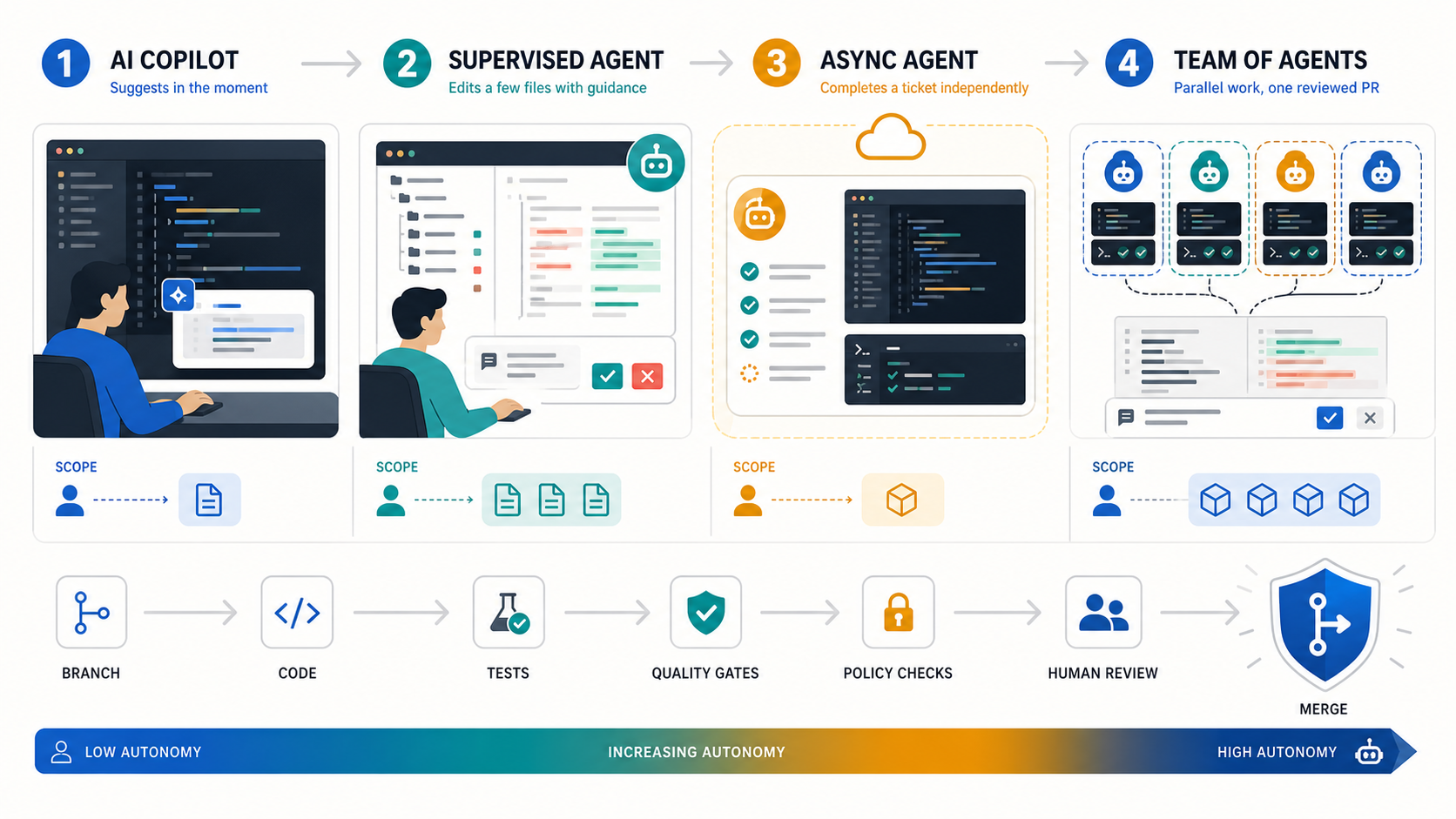
    Autonomous coding agents are not a single category, because autonomy is not binary. A useful ladder has four levels:

    1. Assist: the developer initiates and accepts each change.
    2. Supervise: the agent completes a bounded task while the developer watches and redirects.
    3. Delegate: the agent works asynchronously in an isolated environment and returns a pull request.
    4. Orchestrate: a lead agent divides work among parallel agents, then reconciles their outputs.

    More autonomy increases throughput only when permissions, tests, isolation, and review capacity increase with it.

    The key buying question is therefore not “Which model writes the best code?” It is “Which system gives this team the right mix of agency, visibility, isolation, and approval?” For a terminal-only comparison, see Graphify’s best AI coding CLIs for 2026.

    How We Ranked the Agents

    We ranked each product by its best-fit workflow, not by a fabricated composite score. The assessment uses five decision factors:

    • Control model: drive, supervise, delegate, or orchestrate.
    • Execution surface: terminal, IDE, desktop app, or managed cloud workspace.
    • Verification: plans, diffs, tests, approval gates, and recovery paths.
    • Operational fit: repository isolation, parallel work, logs, administration, and pricing model.
    • Evidence quality: official documentation, current pricing, third-party benchmark definitions, or clearly labeled vendor claims.

    We did not run a common private test suite across all four products, so this is an evidence-backed selection guide rather than a laboratory benchmark. A Tech Lead should run the pilot described below before procurement.

    Why these four? They represent distinct, mature buying paths—terminal, IDE, worktree-first orchestration, and managed cloud delegation—with current official documentation and pricing. Copilot, Codex, and open-source agents remain valid candidates, but they need the same evidence review before joining this comparison.

    Quick Comparison Table

    Agent Best fit Surface and control Parallel model Price snapshot Benchmark evidence Main limit
    Claude Code Terminal-first multi-file work and extensible workflows CLI; supervise or delegate with permissions Subagents; experimental agent teams Pro $20/month; Max from $100/month No current product-level SWE-bench Verified number used here Terminal workflow and shared subscription limits may not suit every team
    Cursor Agent Daily IDE work that can expand into cloud execution IDE plus cloud agents; drive through delegate Isolated worktrees or remote agents Hobby free; Pro $20/month; Teams $40/user/month Composer 2 reports Multilingual results, not Verified Remote auto-run plus network access requires careful controls
    Verdent Worktree-first parallel execution with visible planning Desktop, VS Code, or JetBrains; supervise and orchestrate Parallel agents in isolated workspaces Trial; Starter $19, Pro $59, Max $179/month Vendor-reported 76.1% Verified pass@1 Cloud processing and credit use need review; platform support varies by surface
    Devin Asynchronous tickets and managed backlog execution Managed cloud workspace; delegate Parallel sessions with managed coordination Free; Pro $20, Max $200/month; Teams from $80/month No current comparable Verified submission found Poorly scoped or subjective tasks can drift and consume review time

    Prices above are official monthly list-price snapshots. Taxes, annual billing, usage credits, limited bonuses, and enterprise contracts can change the effective cost. Follow each linked pricing page before purchase.

    The Best AI Coding Agents in 2026

    Claude Code: Best for Terminal-First Repository Work

    Claude Code is the strongest fit when the terminal is already the center of development. It can inspect and edit files, execute shell commands, use MCP tools, run non-interactively, and emit structured output for automation. Plan mode and tool allow/deny rules make it possible to separate reasoning from execution.

    Its advantage is composability. Developers can keep their existing editor, scripts, Git practices, and CI while adding an agent at the command line. Subagents provide isolated context for specialist tasks; experimental agent teams go further by coordinating multiple Claude Code instances. Anthropic warns that agent teams consume substantially more tokens and still have coordination and recovery limitations.

    Choose Claude Code for complex, testable repository changes where a developer wants direct control. Do not treat --dangerously-skip-permissions as a convenience setting on a private repository. See the full Claude Code review for a deeper client-level assessment.

    Cursor Agent: Best for IDE-First Development

    Cursor Agent is the best default for developers who want agentic work inside an editor. Its path from interactive edits to background and cloud agents lets a team start with supervision, then delegate suitable tasks without changing the primary interface.

    Cursor supports parallel agents in isolated worktrees or remote environments. Cloud agents can edit and run code asynchronously in isolated Ubuntu machines. That convenience changes the threat model: Cursor’s documentation notes that remote agents have network access, automatically execute terminal commands, and require GitHub access. Teams should constrain repositories, secrets, egress, and branch permissions before enabling them.

    Choose Cursor when review happens continuously in the IDE and low workflow disruption matters. For self-hosted cloud execution, confirm which code and tool operations remain in your network and which inference or orchestration traffic still passes through the vendor. Graphify’s Cursor review covers the product in more depth.

    Verdent: Best for Worktree-First Parallel Agents

    Verdent is the most explicit parallel-work candidate in this shortlist. Its desktop, VS Code, and JetBrains product tracks emphasize planning, verification, and multiple agents operating in isolated Git worktrees. The structure is useful when a task can be decomposed into independent branches and a human wants to inspect each stream.

    Verdent recommends roughly two to four parallel agents on most machines. More agents are not automatically faster: overlapping files can still cause unsafe edits or rebase conflicts, and each workstream consumes credits. Platform support varies by surface: the VS Code extension supports macOS, Windows, and Linux, while Verdent also maintains desktop and JetBrains product tracks. Its security documentation says selected context and tool results pass through Verdent’s cloud routing, so private-repository buyers should review privacy mode and data paths.

    Verdent reports 76.1% pass@1 on SWE-bench Verified in its own technical report. That is a vendor-reported result for a stated system configuration, not an independently audited product ranking. It is evidence worth investigating, but not a reason to skip a pilot.

    Devin: Best for Asynchronous Ticket Delegation

    Devin is built around delegation. In Agent mode it can write and run code, browse, test, debug, and create pull requests from a managed workspace. Ask mode is read-only and better for exploration or planning before execution.

    This model fits bounded backlog items that are easy to verify: small bugs, tests, CI changes, migrations, and repetitive maintenance. Devin’s own first-run guidance says it can go off track and recommends small, clearly specified work; a task that would take a developer about three hours is a sensible first boundary. Parallel sessions can increase throughput or test competing approaches, but resource use rises with each session.

    Choose Devin when asynchronous handoff matters more than continuous pair programming. Keep branch protection and human code review in place. The Devin review provides additional product context.

    Other Agents to Verify

    GitHub Copilot, OpenAI Codex, Windsurf, Replit Agent, Cline, Aider, and OpenCode may fit a different stack or procurement path. They are not ranked here because adding names without applying the same current evidence standard would create breadth without confidence.

    Shortlist another agent only after confirming its present execution surface, repository isolation, approval model, data handling, logs, pricing unit, and a task-matched pilot. Graphify’s AI coding tools directory is the broader starting point.

    Single-Agent vs Multi-Agent Workflows

    A single agent is usually better when the task has shared state, ambiguous requirements, or frequent edits to the same files. It costs less, produces one coherent trace, and is easier to stop or redirect.

    Multi-agent execution helps when work splits cleanly: independent test suites, unrelated modules, parallel investigation, or competing implementations. Require workspace isolation and define ownership before starting. Otherwise, duplicated exploration, merge conflicts, token or credit consumption, and human review become the bottleneck.

    Use this rule: parallelize independent uncertainty, not tightly coupled coding. Start with one agent. Add a second only when the expected time saved exceeds coordination and review cost.

    Benchmark and Evidence Limits

    SWE-bench Verified contains 500 human-validated, solvable GitHub issues. It is a useful test of real repository problem-solving, but a result measures a system: model version, agent scaffold, tools, prompt, resource budget, retries, selection policy, and evaluation harness.

    Two percentages are not comparable unless those conditions align. Pass@1 and pass@3 answer different questions. A multilingual subset is not Verified. A vendor’s current product can also differ from the configuration in an older report.

    That is why this guide does not convert Verdent’s vendor result, Cursor model reports, older Anthropic model claims, or Devin launch numbers into a league table. Our July 15, 2026 official-site and SWE-bench review found no current, comparable product-level Verified submission for Devin. Use benchmarks to shortlist; use a controlled repository pilot to buy.

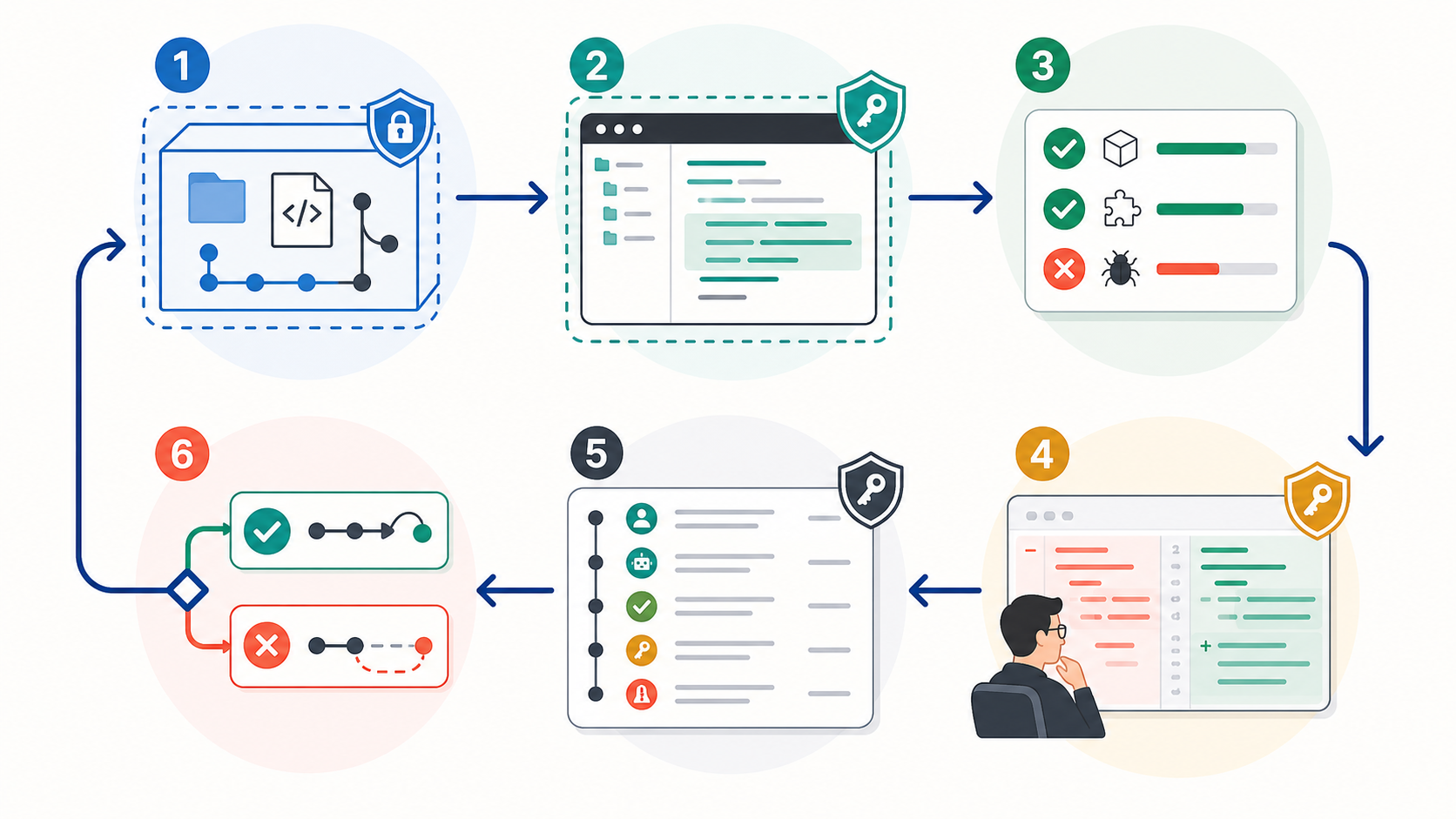
    Run a Controlled Pilot Before You Buy

    A controlled AI coding-agent pilot loop with scoped access, isolated execution, tests, review, logs, and rollback

    A useful trial measures the entire delivery loop, including human review and recovery—not just whether an agent opens a pull request.

    Choose one non-critical, medium-sized repository with reliable tests and representative conventions. Give every candidate the same two or three tasks, context, time budget, and acceptance criteria. Record:

    • task completion and test pass rate;
    • incorrect or out-of-scope changes;
    • human interventions and clarification turns;
    • review time, rework, and time to merge;
    • token, credit, seat, and infrastructure cost;
    • permission prompts, tool calls, commands, diffs, test output, and rollback events.

    Use branch protection, least-privilege credentials, isolated workspaces, and a named human approver. Graphify’s guide to the authority control plane for AI coding agents explains why access and approval are part of agent quality, not separate paperwork.

    FAQ

    Who should approve agent access to private repos?

    The repository owner or engineering lead should approve the technical scope, while the security or platform owner approves credentials, data paths, network access, retention, and audit requirements. For sensitive code, legal or compliance review may also be required. Grant access to the pilot repository only, use short-lived credentials where possible, and never let the agent’s initiating user silently bypass organization policy.

    What project should teams use for a pilot?

    Use a non-critical repository that resembles production, has dependable automated tests, and contains tasks with objective acceptance criteria. Avoid a toy greenfield app, because it hides context and integration failures. Also avoid the first production migration or security-critical change, because the cost of learning is too high.

    What logs should teams keep during trials?

    Keep the original request, agent plan, prompts, tool calls, shell commands and outputs, file diffs, tests, human approvals, interventions, model and agent versions, elapsed time, usage cost, and final merge or rollback result. These records reveal whether the agent succeeded independently or merely shifted work into review and cleanup.

    Conclusion

    The best AI coding agents in 2026 occupy different control points. Claude Code fits terminal-first operators; Cursor fits IDE-centered teams; Verdent makes parallel worktree execution visible; Devin is designed for asynchronous ticket delegation.

    Start with the least autonomous mode that can complete the job. Verify current product facts, separate vendor claims from comparable evidence, run the same scoped pilot, and measure review plus recovery—not code generation alone. If repository understanding is the constraint, Graphify provides knowledge graphs for AI coding assistants rather than another execution agent.