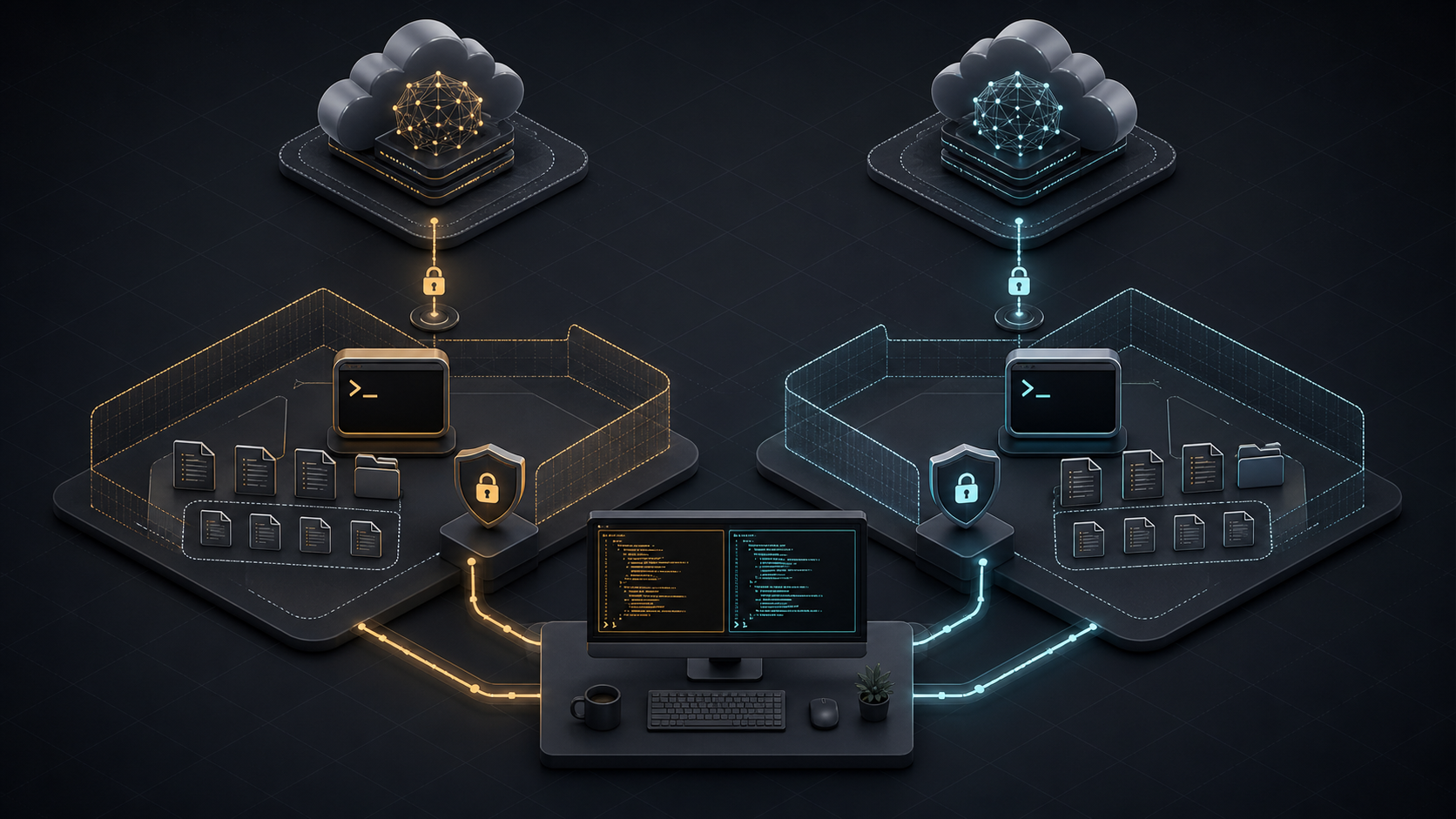
The Claude Code vs Codex CLI decision is about workflow and control, not a permanent model winner. Choose Claude Code when its agent teams, Claude-specific extensions, or provider options fit your environment. Choose Codex CLI when an Apache-2.0 local client, OpenAI’s coding models, and Codex automation fit better. Keep both when independent implementation and review improve your delivery process.
This comparison covers the local command-line tools. It does not compare Claude Code CLI with Codex Cloud. Models, prices, limits, and policies were verified on July 15, 2026 and can change after publication.
Quick Verdict
Neither tool is best for every developer. The practical verdict depends on the job, the repository’s risk, and the surrounding platform.
| If your priority is… | Start with | Why |
|---|---|---|
| Claude-native planning, extensions, and coordinated agent teams | Claude Code | CLAUDE.md, skills, hooks, MCP, subagents, and agent teams form one integrated extension system |
| An inspectable open-source CLI and OpenAI model routing | Codex CLI | The Rust-based client is Apache 2.0 and supports AGENTS.md, skills, MCP, subagents, hooks, and scripted runs |
| A managed model path through Anthropic, Bedrock, Vertex AI, or Microsoft Foundry | Claude Code | Claude Code documents first- and third-party model-provider configurations |
| A ChatGPT-linked local, IDE, cloud, and code-review ecosystem | Codex CLI | One Codex account can span multiple surfaces, subject to plan and workspace controls |
| A high-confidence team decision | Run an internal pilot | The same task, repository commit, tests, permissions, and budget reveal more than mixed public benchmarks |
For the broader market, compare Graphify’s best AI coding CLIs and best AI coding agents.
What Each Tool Is Best For
Where Claude Code fits best
Claude Code suits developers who want a conversational terminal agent with a deep, Claude-specific customization layer. A project can supply persistent instructions through CLAUDE.md, reusable skills, lifecycle hooks, MCP tools, restricted subagents, and plugins. Experimental or evolving agent-team features can give separate workers independent context plus a shared task and messaging layer.
That makes Claude Code a strong candidate for exploratory debugging, architecture work, large migrations, and parallel investigations. The advantage is not “Claude always reasons better.” It is that the complete Claude Code workflow may match how a team plans, delegates, and supervises ambiguous work.
Claude Code also documents model routing through the Anthropic API, Amazon Bedrock, Google Vertex AI, and Microsoft Foundry.
Where Codex CLI fits best
Codex CLI suits developers who want a local, scriptable coding agent whose client source can be inspected and extended under Apache 2.0. The CLI supports interactive work, non-interactive codex exec runs, AGENTS.md instructions, skills, MCP, subagents, hooks, permission profiles, and a software-development kit.
It is a natural candidate for scoped changes, repeatable maintenance, repository review, and automation built around OpenAI models. Codex also connects to a wider product family, but that creates an important boundary: a local CLI turn, a Codex Cloud task, and a hosted pull-request review do not share the same execution environment or access path.
Graphify’s planned Codex CLI setup and limits guide covers installation and configuration in more depth.
Workflow Comparison
Both tools follow the same high-level loop: read relevant files, form a plan, edit code, run commands, inspect results, and report what changed. The differences appear in defaults, configuration language, orchestration, and the surrounding service.
| Workflow element | Claude Code | Codex CLI |
|---|---|---|
| Shared project instructions | CLAUDE.md and .claude/rules/ |
AGENTS.md and repository configuration |
| Reusable workflows | Skills and plugins | Skills and plugins |
| External tools | MCP plus built-in tools | MCP plus built-in tools |
| Delegation | Subagents and agent teams | Subagents and parallel task workflows |
| Deterministic checks | Lifecycle hooks | Hooks, rules, and scripted execution |
| Local isolation | Permissions plus optional OS-level sandbox | Permission profiles or sandbox modes plus approvals |
| Non-interactive work | Print mode and automation patterns | codex exec and SDK workflows |
Do not choose by feature count. Test the exact behavior you need. For example, agent-team communication is not equivalent to launching several independent workers, and a hook that blocks a command is different from a natural-language instruction asking the model not to run it.
A migration does not require two copies of project rules. Anthropic’s project-memory documentation recommends keeping AGENTS.md as the shared source and importing it from CLAUDE.md:
@AGENTS.md

## Claude Code

Use plan mode before changing the billing service.
Tool-specific files should contain only genuine differences. This reduces drift when test commands, repository structure, or security rules change.
Context and Large Codebase Fit
Current context numbers look similar but are not directly interchangeable. Anthropic’s current model table lists Claude Fable 5, Sonnet 5, and Opus 4.8 with 1 million-token context windows and 128,000-token maximum output. OpenAI lists GPT-5.6 Sol, Terra, and Luna with 1.05 million-token context windows and the same 128,000-token maximum output.
Those figures describe models, not a promise that either CLI will load an entire repository or recall every token equally. System instructions, tool schemas, command output, images, conversation history, and compaction all consume context. Retrieval choices still determine which files the model sees.
Tokenizers also differ. Anthropic’s Sonnet 5 migration notes say the same text produces about 30% more tokens than with Sonnet 4.6. A nominal 1M-versus-1.05M comparison therefore says little about how much useful source code fits or how much the task costs.
Test large-codebase fit with repository tasks, not a synthetic paste. Use a cross-module bug, a dependency migration, an architecture question, and a change that requires finding an undocumented convention. Record files inspected, unnecessary reads, compaction events, accepted patches, and review edits. The better tool is the one that retrieves the right evidence and preserves constraints through the full task.
Pricing and Access Points to Verify
At the entry tier, both ecosystems list a $20 monthly individual plan: Claude Pro and ChatGPT Plus with Codex. That does not make task cost equal. Subscription usage varies with the active model, context size, reasoning effort, tool calls, and provider limits.
As of the verification date:
- Claude Pro is $20 monthly, or $17 per month when billed annually. Claude Max starts at $100 monthly. Team standard seats are $20 per month when billed annually or $25 monthly; premium seats cost more. Enterprise combines a seat charge with usage at API rates.
- Codex is included in ChatGPT Plus at $20 monthly. ChatGPT Pro starts at $100 monthly with higher Codex limits. API-key use is billed by tokens and does not include every cloud integration.
- Anthropic lists Fable 5 at $10 input and $50 output per million tokens. Sonnet 5 has introductory $2 input and $10 output pricing through August 31, 2026, then $3 and $15; Opus 4.8 is $5 and $25.
- OpenAI lists GPT-5.6 Luna at $1 and $6, Terra at $2.50 and $15, and Sol at $5 and $30 per million input and output tokens. Requests above 272K input tokens receive higher rates for the full request.
These API prices still exclude retries, tool output, cache behavior, human review, and failed runs. Compare cost per accepted patch, not cost per token. For subscription trials, also record how often work pauses at a plan limit and whether the team must buy credits or move to a higher tier.
Limitations and Trade-Offs
The largest comparison mistake is treating one tool as safe because it is “local.” Both local CLIs read files and run commands on the developer’s machine, but both send prompts and selected code context to a model endpoint. MCP servers, plugins, shell commands, and web tools add more data paths.
Claude Code permissions start with read access and ask before file changes or shell commands under the default flow. Its sandbox can enforce filesystem and network boundaries with Seatbelt on macOS or bubblewrap on Linux. Codex sandboxing recommends workspace-write plus on-request approvals in version-controlled folders, protects .git, .agents, and .codex inside writable roots, and uses Seatbelt on macOS or bubblewrap with seccomp on Linux.
Both tools provide dangerous bypasses. Claude Code has bypassPermissions; Codex has danger-full-access and --yolo. Neither should be a workstation default. Use them only inside a disposable, externally isolated environment with no valuable credentials.
Anthropic’s Claude Code data policy and OpenAI’s business-data commitments also depend on account type:
| Policy question | Anthropic | OpenAI |
|---|---|---|
| Business data used for model training by default? | No for Team, Enterprise, API, and covered commercial use | No for Business, Enterprise, Edu, and API |
| Personal-plan data | User setting determines model-improvement use | May be used unless the user disables training in data controls |
| Standard retention | Claude Code commercial data: 30 days | Varies by product and contract; qualifying organizations receive retention controls |
| Zero-data-retention path | Available for eligible Claude Enterprise/API arrangements, with feature limits | Available to qualifying API organizations, with eligibility and endpoint limits |
| Local records | Claude Code stores local transcripts in plaintext by default for 30 days | Review local client storage and organizational logging settings during the pilot |
Security teams should approve allowed repositories, model endpoints, network domains, MCP servers, local transcript policy, telemetry, and audit retention. A permission prompt is not proof against prompt injection; deny secrets by default and review every production-bound diff.
For teams that keep both tools, use separate branches or worktrees. Let one agent implement and the other review the resulting diff, then reverse roles on another task. Never let both edit the same working tree at once.
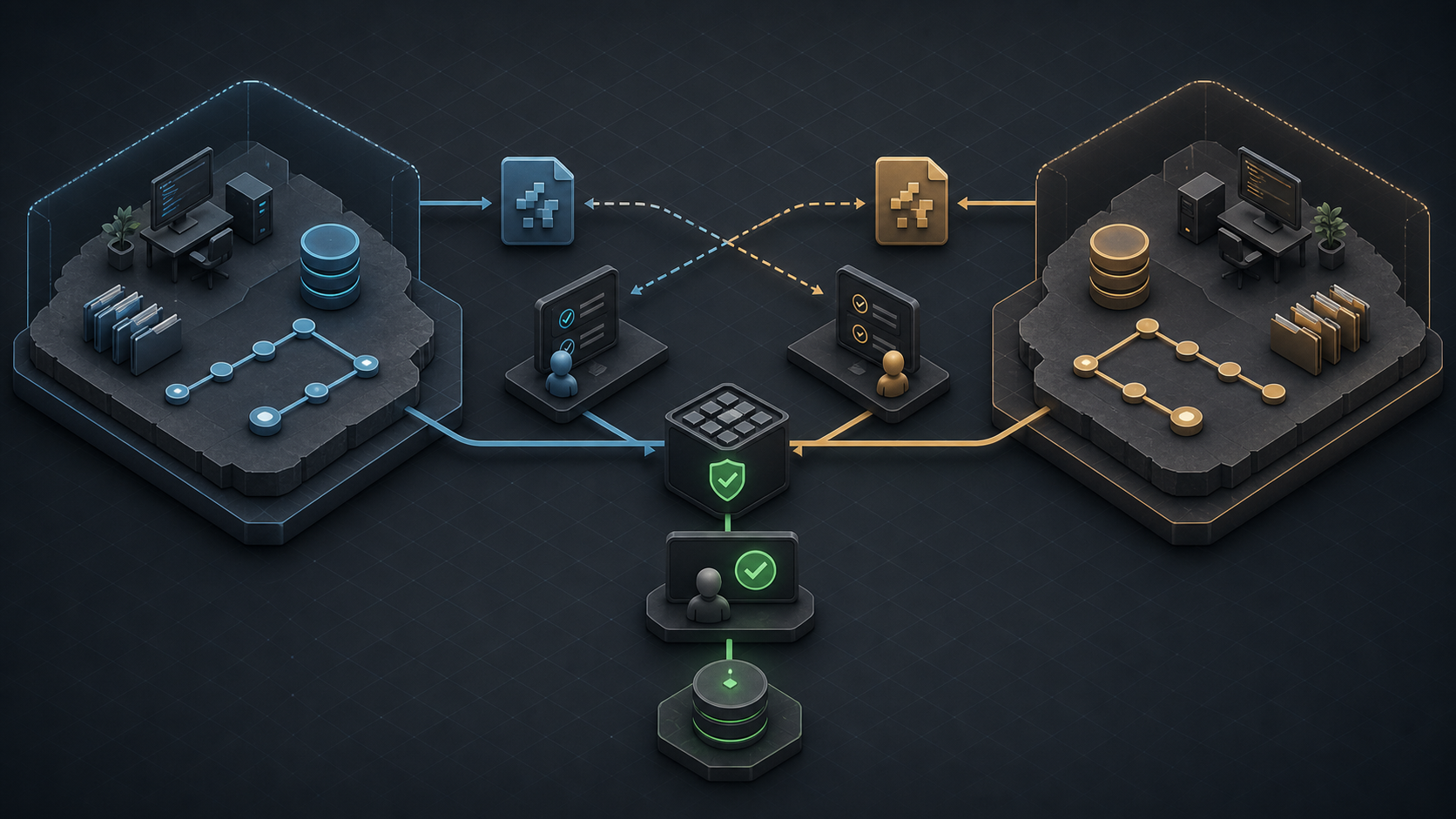
Isolation makes attribution and rollback clear. A shared test and human approval gate remains the source of truth.
FAQ
Who should decide the default CLI for a team?
The engineering owner should approve workflow and quality fit. Security or platform owners should approve permissions, data paths, model endpoints, and audit controls. Procurement should review material pricing or contract changes. Name one rollback owner before changing the default.
What migration notes should teams keep?
Record the source and target CLI versions, exact model, authentication method, repository commit, instruction files, permission profile, network allowlist, MCP servers, environment variables, pilot tasks, test results, accepted patches, review edits, cost, and rollback steps. Store logs under the same access policy as source code.
When should teams allow both tools in one repo?
Allow both when independent review, different model families, or separate workflow strengths improve measurable outcomes. Require isolated worktrees, shared tests, common AGENTS.md rules, and clear ownership. Keep one tool when duplication adds cost without raising accepted-patch rate or catching more defects.
Conclusion
The Codex CLI vs Claude Code choice should follow your repository, governance, and task mix. Claude Code is compelling for its Claude-native extension and coordinated-agent workflow. Codex CLI is compelling for its open-source local client, OpenAI integration, and automation surface. Neither product earns a universal 2026 crown from model context or public benchmark numbers.
Pilot both on the same 8–12 internal tasks. Freeze the commit, prompt, permissions, tests, time budget, and review rubric. Then choose a default, document an escalation path, or keep both in isolated cross-review roles. Explore more evidence-led AI coding comparisons at Graphify.
Leave a Reply