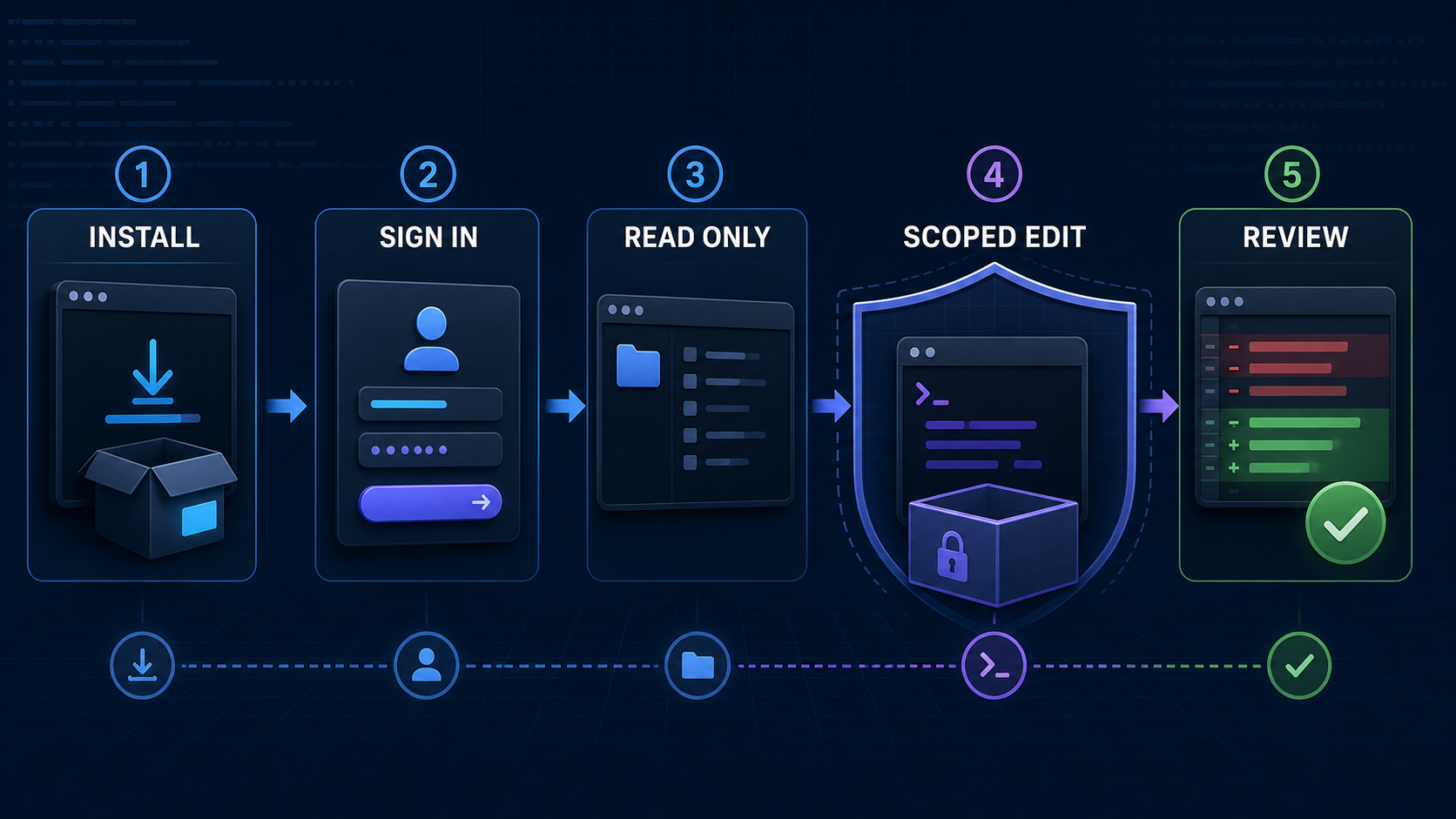
Codex CLI is OpenAI's local terminal coding agent. The safest way to start is to install the current official build, sign in, open a Git repository, begin with read-only exploration, and expand permissions only for a narrowly defined task. This guide covers that workflow, not every command in the product.
Commands, models, access, and pricing were verified on July 15, 2026. Codex changes quickly, so confirm the linked official pages before a team rollout.
What Codex CLI Is
Codex CLI is an AI coding CLI that runs its tools in your local environment. It can inspect a repository, edit files, execute installed commands, review changes, and return results in the terminal. It also exposes codex exec for scripts and CI.
“Local” describes where commands run; it does not mean the model runs offline or that all repository context remains on the device. Authentication and data policies still govern content processed by OpenAI. Codex CLI is also distinct from Codex cloud, the IDE extension, and the ChatGPT desktop experience. Choose the CLI when terminal context, existing shell tools, and explicit permission boundaries matter to your workflow.
For a broader market view, compare Graphify's best AI coding CLIs. If you are choosing between model families rather than clients, start with the best LLMs for coding in 2026.
Before You Start
A productive pilot needs more than an account. Prepare these five items first:
- A clean Git repository: Commit or stash existing work so the agent's changes are easy to isolate and reverse.
- One bounded task: Pick a 10–20 minute bug, test repair, or small refactor with an objective finish condition.
- Known verification commands: Record the exact test, lint, type-check, or build commands that prove the change works.
- A sign-in decision: ChatGPT access uses plan entitlements and workspace policy; an API key uses standard API billing and organization policy.
- A permission ceiling: Decide whether the pilot may only read, may write inside the workspace, or genuinely needs limited network access.
Check the operating system boundary too. macOS uses the built-in Seatbelt framework. Native Windows and WSL2 use different sandbox implementations. On Linux and WSL2, OpenAI recommends installing bubblewrap; otherwise the fallback depends on unprivileged user namespaces and can trigger a warning.
Do not start with production credentials, deployment access, destructive database work, or an unreviewable repository-wide migration. Those tasks test organizational risk tolerance, not basic CLI fit.
Setup Steps to Verify
The current official installer is the shortest path on macOS and Linux:
curl -fsSL https://chatgpt.com/codex/install.sh | sh
OpenAI also supports npm, Homebrew, Windows PowerShell, and platform binaries from GitHub Releases. Use one installation channel and record it so upgrades are repeatable.
| Step | Command or action | Evidence to keep | Stop if |
|---|---|---|---|
| Install | Official script, npm install -g @openai/codex, or brew install --cask codex |
Installed version and source | The binary did not come from an official channel |
| Authenticate | Run codex login and complete the browser flow |
Active account and workspace | The wrong workspace or personal account appears |
| Verify access | Run codex login status |
ChatGPT, API key, or access-token method | The method does not match team policy |
| Inspect session | Open the repo, run codex, then /status |
Model, directory, and active configuration | The working directory or model is unexpected |
| Set permissions | Use /permissions and begin read-only |
Explicit permission profile | The task asks for wider access without a reason |
| Run a pilot | Ask for a repository map, then one scoped edit | Diff, commands, tests, reviewer decision | The agent changes unrelated files or cannot verify |
API-key authentication should avoid shell history. Put the key in an environment variable and pipe it through standard input:
printenv OPENAI_API_KEY | codex login --with-api-key
API-key usage is billed through the OpenAI Platform account and may not include features that depend on ChatGPT workspace or cloud access. OpenAI recommends API keys for programmatic local workflows such as private CI, but warns against exposing Codex execution in untrusted or public environments.
For the first prompt, ask: “Map the request flow for this endpoint. Do not modify files. List the files you inspected and the tests that protect it.” That prompt checks repository discovery, instruction loading, and communication before granting write access.
Core Developer Workflows
The strongest Codex CLI workflow is a controlled loop: understand, plan, edit, verify, review.
Repository orientation works well in read-only mode. Ask Codex to identify entry points, trace a request, locate tests, and cite file paths. Reject an answer that infers architecture without inspecting the code.
Scoped implementation should include the problem, affected boundary, non-goals, and definition of done. Let Codex edit inside the workspace, watch its commands, and steer immediately if it broadens scope. Afterward, inspect git diff and rerun the relevant checks yourself.
Independent review uses /review against uncommitted changes, a commit, or a base branch. The review reports findings without modifying the working tree. It is useful before a commit, but it does not replace the code owner, security review, or CI.
Repeatable automation uses codex exec. Non-interactive runs start in a read-only sandbox. Add --sandbox workspace-write only when the job must edit files. JSON Lines output (--json) and an output schema can make results easier to parse, while --ephemeral avoids persisting session rollout files.
codex exec --json --ephemeral \
  "Review the current changes and report only actionable findings"
Use danger-full-access only inside a controlled container or isolated runner. The older --full-auto flag is deprecated for new automation. If your evaluation includes another terminal agent, keep the repository commit, prompt, model effort, permissions, tools, and time budget fixed. Graphify's planned Claude Code vs Codex CLI comparison owns that head-to-head decision.
Config, Project Rules, and AGENTS.md
Codex configuration answers “what can this client do?” Project instructions answer “how should work be done here?” Keep those concerns separate.
User defaults live in ~/.codex/config.toml. Trusted repositories can add .codex/config.toml overrides. Current precedence is: CLI flags and --config; project config from the repository root toward the working directory; a selected profile; user config; system config; then built-in defaults. Project files cannot override machine-local authentication, providers, or telemetry routing.
An AGENTS.md file supplies durable project guidance. Codex first checks global instructions under CODEX_HOME, then walks from the project root toward the current directory. AGENTS.override.md wins over AGENTS.md at the same level, and nearer directory guidance overrides earlier root guidance. The combined project instruction limit defaults to 32 KiB.
A useful shared file is short and operational:
# Repository rules
- Use pnpm; do not generate npm or yarn lockfiles.
- Keep changes inside src/auth unless a test requires otherwise.
- Run pnpm lint and pnpm test:auth before completion.
- Never edit generated migrations or production secrets.
- Report changed files, command results, and remaining risks.
Put architecture links and long explanations in normal documentation, then point to them. Do not store secrets, personal preferences, or fast-changing model prices in repository instructions. A Tech Lead or repository owner should maintain root rules; package owners should review narrower overrides. Treat every rule change like code: use a pull request, name an owner, and verify that the instruction still matches CI.
Limits, Pricing, and Safety Checks
Codex has three different limits that teams often mix together: product usage, model billing, and technical permissions.
Product usage depends on the ChatGPT plan and task. OpenAI currently includes Codex across Free, Go, Plus, Pro, Business, Edu, and Enterprise, but allowances and credit options differ. Large repositories, long sessions, multiple agents, and output-heavy tasks consume more than small fixes. Check the Codex Usage panel rather than promising a fixed number of tasks.
API billing applies when you authenticate with an API key. It is separate from included ChatGPT usage. For example, GPT-5.6 Sol was listed at $5 per million input tokens, $0.50 cached input, and $30 output on July 15, 2026; requests above 272K input carry higher rates. Those API prices are not Codex subscription credits.
Technical permissions come from sandbox mode and approval policy. The sandbox defines what commands can touch. The approval policy defines when Codex must stop and ask. In the usual workspace-write setup, command network access is off, writes stay inside the workspace, and network or outside-workspace operations require approval.
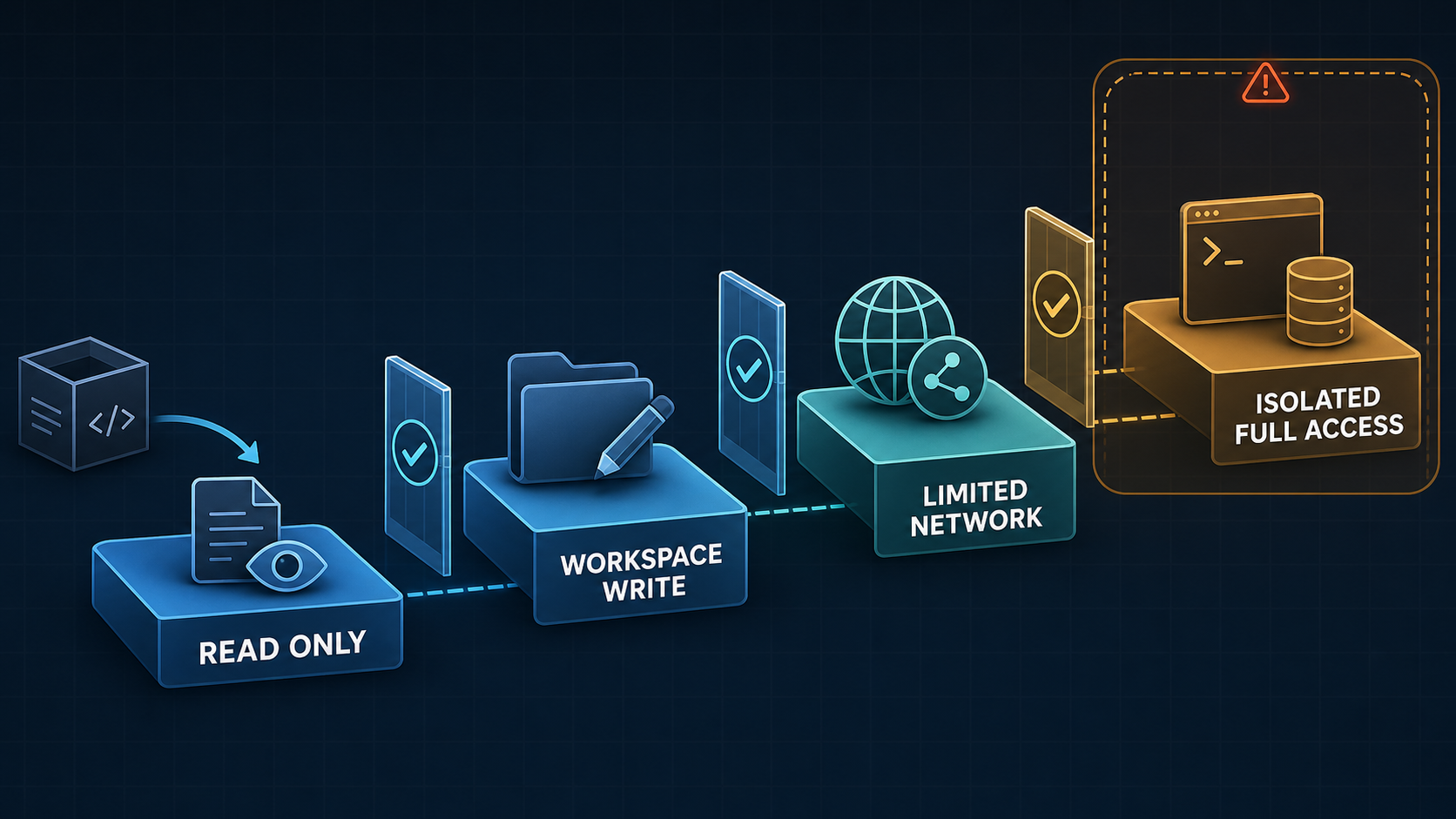
Enable network access only for the destination a task requires. A domain allowlist is safer than broad egress. Treat web results, dependency scripts, MCP servers, repository instructions, and issue text as untrusted inputs. A sandbox reduces blast radius; it does not prove that a patch is correct, secure, licensed, or ready to deploy.
Data controls also depend on the account. OpenAI says Business, Enterprise, Edu, and API inputs and outputs are not used to improve models by default, subject to organization settings. Plus and Pro conversations may be used unless training is disabled in ChatGPT data controls. Confirm policy before opening a private repository.
Keep manual review mandatory for authentication, payments, cryptography, permissions, infrastructure, production data, destructive migrations, and any change whose tests are missing or cannot be reproduced.
FAQ
Who should maintain shared AGENTS.md rules?
The repository owner or Tech Lead should own root rules because they affect every Codex session. Package owners should maintain subdirectory overrides. Security and platform owners should approve rules about credentials, network, deployment, generated files, and destructive commands. Review the file through normal pull requests.
What should be documented before team rollout?
Record the CLI version and installation source, authentication method, approved models, permission profile, network policy, AGENTS.md owner, supported workflows, verification commands, data policy, usage owner, and rollback steps. Preserve pilot task results: repository commit, prompt, diff, tests, human edits, elapsed time, and security events.
When should a project keep manual review first?
Keep human approval before every write or command while instructions are untested, the repository contains sensitive data, or the team cannot reliably restore state. Continue mandatory review for high-impact domains and production changes even after routine test repairs earn a more autonomous workspace-write policy.
Conclusion
The OpenAI Codex CLI is most useful when terminal autonomy sits inside an engineering control loop. Install from an official source, choose the correct account, start read-only, encode concise project rules, grant only the permissions a task needs, and require a diff plus verification evidence. Then compare accepted patches—not demos—before making it a team default.
Explore more evidence-based AI coding workflows on Graphify.
Leave a Reply