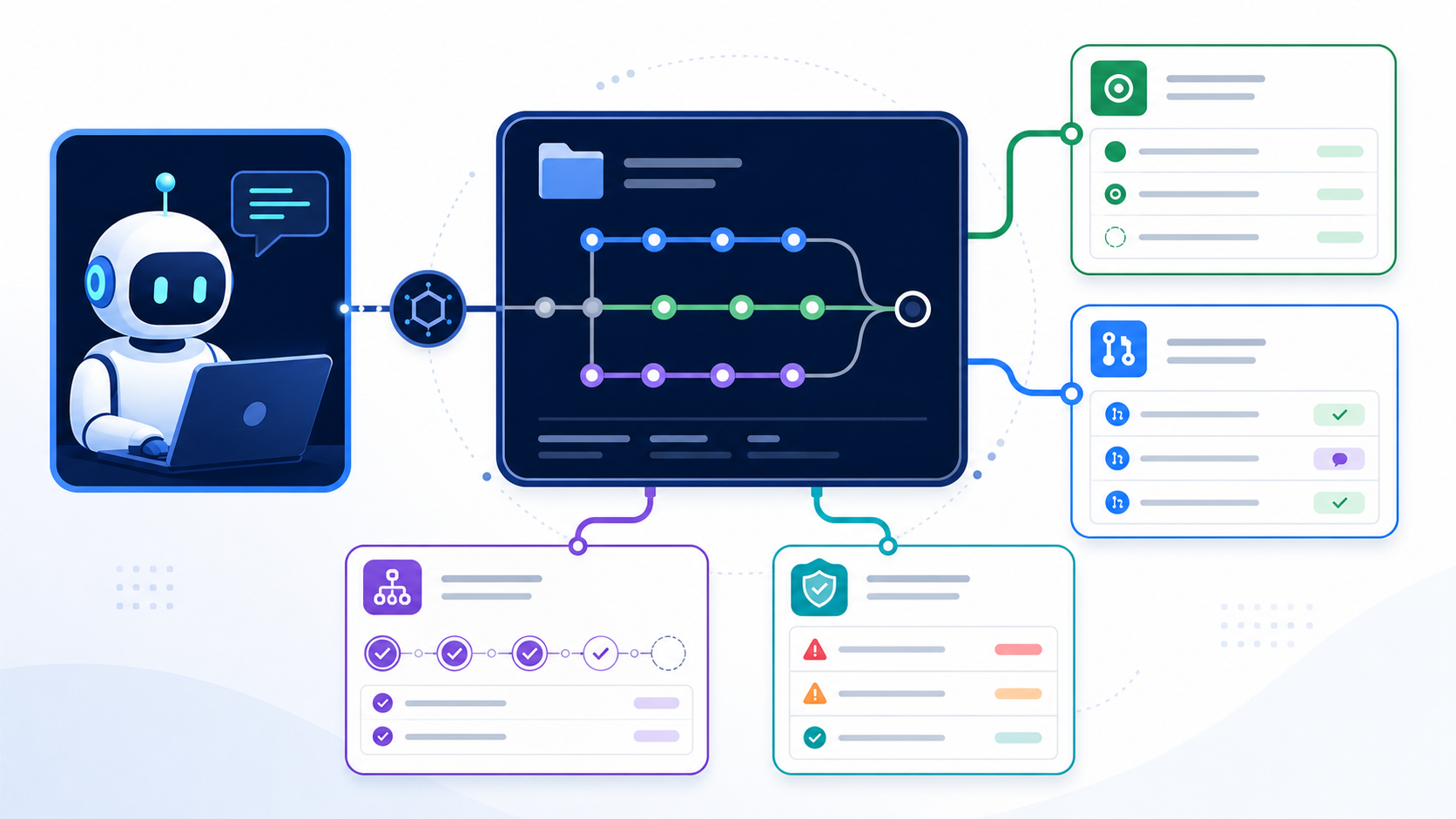
A source-control MCP server gives an AI client structured access to repositories, issues, pull requests, pipelines, projects, and security signals. GitHub's official MCP server is the strongest choice for GitHub data and actions. GitLab provides an official remote MCP server in beta. Bitbucket Cloud exposes an Atlassian MCP path. Azure DevOps has its own integration options. A local Git MCP is better when the job only needs commits, diffs, branches, and files on disk.
Do not choose by brand alone. Choose the narrowest boundary that completes the job. Reading a local diff does not require a token with organization-wide issue and pull-request permissions.
Which Git MCP server should you choose?
| Need | Best starting point | Connection model | Main caution |
|---|---|---|---|
| GitHub repositories, issues, pull requests, Actions, or code security | Official GitHub MCP Server | Remote or local container/binary | Large tool surface and token scope |
| GitLab projects, issues, merge requests, and APIs | Official GitLab MCP server | Remote HTTP preferred; mcp-remote fallback |
Current server status is beta and plan prerequisites apply |
| Bitbucket Cloud repositories and work items | Atlassian/Bitbucket MCP integration | Remote, OAuth-based | Confirm exact product coverage and workspace permissions |
| Azure Repos, Boards, Pipelines, and work items | Azure DevOps MCP integration | Product-specific | Keep the existing detail page canonical |
| Local commits, branches, diffs, and files | Local Git MCP server | Local stdio process |
Filesystem and shell boundaries still matter |
| Public repository documentation | Read-only repository or documentation MCP | Remote or local | Do not grant write credentials for public research |
This hub owns the comparison and workflow architecture. Use the existing GitHub MCP server page and Azure DevOps MCP server page for exact product configuration and release details.
Is there an official GitHub MCP server?
Yes. GitHub maintains github/github-mcp-server as its official MCP server. It can expose GitHub repositories, issues, pull requests, users, Actions, code security, Dependabot, discussions, labels, and other API-backed capabilities through configurable toolsets.
The official server supports:
- a remote GitHub MCP path for compatible clients;
- a local Docker image at
ghcr.io/github/github-mcp-server; - a locally built Go binary using
stdio; - toolset and individual-tool allow-lists;
- read-only mode;
- lockdown mode for public-repository content.
The official GitHub MCP repository is the source of truth for current installation, tools, and releases.
What tools does the GitHub MCP server expose?
GitHub organizes tools into toolsets. The exact list evolves, but the server documents groups for repository context, repositories, issues, pull requests, users, Actions, code security, Dependabot, discussions, Gists, Git operations, labels, notifications, organizations, projects, releases, secret scanning, security advisories, stargazers, and support documentation.
The default toolsets are deliberately smaller than “all.” GitHub currently documents context, repos, issues, pull_requests, and users as defaults. Enable only the groups the workflow needs.
| Workflow | Suggested toolsets | Avoid initially |
|---|---|---|
| Repository Q&A | context,repos |
Actions and write tools |
| Issue triage | context,repos,issues |
Pull-request and release writes |
| Pull-request review | context,repos,pull_requests |
Merge or branch mutation until validated |
| CI diagnosis | context,repos,pull_requests,actions |
Workflow dispatch and rerun without approval |
| Security review | context,repos,code_security,secret_scanning,dependabot |
Remediation writes until findings are verified |
Smaller toolsets improve least privilege and help the model choose the right tool.
How do you set up the GitHub MCP server?
The local Docker pattern passes a GitHub token to the official image:
export GITHUB_PAT="your-token"

docker run -i --rm \
  -e GITHUB_PERSONAL_ACCESS_TOKEN="$GITHUB_PAT" \
  -e GITHUB_TOOLSETS="context,repos,issues,pull_requests" \
  -e GITHUB_READ_ONLY=1 \
  ghcr.io/github/github-mcp-server
An MCP client configuration can launch the same container over stdio:
{
  "mcpServers": {
    "github": {
      "command": "docker",
      "args": [
        "run", "-i", "--rm",
        "-e", "GITHUB_PERSONAL_ACCESS_TOKEN",
        "-e", "GITHUB_TOOLSETS=context,repos,issues,pull_requests",
        "-e", "GITHUB_READ_ONLY=1",
        "ghcr.io/github/github-mcp-server"
      ],
      "env": {
        "GITHUB_PERSONAL_ACCESS_TOKEN": "${GITHUB_PAT}"
      }
    }
  }
}
Client support for environment expansion differs. Never commit a literal personal access token to mcp.json, editor settings, or a repository.
What is the GitHub MCP server URL?
The correct remote URL and authentication flow depend on the client and current GitHub service documentation. Do not copy an endpoint from an unofficial blog. Follow the official host-integration or client-specific guide linked from GitHub's repository. Remote clients should prefer OAuth 2.1 where supported.
How do you configure read-only GitHub MCP?
Run the server with --read-only or set GITHUB_READ_ONLY=1. GitHub documents that read-only mode removes write tools, even if a requested toolset or individual-tool list would otherwise include them.
Read-only mode is the correct default for:
- repository discovery;
- issue summarization;
- pull-request review;
- release-note research;
- code-security finding analysis;
- tool evaluation.
Add write tools only after each proposed action has a clear approval and rollback path.
How does the official GitLab MCP server work?
GitLab's official MCP server connects MCP clients to GitLab projects, issues, merge requests, and APIs. GitLab's current documentation marks the server beta. It supports GitLab.com, Self-Managed, and Dedicated offerings with plan and feature prerequisites.
GitLab recommends HTTP transport:
{
  "mcpServers": {
    "GitLab": {
      "type": "http",
      "url": "https://gitlab.com/api/v4/mcp"
    }
  }
}
For a self-managed instance, replace gitlab.com with the instance hostname. GitLab also documents a stdio bridge through mcp-remote for clients that cannot connect directly:
{
  "mcpServers": {
    "GitLab": {
      "command": "npx",
      "args": ["mcp-remote", "https://gitlab.com/api/v4/mcp"]
    }
  }
}
The server uses OAuth 2.0 Dynamic Client Registration. On first connection, the client registers an OAuth application, requests authorization, and receives an access token. Review the current GitLab MCP server documentation because availability, protocol versions, and prerequisites continue to change.
GitHub MCP vs GitLab MCP
| Dimension | GitHub MCP Server | GitLab MCP Server |
|---|---|---|
| Maintainer | GitHub | GitLab |
| Current maturity signal | Official open-source server with remote/local paths | Official server documented as beta |
| Local deployment | Docker image or Go binary | Server is part of GitLab; mcp-remote can bridge clients |
| Remote authentication | OAuth recommended; PAT for local setups | OAuth dynamic client registration |
| Surface controls | Toolsets, individual tools, read-only, lockdown | GitLab permissions, OAuth scopes, client and instance controls |
| Native work item | Issues and pull requests | Issues and merge requests |
| CI/CD | GitHub Actions toolset | GitLab pipeline and API operations as exposed |
Use the platform that owns the source data. A GitHub wrapper that scrapes GitLab or a generic API tool usually adds risk without adding value.
How does Bitbucket MCP work?
Atlassian documents a way to interact with Bitbucket Cloud through MCP. Treat Bitbucket MCP and Bitbucket MCP server searches as product-integration queries, not proof that any similarly named repository is official.
Before connecting, confirm:
- whether the integration is hosted by Atlassian or a third party;
- whether it covers repositories, pull requests, pipelines, and workspaces;
- which OAuth scopes it requests;
- whether write actions are available;
- how data residency and organization policy apply.
Use Atlassian's Bitbucket Cloud MCP documentation as the current source of truth.
Where does Azure DevOps MCP fit?
Azure DevOps spans Repos, Boards, Pipelines, Artifacts, and related project data. An Azure DevOps MCP server can therefore expose more than Git operations. That breadth makes tool and permission scoping essential.
Use the Azure DevOps MCP detail page for server-specific setup. In this hub, apply the same decision rule:
- use repository tools for code and pull requests;
- use board tools for work items;
- use pipeline tools for build status;
- keep dispatch, approval, and deployment actions disabled until explicitly needed.
When should you use a local Git MCP server?
Use a local Git MCP server when the job can be completed from a checked-out repository. Typical tools read status, diffs, logs, branches, tags, commits, and file content. This avoids a cloud token and can work with unpushed changes.
A local Git server is better for:
- explaining the current diff;
- finding the commit that introduced a line;
- summarizing branch history;
- comparing two local branches;
- preparing a commit message;
- inspecting a repository without network access.
A hosted source-control server is better for:
- issues and pull requests;
- CI status and workflow runs;
- repository permissions and collaborators;
- release assets;
- organization-wide code search;
- code-security alerts.
Some queries use the term Git-MCP for a documentation service that turns public Git repositories into accessible context. Confirm whether a project operates on local Git, a hosting-provider API, or rendered documentation before granting credentials.
What is an MCP repository?
The phrase MCP repository can mean three things:
- a source repository that contains an MCP server implementation;
- a repository exposed as data through an MCP server;
- a curated list or registry of MCP servers hosted on GitHub.
For discovery queries such as MCP servers repository, list of MCP servers GitHub, MCP registry GitHub, or MCP list GitHub, use a curated directory rather than this source-control integration guide. For a specific server's source, follow the repository link from its canonical product page.
The distinction matters because installing code from a GitHub repository is not the same as connecting the official GitHub MCP Server.
How do you design safe source-control workflows?
Start with read-only discovery, then add one bounded write action at a time.
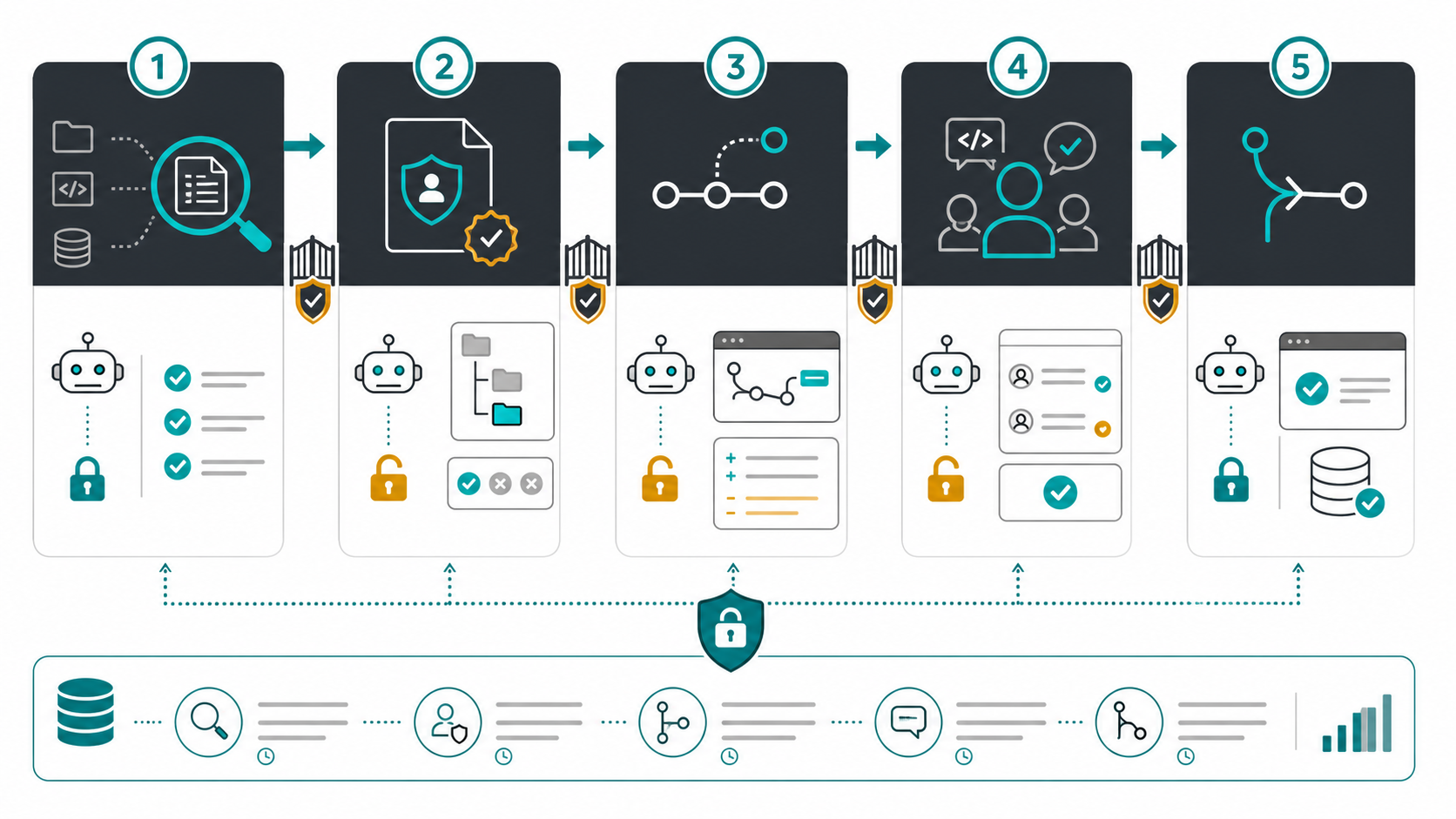
Workflow 1: Issue triage
- Read open issues with a named label.
- Group duplicates and identify missing reproduction details.
- Draft a comment without posting it.
- Ask a human to approve the exact comment.
- Post through an issue-only tool.
Workflow 2: Pull-request review
- Read the pull request, changed files, tests, and linked issue.
- Identify concrete risks with file and line evidence.
- Draft review comments.
- Require approval before publishing.
- Never merge as an implicit continuation of review.
Workflow 3: CI failure diagnosis
- Read the failed job and logs.
- Correlate the failure with changed files.
- propose a minimal fix and validation command.
- Create a branch only after approval.
- Open a pull request; do not deploy automatically.
Workflow 4: Release preparation
- Read merged changes since the last tag.
- Draft release notes with pull-request links.
- Verify version and artifact checks.
- Require approval for tag or release creation.
- Record the actor, inputs, and resulting URL.
Each workflow separates analysis from mutation. That boundary makes the automation understandable and reversible.
How do you apply least privilege to GitHub MCP tools?
Permissions must be enforced by credentials and server configuration, not by prompts. A prompt that says “do not merge” cannot neutralize a token and tool that can merge.
Use these controls:
- Enable only required toolsets. Avoid
allduring evaluation. - Prefer read-only mode. Add write tools after the read workflow passes.
- Use repository-scoped credentials. Avoid broad classic PATs where finer options exist.
- Separate environments. Use different tokens for personal, team, and automation contexts.
- Protect secrets. Use environment variables or a secret manager and keep config files private.
- Require branch protection. The MCP server should not bypass normal reviews and checks.
- Use lockdown mode when appropriate. GitHub's lockdown mode filters some public content by contributor trust while leaving private repositories unaffected.
- Log mutations. Capture the tool, user, repository, target object, approval, and result.
GitHub's official documentation recommends minimum scopes, separate tokens, rotation, and never committing credentials. Follow the hosting platform's current authentication guidance.
What GitHub MCP mistakes create the most risk?
| Mistake | Why it fails | Better design |
|---|---|---|
| Enabling every toolset | Increases ambiguity and blast radius | Start with context,repos and add one job-specific set |
| Using an organization-wide write token | One prompt can affect many repositories | Use a repository-scoped, short-lived credential |
| Giving a generic API tool | Hides side effects and bypasses semantic routing | Expose explicit tools such as issue_read or create_pull_request |
| Letting issue text drive policy | Issues can contain prompt injection | Treat all repository content as untrusted data |
| Reviewing and merging in one autonomous step | Removes independent approval | Separate analysis, review publication, and merge permissions |
| Logging tokens or private code | Creates a second data leak | Mask credentials and minimize tool output retention |
How do you troubleshoot a source-control MCP server?
| Symptom | Likely cause | Check |
|---|---|---|
| Server starts but requests return 401 | Missing, expired, or wrong token | Credential injection, OAuth completion, token scopes |
| Repository is invisible | Token lacks repository or organization access | Fine-grained repository selection, SSO authorization |
| Write tools are missing | Read-only mode or toolset filter is active | Server flags, environment variables, approved actions |
| Too many similar tools confuse the model | Toolsets are too broad | Enable fewer groups or individual tools |
| GitLab URL fails | Wrong hostname, endpoint, or prerequisites | Instance URL, /api/v4/mcp, GitLab version and feature settings |
| Docker server exits immediately | stdin, environment, or image problem | Run with -i, verify variable names, inspect logs |
| A tool works locally but not in an IDE | Client config syntax differs | Follow the official client-specific guide |
| Tool names collide across instances | Multiple servers expose similar names | Use supported prefixes or clear server names |
Test a single read operation before debugging model behavior. Authentication and capability discovery must work before prompt tuning can help.
How do you evaluate a GitHub MCP server release or alternative?
When a query asks for GitHub MCP server release, official GitHub MCP server, or GitHub MCP server npm, verify these facts:
- The repository owner is
githubfor the official server. - The documented local distribution is the GitHub Container Registry image or a Go binary built from source.
- A similarly named npm package is not automatically the official server.
- Release notes and breaking changes come from the official repository.
- The server's license, security policy, and tool configuration match your use case.
The same provenance rule applies to niche terms such as PAL MCP GitHub, n8n MCP GitHub, Mixpanel MCP server GitHub, or Google Analytics MCP server GitHub. A GitHub link tells you where code is hosted; it does not make GitHub the vendor or auditor of that integration.
Frequently asked questions
Is GitHub MCP the same as GitHub Copilot?
No. GitHub MCP Server exposes GitHub data and actions through MCP. Copilot is an AI product that can act as an MCP client in supported environments. Copilot can connect to the server, but they are separate products.
Can the GitHub MCP server read and write files?
It can expose repository-content and Git-related tools according to enabled toolsets and permissions. Do not confuse those API-backed repository tools with a generic local filesystem server's read_file, write_file, and create_directory tools. Check the official tool list instead of relying on a search snippet.
Can GitHub MCP use Actions and Projects?
Yes, the official server documents toolsets for Actions and Projects. Enable them only when the workflow needs them. Workflow dispatch, project updates, and similar mutations should require approval.
Is GitLab MCP server official?
Yes. GitLab documents an official MCP server at the GitLab instance's /api/v4/mcp endpoint. Its current status is beta, so check the documentation for plan, version, and feature prerequisites.
Is Bitbucket MCP official?
Atlassian publishes Bitbucket Cloud MCP documentation. Follow that documentation and verify OAuth scopes. Do not install an unrelated package solely because its name contains “Bitbucket MCP.”
Should I use a GitHub remote MCP or a local container?
Use remote OAuth when the client and organization support it and centralized access fits the policy. Use a local container or binary when you need explicit toolsets, local process control, or a client that launches stdio servers. Both need least privilege.
What is mcp-use GitHub?
It usually refers to using an MCP client library or framework with GitHub, not a distinct official GitHub server. Connect the framework to the official server and follow both projects' configuration guidance.
Final recommendation
Use the official server for the platform that owns the data. Start GitHub MCP in read-only mode with context and repos, then add issues, pull requests, Actions, or security toolsets only for a named workflow. Use local Git for local history and uncommitted changes. Keep product pages canonical, credentials narrow, write actions approved, and every mutation auditable.
Leave a Reply