I’m Evan. I would not normally write a whole page about capitalization, package names, and company names. But this is one of those boring naming problems that quietly breaks developer workflows.
A developer searches Graphify, sees graphifyy on PyPI, then runs into GraphifyLabs or Graphify Labs on GitHub and the company site. At that point, the question is no longer just “which name is correct?” It becomes: which source should I trustbefore I install something, cite it in docs, or wire it into an AI coding memory workflow?
So here is the clean split. Graphify is the project and the broader code knowledge graph idea. graphifyy is the Python package name. Graphify Labs is the organization layer behind the public project and company-facing presence. Small distinction. Real consequences.
What Graphify Means in AI Coding
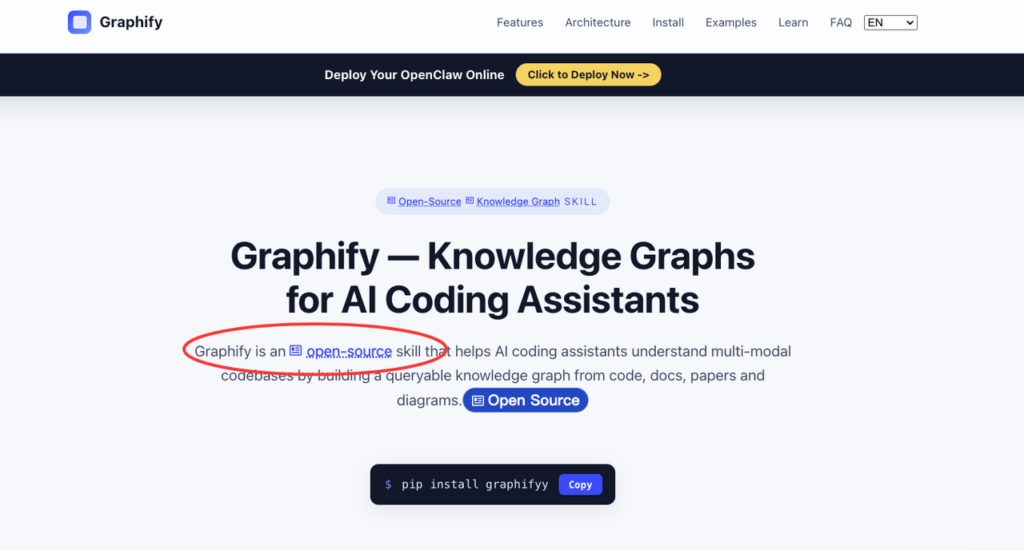
Graphify sits in a very specific part of the AI coding workflow. It is not just another autocomplete tool, and it is not a generic search box for a repo. The public Graphify official site describes it as an open-source knowledge graph skill for AI coding assistants, built to turn code, docs, papers, and diagrams into a queryable graph.
That distinction matters. A normal AI coding assistant can read files. It can also guess pretty confidently when it has the wrong files. The failure is usually quiet: the assistant edits the wrong layer, misses an old design note, or treats two similar modules as interchangeable.
A code graph tries to reduce that kind of guessing. It gives the assistant a map of relationships: which files call each other, which concepts sit at the center of the system, where docs explain design intent, and which paths are worth checking before making an edit.
This is also why searches like “graphify ai” can be ambiguous. Sometimes the reader wants the product. Sometimes they want the method: using a code knowledge graph to make AI coding more reliable. This page is meant to separate those meanings without pretending the naming is cleaner than it is.
graphify vs graphifyy vs GraphifyLabs
| Name | Best use | What it should mean |
| Graphify | Product, project, and concept name | The codebase graph layer for AI coding workflows |
| graphifyy | Install/package name | The Python package on PyPI |
| GraphifyLabs / Graphify Labs | Organization/company name | The entity behind the public project and company site |
graphify as the project and concept
When I write “Graphify” in an article, I mean the project or the concept first. That includes the knowledge graph layer, the CLI behavior, the assistant skill, and the broader workflow around codebase context.
This is the right name for educational pages, comparison articles, and architecture discussions. For example, an article about [codebase context](/codebase-context) should use Graphify when discussing how an assistant navigates relationships in a repo. It should not switch to graphifyy unless the sentence is about installation.
That small boundary keeps the article readable. Readers do not want every paragraph to sound like package metadata.
graphifyy as the Python package name
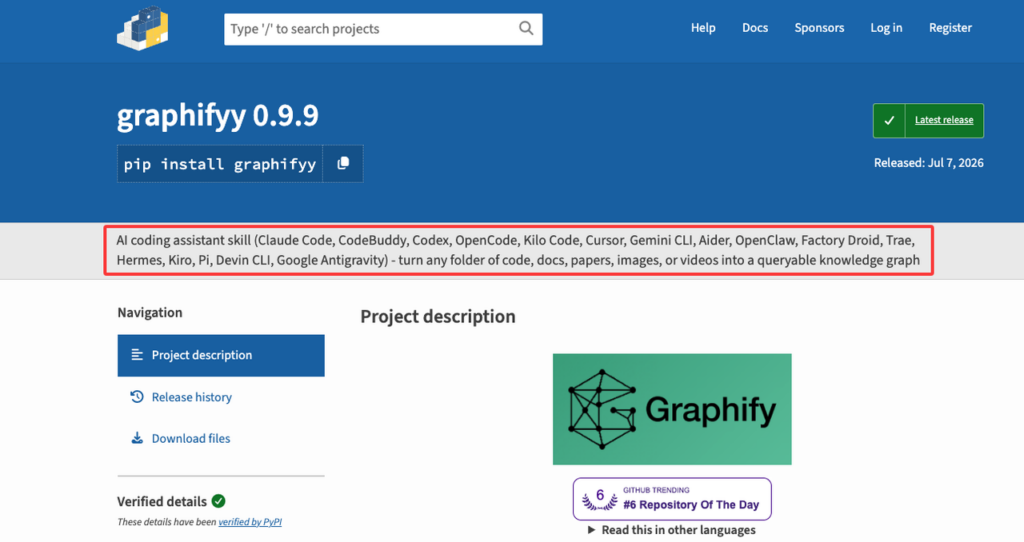
graphifyy is the package name. Use it when the reader needs to install or verify the Python distribution. As of July 8, 2026, the PyPI project page lists the package as graphifyy, and the project description also makes the double-y naming clear.
This is the source I would check first for install commands, package release dates, Python requirements, extras, and package metadata. If PyPI and a blog post disagree, PyPI wins for installation. Not the homepage. Not an old tutorial. Not a copied command in a social post.
The practical rule is simple:
uv tool install graphifyyBut after installation, the command users see may still be Graphify. That is normal. Package names and CLI commands do not have to match. Python developers have seen this pattern before, and over-explaining it usually creates more confusion than it removes.
GraphifyLabs as the company
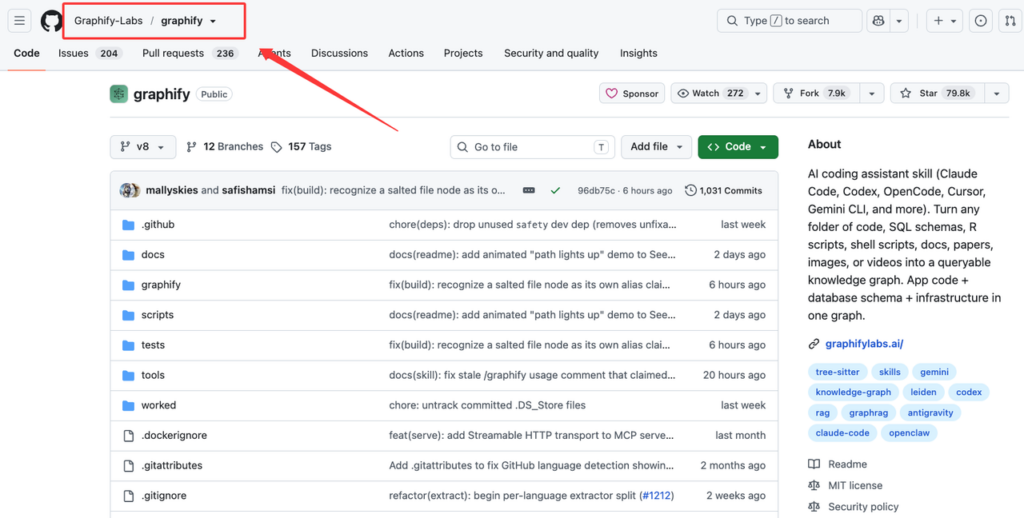
GraphifyLabs is the search-friendly way some users type the company name, but public profiles show a few forms. On GitHub, the project appears under the Graphify-Labs organization, while the public profile links back to graphifylabs.ai. The company-facing site then uses the broader Graphify positioning around persistent memory and connected working context.
For copy, I would use “Graphify Labs” when referring to the organization in prose. I would keep “GraphifyLabs” only where it matches search intent, metadata, or user queries. That way, the page can rank for the no-space query without making the brand look careless.
Do not use GraphifyLabs as a synonym for the open-source package. That blurs the product layer and the organization layer. It also makes future redirects harder.
Why Code Knowledge Graphs Matter for AI Coding
The model is not always the bottleneck. The context often is.
In a small repo, an assistant can usually survive with file search, editor context, and a decent prompt. In a larger repo, the task stops being local. A change may depend on module boundaries, generated code, internal docs, SQL schema, old RFCs, or comments that explain why a strange branch exists.
That is where a code knowledge graph becomes useful. It gives structure to the things a model would otherwise discover slowly or miss entirely. The public Graphify GitHub repository describes the project as an AI coding assistant skill that turns folders of code, schemas, scripts, docs, papers, images, and videos into a queryable graph.
The value is not “more context” in a vague sense. More context can make an answer longer without making it safer. The useful question is whether the assistant can find the right path through the repo before editing. If the graph helps answer that, it belongs in the workflow. If it only produces a pretty visualization that nobody checks, it becomes another stale artifact.
How Graphify Fits With Codebase Memory
AI coding memory is useful only when it stays close to the code. A memory layer that remembers yesterday’s decision but ignores today’s refactor can make the assistant more confident and less correct. That is a bad trade.
Graphify fits best as a structured memory layer for codebase relationships. It can sit beside [AI coding agents](/ai-coding-agents), repo onboarding workflows, and [MCP servers](/mcp-servers) that expose project context to tools. In that setup, the assistant should ask narrower questions before reading half the repo. It should trace relationships, check source-backed paths, and make its assumptions visible.
I would test it on tasks where ordinary search starts to feel thin:
- A refactor crosses three or more modules.
- A bug depends on generated code or config.
- The relevant design note lives outside the source file.
- The assistant keeps finding plausible but wrong files.
- Review cost goes up because the AI changed too much.
This is not necessary for every project. A small library with clear files may not need a graph layer. But once context repair becomes a fixed cost in every AI coding session, the graph starts to make sense.
Naming Limits and Neutrality Rules
I would keep this boring on purpose. Naming pages do not need drama. They need a rule that a developer can trust five minutes before shipping docs.
This page should not turn into a product pitch. Naming pages work best when they answer the reader’s question quickly and keep the boundaries visible.
The neutral rules I would use are:
- Use Graphify for the project, product, and concept.
- Use graphifyy only for the Python package and install context.
- Use Graphify Labs for the organization.
- Use GraphifyLabs only as a search variant, not the main prose style.
- Check PyPI before publishing install instructions.
- Check GitHub before claiming repo status, license, stars, or ownership.
- Check the company site before summarizing the official business positioning.
I would also avoid hard claims that are easy to stale-date. Do not freeze GitHub stars, install counts, benchmark numbers, or enterprise claims into the article unless the page has an update process. If those details are needed, add a “last checked” date next to them.
For this page, the stronger brand moat is not hype. It is clean disambiguation. A developer who searched the wrong name should leave knowing exactly which source to trust next.
FAQ
Which source should be checked first if naming changes?
I would check the source closest to the thing being named. For install naming, check the graphifyy PyPI page first. For repo ownership and open-source status, check the GitHub repo and GitHub organization. For company positioning, check the official Graphify Labs site.
If two sources disagree, do not merge them into one confident sentence. Say which source says what, add the check date, and update the page after the official source stabilizes.
Should old mentions redirect to one canonical page?
Yes, but not everything should point to the homepage. Old mentions of graphifyy should redirect or point to the installation section. Old “GraphifyLabs” mentions should point to the organization or naming section. Old generic Graphify mentions can point to the main canonical page.
This keeps the redirect useful. It also protects search intent. Someone looking for a package name is not always ready for a company page.
When should this page be updated after a release?
Update it whenever a release changes package metadata, install commands, assistant support, repo ownership, license language, or official positioning. I would also recheck it after any major GitHub release, PyPI release, or company-site rewrite.
For normal maintenance, a quarterly naming audit is enough. For launch weeks, check within 24 to 48 hours after release. Naming drift is boring until it breaks installs, search snippets, and support replies.
Conclusion
Graphify, graphifyy, and Graphify Labs are related, but they should not be collapsed into one label. The project name explains the code knowledge graph idea. The package name tells developers what to install. The company name tells readers who stands behind the work.
That separation is the page’s job. Not to oversell the tool. Not to pretend every repo needs a graph. Just to give developers a clean map before they copy a command, cite the project, or build Graphify into an AI coding memory workflow.
That is the boring part of naming work. It only looks small until the wrong name breaks an install, a citation, or a support reply.
Leave a Reply